1
Appendix D: Installing on other platforms
Installation of InterForm NG on the windows platform is described on page 12. InterForm NG
can in principle be installed on any java enabled platform , but the installation procedure (and
som e few functions) are specific for the platform you are installing it on. Below the specifics for
various platform s are m entioned.
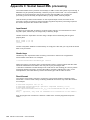
Installing on Linux
First download the InterForm NG-shell.7z file intended for this specific version. There is no
standard unzipper, but Ubuntu should find the program , p7zip itself, which you then install to
unzip the file.
It is not im portant where the InterForm NG library is saved, but a suggestion could be /usr/local.
The Shell scripts are not executables, you need to add that:
chm od u+x service-linux.sh service-web-linux.sh
Java is not standard in e.g. Ubuntu, so you need to install it yourself:
sudo apt-get install default-jre
Then you are finally ready to go.
First you start the service:
./service-linux.sh &
Then the service web is started:
./service-web-linux.sh &
W ait a few m inutes and then open a browser:
http://localhost:1885/webapp-springm vc
Now you can start to configure the service as described in this m anual.
W hen running the designer on Linux you m ight see a few ‘issues’:
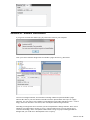
W hen you first open a tem plate or resource the folder m ight be em pty. If that is the case, then
just click ‘cancel’ and try again.
The preview m ight return with the error ‘rundll32'
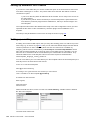
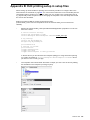
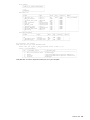
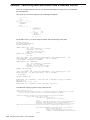
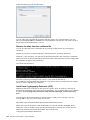
To m ake preview run under Linux you need to add a line to the client.properties file (inside
user/profiles/default)
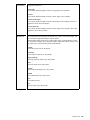
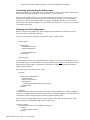
In the bottom of the file you will find this:
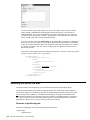
## External programs for displaying PDF and PCL files
PDFviewer=
rundll32 url.dll,FileProtocolHandler
PDF application
previewCommand=
/usr/bin/evince "@{absoluteFileName}"
## previewCommand.zpl=
notepad "@{absoluteFileName}"
## External programs for displaying HTML files
HTMLviewer=
rundll32 url.dll,FileProtocolHandler
HTML viewer
## Use default windows
## Use default windows
The line to add is written in bold above.
InterForm A/S 145