1
1.1 Computer Viruses and Malware
cases this is the NORMAL.DOT file. As NORMAL.DOT is launched every
time Word is started, the macro virus is active every time and is able to infect
every word document. But the mentioned Auto macros are not the only way a
macro virus can rely on. Other possibilities are shortcuts (like ALT+S), forms
or buttons. Many variants of macro viruses have been created automatically:
when a word file is being saved, functions from the OLE32.DLL (OLE = Object
Linking and Embedding, DLL = Dynamic Link Library) are being used. But
as some versions of this DLL are buggy, a file may get slightly damaged when it
is saved. Therefore, the macro code might by changed slightly, but the macro
virus itself may remain intact and is able to spread. As the macro code has
changed, a new variant has been created ([VB1997, pp. 177], [SK1999]).
By Office97, Microsoft introduced a new (macro) language: Visual Basic
for Applications ([DAJ1997], [SK1999]). Now, even regular documents can
contain macros, so conversion from template to document is no longer necessary.
Moreover, Word97 provides an upconversion feature for documents created with
older Word releases ([DAJ1997], [VB1997, pp. 188], [VB1998]). So, in most
cases macros are converted automatically, too. The commands are not really
converted from WordBasic to VBA, but simply speaking just ”WordBasic” is
placed in front of every instruction. With Service Release 1 (SR1) for Office97,
Microsoft tried to make it harder for macro viruses to spread: macros can no
longer be copied from the global template into the word document ([VB1998,
pp. 157], [JK1998, pp. 144]). But this very weak kind of protection can be
bypassed by some tricks, e.g. export the VBA code into a file and re-import
this file later into the word document ([KT1999, p. 302]). Upconversion is also
done in Office 2000 ([RJZ1999, pp. 223]).
Macro viruses can ”snatch” ([VB1996, p. 115], [VB1997, pp. 180]) existing
macros, i.e. a macro is replaced by a macro with the same name, which is
already present in the global template (e.g. user macros, macros from another
macro virus, which has infected the template already before). As an example,
many macro viruses have snatched macros from the mostly useless Macro protection tool ScanProt from Microsoft ([VB1997, p. 183]). By macro snatching,
a macro virus can mutate to a new variant or a new macro virus. Multiple
infections of the normal template can create problems for anti-virus tools, e.g.
cleaning it may create a new macro virus if the anti-virus tool thinks it is only
infected by one macro virus (see [VB1997, pp. 180] for details). Multiple infections by so called Word Class Infectors 3 are sometimes called ”sandwiches”
([KT1999, p. 304]).
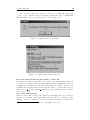
Some ”advanced features”, already known by (DOS) viruses, have been ”reinvented” by macro viruses, too. A stealth macro virus can display the
error message ”not enough memory” or a faked dialog box, when the user calls
the menu item ”Tools/Macro” (this could be used to see which macros exist).
The start of the VBA Editor could also be blocked or the for- and background
colour is set to white, so that no lines of code can be viewed ([VB1996, pp. 115],
[JK1999], [IM1999b, pp. 19]). A polymorphic macro virus can change the
3
”Class infectors are Office97 macro viruses that consist of a single module - the class
module, which is always named the same (usually ThisDocument).” ([KT1999, p. 301])
7