1
Upgrading Persona Mobile Software via ActiveSync
ActiveSync can be an effective means of transferring files between a PC and
Persona Mobile. For example: If an upgrade file was e-mailed to your PC,
ActiveSync could be used to transfer it from the PC to the Persona Mobile.
If ActiveSync is not installed already on your PC, then you’ll need to uinstall it
from the “Getting Started Disk” that came with the Persona Mobile or go to
Microsoft.com to download it and install it onto your PC.
Note:
The following instructions only demonstrate how to transfer files from a
PC to the Persona Mobile as a “Guest”. Refer to ActiveSync Help for
information regarding additional capabilities.
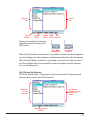
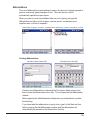
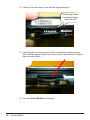
Once ActiveSync has been installed onto the PC, connect the Persona Mobile to
the PC using the supplied USB cable. You should hear the PC make a
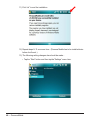
confirming sound when it connects successfully. Also, you should see the
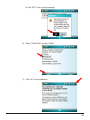
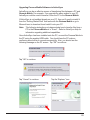
following message on the PC screen. Tap “OK” to continue.
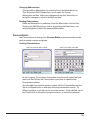
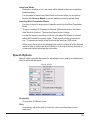
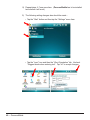
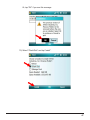
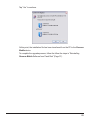
Tap “OK” to continue.
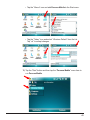
Tap “Cancel” to continue.
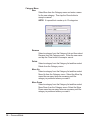
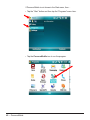
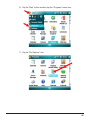
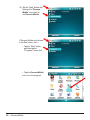
Tap the “Explorer” icon.
51