1
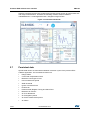
Premium EVK software user interface
2.2.2
UM1764
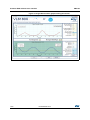
Range Measurement (ToF) graph
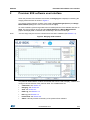
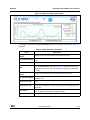
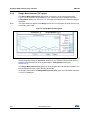
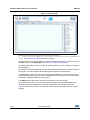
The Range Measurement (ToF) graph plots, in real time, range measurements (see
Figure 7). The maximum range is 255 mm. The vertical axis can be changed using the
Configuration dialog (see Section 2.2.3). If a target is not detected, the maximum range is
displayed.
Note:
The graph default is 255mm. True Range shows the correct numerical range and this may
exceed the graph limits.
Figure 7. Range Measurement graph
The VL6180X premium EVK can be run in single-shot ranging mode (default) or continuous
ranging mode (by ticking the Continual check box). If in Continual ranging mode the time
between measurements can be changed using the Configuration dialog (see
Section 2.2.3).
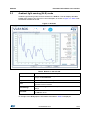
The Range Measurement (ToF) graph can be changed to show threshold information, see
Range Management (ToF) graph showing thresholds.
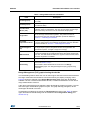
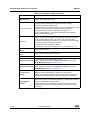
To the right of and above the Range Measurement (ToF) graph, the information described
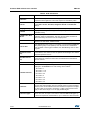
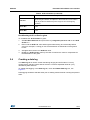
in Table 3 is displayed.
9/23
DocID026336 Rev 4