1
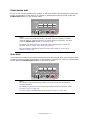
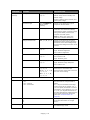
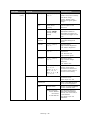
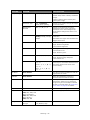
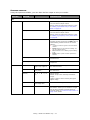
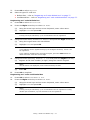
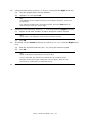
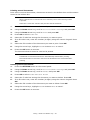
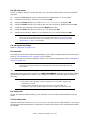
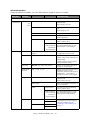
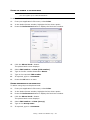
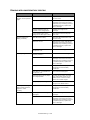
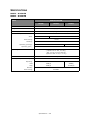
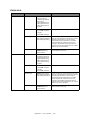
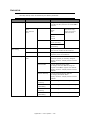
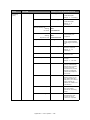
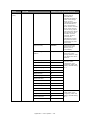
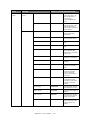
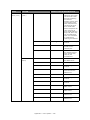
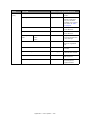
NETWORK SCAN DESTINATION
ITEM
OPTION
OPTION/DESCRIPTION
No.
Select a destination number.
Register
Destination
user defined
Sets a destination name.
Max. 16 characters.
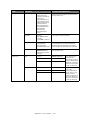
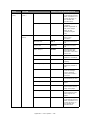
Destination
Address
user defined
Port No.
9968
Sets a destination sddress.
Max. 16 characters.
Sets a port number.
Available range: 1 to 65535.
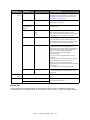
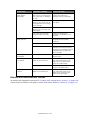
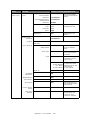
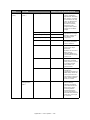
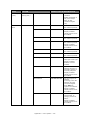
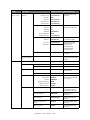
Edit
Delete
Destination
Edit destination name.
Destination Address
Edit destination address.
Port No.
Edit port no.
Yes, No
Deletes destination.
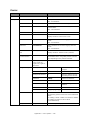
Sort By Name
Sort list of entries by name.
Sort By Number
Sort list of entries by number.
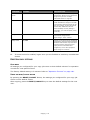
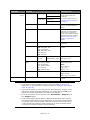
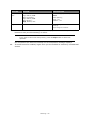
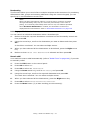
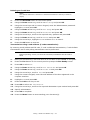
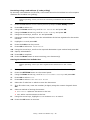
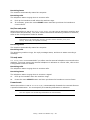
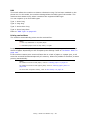
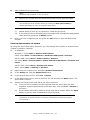
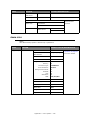
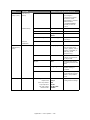
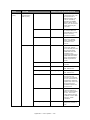
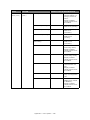
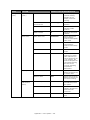
STORE DOCUMENT SETTINGS
ITEM
OPTION
OPTION/DESCRIPTION
Store
Fcode Bulletin
Board
Delete
Fcode Bulletin Board
Over Write
Stores documents in a bulletin box.
Deletes accumulated documents.
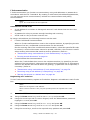
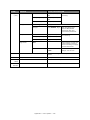
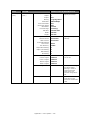
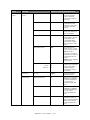
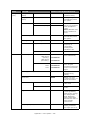
Received Documents
Print
Fcode Box
Prints accumulated documents.
Reserved Tx Doc.
Received Documents
Appendix A - menu system > 141