1
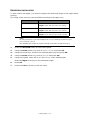
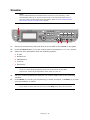
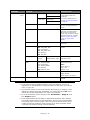
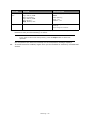
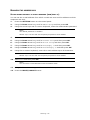
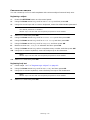
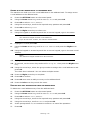
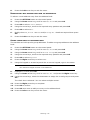
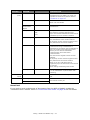
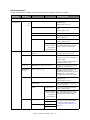
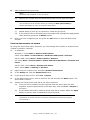
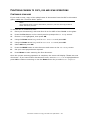
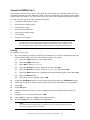
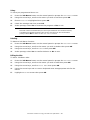
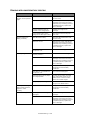
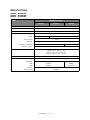
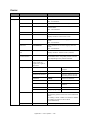
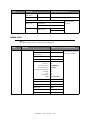
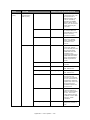
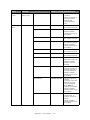
EASY SETUP
NOTE
The Easy Setup menu is blocked by the Admin password.
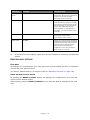
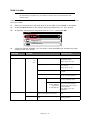
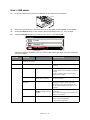
ITEM
OPTION
OPTION/DESCRIPTION
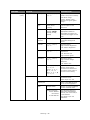
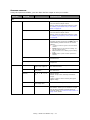
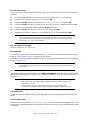
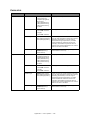
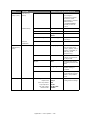
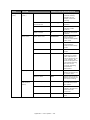
Date/Time Setting
user defined
Using the arrow keys, select your time zone,
in relation to GMT, from the list. Press OK to
continue.
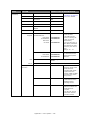
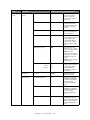
Not Summer
Time
Manual
Day
Month
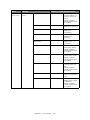
Now Summer
Time
Year
Using the keypad
and arrow keys,
enter the correct
date and time.
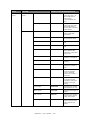
Hour
Minute
Second
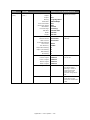
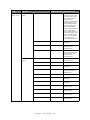
Server
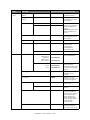
Set Address of SNTP
Server (Primary)
user defined
Set SNTP Server
(Secondary)
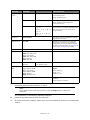
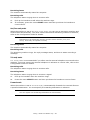
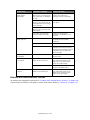
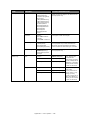
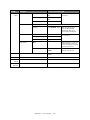
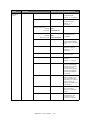
Fax Settinga
Network Setting
Fax Number
user defined
Using the keypad and on screen options,
enter the fax number of this machine.
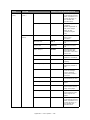
Sender ID
user defined
Using the arrow keys and on screen
keyboard, enter the sender ID.
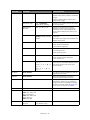
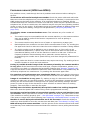
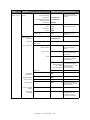
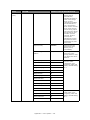
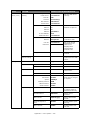
Manual
IP Address
Specifies whether IP address allocation is
automatic (DHCP) or manually assigned.
Auto
Display condition: TCP/IP protocol must be
enabled.
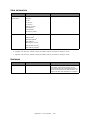
Subnet Mask
Current assigned subnet mask.
To change, enter the address using the
keypad. Press OK to register new address.
Display condition: TCP/IP protocol must be
enabled.
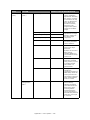
Default Gateway
Current assigned gateway address.
To change, proceed as above.
Display condition: TCP/IP protocol must be
enabled.
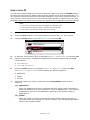
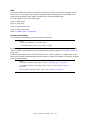
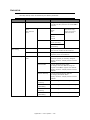
DNS Server
(Primary)
Current assigned DNS server (primary).
DNS Server
(Secondary)
Current assigned DNS server (secondary).
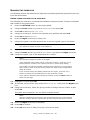
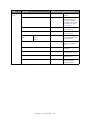
WINS Server
(Primary)
Current assigned WINS server (primary).
WINS Server
(Secondary)
Current assigned WINS server (secondary).
Appendix A - menu system > 143