1
ANNKE camera web client user manual
1. Introduction
Thanks for buying our products. Cloud IP camera has a variety of functions,
which dedicates to the office and home solutions. Unlike traditional IP Camera,
cloud camera uses P2P technology, plug and play (no need to do port forwarding,
DNS, or IP address setting). By using WIFI/3G remote monitoring,Cloud
Camera realizes real-time control at any place and any time. 720P HD makes
image clear and smooth. Cloud IP camera also has motion detection function,
making it cost-effective for home and public security.
This manual is only for reference, any update please open
www.myannke.com to download newest manual version.
2. Installation
2.1. Camera installation and login
Step one: Connect power and network
Please refer to "Quick Installation Guide” for installation
Step two: Login
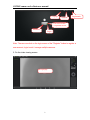
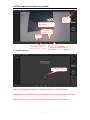
1: Open www.myannke.com on browser, and put in camera ID and password
(each IP CAM have a unique ID number and password).
Note: To protect your privacy, please change the initial password after first time
login.
1