1
3. Getting started
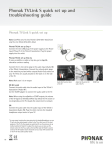
ComPilot II must be set up and charged before use.
3.2 Charging the battery
3.1 Setting up the power supply
JPlug the larger end of the
charging cable into the
universal power supply. Plug
the smaller end into the
mini-USB port on ComPilot II.
JPlug the power supply into
a power outlet.
Select the adapter that corresponds to your country.
UK
AUS
US
EU
J Firstly, insert the top round
end of the adapter into
the round corner of the power
supply.
J Click the bottom end of the
adapter in to lock it into place.
1.
The power indicator is red during charging and will
turn green when charging is complete.
2.
J To remove, first pull back the tab
on the power supply.
J Pull the adapter upwards to
remove it.
Before using ComPilot II for the first time, charge
it for at least 3 hours.
1.
8
ComPilot II has a non-removable rechargeable
battery.
2.
9