1
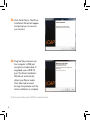
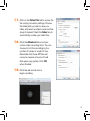
3. Click Install Driver. The Driver
Installation Wizard will appear
and prompt you to connect
your camera.
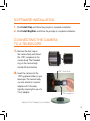
4. Plug the Skyris camera into
the computer’s USB port
using the included cable. If
equipped, use a USB 3.0
port. The Driver Installation
Wizard will automatically
detect your Skyris model.
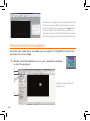
Click Next and proceed
through the prompts until the
driver installation is complete.
The Skyris camera will also operate in USB 2.0 at a reduced frame rate.
4