1
quit an open app, place your finger on the top center of the screen and swipe
down.
Mouse and keyboard
The Help pages provide instructions using touch. Refer to the list below for mouse
and keyboard actions:
App bar: Right click opens the app bar.
Charms bar: Place the mouse cursor on the bottom right corner to open the
charms bar.
Return to Windows Start: Tap on the Windows icon on your device to return
to the Windows Start screen.
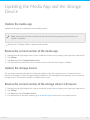
Quit the media app: It is not necessary to quit the media app before returning
to the Windows Start screen or switching to another app. However, there are
times when quitting the app is helpful, such as troubleshooting a problem. To
quit an open app, press Ctrl+Alt+Del and choose Task Manager. Select the open
application and choose End task.
Model: