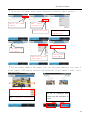
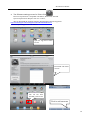
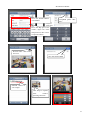
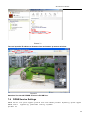
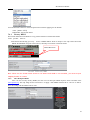
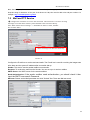
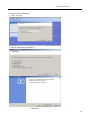
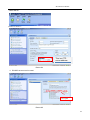
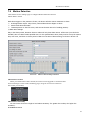
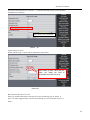
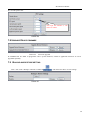
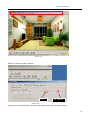
1
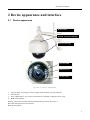
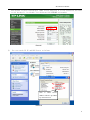
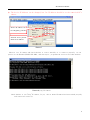
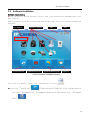
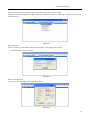
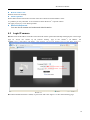
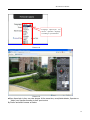
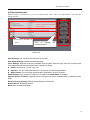
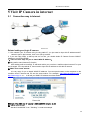
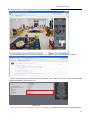
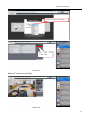
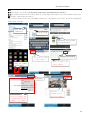
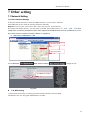
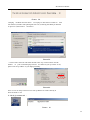
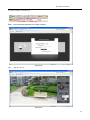
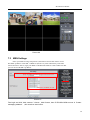
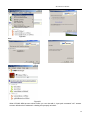
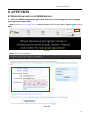
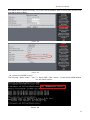
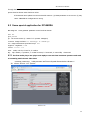
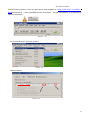
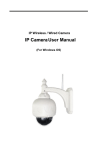
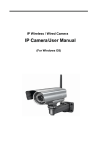
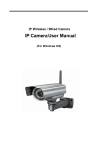
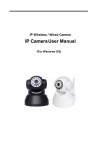
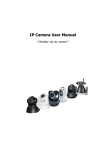
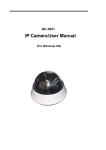
IP Wireless / Wired Camera IP Camera User Manual (For Windows OS) IPCAM User Manual Content 1 Product Overview .................................................................................................... 4 1.1 PRO DUCT PACKAG E............................................................................................................................ 4 1.2 Product Characteristics ...................................................................................... 4 2 Device apprearance and interface installation ............................................................................... 5 3 4 2.1 D EVIC E APPREARANC E .................................................................................................................... 5 2.2 I NTERFAC E INS TALLATIO N ............................................................................................................. 6 Device installation ....................................................................................................................................... 6 3.1 HARDWAR E INS TALLATIO N ............................................................................................................ 7 3.2 SO FTWARE INS TALLATIO N ........................................................................................................... 10 Visit IP CAMERA IN LAN ................................................................................................................... 11 4.3 CO NNEC TIO N WAYS IN LAN .......................................................................................................... 11 SEARCH AND SET DEVIC E IP ADDRESS ........................................................................................ 11 LOGI N IP CAMERA .......................................................................................................................... 14 4.4 IP CAMERA O P ERATIO N................................................................................................................... 17 4.1 4.2 5 Visit IP CAMERA IN INTERN ET ........................................................................................................ 20 5.1 5.2 6 The device like Mobile phone , PAD Etc. visit IP CAMERA...................................................... 24 6.1 6.2 7 CO NNEC TIO N WAY IN I NTERNET .................................................................................................. 20 R ELATE AND S ETIING AND VISIT IP CAMERA ............................................................................ 20 I NPUT IP ADDRESS IN TH E BRO WSER TO VISIT ........................................................................ 24 I NSTALL CLIENT-SIDE SO FTWARE TO ACC ESS IPCAMERA .................................................... 27 Other setting ............................................................................................................................................... 32 7.1 NETWO RK SETTING .......................................................................................................................... 32 7.1.1 Basic network setting................................................................................................................. 32 7.1.2 WIFI Setti ng................................................................................................................................... 32 7.1.3 Adhoc P to P wireless connecti on setti ng ................................................................................ 34 7.2 7.3 MULTI-DEVIC E SETTING ................................................................................................................. 37 7.4 DDNS SETTING................................................................................................................................ 40 7.4.1 7.4.2 7.5 7.6 MS N SETTING ...................................................................................................................................... 38 Factory DDNS .......................................................................................................................... 41 The third part DDNS ................................................................................................................. 41 E-MAIL AND FTP SERVICE ..................................................................................................... 42 MO TIO N DETEC TIO N........................................................................................................................ 47 2 IPCAM User Manual 7.7 TIME O F DEVIC E AND PTZ SETTI NG ....................................................................................... 49 7.8 UPGRADE D EVIC E FIRMWARE ...................................................................................................... 50 BACKUP AND RES TO RE SETTING .................................................................................................. 50 7.9 8 APPENDIX.................................................................................................................................................. 50 8.1 R EGIS TER AND APPLY FO R DDNS S ERVIC E ............................................................................ 50 8.2 SO ME SP ECIAL APPLICATIO N FO R IPCAMERA ...................................................................... 55 8.2.1 Open IP Camera though flow-media player ..................................................................... 56 FREQ UENTLY ASKED QUES TIO NS ................................................................................................ 59 8.3.1 I have forgetten the user and / or password ...................................................................... 59 8.3 8.3.2 IP Address configuration .......................................................................................................... 59 8.3.3 Network configuration .............................................................................................................. 59 8.3.4 No pictures show.......................................................................................................................... 59 8.3.5 8.3.6 Network bandwidth problems ................................................................................................ 60 Why pop-up the prompt"Fail to connect the device"? ................................................. 60 8.3.7 IP camera has connected with internet, why it can't visit though IP camera ....... 61 8.4 TH E SO LUTIO N FO R OPERATIO N CO MMO N PROBLEMS ...................................................... 61 8.5 TH E DEFAULT PARAMETERS .......................................................................................................... 62 8.6 TECHNICAL PARAMETERS ............................................................................................................ 63 3 IPCAM User Manual 1 Products overview IP Camera is a IP integrated camera solution. For the user based on the local network ( LAN ) and wide area network ( WAN ) remote video surveillance products provides a clear, high integration, low cost solution. Integrated network and web service function, the shooting of the video can be transmitted through the network to any place, you simply through web browser can readily access live video. It can be applied in large stores, schools, factories, families and a series of places. Easy to install, easy to operate. 1.1 Product package list IP Camera* 1 5V DC Adaptor * 1 Mounting bracket * 1 CD * 1 Network Cable * 1 Remark:if you choose Wifi fuction device, The package should be contained Wi-Fi Antenna Before you install the IP camera, please check the whether it contains all of the accessories. If it lacks of something, please contact with agents 1.2 Product Features ● Powerful high-speed video protocol processor ● High-sensitivity 1/5" CMOS sensor ● It uses MJPEG Compression and has VGA/QVGA/QQVGA video definition for us to choose. And it support for adjusting video parameter and adapt users many kinds of browser demand. ● Inner microphone can achieve audio collection and two ways audio function; ● IR night vision to support long distance night vision scope and achieve monitor for the whole days ; ● Embeded WEB SERVER to support multi-page browser to viewing ● Multi-level users management and passwords definition ● Support wifi network (Wi-Fi/802.11/b/g),Inner Wifi module can flexibly create wi-fi monitoring environment.; ● Support motion detection which can achieve spot all-round monitoring. It can e-mail,FTP and send alarm message though alarm server etcs. so achieve many kinds of alarm function.; ●Pan/Tilt Pan 360°、Tilt 90° It is tiny and convenient installation which is suitable for all kinds of places; ● Support UPNP. It can support to achieve auto port map in the router ; ● Support mobile phone viewing; ● Support remote upgrade; ● Factory set every device unique device serial number, unique factory DDNS, and burn it to device and when it connect with public internet, then it can visit though DDNS. ● Factory can provide free client software and multi-pictures , long time recording and video playback Etcs. 4 IPCAM User Manual 2 Device appearance and interface 2.1 Device appearance WIFI antenna Metal& waterproof dedesign Waterproof design Infrared LED HD Glass Lens Sensitive hole Picture 1: Device appearance 1. 2. Sensitive Hole: According to outside of light decide whether open infrared LED Infrared LED 3. Lens :CMOS Sensor .You can turn around the lens manually to adjust the focus range 4. Build-in Microphone Warning: please don't forcibly manual translation/lifting cameras, because it is likely that damaged internal component!: Build-in Microphone 5 IPCAM User Manual 2.2 Device interface WIFI antenna RJ-45 Ethernet Port DC5V Power adapter reset button Picture 2: Device interface LAN : RJ-45/10-100 Base T DC5V : 5V/2A Power supply RESET BUTTON Picture 3 Reset Button RESET BUTTON: Press and hold down the RESET BUTTON for 5 seconds.Release the power button and IP camera will be reset back to the factory default parameter 3 Device installation System configuration requirements: ( Example for view four IP Camera ) CPU: 2.06GHZ or above Memory: 512M or above Network Card: 10M or above Display Card: Microsoft DirectX 9 Pictur device or above memory Recommendable Operating System: WindowsXP.Vista. Windows 7、Windows 8 Support web browser: IE . Firefox 、Safari 、Chrome etc . 6 IPCAM User Manual 3.1 Install hardware You should install your IP Camera's hardware according to the following step in order to make sure the IP camera can work properly. Especially, pay attention to IP camera's installation environment. 1) IPCAM. Plug DC adapter with IP camera I.Note: Please use Dc adapter which is the standard configuration of IP camera. Using DC adapter without any certificate, may destroy IP camera. 2) Plug cable with IP camera, and another side of cable should connect with DSL or router. In additional, make sure power of IP camera work properly and IP camera and PC are in the same Subnet( it can be LAN, and it also can use cable to connect PC and IP camera) Picture 4 Network connection sketch map 2) When you use IP camera for the first time, IP Address of IP camera obtain automatically.(Before using, please make sure " DHCP" Server function in LAN's router has 7 IPCAM User Manual been opened, or Server system open " DHCP" Server function) It is very convenient for users to use because It is suitable for different LAN NETWORK environment. Picture5 3) You can search PC IP and DNS Server as belows: This is DNS Server address which is provided by network server Picture 6 8 IPCAM User Manual 4) The device IP Address can be changed, but Its IP address should be at the same with PC's subnet. Device IP address can be changed by yourself Network server provide DNS server Address Picture 7 When we test IP camera and check whether it starts smoothly or it connects properly, we can operate in the Windows(START- RUN-CMD), and then input : ping 192.168.1.111 in the order windows. Picture 8 ping IP Camera Check whether it can "Ping" IP camera, If yes, then it means IP Camera has been worked properly and connected correctly. 9 IPCAM User Manual 3.2 Software installation Software installation ●It is very easy to install software. You just need to run installation programme then it can work properly.。 Please put CD in the PC driver and the CD will automatically run to the software installation interface: User manual Search tool in LAN G Open user manual Application Tool box Min Exit Quick installati on gui de Open CD Picture9 Software installation interface If no such an interface, please click “autorun.exe”in the CD ●And then find ‘search.exe” . Clink and install LAN Tool to PC system,then you can view " IP Camera Tool" in Computer desktop for LAN Search tool.“IP Camera Tool” 10 IPCAM User Manual 4 Visit IP camera in LAN 4.1 Connection ways in LAN Picture 10 4.2 Connection between Several IP camera and router Search and set device IP address Please note before searching IP camera: 1:Make sure IP camera has a good connection with power and n etwork. 2:Te router should be opened DHCP( Dynamic host configuration protocol) because the factory setting status of IP camera is to obtain automatically IP camera. 3:When we power IP camera, we should wait 20 second then it can works Search IP camera When we run Search tool" IP camera Tool", we can find the IP camera showing IP address, Port, Name. If we use Wi-fi connection, we will find Wi-fi IP address. For the details, we can view the following picture. Picture 11 Note:( “IP Camera Tool.exe”Programme only use to search IP camera address and port in the LAN. The tool can't search IP camera IP address and port in the WAN. There are 3 cases: 1 No IP Camera found within LAN. After about 1 minute search, the Result Field will show “not found IP Server” ; 2 IP Cameras having been installed within LAN. All the IP Cameras will be listed and the total number is displayed in the result field as shown in Picture 2.0. 3 The IP Cameras installed within LAN do not share the same subnet with the monitoring PC. A prompt as shown in result field (prompt: Subnet doesn’t match, dbclick to change!). Click the left mouse button to choose the prompt and click the right mouse, choose Network Configuration to set the IP address of the Camera to the same subnet as LAN. 11 IPCAM User Manual SIX Options Choose the IP Camera list and Click right mouse button, there are six options, Basic Properties, Network Configuration, Upgrade Firmware, Refresh Camera List, Flush Arp, About IP camera tool as shown Picture 12. Picture 12 Basic Properties There is some device information in the Bas ic Properties, such as Device ID, System Firmware Version, Web UI Version Picture 13 Network Configuration In this page, you can configure the Network parameter. Picture 14 12 IPCAM User Manual IP address: Fill in the IP address assigned and make sure it is in the same subnet as the Subnet Mask: The default subnet mask of the equipment is: 255.255.255.0 Gateway: Make sure it is in the same subnet with PC IP address. Default Gateway address is 192.168.1.1 DNS:Server: IP address of IPS network provider. ( It also can view from network card local area connection status). As blows picture. This is the server provide the service of DNS Picture 15 Http Port: LAN port assigned for the equipment, usually 80 User & Password : Default administrator username/password: admin/No password Enable Using DHCP:the system will assign a reasonable IP address for your equipment only if your gateway supports DHCP (It is the case with most gateways). DHCP checkbox: if checked, the device will obtain IP from DHCP server (To be make sure the Router which the device connect with has DHCP function). NOTE: when the prompt ”subnet doesn‟ t match, double click to change!”, please set the IP Camera IP address once again. Upgrade Firmware Enter the correct User and Password to upgrade system Firmware and Web UI. (User should have administering authority. Picture 16 13 IPCAM User Manual Refresh Camera List Refresh camera list manually. Flush Arp Buffer When cable network and wireless network of the device both are fixed IP address. There is a problem you may encounter is can search the camera IP but can‟ t open the camera web page.you may try to use flush arp buffer. About IP Camera tool You can view IP camera tool version and ActiveX version.. 4.3 Login IP camera ●Double click the IP address of the IP Camera listed IE will be opened automatically and display the camera login page Or Access the camera by IE browser directly, type in the camera‟ s IP address. For example :http://192.168.1.111:8999. ( We suggest you use IE browser for it has more function. Default username:admin Default password:No password Picture 17 ●IP camera Default username is admin, no password. And Click “Sign in” to enter the monitoring page 14 IPCAM User Manual Language options:you can choose operation language according to your demand Picture 18 Picture 19 ●When Users login in,they can view images. At the same time, users(Administrator, Operator or Visitor) can operate according to their permissions By Firefox and sofari browser as below: 15 IPCAM User Manual Picture 20 Picture 21 16 IPCAM User Manual 4.4 IP camera operation 4.41 For Visitor For example: if is bright ,the first route is at status of Detection(Only IE Broswer can view it) Buttom for taking picture Stop monitor video Open vedio Record Picture 22 The right upper is status's indicator area which can show 9 IP camera status. When the button is gray, it means IP camera didn't connect Green means IP camera has connected . Yellow means there is something wrong with connection Red means it is the status of alarm . . . If you want to detect 9 views , need to click this icon . OSD: Display date and time on the video. You can disable the OSD function or choice other color. (OSD:on-screen display) Snapshot: Click icon REC: Click icon to snap the picture. into REC mode, is stop. Note: the record file name is : device Alias_ Current time.Avi For example: IPCAM_20101011134442.Avi It means the device alias is IPCAM and its record’s end time is : At 13:44:42 on 17 IPCAM User Manual It means the device alias is IPCAM and its record’s end time is : At 13:44:42 on October 11, 2010.When use motion detection and checked Send Mail on Alarm. The name of the picture received in mailbox is like this: device id(Alias)_ Current time.jpg 4.42 For operator When login as operator, you can operate Pan/Tilt and adjust video parameter. Vertical patrol Stop patrol Horizontal patrol Zoom lens control Infrared light s witch Image fluctuation flip Image around flip Set Preset Picture 23 Direction control: click the different arrow will get different direction view Vertical patrol Horizontal patrol Stop patrol Lens adjusting Infrared light software control switch Image fluctuation flip(up and down) Image around flip (right and left) Set Preset :(can set 4 preset) Resolution::VGA(640 X 480)/ QVGA(320 X 240) Work Mode :50Hz/60Hz/Outdoor color parameter:Click or can adjust brightness and contrast . 18 IPCAM User Manual 4.43 For Administrator When you login as administrator, you can set all parameters. Please click “For Administrator” and enter into setting interface . View Device ID、Device Firmware Version and Device Embedded Web UI Version Check Device all kinds of status Carry on Settings and operation function Picture 24 Alias Settings: You can Input the new name as you like. Data &Time Settings: Data &Time Settings page. Users Settings: Eight accounts are acceptable for this system. Here the eight users can configure their user names and password as Administrator, Operator or Visitor. Visitor: In this mode, you can only view. Operator: You can control the direction of IP Camera and set some parameter. Administrator: You can setup the advanced configurations of the IP Camera. UpnP Settings: If you access IP Camera, to be make sure UpnP Status is Succeed. Upgrade Device Firmware: Upgrade Device Firmware and device embeded web UI software in this page. Restore Factory Settings: Restore factory settings of the device. Reboot Device: Reboot the device. Back: Back to Monitoring Mode. 19 IPCAM User Manual 5 Visit IP Camera in internet 5.1 Connection way in Internet Picture 25 Related setting and login IP camera 1. If the network your IP camera using is using static IP, you just need to input this IP address and IP camera's port in the browser, then it can visit Ip camera. 2. If you are using ADSL to dial-up and surf on line, you should obtain IP Camera Current WAN IP Address or configured DDNS. 1)There are four ways for you to obtain WAN IP Address: ①Using mail to send internet IP function After setting mail successfully, IP will send mail to your receiver e-mail box when Internet IP or port has changed. If it is dynamical IP, users need to input this IP address to visit this IP camera. ②Obtain from some website It is very easy for you to obtain WAN'S IP address. You can open browser on the computer on the condition that IP camera and PC are the same subnet. For example: : http://www.whatismyip.com.or http://www.myip.cn etcs.,It will tell you WAN'S IP address as shows below. Picture 26 ③Obtain from MSN and IP camera's MSN ACCOUNT( Details 3.53) ④ Obtain from router We take" Nur8555M " from " Xinxiang" 's router as example 20 IPCAM User Manual A.According to router's manual, we get Router's IP is 192.168.1.,1 B.Login in router,: Input 192.168.1.1 in the browser. Find the status of Router and find Router's WAN( In this example, WAN'S IP is 116.24.235.122; As shows Picture 27. Picture 27 Now you can visit IP Cam from Internet. What you should do is to Input correct IP address . For example: Http:// 116.24.235.122:8999。 Note: Make sure the Port's UPNS is available. You can open UPNP via the following ways. Enter into Routers' setting page( Details : Router's user manual) to make UPNP available. Or enable virtual mapping function. Add equipment IP address and port to the virtual mapping list, Picture 28 Users can access the Internet from IPCAM device. Input address .For example, Http:// 116.24.235.122:8999 2)DDNS (dynamic DNS) service is the Internet domain name can be fixed and dynamic IP address real-time corresponding (analysis) service. Simplely said, w henever user surf on internet or what kind of way you are using the Internet, get a what kind of IP address, IP address whether it will change, DDMS can ensure that a fixed domain name can access to a user's device. 21 IPCAM User Manual Our products have been configured the DDNS services, of course, you can also apply for the domain name in registration website for one of your ow n domain name to configuration. For example: www.dyndns.org DDNS Factory DDNS You need fill in DDNS and port. for example: (http://c0001.topipcam.org;8999/). The browser will jump to IP camera’s login page. . Picture 30 Picture 31 22 IPCAM User Manual The input device user name and passwor d to login to equipment ·If input domain name , but can't open IP camera in the browser, such as the situation is as blows ·Please open the device and check status of IP camera in the local area network, confirm whether UPNP function and DDNS is successful or not. Picture 34 ·You need to set port mapping function successfully, to check whether the router UPNP function is 23 IPCAM User Manual available, if It was unavailable, please make it available refer to the r outers user manual! If you use T PLINK router, please refer to these instructions ·Through the upnp automatic mapping por t to the networ k: input router IP address in the browser (such as "http://192.168.1.1/ >, the router IP addresses are written on paper label on the router house---- please set according to your own IP address), open the routers page" forward rules "> >" upnp set ", to ensure that the current state of upnp is "already available," as below: Picture 35 Note: some of the router interface without "UPNP Settings" option, the n need to open the vir tual server IP cameras in the local area network of mapping the connection IP address and port number 6 Access IP camera via mobile equipment such as mobile phone,Ipad Etcs. There are two kinds of ways to access IP camera: One is to input IP address in browser directly, It can be IP address and also can be DDNS. Another is to use clients to visit.! 6.1 Input IP address in browser 1● We take IPAD as example as blows: Open browser "Safari" 24 IPCAM User Manual ●Input IP camera's IP address, for example: (http://c0001.topipcam.org;8999) Picture 37 " Search" Picture 38 ●enter your account and password on the login page as shown By default ,administrator’s username is: admin and no password. Surf the user and password Picture 39 ●Choose language according to your demand and choose login mode according to your browser 25 IPCAM User Manual Option for operation language Click and on-line video view Picture 41 ●Open IP camera successfully Picture 42 26 IPCAM User Manual 2● Now we take Android system device as example: Open menu and firstly open the browser, and input IP camera 's IP address in the browser ,for example: :(http://c0001.topipcam.org:8999) Open menu Input IP camera's username and password and click " sign in", and then enter into browser ● model to choose login-in interface. Picture 44 6.2 INSTALL CLIENT-SIDE SOFTWARE TO ACCESS IPCamera There are many client software support IP camera, several third-party software support our IP cameras too. The following are our manufacture software setup process.(the Android version), 1. Pls get the install applications in the CD or you c an download from the website: https://play.google.com/store/search?q=reecam&c=apps, Choose the right ①installation file-ipcamera.apk. running environment: Android version 1.6 or above Note: Please ensure that mobile phones can connect to the Internet before install. ②. Install method: 2.1 Insert SD card into Android mobile phone. 2.2 Connect the cellphone to computer via USB data cable 2.3 Choose the USB connection model on your cellphone; you can see the SD driver in “my computer” 27 IPCAM User Manual 2.4 Copy the ipcamera.apk into SD card. 2.5 Disconnect the device, pls find the ipcamera.apk in “File Management” and run it. 2.6 The ipcamera application will be show up on the home screen after you successfully installed. ③Software operating processes : First ensure that the Internet open WIFI connection, the search in the Play, in The Googl Android application reecam. Open the WiFi connection Search reecam Download and install the application Click here to add a video camera Refresh LAN cameras Select to add to the client camera Open the camera application IP address Prev iew camera Http port The default password is blank Camera name Preview the camera screen, View or change the configuration of the save the camera camera, the camera name at random 28 IPCAM User Manual ·You can edit the camera, modify camere configuration and delete camera operation. Editor has cameras added Edit camera configuration Delete the camera Edit camera of the configuration Continue to add the camera Add external network camera domain Cameras have been added ·For the camera added to the camera list, you can watch camera in real time, C ontrol camera's PTZ and set swith-on and switch-off of the camera's audio, inter com and video: Fingers sliding PTZ control Click on the picture to stop rotation Audio、intercom、 video switch A list of cameras and video can be switched to view 29 IPCAM User Manual 2. The IPCamera setting process for iPhone iPad Firmware requirements: compatible with iPhone, iPod touch, and iPad. Systerm requirements: Requires iOS 4.2 or above, You can download the genuine software (ipcamera.app) form the App Store: http://itunes.apple.com/cn/app/reecam/id479468959?mt=8 ·Software operating process is as follows: Open the App Store search reecam Download and install reecam The run has been installed good reecam program Click to add cameras 30 IPCAM User Manual Fill in the domain address or IP address Completed please click here Fill in the Http port of the camera, login user name and password, click "next" to open the camera Preview video、click on the next save Save the camera added Selected camera to view images Click image to expand more cameras operating functions 31 IPCAM User Manual 7 Other setting 7.1 Network Setting 7.11 Basic Network Settings If the router that the IP camera connect has DHCP function, you can choice “Obain IP from DHCP Server”else fill in the network parameters manually. Http Port: In most cases, you can leave this value as 80, however, if your Internet Service Provider blocks this port, you may switch to another port number such as, 85,8080,8888,9000 Etcs. (Range from 0 to 65535, pay attention to the same segment of multiple devices must set up different por t. The port t can’t have any conflict with other software or equipment a. Search tools modification in LAN Select IP Camera, clickright mouse button choice netw ork configuration Set Network IP Set port number b.”For administor” “Basic networ k setting” -Change the port Set Http Port Number Figure52 7.12 WIFI Setting 1) Please enter the wireless net setting page of the wireless Router to find out SSID, Channel(less than 10), Encryption Authentication as below: 32 IPCAM User Manual Figure 54 As Administrator to Login camera, open wireless LAN Settings page, fill in every Setting (ensure keep the same as router’s ), and then pulled out of the cable, wireless network function can be used. For example: as shown in belows Pls click the scan buttom twice. Figure 55 33 IPCAM User Manual Double click to choose Fill the encryption and routers and key in the same way Figure 56 7.13 Adhoc point to point Wireless connection Setting 1) Open the basic network setting interface,check the device status remember the IP address of IP camera and Http port Picture 57 2)Open the wireless lan setting interface, choose Adhoc can define SSID such as 001 for network type, you Click the Settings, Ip Camera will restart and save 34 IPCAM User Manual Picture 58 3)Unplug the RJ45 from IP camera .Use laptop or other devices which are with wifi function( include smart phone,ipad and so on) searching the SSID you defined on proccess 2,then make a connection. Picture 59 ·Click wireless network and check the link status of ip camera. Please note IP address of your connected laptop must be the subset of your ip camera .if not, please reset the ip address of your laptop manually. Picture 60 Now we can use the ip camera tool or enter ip address of camera derectly in browser blank to visit 1. visit by ip camera tool : . Picture 61 35 IPCAM User Manual 2:Enter ip address in the browser Enter user name and password in the login interface Picture 62 Click “Sign in”and vis it Picture 63 36 IPCAM User Manual 7.2 Multi-Device Settings Add cameras in LAN In the Multi-Device Settings page, you can see all devices searched in LAN. The 1 St Device is this device in default. You can add more cameras list in LAN for monitoring. This Web software supports up to 9 IP Cameras online simultaneous ly. Click “The 2ND Device” and Double click the item in the “Device List in LAN”, Alias、Host and Http Port will fill in automatically. Enter the correct username and password then click “add”.Add more cameras in the same way. At last, please don’t forget the “ setting” Button Picture 64 Add cameras in the Internet Firstly, make sure the camera added can access in the Internet with the IP address or DDNS domain. Like this: http://219.113.200.166:9999or http://IPcam.dyndns.org:9999。You can enter the Host:: 219.113.200.166 Http port: 9999 or Host:: IPcam.dyndns.org Http port: 9999. Enter the correct username and password then click “add”. Add more cameras in the same way. Picture 65 37 IPCAM User Manual Picture 66 7.3 MSN Settings Fill in your MSN account and password, then add account w hich need to receive IPCAM’S ip address to IPCAM‟ S MSN list (Picture 67),click submit then you’d better restart IP camera. After it ,login your MSN to add IPCAM’s MSN account to MSN List that you can receive IPCAM’s ip address. Aplly for MSN account and passworf for IP cam Add about 10 MSN Accout Picture 67 First login and click "add contacts " choose messaging address" Add Contact ,then fill IPCAM’s MSN account in "instant ,click next then send offers. 38 IPCAM User Manual Figure68 Next: Figure69 . Figure70 When IPCAM’s MSN account shows online you can chat with it, input path command "url?" camera account will show its IP address in chatting box promptly as below : 39 IPCAM User Manual Picture 71 You can input the IP address to browser then can browse ip camera as below: Figure72 Attention:You should fill MSN account in IPCAM first. 7.4 DDNS Service Settings DDNS Service: The system supports protocols from some DDNS providers: Dyndns.org. System support DDNS ,such as topipcam.org,peanut shell,3322.org,DynDNS provided IP. 40 IPCAM User Manual User and Password: the user name and password used when applying for the domain name.. (details : 4.3.2) DDNS Host: the Domain Name 7.4.1 Factory DDNS Device had distributed one DDNS to every product.which was sticked the bottom of the product. Such as: manufacturer had already give every device a DDNS address which is unique. Users only need to fill in this DDNS IP ADDRESS and port in the browser, then they can monitor remote IP camera DDNS Hostname Factory DDNS Picture 74 Factory DDNS Note: When use the domain name access to the camera and UPNP is not successful, you must set port mapping function on r outers. 7.4.2 The third part DDNS Users can use not only Factory DDSN, but also can use third part DDNS System. Such as domain name www.dyndns.org. The only thing the user need to do is to apply a free DDNS and then fill in “set box” as below. Save this setting and this DDNS can be used. 41 IPCAM User Manual Note: the third party domain name is the realization of analytical way, input the domain in the browser, it will keep this string of characters. If the port of the device isn’t 80, then need to add colon and port number .For example: http://well1888.dyndns.org:8999 7.5 Mail and FTP Service 1)Configure the E-mail box to receive and send mails. The E-mail box is used for receiving the images sent after alarm and the system IP address after successful dial-up.. Note: When Alarm Service Settings-> Send Mail on Alarm is check, the Mail Service takes effect. video Local storage in PC after alarm monitoring Picture 76 Configure the E-mail box to receive and send mails. The E-mail box is used for receiving the images sent after alarm and the system IP address after successful dial-up. Sender: This device use the sender mailbox to send mails. Receiver: To receive the mail from the Sender. You can set up to 4 receiver mailbox. SMTP Server: the SMTP server for the sender mailbox Need Authentication: i f the sender mailbox need authentication, you should check it then input the SMTP username & Password. Mail test: Please set the Mail parameter and click "Submit" first. There are Mail test result. Picture 77 42 IPCAM User Manual Gmail also set as the same: It only needs you to fill in correct SMTP Sever address, user and password. Picture 78 Mail notes Internet IP address: In this option, When Internet IP and port have changed, IP Will be sent via mail. 1 Can not connect to the server 2 Network Error. Please try later 3 Server Error 4 Incorrect user or password 5 The sender is denied by the server. Maybe the server need to authenticate the user, please check it and try again。 6 The receiver is denied by the server. Maybe because of the anti-spam privacy of the server 7 The message is denied by the server. Maybe because of the anti-spam privacy of the server 8 The server does not support the authentication mode used by the device Report Internet IP by Mail: When ipcam port or Internet IP changed, it will send the internet IP by mail.(for example: IPCAM 's url is http://119.123.207.96:9002). Make sure the port is map to the router correctly by UPNP or Virtual Map function. 2) FTP Server use and settings ·If you already have an FTP Server (ipcam. com)and email ipcam ,you can fill the parameters as below: Picture 79 43 IPCAM User Manual ·FTP Server of LAN as below: 1. Create an account 2. Step by step setting until finish it.! Picture 82 44 IPCAM User Manual 3.Start Server Continue to finish it : This is a FTP server address Picture 84 4.IPCAM’S account can be used. Save path Picture 85 45 IPCAM User Manual 5. IP camera’s FTP Server set like this Picture 86 6. Set up and complete testing is successful,when it alarms, IP camera will upload pictures to the FTP server Settings of main directory path (as shown ) Picture 87 FTP Server: the FTP server address. FTP port: the port usually is 21 FTP Mode: support standard(POST) mode and passive(PASV) mode. Upload Image Now: it will upload image now when checkbox is not checked. When checked, you can input upload interval(Seconds) 46 IPCAM User Manual 7.6 Motion Detection .Enter Alarm Service Settings page to configure Motion Detection function Motion Detect Armed Each alarm triggers in the protection of time, the device will take various measures to alarm IO linkage alarm output: relay closure, external alarm device began to alarm Send E-mail alarm informatio Transmit pictures to the FTP server, and can set the time inter val of sending pictures; 1) Alarm time Settings Only in the alarm period, detection device to alarm will only have alarm action. All the time (not check the schedule) also can alarm within specified time. For the specified time alarm, firstly need to set up the system time, time zone, and then to choose period of alarm in the state of alarm setting, as shown in Picture 19. Picture88 Alarm of time Settings interface Motion Detect Armed When you enable motion detect armed, the camera can be triggered to send email alerts and record images. In the camera monitoring page, the green icon turn to red and an alert sound you will hear, Motion Detect Sensibility You can choose from low to high 10 level alarm sensitivity. The greater the number, the higher the sensitivity! Send Mail on Alarm 47 IPCAM User Manual Sent picture and mail inform to customer‟ s e-mail after alarmed.(firstly you should finish the Mail Service Settings.) Tick: send to your setted mails Picture 90 Upload Image on Alarm Enable upload image on alarm and set upload interval(Seconds). After Setting up later ,when have the alarm ,the image will send to designated email and FTP server Picture 91 REC automatically and save to PC When you enable motion detect and open the camera monitoring page on the PC. If there is an alarm triggered, REC will start automatically for several seconds and save to the PC. 48 IPCAM User Manual Storage path can be changed Picture 92 REC save to pc’s position Picture 93 7.7 IP camera's Time & Date setting and PTZ Setting If IP camera connected with Internet, it can automatically check the time & date via running NTP Server. And need to choose properly IP camera's Time zone. Otherwise it need PC Time to check IP camera time & Date. Picture 94 49 IPCAM User Manual Pre-set and Speed of PT. The huger the Number is, The slower it will be. Picture 95 7.8 UPGRADE DEVICE FIRMWARE Picture 96 Firmware upgrade IP CAMERA has two kinds of programme: One is system firmware, another is application firmware. It can be upgraded separately. 7.9 BACKUP AND RESTORE SETTING Click " Set" in the ' Backup" will lead to a BIN file ,and choose this file to restore setting! Picture 97 50 IPCAM User Manual 8 APPENDIX 8.1 REGISTER AND APPLY FOR DDNS SERVICE 1、Users use DDNS management system first time.Users need to apply account to manage and inquire the domain state. Step1: enter http://www.dyndns.com/ and Create Account.( Fill in Domain Name .dyndns.org then Click Add) Figure97 Step2: enter your information Figure98 51 IPCAM User Manual Figure99 Step3: After a minute, you will receive an E-mail from DynDNS Support and it will give you a confirmation address (e.g. https://account.dyn.com/eml/createconf/lILHMZHRje5oF_6YXTYv1A Figure100 Step4: Open the link to active your Domain Name as below.Login in your account after it is activated 52 IPCAM User Manual . Figure101 Step5: Check all the DDNS services,we choose the 14-day-trial Figure102 Step6: Click the link,and user will see as below. 53 IPCAM User Manual ·enter your information Figure104 Step7: Now you obtained a Dynamic Domain Name(Figure 105),and can use it in the DDNS Service Settings(details: 7.4) Figure105 54 IPCAM User Manual 2.For DDNS which is applied successfully, you can fill in the IP CAMERA. When set successfully, the status of IP of IP will be shown as blows: picture 106 picture 107 3、How to set DDNS on line? The first way:Menu ”start”- “run”—> Input CMD,Clink ”enter”。It can check DDNS Statas via. As shown below: Picture 108 55 IPCAM User Manual Through the PING command, this dynamic domain name can be back in the networ k response information. It proves that the domain name has been online. If the domain name update not success! Possible reasons: (1) DDNS parameter is not correct. (2) may cause: DNS address configuration is wrong. 8.2 Some special application for IPCAMERA IPCam: Use some grammar parameter control and Use IPCam user:user pwd:password pri:The current access (1: visitors 2:3: operator managers) resolution:Image resolution(8:320*24 0qvga,32:640*480 vga) rate:mage transmission speed and scope 0-23 brightness:brightness,0~255 contrast:contrast ,0~6 mode: Mode, 0:50 hz; For 60 hz; 2: outdoor flip: Flip: rotation, 0: primitive; 1: vertical reverses; 2: horizontal; 3: vertical flip + horizontal 8.2.1 The flow media player VLC player and mplayer can real-t ime broadcast ipcamera and send of streaming media for mat video data. ( Grammar parameters:/videostream.asf?user=&pwd=&resolution=&rate=) As shown Picture 113 ”Ipcam” Picture 113 56 IPCAM User Manual From the following picture, we can view that "Ipcam" local IP address is :http://192.168.1.111:8999, WAN IP Address is :http://well888.dyndns.org:8999, we can input”IPcam”’S IP address to open in the player。 Picture 114 the "CLC media player" open play position: Picture 115 LAN play address; Picture 116 57 IPCAM User Manual Picture 117 Open the Internet play position: User Size: 640X480 Picture 118 As shown in the following picture, It can see the ipcamera send video streaming format 58 IPCAM User Manual Picture 119 8.3 Frequently Asked Questions Note:1) Any question you would meet, please check Network connections firstly. 2)Check the working status revealed by the indicators on the network server, hub, exchange and network card. If abnormal, check the network connections. 8.3.1 I have forgotten the administrator username and/or password. To reset the administrator username and password, Press and hold down the RESET BUTTON for 5 seconds. Release the power button and the username and password will be reset back to the factory default administrator username and password. Default administrator username: admin Default administrator password: No password 8.3.2 IP Address configuration Check whether IP address of the IP Camera server shares the same subnet as your work station: Click My Computer > Control Panel>Network & Dial-up Connections > LAN > Attributes >Internet Protocols (TCP/IP), and check IP Address and Subnet Mask. Make sure they are in the same subnet when configuring IP Camera IP address manually.Unable to access IP Camera via web browser 8.3.3 Network Configuration Double Check to ensure that your HTTP server software is configured and running properly. If you‟ re running any firewall software, make sure it‟ s allowing inbound connections to port 80,Also, if you happen to be using a cable/DSL router, make sure 59 IPCAM User Manual you‟ ve set up port forwarding properly. ( consult your router‟ s documentation for more information ) .If none of these seem to be the problem, it‟ s also possible that your ISP is blocking inbound connections to port 80 –many IPSs have done this because of internet worms such as Code Red, If this is the case, you „ll have to setup your HTTP server on an alternate port (such as 8080). 8.3.4 No Monitoring picture It has four reasons Images of the abnormal factors: 1、If its not use Directx function and lead to not normal to display the color image.Please install DirectX and open the start menu then input the command. Picture 120 You use the DirectX function and it will expedite the DirectDraw,Direct3D and AGP, if its can not ,maybe the connect issues or hardware not read it. 2.The issues of hardware, can’t support the card ,expedite image. 3.The antivirus software will please close it and try again. influence the network, it will be stoped or closed.If you install 4. ActiveX controller is not installed correctly If its not image on the first time to use, and will display to the user through the fireproof software ActiveX.If its can not display of the image, maybe it fail of install, about this issues, please follow as: 1.Install “IP Camera Tool”, ActiveX control at the same time. 2.Please install ActiveX control and keep the security settings for IE browser . 8.3.5 Problems with network bandwidth The image frame rate is subjected to the following factors: 1.network bandwidth; 2. PC performance,network environment and display preference setting (brightness, theme, etc.); 3. the number of visitors (Too many visitors will slow down the image frame rate.); 4. choice of switch or hub (Use a switch for multiple IP Camera Servers rather than a HUB.). The Device use MJEPT Compression, it needs good network bandwidth, If it is too narrow, it will lead to slowly browser. Typical video parameter occupy network bandwidth as blows: 640x480@30fps : 4.0 Megabits ~ 5.0 Megabits 320x240@30fps : 1.2 Megabits ~ 1.6 Megabits 60 IPCAM User Manual 8.3.6 Why pop-up the prompt ”Fail to connect to the device…”? This prompt only appeared in the case of using multiple cameras. Enter the Multi-Device Settings page(login as administrator) to check the Device setting is correct or not. When one of the multiple cameras disconnected, the color changed to yellow and pop-up the prompt“Fail to connect to the device…”. Picture 121 8.3.7 Can’t access the IPCAM in the internet? There are some reasons: 1 ActiveX controller is not installed correctly(see more details:5.1.4). 2 The port IPCAM used is blocked by Firewall or Anti-virus software. Please change a port number and try again. 3 Port mapping is not success. You can do port mapping by two ways: .Enter setting page of the router which IPCAM connect with to enable UPnP function. Enter IPCAM “UPnP Settings” to enable UPnP and make sure the state is “UPnP success”. ur router has the Virtual Map function. Enter router setting page, add IPCAM‟ s IP and port to the Virtual map list. When use ADSL, the IP is dynamic. You should set DDNS(see more details 3.5.4 & 5.1.6) and also make sure port mapping success. 8.4 Operate common problem solving IP camera tool can’t find the camera? Except of the camera broken 1. Make sure the cable connector no problem, recommend connector 61 IPCAM User Manual (AMP),it is with international standard. Another note, IPCAM’s data transmission channel require higher than computer’s, so maybe the computer can run normally but IPCAM can’t, Please press heavily when making the cable connector. 2. Confirm the power supply normally. First, check whether power indication light turn on or not, If it is on,then check the yellow light on RJ45 Port (power indication light) and green light (network indication light) are on or not.If they are on,so power supply and cable runs normally. 3. Confirm all the firwall and antivirus software are close.The firewall often block unrecognized data so if the firewall is running ,so maybe the IPCAM TOOL can’t find the device.Suggest to close firewall and antivirus software temporarily before searching. How to solve the camera blank screen? 1. Check if you are using the wrong power adaptor.please use original one. 2. Close antivirus software. How to solve the camera can’t login by Internet? 1. 2. Check if you set DDNS success or not? Check the current IPCAM’s port number is the same as router’s?They need to keep same. Can’t view the monitoring picture 1. Reason: can’t connect with network Solution:Check if the network connect well, exclude cable fault and PC virus cause network fault until can be used between PC and PING. 2. Reason:IP address occupy by other device Solution: Choose automatic gain 3. Reason: IP address located within different subnet Solution: Check IPCAM’S ip address and subnet mask address and gateway settings. 4. Reason:Web port has been modified Solution:contact network administrator to obtain port information. 5. Reason:unknown Solution:Press reset button to factory default state,then reconnecting.systen default to gain ip address automatic,subnet mask is 255.255.255.0 8.5 Default Parameters ·Default network Parameters IP address: dynamic obtain Subnet mask :255.255.255.0 Gateway: dynamic obtain DDNS: Factory provide ·Username and password Default administrator username: admin Default administrator password : No password 62 IPCAM User Manual 8.6 Technical Parameters ITEM Image Sensor IP CAM (NIP-02BGPWA2) Mage sensor 1/5" Color CMOS Sensor Display 640 x 480 (300K Pixels) Lens f:3.6mm, F:2.4 (IR Lens) Mini.illumination 0.5 Lux Lens Type Glass Lens/zoom, Viewing Angle 60 Degree Audio Microphone Audio of two way Domain name Server MSN server/ DDNS server Lens Video Image Compression MJPEG Image Frame Rate 15 FPS(VGA),30FPS(QVGA) Resolution 640 x 480(VGA), 320 x 240(QVGA) Flip Mirror Images rtical / Horizontal mode 50Hz, 60Hz or Outdoor Video Parameters Brightness, Contrast Ethernet One 10/100Mbps RJ-45 Supported Protocol Communication Mobilephone monitor Support Iphone/Ipad/3G phone/smartphone Wireless Standard IEEE 802.11b/g Wireless Standard Physical Power HTTP/DHCP/IP/TCP/UDP/FTP/SMTP/DDNS/PPPoE/UPnP 802.11b:11Mbps(max.) Wireless Security 64/128-bitWEP Encryption Pan/Tilt Angle Horizontal:360° & Vertical: 90° Infrared Light 22IR LEDs, Night visibility up to 20 Mete Product size 205(L) x220(W) x120mm(H) Gross Weight 1800g/pcs (packing size:196x165x123mm) Net Weight 1208.5g/pcs (only product) Specification DC 5V/2.5A Power Consumption Operate Temper Environment PC Requirements 802.11g:54Mbps(max.) Operating Humidity Storage Temper 1.8 meter 5 Watts 0°~ 55°C (14°F~122°F) 20% ~ 85% non-condensing -10°C ~ 60° (14°F ~140°F) Storage Humidity 0% ~ 90% non-condensing CPU 2.0GHZ or above (suggested 3.0GHz) Memory Size 512MB or above (suggested 1.0GB) Display card 64M or above Supported OS Supported browsers Microsoft Windows XP/Vista/Windows7 IE.firefox.Google Certification CE,FCC,RoHS Warranty Limited 1-year warranty 63 IPCAM User Manual 64