1
IPCAM User Manual
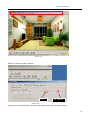
Picture 119
8.3 Frequently Asked Questions
Note:1) Any question you would meet, please check Network connections firstly.
2)Check the working status revealed by the indicators on the network server, hub, exchange and
network card. If abnormal, check the network connections.
8.3.1 I have forgotten the administrator username and/or password.
To reset the administrator username and password, Press and hold down the RESET
BUTTON for 5 seconds. Release the power button and the username and password
will be reset back to the factory default administrator username and password.
Default administrator username: admin
Default administrator password: No password
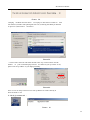
8.3.2 IP Address configuration
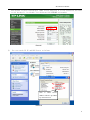
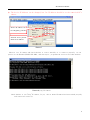
Check whether IP address of the IP Camera server shares the same subnet as your
work station: Click My Computer > Control Panel>Network & Dial-up Connections >
LAN > Attributes >Internet Protocols (TCP/IP), and check IP Address and Subnet
Mask. Make sure they are in the same subnet when configuring IP Camera IP
address manually.Unable to access IP Camera via web browser
8.3.3
Network Configuration
Double Check to ensure that your HTTP server software is configured and running
properly. If you‟ re running any firewall software, make sure it‟ s allowing inbound
connections to port 80,Also, if you happen to be using a cable/DSL router, make sure
59