1
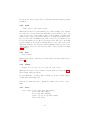
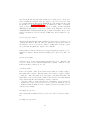
program will then search the time-directories. The time directories must contain a time-file to be recognized. Or in other words each directory in this level
containing a time-file is regarded as a result directory.
6
6.1
Input Devices
Mouse
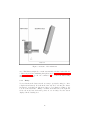
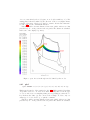
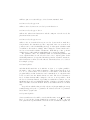
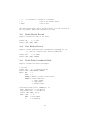
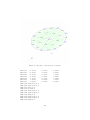
The mouse is used to manipulate the view-point and scaling of the object inside
the drawing area (figure 2). Rotation of the object is controlled by the left
mouse button, zoom in and out by the middle mouse button and translation of
the object is controlled by the right mouse button. Inside the menu area, the
mouse triggers the main menu with the left button.
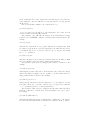
In addition the mouse controls the animation of nodal values. The animation
will stop if the mouse pointer is not in the drawing area but will start again
if the pointer enters the drawing area. This can be prevented by pressing the
middle mouse button while the mouse pointer is in the menu area. Pressing the
right button will release the next frame. A frozen animation can be released
by pressing the middle button. The previous frame can be reloaded by pressing
the middle mouse button twice and the right button once (while the mouse is
in the menu area).
6.2
Keyboard
The Keyboard is used for command line input and specifying the type of entities
when selecting them with the mouse pointer. The command line is preferable
in situations where pure mouse operation is not convenient (i.e. to define a
certain value) or for batch controlled operations. Therefore most commands are
only available over the command line. The stream coming from the keyboard
is echoed in the parent-xterm but during typing the mouse pointer must stay
inside the main window. Otherwise the commands will not be recognized by
the program.
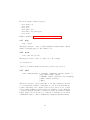
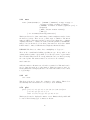
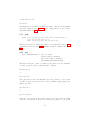
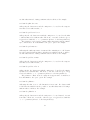
The following special keys are used:
Special Keys:
ARROW_UP:
previous command
ARROW_DOWN: next command
PAGE_UP:
entities of previous
plot or plus) or the
PAGE_DOWN: entities of next set
plot or plus) or the
14
set (if the last command was
previous Loadcase
(if the last command was
next Loadcase