1
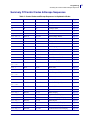
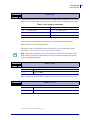
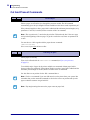
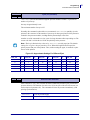
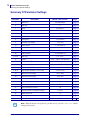
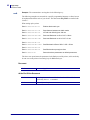
62 Programming Status Reporting Commands ESC ENQ c 1B 05 63 27 5 99 Device ID Enquiry hex decimal Results in a string containing the device ID in the Windows Plug and Play string format. The two first bytes represent the string length. Example • SendESC><ENQ><99> Read0 106 This indicates that the string is 104 characters (plus two characters indicating the string length) Read”MANUFACTURER:Zebra;COMMAND SET:None;MODEL:TTP7020;CLASS:PRINTER;DESCRIPTION:Ticket Printer TTP7020;” Note • The string shown here is just an example. Read out the actual string from your printer. ESC ENQ P n1 1B 05 50 n1 27 5 80 n1 Hex Decimal Parameter-setting Data Enquiry This command requests information about the setting of parameter n1, that is, the parameter value stored in flash PROM or any parameter value temporarily set by other ESC commands. P1003636-002 n1= 1 gives the setting of parameter 1, etc.The parameter names are listed under Summary Of Parameter Settings on page 72 . n1 = 0 gives a response where the first two bytes specifies the length of data to come (high-byte, low byte), and followed by a block of data for all parameters in the temporary setup. TTP 7030™ Technical Manual 10/05/2009