1
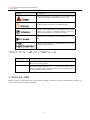
RICON M2M terminal management platform User manual Introduction Outline This user manual helps user/technical/R&D learn how the RICON M2M terminal management platform works and how to operate it. The platform works with RICON S9921 3G router and S9931 DSL router, for the purpose of monitoring the connectivity of network, and also controlling devices remotely. In this manual, it introduced all features of platform. To show feature of platform, it has three main sections for each feature. Task intro: By setting up a task, it tells user what feature is going to be introduced and how the feature works. Precondition: It indicates what necessary step is before you can test the feature. Operation steps: explain detail steps to use the feature. Version of manual Product name Version Date User manual of RICON M2M terminal management platform V1.0.0 12/28/2011 Readers This document applies to the following readers: R & D engineers Technical Support Engineer Customers Symbol agreement In this article the following signs may appear, they are defined as follows. ‐ 1 ‐