1
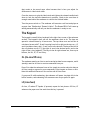
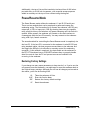
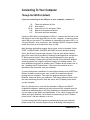
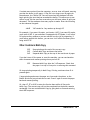
Multi-Copy
Reminder: Stay on-line while using Multi-Copy.
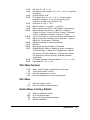
3.0E
3.1E
4.NNE
3.2E
3.3E
3.4E
3.5E
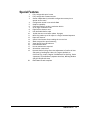
Start Multi-Copy
Document is fully copied and ready to print
Print "NN" (2 to 99) copies of the document
Stop printing at end of current copy
Cancel Multi-Copy
Suspend Multi-Copy at top of next sheet
Resume Multi-Copy following 3.4E
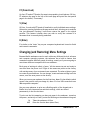
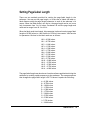
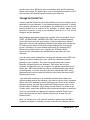
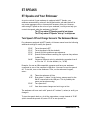
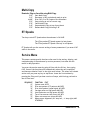
ET Speaks
Two keys control ET Speaks when the embosser is ON-LINE.
The LF key makes ET Speaks repeat its last phrase
The FF key makes ET Speaks "shut up" in mid-phrase
ET Speaks tells you the current setting of menu parameters if you enter V.NE
while in the menu.
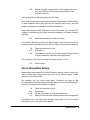
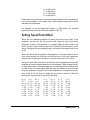
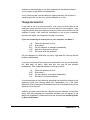
Service Menu
This menu contains special functions often used in the testing, aligning, and
troubleshooting of the embosser by service personnel, but some are also
useful in daily operation.
You enter the service menu by going off-line with the OL key, then typing
0.0E. Some of the functions exit automatically when they are completed,
and these are labeled "Auto" in the right most column. The others will remain
active until you press any key to stop them. Leave the Service Menu by
pressing the E key until you hear a series of beeps, which brings you back to
the off-line level.
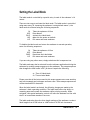
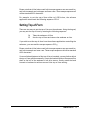
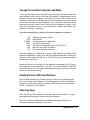
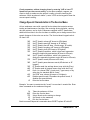
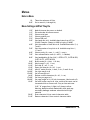
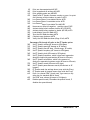
SEQUENCE
1E
2E
3E
4E
5E
6E
7E
8E
FUNCTION EXIT
System reset AUTO
Print test pattern (E 5 pattern) ANY KEY
Print 6 dot pattern (equal signs) ANY KEY
Carriage motor on high power ANY KEY
Line-feed motor on high power ANY KEY
Top-of-form sensor test (tone) ANY KEY
Paper-out sensor test (tone) ANY KEY
Home sensor alignment (0=1 step left, .=1 step right) ANY
OTHER KEY
Romeo Pro LE
32