1
Basic Operation
Basic
Operation
Turning
On the Scanner and
Setting the Squelch
Note: Make sure the scanner's antenna is connected
before you turn it on.
1. Turn Sql fully counterclockwise.
2. Press and hold
for about 2 seconds to turn on the
scanner, then turn Vol clockwise until you hear a
hissing sound.
3. Turn Sql clockwise until the hissing stops.
Scanning Systems
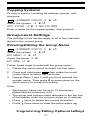
To begin scanning programmed systems, press Scan.
The BC246T scans all unlocked systems in all activated
quick-key groups.
Notes:
• If no systems are programmed, or all systems are
locked out, an error message appears. Program a
system or select a system to scan.
• When scanning multiple systems, the BC246T scans
systems according to the assigned quick key.
Systems assigned to quick key 1 are scanned first,
then 2, 3, 4, etc. Systems not assigned to a quick key
are scanned last. Within a quick key, systems are
scanned in the order they were assigned.
• Within a system, channels are scanned according to
the assigned channel group, with the same priority as
described above for systems.
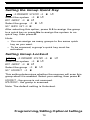
• The BC246T scans a system for the duration you set
using the System Hold Time option (see “Setting the
System Hold Time” on Page 64). For trunked
systems, the scanner moves to the next system after
the hold time expires, the current transmission ends,
and the channel delay expires. Conventional systems
operate similarly, but all unlocked channels are
scanned at least one time regardless of the hold time
setting.
Basic Operation
41