1
Logging In - the Three Options
•
Option 1 - Via SysAid web site.
•
Option 2 – Local Installation - Shortcut Icon.
•
Option 3 – Press the F11 hotkey to launch the End User log-in page.
Option 1
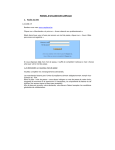
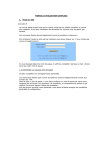
SysAid comes both as an in-house solution, or as an on-demand hosted software. If
your organization uses the on-demand edition, you can login via SysAid web site,
using your account ID in the following format: www.<your account ID>.sysaid.com.
To login you need to know also your account, username, and password.
The account ID distinguishes your network from other networks that use SysAid ondemand edition. No account has access to any other account, and one account is
enough for even the largest organization.
Alternatively, your organization may has set up a separate domain name. Please
find out with your administrator how to login to your account.
If your helpdesk administrators has enabled the option, you will be able to signup
into SysAid independently.
SysAid End User Manual Release 6.5
2
6 Hamasger St .
P.O.BOX 1010, Or-Yehuda,
60223. ISRAEL
Tel (Israel): +972 3 533 3675
Fax (Israel): +972 3 761 7205
E-mail: [email protected]
Toll Free center (U.S): 800-686-7047
Tel (U.S): +1 617 275 5562
Fax (U.S): +1 617 507 2559