1
RTU32S Series User Guide
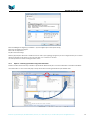
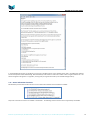
If value of Word register = 0, then all is fine.
Here are some typical errors for the LocalBus;
7.17.4
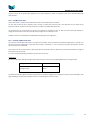
Bit 0
Bit 0: if equal true then it is typically when an unsupported I/O modules is connected to the RTU.
Bit 1
Bit 1: Indicate LB scanning error – this is the typical error indication when an I/O Module fails or are
disconnected in a running application.
Bit 2
Bit 2: Will be true if you in your runtime project address an I/O point that is not available in the database. Be
careful if you use same project for several I/O configurations.
Bit 3
Bit 3: The I/O configuration mismatch will be true if the I/O configuration expected by the runtime is not
present at start-up. If you have locked the I/O configuration this bit will go true at runtime start-up – and so
will bit 1.
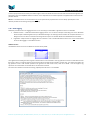
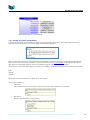
RTU memory Status (STATMEMORY)
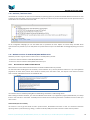
The function StatMemory returns Windows CE memory status.
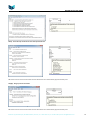
The commonly used monitoring functions are dwMemory Load, dwTotalPhys and dwAvailPhys.
The dwTotalPhys tells you how much RAM program memory is available in the RTU. The rest of the RAM memory up to around 64MB is
used for storage (file system etc.).
The dwAvailPhys tells you how much available program memory you have in your RTU. The rest is used by the Operating System and
your PLC application.
The dwMemoryLoad tells you in percent the actual RAM program memory load. With a medium PLC runtime application you will see a
load of approx. 60-63%. Only applications with multiple driver connections and a lot of logic will require larger amount of memory. The
maximum load recommended on a RTU is 90%.
Brodersen A/S, Islevdalvej 187, DK-2610 Roedovre, Denmark, Tel: +45 45 35 26 27, Fax: +45 45 35 26 29, Email: [email protected]
37