1
CONNECTIONS
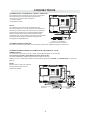
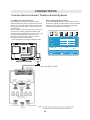
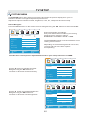
CONNECTING A TV ANTENNA / CABLE / SATELLITE
To view television channels correctly, a signal must
be received from one of the following sources:
- An indoor or outdoor aerial antenna
- A cable system
- A satellite system
NOTE
For receiving over-the-air TV broadcasts, we
recommend that you use an external fixed antenna.
Should you require the use of a temporar y antenna,
please ensure that you purchase an antenna with
sufficient ability to receive in weak signal areas.
Only when you are in close proximity to a transmitter
will a temporar y antenna reproduce a signal as
strongly as a fixed antenna.
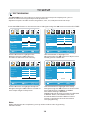
Satellite, cable or TV antenna
cable to TV ANTENNA
terminal (cable not included)
CONNECTING AN A/V DEVICE
To connect to other equipment such as a VCR, camcorder, satellite system or cable, etc.
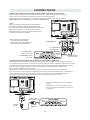
CONNECTING DEVICES WITH A COMPOSITE (YELLOW RCA-TYPE)
VIDEO OUTPUT
To connect A/V devices such as a VCR, video game system or camcorder.
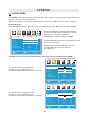
Connecting to a VCR / Video Game System / Camcorder
Connect the AUDIO / VIDEO cable (not included) as shown.
Make sure you connect the cable from the other equipment ( AUDIO and VIDEO OUT ) to this unit
(AV in)
NOTE
Please refer to the user manual
for the other equipment for
more information.
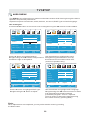
To AUDIO / VIDEO
OUT jacks
8
To AUDIO / VIDEO
IN jacks