1
##CINE.Contrast
##CINE.Saturation
##CINE.DecodeQuality
##CINE.WBGain_R
##CINE.WBGain_B
SI2K
##SI2K.decodeResolution
##SI2K.advancedDetail
##SI2K.SATU
##SI2K.LOOK
##SI2K.gammaCurve
##SI2K.PROCESSING_LOOK_FILE
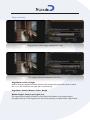
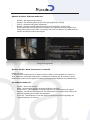
HUD Example for Burn in
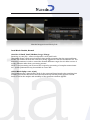
The following is the text from TC HUD 1 - The most basic preset - Tape name and Src TC
monitorGrid 1.0 -1
{
name “TC HUD 1” ;
units “normalised” ;
burnInTextScale 1.5 ;
textSizeBase 1080.0 ;
color 1.0 1.0 1.0 1.0 ;
bgcolor 0, 0, 0, 0.2 ;
origin “top” “left” ;
textFont “Arial” ;
anchor “middle” “left” ;
textSize 30.0 ;
color 1.0 1.0 1.0 1.0 ;
text .65 .90 “Source : ##srcTimeTimecode” ;
}
textSize 20.0 ;
text .05 .90 “Tape : ##srcTape” ;
By looking at the presets you will easily be able to add your own presets or modify the defaults, however, you should make a backup of your .grids file, as it will be overwritten if it has
the same name and Nucoda is re-installed.