1
Firing
Operating Notes
If the ST315 is programmed to heat the kiln at a faster rate than the kiln is
capable of then the ST315 will turn on full power then wait until the kiln
temperature has risen to the correct temperature before proceeding to the
next ramp or soak segment.
Likewise if the ST315 is programmed to cool the kiln at a faster rate than
the kiln is capable of then the ST315 will apply zero power then wait until
the kiln has cooled to the correct temperature before proceeding to the
next ramp or soak segment.
Heating & Cooling Ramps
The ST315 is capable of controlled ramps for both heating and cooling.
The type of ramp required is determined by comparing the required soak
temperature to the soak temperature in the previous segment and is shown
on the mimic display.
Firing
STOP key operation
If the START/STOP key is pressed during a firing then the firing will be
halted (not paused). Pressing the START/STOP key again will cause the
ST315 to restart the firing from the beginning. The ST315 will look at the
current kiln temperature and if this is greater than the required soak temperature then the ST315 will automatically cool from current temperature
to the soak temperature. This may not be what is desired so the STOP key
should only be used to halt the firing in an emergency.
The program can be paused or program data can be changed while the
controller is firing (see page 14). This is a better option than using the
STOP key. The segment advance feature (see page 14) is however available to recover quickly from STOP key operation if required.
Memory
All programs & necessary data are remembered when the ST315 is turned
off. In the event of power failure during firing the ST315 will automatically
resume firing when power is returned (this feature can be disabled: see installation handbook).
Delayed Start
The delayed start time period is set to 00.00 when the ST315 is turned on.
Page 12
ST315 User Handbook
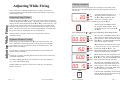
To start a firing press the START/STOP key. The RUN lamp will light.
To stop the firing prematurely press the START/STOP key again.
Hint: it is good practice to check that the program is correct by pressing
the ¨ key & checking the program number & program contents before
pressing the START/STOP key to start a firing.
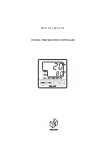
. 20
°C
01.12
°C
20.
°C
°C/hr
hr.min
°C/hr
hr.min
°C/hr
hr.min
If the left-hand decimal point is on then
the keyboard is locked & the ST315
will not respond to the START/STOP
key. Press the © & ª keys together &
hold down for 5 seconds to unlock.
If a delayed start has been set then pressing the START/STOP key causes a time
delay to start. The time remaining is
shown on the display—this counts down
once per minute. The DELAYED
START lamp on the mimic panel will
light. The centre decimal point will flash
once per second.
If no delayed start has been set (00.00)
then pressing the START/STOP key
causes firing to commence immediately. Either the Heating or Cooling
lamp on the mimic panel will light. If
kiln heating is required then the righthand decimal point on the display will
light while heating power is being applied to the kiln.
Information: The ST315 operates by calculating the amount of energy required
by the kiln every 30 seconds. If for example 40% of full energy is required to
maintain a particular ramp rate or a particular soak temperature then the
ST315 will apply heating power to the kiln for 12 seconds every 30 seconds. The
right-hand decimal point in the display will light for 12 seconds every 30
seconds. If the kiln has a contactor then a loud click will be heard both when
the decimal point lights up and when it goes out. If full heating power is
required then the decimal point will remain lit. If full cooling is required then
the decimal point will remain off.
ST315 User Handbook
Page 9
Firing
Kiln too slow