1
PDF Compresor Enterprise – Manual
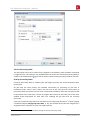
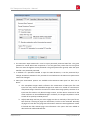
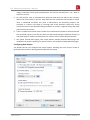
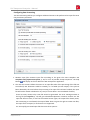
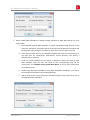
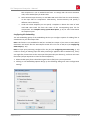
3. The size of the log file can be limited or set to unlimited by the corresponding drop down
box:
a. Unlimited logfile size will enable the log file to grow until all your disk space is used.
This gives you the full history of all your conversions. It is the default setting. When
your server is performing high volume conversions, and when it is not frequently
monitored, it is recommended to limit the log file size by any of the other settings.
b. Limit to <num> limits the log file size to the given amount. Once a log message is
written that lets the log file size reach its limit, the file <log_file>.log is renamed to
<log_file>.log.bak within the same directory, overwriting any present file of that
name. A new, empty log file <log_file>.log is created. This ensures that at least the
given number of bytes is always present as the logging history.
4. The Show button starts the Windows™ Notepad application to show the content of the
current log file.
Log File Analysis
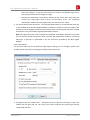
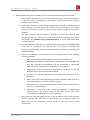
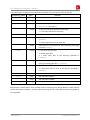
Each line within the log file represents one message. It consists of the following fields:
1. Date and time of message
2. An optional core number followed by a colon15
3. Type of message (Error, Warning, Info, InfoEx [extended information])
4. If the message is related to a job entry: Name of the entry as shown in the job list.
5. Clear text message (error description, warning reason, information)
Often related files are given with their full path in quotation marks.
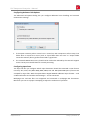
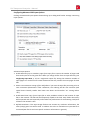
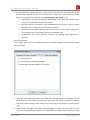
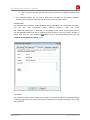
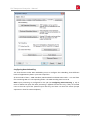
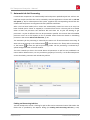
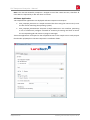
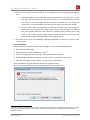
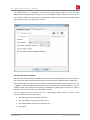
Some errors are directly shown by a popup box when the GUI is opened:
15
If such a number is present, the message was issued by the PDF Compressor Enterprise responsible to handle
processing assigned to the given core number. Otherwise the message was issued by the PDF Compressor
Windows™ service.
www.luratech.com
[email protected]
Administration and Licensing: 76

![[Scan] button on the ScanSnap.](http://vs1.manualzilla.com/store/data/005658366_1-513fc66afaf683e0c3b25d8948918383-150x150.png)