1
Chatillon®
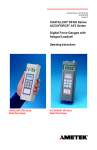
DFS Series Digital Force Gauge
Operator’s Manual
Getting Started
Section Contents
DF Series Gauge Models .................................
DF Series Accessories .....................................
Test Stand Adapters .........................................
Powering Your Gauge On/Off ...........................
Charging Your Gauge Battery...........................
NiMh Discharge Characteristics .......................
Keypad Operation.............................................
Function Keys ..............................................
Navigation Pod ............................................
Units Key .....................................................
Zero Key ......................................................
Home Key ....................................................
Enter Key .....................................................
Power On/Off Key ........................................
Info (i) Key ...................................................
Display Operation .............................................
Display UP/Down Feature ...........................
Display Contrast Adjustment .......................
Display Hide Feature ...................................
Changing Gauge Mode ....................................
Normal Mode ...............................................
T-PK (Tension Peak) Mode..........................
C-PK (Compression Peak) Mode ................
Zero and Taring Gauge.....................................
Changing Units .................................................
Load Bar Graph ................................................
Sensor Overload Protection .............................
Sensor Overload Display ..................................
chatillon.fl[email protected]
-1-
Page
2
3
4
5
6
6
7
7
7
7
7
7
7
7
7
8
9
10
11
12
12
12
12
12
13
14
14
14
www.chatillon.com
Getting Started
DF Series Force Gauges
The following models represent the DF Series force
gauges:
Introduction
The CHATILLON® DF Series digital force gauges are
battery powered precision instruments used to measure
axial tensile or compressive forces.
DFE Series (No Outputs)
E-DFE Series (With Outputs)
DFS Series (Integral Loadcell)
DFS-R Series (Dedicated Remote Loadcell)
DFS-R-ND Series (Interchangeable Sensor)
- SLC Series (Loadcell Sensor)
- STS Series (Torque Sensor)
Capacity x Resolution
DFS-250G
DFS-002
DFS-010
DFS-025
DFS-050
DFS-100
DFS-200
DFS-500
ozf
8 x 0.002
32 x 0.005
160 x 0.02
400 x 0.05
800 x 0.1
1600 x 0.2
-
gf
250 x 0.05
1000 x 0.1
5000 x 0.5
10,000 x 1
25,000 x 2
50,000 x 5
lbf
0.5 x 0.0001
2 x 0.0002
10 x 0.001
25 x 0.002
50 x 0.005
100 x 0.01
200 x 0.02
500 x 0.05
kgf
0.25 x 0.0001
1 x 0.0001
5 x 0.0005
10 x 0.001
25 x 0.002
50 x 0.005
100 x 0.01
250 x 0.02
N
2.5 x 0.0005
10 x 0.001
50 x 0.005
100 x 0.01
250 x 0.02
500 x 0.05
1000 x 0.1
2500 x 0.2
Shown (left to right): DFS-R-ND with STS Torque Sensor, DFS Series, DFE Series, DFS-R with
dedicated SLC loadcell.
www.chatillon.com
-2-
chatillon.fl[email protected]
Getting Started
Getting Started
Please read this operating manual thoroughly before attempting to operate your gauge.
The tables below identify the standard accessories that
were supplied with your DF Series digital force gauge.
DF Series Standard Accessories by Model
DFE Series
Carrying Case
SPK-DF-118
Flat Adapter1 SPK-FMG-011A
SPK-FMG-011B
Hook1
SPK-FMG-012A
SPK-FMG-012B
SPK-FMG-012C
Charger1
SPK-DF-120US
SPK-DF-230EU
SPK-DF-230UK
Calibration Certificate
E-DFE Series
DFS Series
Carrying Case
SPK-DF-118
Flat Adapter1 SPK-FMG-011A
SPK-FMG-011B
Hook1
SPK-FMG-012A
SPK-FMG-012B
SPK-FMG-012C
Chisel Point1 SPK-FMG-008A
SPK-FMG-008B
Point1
SPK-FMG-009A
SPK-FMG-009B
Notch Adapter1 SPK-FMG-010A
SPK-FMG-010B
Extension Rod1 SPK-FMG-013A
SPK-FMG-013B
Charger1
SPK-DF-120US
SPK-DF-230EU
SPK-DF-230UK
RS232 Cable SPK-DF-RS232
Calibration Certificate
Carrying Case
SPK-DF-118
Flat Adapter1 SPK-FMG-011A
SPK-FMG-011B
Hook1
SPK-FMG-012A
SPK-FMG-012B
SPK-FMG-012C
Chisel Point1 SPK-FMG-008A
SPK-FMG-008B
Point1
SPK-FMG-009A
SPK-FMG-009B
Notch Adapter1 SPK-FMG-010A
SPK-FMG-010B
Extension Rod1 SPK-FMG-013A
SPK-FMG-013B
Charger1
SPK-DF-120US
SPK-DF-230EU
SPK-DF-230UK
RS232 Cable SPK-DF-RS232
Calibration Certificate
DFS-R Series
Carrying Case
SPK-DF-118
Flat Adapter1 SPK-FMG-011A
SPK-FMG-011B
Hook1
SPK-FMG-012A
SPK-FMG-012B
SPK-FMG-012C
Charger1
SPK-DF-120US
SPK-DF-230EU
SPK-DF-230UK
RS232 Cable SPK-DF-RS232
Calibration Certificate
DFS-R-ND Series
Carrying Case
SPK-DF-118
Charger1
SPK-DF-120US
SPK-DF-230EU
SPK-DF-230UK
RS232 Cable SPK-DF-RS232
Calibration Certificate
SLC Series
Carrying Case
SPK-DF-118
Flat Adapter1 SPK-FMG-011A
SPK-FMG-011B
Hook1
SPK-FMG-012A
SPK-FMG-012B
SPK-FMG-012C
Male Adapter
NC000296
Calibration Certificate
NOTE:
1
The Charger/Adapter is determined by the gauge type ordered.
2
Accessories are capacity dependent. Accessories used with capacities below 110 lbf (500N) will generally
have a #10-32 thread. Accessories for higher capacities generally have a 5/16-18 thread.
3
Accessories are capacity dependent. Accessories used with low torque capacity (3-50 in-lb) will receive 1/4 and
3/8 Hex Drive. Larger capacities receive 3/8 and 1/2 Drives.
chatillon.fl[email protected]
-3-
STS Series
Carrying Case
SPK-DF-118
Hex Blade
SPK-DTG-040
Hex Drive 1/4 SPK-DTG-0373
Hex Drive 3/8 SPK-DTG-0383
Hex Drive 1/2
SPK-DTG-039
Calibration Certificate
www.chatillon.com
Getting Started
Test Stand Adapters
The following tables show the proper adapters required when mounting your DF Series force gauge to a
CHATILLON force tester.
Low Capacity
110 lbf (500N) and below
High Capacity
Above 110 lbf (500N)
DF Series
DF Series
MT150
MT500
LTCM-100
TCM201
TCD200
TCD500
TT Tester
www.chatillon.com
MT150
MT500
LTCM-100
TCM201
TCD200
TCD500
TT Tester
SPK-MT-0001
SPK-MT-0001
Direct Connect
SPK-FM200-019
SPK-FM200-019
SPK-DF-TCD5K
NC002582
-4-
SPK-MT-0004
SPK-MT-0004
Direct Connect
SPK-FM200-018
SPK-FM200-018
SPK-DF-TCD5K
NC002582
chatillon.fl[email protected]
Getting Started
Powering Gauge On/Off
The DF Series gauge has a dedicated power key. Depress the key to turn the gauge On or Off.
When the gauge is turned on, the Chatillon Splash
Screen is displayed for approximately 5 seconds. This
display shows the gauge model and capacity, firmware
revision level, revision date and website address for
downloads.
Model
DFE-100
Rev. No.
1.00
Rev Date dd/mm/yyyy
Chatillon
www.chatillon.com
T
C
Turn Gauge On/Off
chatillon.fl[email protected]
-5-
www.chatillon.com
Getting Started
Battery
Est Battery Life
23 hrs
4.65 Volts
www.chatillon.com
T
C
Info
Recharge Required
Est Battery Life
2 hrs
4.65 Volts
Connect Stereo Connector to top of gauge.
www.chatillon.com
T
charging. To recharge, plug the stereo jack connector
into the top housing. Plug the charger/adapter into
your source power. Charge for 15-20 hrs to achieve
maximum performance. A thermistor is used to prevent
excessive heat from damaging the battery pack.
C
Info
The DF Series has a universal 120/230V power supply.
There are three available chargers distinguished by their
plug types:
Charging Your Gauge
The DF Series contains a Nickle Metal Hydride (NiMh)
Battery Pack that can provide up to 30 hours of continuous use on a single charge.
A Battery icon appears on the main operating display
and operates like a bar graph. When the gauge has
a full charge, the Battery icon appears full. As battery
power diminishes, the Battery icon will “open”.
CAUTION
Do not attempt to charge your DF Series gauge with
any charger other than the one supplied with your
gauge.
You may view battery life remaining, by depressing the
“i” key. The gauge will display the estimated battery life
based on current usage in hours.
Discharge Characteristics
NiMH batteries characteristically have a fast initial discharge rate. They then show a very constant and slow
discharge rate. They rate is again, very rapid as the
battery is exhausted.
The DF Series gauge will alert you when the battery
requires charging. The gauge will display “Recharge
Required” and the battery icon will show as “opened”.
It is best to completely drain your battery before re-
HELP
New NiMh batteries need to be charged 3-5 times
before they will hold a full charge. This doesn’t mean
charged 3-5 times in a row, but rather, charged 3-5
cycles under normal use.
www.chatillon.com
SPK-DF-120US (USA Plug)
SPK-DF-230EU (EU Plug)
SPK-DF-230UK (UK Plug)
Time
-6-
chatillon.fl[email protected]
Getting Started
Keypad Operation
The DF Series gauge has nine (9) keys and a navigation pod.
Function Keys
There are three (3) function keys located immediately
below the gauge display. These keys are mapped to
the display prompt above it. Key functions change
based on the gauge’s current status or operating mode.
If no prompt appears above the key, the key is inactive.
,
Home
UNITS Key
A dedicated UNITS key is used to change the units of
measure.
,
Enter
i
ZERO Key
A dedicated ZERO key is used to zero a measured
result or to tare the weight of attachments and fixtures
prior to measuring a load.
l
HOME Key
A dedicated HOME key is used to return you to the
main operating display.
INFO Key
The INFO key provides you with “information” about
your DF Series force gauge. It is also used to review
SAVED information that is stored in the gauge memory.
ENTER Key
A dedicated ENTER key is used to enable a selection or
to accept a result.
Depress the “i” key to access the following information:
Gauge Capacity x Resolution
Firmware Revision and Revision Date
Overload History
Battery Life
Saved Results
Power Key
A dedicated POWER key is used to turn gauge power
ON or OFF.
chatillon.fl[email protected]
Zero
,
Units
,
Navigation Pod
The navigation pod is primarily used during setup. This
circular pod contains four (4) directional arrows that correspond to certain gauge functions. The UP and RIGHT
arrows are used to increment numbers or to navigate
in an upward direction or to the right. The DOWN and
LEFT arrows are used to decrement numbers or to navigate in a downward direction or to the left.
-7-
www.chatillon.com
Getting Started
Display Layout
The DF Series digital force gauge features a 128 x 64
graphical display. The display matrix is 8 lines by 21
characters.
Status Line
Upper Message Line
Main Display Line 1
Main Display Line 2
Main Display Line 3
Lower Message Line
T
F1
F2
Battery Status
Auto Shutdown ON
Measured Result
Mode
21.12
C-PK
LBF
Units
T
Mode
C
F3
Display Grid Layout
C
More
Display
Typical Operating Display
Display Options
The DF Series gauge features the following display options designed to enhance operation and performance.
Display Up or Down
Display Contrast
Hide Result
21.12
Display Up Down
This function operates in normal operating mode only. It
allows you to display information rightside up or upside
down using the navigation pod.
T
Mode
C-PK
LBF
C
More
Display
Display Contrast
This function operates in either normal operating mode
or setup mode. It allows you to adjust the display
contrast lighter or darker depending on your lighting
conditions.
Hide Result
This function operates in normal operating mode only.
It allows you to “hide” your results during a test. The
“hide” function is useful for blind study applications.
Selecting the right or left arrow on the navigation pod
toggles the displayed result on/off.
Display Up or Down
Display Contrast
Hide Result
To access and change display options, select the HOME
key to place the gauge in normal operation. Select the
F2 DISPLAY key.
www.chatillon.com
Display Options Menu
-8-
chatillon.fl[email protected]
Getting Started
Changing Display Options
From HOME display, select F2 DISPLAY key. This
places the gauge in DISPLAY SETUP MODE.
Display Up Down
OFF
21.12
T
On
Display Up or Down Option
The Display Up or Down option allows you to change
the orientation of the display.
C-PK
LBF
C
Display
Display Up/Down option is OFF.
C
Display
Display Up Down
C-PK
LBF
ON
To change the orientation, depress the F1 key (On or
OFF).
21.12
From HOME display, select F2 DISPLAY key. The status line will read “Display Up Down”. If the status line
displays “ON”, the “Display Up Down” option is enabled.
T
Off
HELP
The Display Up or Down option only functions when
the gauge is in the normal operating mode. It does
not operate in the setup modes.
Display Up/Down option is ON.
If the “Display Up Down” option is ON, displayed information is presented upside down. The function keys
map to the function tags.
If the “Display Up Down” option is OFF, the feature is
disabled. The gauge displays information rightside up.
chatillon.fl[email protected]
-9-
www.chatillon.com
Getting Started
Display Contrast Option
The Display Contrast option allows you to change the
contrast of displayed information. This may be useful in
low or high light ambient environments.
Display Up Down
The DISPLAY CONTRAST is the second option in the
display setup mode.
T
On
OFF
21.12
C-PK
LBF
C
Display
From the DISPLAY UP DOWN screen, depress the F3
DISPLAY key until “Display Contrast” appears on the
status line.
Depress the F1 HIGH key or F2 LOW key to change the
display contrast.
Display Contrast
21.12
Selecting HIGH darkens the displayed information.
T
High
Selecting LOW lightens the displayed information.
www.chatillon.com
- 10 -
Low
C-PK
LBF
C
Display
chatillon.fl[email protected]
Getting Started
Display HIDE Option
The Display HIDE option allows you to hide your measured result during testing. This feature is useful when
performing blind studies.
Display Contrast
From the DISPLAY CONTRAST screen, depress the F3
DISPLAY key until “Hide Result” appears on the status
line.
T
High
21.12
Low
C-PK
LBF
C
Display
Depress the F1 (NO or Yes) key to enable the Hide
Result option.
Hide Result
Selecting YES allows you to use the navigation pod to
hide your measured result.
No
21.12
Use the LEFT arrow to “Hide” your force value.
T
Yes
Use the RIGHT arrow to “Unhide” your force value.
C-PK
LBF
C
Display
Selecting NO disables the Hide Result option.
Hide Result
Yes
HIDE
T
No
chatillon.fl[email protected]
- 11 -
C-PK
LBF
C
Display
www.chatillon.com
Getting Started
Changing Mode
You may change the DF Series gauge operating mode
by selecting the F1 (Mode) key. From the HOME
display, select F1 (Mode) for the following operating
modes:
Change Mode
21.12
T
Mode
C-PK
LBF
Normal Mode
When the gauge is in normal mode (NORM), the display
will indicate the tensile or compressive load that is applied to the loadcell. No peak readings are displayed by
the gauge when in Normal mode. Readings are filter at
625Hz (5000Hz/8 = 625Hz).
C
More
Display
Peak Tension Mode
When the gauge is in Peak Tension mode (T-PK), the
gauge will display the maximum tensile load that was
measured by the loadcell sensor. No filtering (5000Hz).
Normal Mode
Tension Peak (T-PK)
Peak Compression Mode
When the gauge is in Peak Compression mode (C-PK),
the gauge will display the maximum compressive load
that was measured by the loadcell sensor. No filtering
(5000Hz).
Compression Peak (C-PK)
CAUTION
When saving results, make sure to save results
using the same Mode. Results saved using different
modes will prevent statistics from being calculated
correctly.
0.00
,
Home
To zero a result or tare, depress the ZERO key.
Zero
Zero
To zero or CLEAR stored values in memory, please see
Stored Values section.
,
Units
Zero and Taring Gauge
The DF Series gauge has a dedicated ZERO key for
zeroing the measured result or for taring out the weight
of accessories, grips or fixtures attached to your gauge.
Your gauge is capable of taring up to 10% of its specified capacity.
C
More
Display
,
T
Mode
C-PK
LBF
,
Enter
i
www.chatillon.com
- 12 -
chatillon.fl[email protected]
Getting Started
Changing Units
The DF Series gauge has a dedicated UNITS key for
changing units of measure.
Change Units
21.12
T
Mode
DF Series gauges with a capacity of 110 lbf (500N) and
below can display results in the following units: ozf, gf,
lbf, kgf and N.
C-PK
LBF
C
More
Display
DF Series with capacities greater than 110 lbf (500N)
can display results in lbf, kgf and N.
DFS-R-ND gauges with the STS Series torque sensor
can display torque in the following units: N-cm, cm-kg,
oz-in, lb-in, N-m.
,
,
Home
Zero
,
Units
,
Enter
i
ozf (ounces force)
gf (grams force)
}
The ozf and gf units are available on DF Series gauges with capacities
of 100 lbf and below. These units are not available on 200 lbf or higher
capacities.
lbf (pounds force)
kgf (kilograms force)
N (newtons)
chatillon.fl[email protected]
- 13 -
www.chatillon.com
Getting Started
Load Bar Graph
The DF Series gauge features a dynamic bar graph that
shows the force or torque being applied to the gauge.
25.6
The purpose of the bar graph is to provide a visual
indicator to the user when they are approaching the
sensor’s capacity.
T
Mode
The bar graph has a “T” for tension and a “C” for compression to indicate direction of force. The bar graph
fills from the centerline. If the DFS-R-ND uses the STS
torque sensor, the bar graph will change to show “CW”
for clockwise and “CCW” for counter-clockwise.
C-PK
LBF
C
More
Display
Typical Compressive Load Display
Sensor Overload Protection
- 5.6
T
Mode
CAUTION
The Bar Graph is intended to provide you
with visual indication of when you are reaching the
ultimate load.
Use caution when applying loads/torque.
T-PK
LBF
C
More
Display
Typical Tension Load Display
The DF Series gauge features mechanical overload
protection up to 150% of the sensor’s capacity.
-11.6
Mechanical overload protection is provided in the
tension and compression direction for sensors with a
capacity of 110 lbf (500N) and below.
CCW
Mode
in-lb
CW
More
Display
Mechanical overload protection is provided in compression only for capacities higher than 110 lbf (500N).
Typical Torque Display
Sensor Overload Display
When the DF Series gauge senses that the force applied is approximately 116% of the sensor capacity, the
bar graph will fill and the lower message line will display
“OVERLOAD”.
C-PK
LBF
Overload
If OVERLOAD is displayed, you may have damaged
the sensor.
T
Mode
C
More
Display
Overload Display
www.chatillon.com
- 14 -
chatillon.fl[email protected]
Using Remote Sensors
Section Contents
Using Remote Sensors.....................................
SLC Loadcell Sensors .................................
STS Torque Sensors ...................................
Specifying the Correct Sensor .....................
Understanding Full Scale Accuracy .............
Error Effects .................................................
Installing SLC Series Sensors
About SLC Sensors .....................................
Inserting the SLC Sensor ............................
Handling the SLC Sensor ............................
Mounting the SLC Sensor to a Tester ..........
SLC Capacities and Resolutions .................
Installing STS Series Sensors
About STS Sensors .....................................
Inserting the STS Sensor ............................
Handling the STS Sensor ............................
Using the STS Sensor for Testing ...............
STS Capacities and Resolutions .................
Troubleshooting ................................................
Page
2
2
2
3
3
3
4
4
5
6
7
8
8
9
9
10
11
PRECAUTION
NEVER switch sensors with the power ON.
The DFS-R-ND gauge does NOT support
“hot swapping” of sensors.
When changing sensors, turn the
DFS-R-ND gauge OFF. Connect the new sensor.
Turn the power ON.
The gauge cannot identify the sensor accept on
Power Up.
chatillon.fl[email protected]
-1-
www.chatillon.com
Using Remote Sensors
Using Remote Sensors
The DFS-R-ND Series digital force gauge can be used
with two different types of sensors:
SLC Loadcell Sensors
STS Torque Sensors
SLC Loadcell Sensors
The SLC Series loadcell sensors have been designed
to work exclusively with the DFS-R-ND Series force
gauges. These sensors are NOT compatible with previous Chatillon digital gauges that used interchangeable
sensors. The SLC Sensor is inserted into the 15-pin
connector located on the side of the DFS-R-ND gauge.
The gauge will automatically recognize the sensor type
and its associated capacity and resolutions.
STS Torque Sensors
The STS Series torque sensors have been designed
to work exclusively with the DFS-R-ND Series force
gauges. These sensors are NOT compatible with previous Chatillon digital gauges that used interchangeable
sensors. The STS Sensor is inserted into the 15-pin
connector located on the side of the DFS-R-ND gauge.
The gauge will automatically recognize the sensor type
and its associated capacity and resolutions.
The SLC Series sensor is available in capacities from
250gf to 1000 lbf. Multiple sensors can be used to
mount to a single DFS-R-ND gauge. This can provide
the user with cost savings and convenience. The disadvantage is the DFS-R-ND with remote sensors has
an accuracy of better than 0.25% full scale (compared
to a dedicated sensor with accuracy of better than 0.1%
full scale).
The STS Series sensor is available in capacities from 3
in-lbs to 200 in-lbs. Different capacity sensors may be
plugged into the DFS-R-ND depending on the application requirements. The gauge’s automatic recognition
eliminates the need to configure the capacities and
resolution.
The STS Series sensors come with different hex fittings
for attaching to the test sample. The STS sensor is
turned and the gauge will indicate torque and torque
direction. The cable, when fully extended, reaches approximately 9 feet (3 meters).
The flexible cable used with the SLC sensors are ideal
for applications where access to the sample under test
is limited. The cable, when fully extended, reaches approximately 9 feet (3 meters).
www.chatillon.com
-2-
chatillon.fl[email protected]
Using Remote Sensors
Specifying the Correct Sensor
The single, most-common problem when measuring
load or torque is caused by the use of a sensor that is
not appropriate for the application.
Understanding Full Scale Capacity
The SLC and STS Series sensors have accuracies
based on “full scale”. The accuracy of these sensors is
based on the full scale capacity of the sensor.
The sensor selected should be specified so that the expected measured results occurs within the 20% to 90%
capacity for the sensor. This is particularly important
when using “full scale accuracy” devices. Operating at
too near either end of the sensor’s capacity can lead
to inaccurate measurements, and worse, a damaged
sensor.
If the sensor capacity is 100 lbf, and the accuracy is
+0.25% of full scale, there will be more measurement
error effect at the lower end of the capacity. In some
instances, if too high a capacity sensor is used, and
the measurement is too near the zero (under 10%), the
measured results may indeed be inaccurate, e.g. using
a 100 lbf loadcell to measure a 10 lbf load.
The table below indicates the recommended sensor
capacities for different test applications.
Accuracy Error Effects
Sensor Selection Guide
Expected
Load
Recommended
Capacity
Model
50 - 225 gf
250 gf
SLC-250G
500 gf - 1.8 lbf
2 - 9 lbf
10 - 22.5 lbf
2 lbf
10 lbf
25 lbf
SLC-0002
SLC-0010
SLC-0025
10 - 45 lbf
20 - 90 lbf
40 - 180 lbf
50 lbf
100 lbf
200 lbf
SLC-0050
SLC-0100
SLC-0200
100 - 450 lbf
200 - 900 lbf
500 lbf
1000 lbf
SLC-0500
SLC-1000
10 - 45 in-oz
3 in-lb
STS-0003
2 - 10.8 in-lb
10 - 45 in-lb
12 in-lb
50 in-lb
STS-0012
STS-0050
20 - 90 in-lb
100 in-lb
STS-0100
40 - 180 in-lb
200 in-lb
STS-0200
50 - 200
Load
0
Min
0
Max
0.25
% Error
100%
2
5
1.75
4.75
2.25
5.25
25%
10%
10
25
50
9.75
24.75
49.75
10.25
25.25
50.25
5%
2%
1%
100
99.75
100.25
0.5%
Example: Assumes a 100 lbf (500N) load sensor with an accuracy of
+0.25% full scale.
Nominal
0 lbf
100 lbf
Example: The diagram shows the accuracy limits of a 100 lbf sensor with
an accuracy specification of better than 0.25% full scale. The further the
measured result from capacity, the more error is introduced. The effects
of using an improper loadcell capacity on too low a measurement will
increase the error in measured result.
chatillon.fl[email protected]
-3-
www.chatillon.com
Using Remote Sensors
Powering Your Gauge
The DFS-R-ND requires a sensor for it to perform as a
force or torque gauge. The DFS-R-ND without a sensor
attached will indicate that a sensor must be fitted.
Power Up with STS Sensor
When you connect a calibrated STS Sensor to the DFSR-ND, the gauge will display the STS model number,
representing the capacity on the power up display. The
gauge will perform as a torque gauge.
If an SLC or STS sensor is not connected to the gauge,
the gauge will display “DFS-R-ND” at powerup.
Model
Rev. No.
Rev Date
Model
Rev. No.
Rev Date
DFS-R-ND
1.00
01/01/2005
STS-0050
1.00
01/01/2005
Chatillon
Chatillon
www.chatillon.com
T
C
www.chatillon.com
T
C
Improper Sensor Connection
If you disconnect the sensor from the gauge with power
still ON, the gauge will display “No Sensor”.
If an SLC or STS sensor is not connected to the gauge,
the gauge will display “DFS-R-ND” at powerup.
Connecting a Sensor
The SLC or STS Sensor must be connected to the
DFS-R-ND gauge with the power OFF. The gauge does
not permit “hot swapping” of sensors, connecting new
sensor with the power ON. The DFS-R-ND must go
through the power ON routine with the sensor attached
so that it can obtain the sensor characteristics. The
sensor characteristics, e.g. sensivity, calibration data,
etc. is stored on a printed circuit board in the connector
for the sensor.
No Sensor
T
C
If you connect a new sensor to the DFS-R-ND with
power still ON, the gauge will display the last sensor
that was recognized at power up. It will not recognize
the new sensor, since the sensor’s characteristics are
transmited to the gauge firmware at powerup. If the last
sensor that was attached to the gauge before powering
down was an SLC-0100, and you connect an SLC-0025
with power still ON, the gauge will perform incorrectly
and act as if the SLC-0100 is connected.
Power Up with SLC Sensor
When you connect a calibrated SLC Sensor to the DFSR-ND, the gauge will display the SLC model number,
representing the capacity on the power up display. The
gauge will perform as a force gauge.
Model
Rev. No.
Rev Date
Norm
LBF
SLC-0100
1.00
01/01/2005
Chatillon
www.chatillon.com
T
www.chatillon.com
C
-4-
chatillon.fl[email protected]
Using Remote Sensors
About SLC Sensors
The SLC Series sensor may be used for tensile or
compression testing. The “S” type sensors have one
end dedicated for tension and the other end dedicated
for compression. It is important, when using this type
of sensor, to ensure that the proper end of the sensor
is being used.
Sensor Fitted
T
C
HELP
Make sure that you use the “tensile end” of the
“S”-shaped SLC sensor for tension tests or the “compression end” for compression tests.
No Sensor
If the improper end is used, your gauge will display
load when you move the cable because the weight of
the cable will be recognized by the DFS-R-ND.
T
C
Inserting the SLC Sensor
The SLC Sensor mates to the DFS-R-ND using a 15-pin
connector. The connector on the SLC is equipped with
a PCB that helps the DFS-R-ND recognized the sensor
characteristics.
With the DFS-R-ND turned OFF, insert the SLC connector making sure to properly “seat” the individual pins.
Once the sensor is connected, secure the sensor by
tightening the mounting screws. Do NOT over-tighten.
Finger-tight torque is sufficient.
Turn the DFS-R-ND ON. The gauge will display the
sensor capacity and resolutions for all available units of
measure.
If no sensor is connected, if an incompatible sensor is
applied, of it the sensor is damaged, the DFS-R-ND
gauge will display “No Sensor”.
Carefully mate the connector on the SLC or STS sensor
to the connector on the side of the DFS-R-ND gauge.
Model
SLC-0100
Rev. No.
1.00
Rev Date dd/mm/yyyy
Chatillon
www.chatillon.com
T
chatillon.fl[email protected]
C
-5-
www.chatillon.com
Using Remote Sensors
Handling the SLC Sensor
The SLC Sensor is a precision instrument. HANDLE
WITH CARE and follow these precautions:
Precautions
Do not connect the sensor when the power
to the DFS-R-ND is ON. Make sure that power
to the DFS-R-ND is OFF before connecting your
sensor.
Do not disconnect the sensor by pulling on the
cable. Grasp the connector and pull the sensor
from the DFS-R-ND gauge.
Do not carry the sensor using the cable. This
may damage the internal wiring of the sensor.
Make sure to use the proper end of the “S”
type sensors. One end is dedicated to “tension”.
One end is dedicated to “compression”.
Do NOT disconnect the sensor by pulling on the cable.
This may damage connections. Disconnect by grasping
the connector and pulling from the connector housing.
Use the proper capacity for your testing. Ideally, make sure that the expected measured load
falls within the 20% to 80% range of the sensor
capacity.
Never connect an incompatible sensor. Use
only SLC Series or STS Series sensors.
Store your sensor properly. When not in use,
store your SLC sensor in its original carrying case.
“Dead” Side
“Dead” Side
For a compression test, fix the compression adapter at
the end opposite the “Dead Side”. Connect the “Dead
Side” to the tester.
For a tensile test, fix the tensile adapter at the end opposite the “Dead Side”. Connect the “Dead Side” to
the tester.
www.chatillon.com
-6-
chatillon.fl[email protected]
Using Remote Sensors
Mounting SLC Sensor to Tester
The SLC Series loadcell sensor may be used with Chatillon force testers. A mounting adapter is required to
secure the sensor to the following testers:
Tester
Adapter Part No.
MT150
MT500
LTCM-100
TCM201
TCD200
TCD500
TT Tester
SPK-MT-0001 & NC000300
SPK-MT-0004 & NC0003001
NC000300
NC000300
NC000300
NC0003001
NC002582 & NC0003001
Note: NC000300 CANNOT be used on tests requiring a capacity greater
than 225 lbf (1 kN).
SLC Sensor Capacities
SLC Model
ozf
gf
lbf
kgf
N
SLC-250G
SLC-0002
SLC-0010
SLC-0025
SLC-0050
SLC-0100
SLC-0200
SLC-0500
SLC-1000
8 x 0.002
32 x 0.005
160 x 0.02
400 x 0.05
800 x 0.1
1600 x 0.2
-
250 x 0.05
1000 x 0.1
5000 x 0.5
10,000 x 1
25,000 x 2
50,000 x 5
-
0.5 x 0.0001
2 x 0.0002
10 x 0.001
25 x 0.002
50 x 0.005
100 x 0.01
200 x 0.02
500 x 0.05
1000 x 0.1
0.25 x 0.0001
1 x 0.0001
5 x 0.0005
10 x 0.001
25 x 0.002
50 x 0.005
100 x 0.01
250 x 0.02
500 x 0.05
2.5 x 0.0005
10 x 0.001
50 x 0.005
100 x 0.01
250 x 0.02
500 x 0.05
1000 x 0.1
2500 x 0.2
5000 x 0.5
SLC Sensors with capacities of 10 lbf (5N) and less,
have a “block-style” design. Higher capacity loadcell
sensors have an “S-type” design.
chatillon.fl[email protected]
-7-
www.chatillon.com
Using Remote Sensors
STS Sensor Capacities
STS Model
oz-in
N-cm
lb-in
kg-cm
N-m
STS-0003
STS-0012
STS-0050
STS-0100
STS-0200
50 x 0.005
192 x 0.02
800 x 0.1
-
35 x 0.005
125 x 0.02
500 x 0.05
1000 x 0.1
2000 x 0.2
3 x 0.0005
12 x 0.002
50 x 0.005
100 x 0.01
200 x 0.02
3.5 x 0.0005
12.5 x 0.002
50 x 0.005
100 x 0.01
200 x 0.02
0.35 x 0.0001
1.25 x 0.0002
5 x 0.0005
10 x 0.001
20 x 0.002
www.chatillon.com
-8-
chatillon.fl[email protected]
Operating Your Gauge
Section Contents
Operating Your Gauge ......................................
Handheld Operation ....................................
Test Stand Operation ...................................
Affixing Adapters & Fixtures ........................
Saving Results..................................................
Viewing Results ................................................
Active Results ..............................................
Peak Mode Result .......................................
Saved Result ...............................................
Pass-Fail Results.........................................
Pass-Fail for Peak Results ..........................
Pass-Fail Results in Memory .......................
Load Limit Result .........................................
Transmit Results ...............................................
Transmit Displayed Result ...........................
Transmit Saved Results...............................
Data Format.................................................
Transmit Using RS232.................................
Transmit Using Mitutoyo ..............................
Analog Output..............................................
Clear Result from Memory................................
chatillon.fl[email protected]
-1-
Page
2
2
2
2
3
4
4
4
5
5
6
6
6
7
7
7
8
9
9
9
10
www.chatillon.com
Operating Your Gauge
Test Stand Operation
When using the DF Series gauge with a Chatillon tester, make sure that the gauge is secured to the tester
with the proper adapter if required. Adapters may be
required to ensure that the gauge shaft is located axially
to the sample under test. If the gauge is not secured
properly, you may get faulty reading or cause damage
to the loadcell.
Operating Your Gauge
The DF Series gauge may be used as a handheld
instrument or mounted to a Chatillon tester for compression and tensile testing.
CAUTION
The gauge is designed for axial loading only.
Do not apply side loads to the load shaft. Take precautions to ensure load is applied axially.
Handheld Operation
When using the DF Series gauge for handheld testing,
make sure to apply the load axially to the load shaft.
Keep the gauge perpendicular to the item being measured to ensure axial loading. Use the optional handle
assembly (SPK-DF-HANDLE) for high capacity loads.
Low Capacity
110 lbf (500N) and below
High Capacity
Above 110 lbf (500N)
DF Series
DF Series
MT150
MT500
LTCM-100
TCM201
TCD200
TCD500
TT Tester
SPK-MT-0001
SPK-MT-0001
Direct Connect
SPK-FM200-019
SPK-FM200-019
SPK-DF-TCD5K
NC002582
MT150
MT500
LTCM-100
TCM201
TCD200
TCD500
TT Tester
SPK-MT-0004
SPK-MT-0004
Direct Connect
SPK-FM200-018
SPK-FM200-018
SPK-DF-TCD5K
NC002582
Affixing Adapters & Fixtures
Adapters and test fixtures should be mated to the load
shaft on the instrument. Do not use tools to secure
your adapters or fixtures. Finger pressure tightness is
sufficient.
CAUTION
Do not use tools to secure adapters or fixtures.
Secure adapters and fixtures with “finger-tight” pressure. Over-tightening may damage the loadcell.
www.chatillon.com
-2-
chatillon.fl[email protected]
Operating Your Gauge
Saving Results
The DF Series can save up to 10 results in the gauge
memory. If your gauge is equipped with RS232, you
may use our Nexygen Gauge software (p/n 40/0739)
to save infinite results and perform automation, data
acquistion and detailed measurement analysis.
If you do not want to save a result, select the Zero key.
This will zero the gauge and clear the result.
CAUTION
Do NOT Save Results from different Modes.
Saving a T-PK result with a C-PK result may cause
the gauge to incorrectly calculate statistics.
To save a result, apply load to the loadcell shaft. Your
gauge will display the load reading.
0.0
T
Mode
Display
C-PK
LBF
C
More
To save, select the F3 (More) key. This will take you to
the View display. Select F2 (Save).
23.5
T
Mode
Display
23.5
T
Xmit-W
chatillon.fl[email protected]
Save
C-PK
LBF
C
More
C-PK
LBF
C
More
-3-
www.chatillon.com
Operating Your Gauge
Viewing Results
The DF Series displays results in the following formats:
Displaying Peak Mode Result
If you want your DF Series gauge to display the peak
result, you should change the gauge to either Tension
Peak (T-PK) or Compression Peak (C-PK) depending
on the direction you are testing.
Active Measured Result
Saved Measured Result(s)
Pass - Fail Result
Load Limt Result
Load Average Result
Break Detect Result
25.6
Viewing Active Result
The DF Series gauge will display the result in Normal,
Tension Peak (T-PK) or Compression Peak (C-PK)
modes.
T
Mode
C-PK
LBF
C
More
Display
The DF Series gauge will display the measured result,
mode, units of measure, active options and battery life.
Displaying Normal Mode Result
When the DF Series gauge is in Normal mode, the
gauge will indicate the measured result, units, active
options and battery life. Select the F1 (Mode) key to set
the gauge in Normal mode.
- 5.6
T
Mode
When in Normal mode, the gauge will display the load
that is currently being applied to the load sensor. a
compressive load is indicated as a “positive” result. A
tensile load is indicated as a “negative” (-) result. The
load bar graph will also indicate the load and direction of load that is applied to the sensor relative to the
sensor’s capacity. The loadcell bar graph is intended to
assist you in preventing overloads. If the bar graph is
nearly filled, you should stop applying a load to the sensor. See Load Bar Graph.
Display
T-PK
LBF
C
More
HELP
If you forget to place the gauge in Peak mode, and
you ran your test in Normal mode, before you conduct another test, select F1 (Mode).
The gauge will retain the highest value obtained
while in Normal mode and provide you with indication
of the Peak result.
25.6
T
Mode
www.chatillon.com
Display
Norm
LBF
C
More
-4-
chatillon.fl[email protected]
Operating Your Gauge
Viewing PASS-FAIL Results
Pass-Fail results are viewed from the View display. To
access the View display from the Home display, select
the F3 (More) key.
Viewing Saved Result
The DF Series gauge will save up to 10 measured results in its internal memory provided you elect to “SAVE”
a result.
To view a “Saved Result”, from the Home display, select F3 (More) to access the View display. Select the
“INFO” key (i).
Saved results are displayed with their reference number
(1 of 10, 2 of 10, etc.). The measured value, units and
mode are displayed. Use the navigation pod UP and
DOWN arrow to view the remaining saved results from
memory.
12.34
T
Mode
C
More
Display
Saved results are displayed with their reference number
(1 of 10, 2 of 10, etc.) and indication of “Pass” or “Fail”
based on your specifications. The measured value, units
and mode are displayed with a “Pass” or “Fail” tag. Use
the navigation pod UP and DOWN arrow to view the
remaining saved results from memory.
1 of 10 Saved
- 5.6
T
Xmit-O
C-PK
LBF
Save
T-PK
LBF
When “PASS-FAIL” is enabled (ON), the gauge will display a “PASS” or “FAIL” two ways:
C
More
1. If the gauge MODE is either T-PK or C-PK;
2. If measured results are SAVED into memory.
High
PASS
12.34
Low
T
Nom
chatillon.fl[email protected]
-5-
20.0
C-PK
LBF
10.0
C
Back
www.chatillon.com
Operating Your Gauge
Viewing Pass-Fail for Peak Results
If “PASS-FAIL” is enabled (ON), the gauge will indicate
a “PASS” or “FAIL” result when a peak result is displayed. The gauge will also display either the High and
Low Limits or the Nominal Value and Bandwidth %. The
gauge will NOT display a “PASS” or “FAIL” for normal
mode results.
VIEW results by using the navigation pod UP and
DOWN key to scroll through the results saved in memory. If “PASS-FAIL” is enabled, each result will be tagged
with a “PASS” or “FAIL”.
HELP
You can apply PASS-FAIL to your results in memory
after they have been saved in memory.
It is not necessary to invoke PASS-FAIL
before saving results.
Viewing Pass-Fail Results from Memory
If “PASS-FAIL” is enabled (ON), the results saved in
memory are tagged with either a “PASS” or a “FAIL”
based on the “PASS-FAIL” setup.
High
PASS
You may XMIT or CLEAR the displayed result by selecting either the XMIT (F1) key or the CLEAR (F2) key.
Select the MORE (F3) key to calculate statistics.
20.0
12.34
C-PK
LBF
10.0
C
Low
T
Nom
Back
HELP
Before you can view “PASS-FAIL” results in memory,
you must first have enabled the “PASS-FAIL” feature
and SAVE results to memory.
To view “PASS-FAIL” results, start from the HOME display. Select F3 (MORE) and then the INFO key.
2 of 10 Saved
High
PASS
12.34
Low
T
Xmit-W
www.chatillon.com
20.0
Clear
C-PK
LBF
10.0
C
More
-6-
chatillon.fl[email protected]
Operating Your Gauge
Transmit Results
The DF Series can transmit data using its RS232, Mitutoyo or Analog output. The gauge will transmit data to
whatever device is connected to the gauge through the
output port.
Transmit Displayed Result
You can transmit results from the View display. From
Home, select F3 (More). This will access the View
display.
Select F1 (Xmit) to specify what you want to transmit.
You may transmit either the displayed result or all results saved in instrument memory.
Data transmit is used to send information to another
device, e.g. personal computer or to print information to
a serial or Mitutoyo printer.
Select F1 (Xmit-W or Xmit-O) to transmit the currently
displayed result. If “Xmit-W” is displayed, the gauge has
been setup to transmit WITH UNITS. If “Xmit-O” is displayed, the gauge has been setup to transmit the result
WITHOUT UNITS. You specify the output type in the
Communication Setup procedure.
To transmit information, the gauge must be in the View
display.
You have two options when transmitting:
Transmit Displayed Result
Transmit ALL Results from Memory
Select F2 (XmitAll) to transmit all currently saved results
from the instrument memory. The gauge will transmit all
results With or Without Units as defined by the F1 key.
If the F1 key says “Xmit-W”, all results will be transmited
WITH UNITS. If the F1 key says “Xmit-O”, all results
will be transmitted WITHOUT UNITS.
1 of 10 Saved
- 5.6
T
Xmit
Save
T-PK
LBF
C
More
1 of 10 Saved
- 5.6
T
Xmit-W
XmitAll
T-PK
LBF
C
More
1 of 10 Saved
- 5.6
T
Xmit-W
chatillon.fl[email protected]
-7-
XmitAll
T-PK
LBF
C
More
www.chatillon.com
Operating Your Gauge
Transmit WITH UNITS (Xmit-W)
Transmit Using RS232
The DF Series gauge will communicate to a serial
device using its RS232 output. Connect to the device
using the RS-232 cable (p/n SPK-DF-RS232).
1 of 10 Saved
- 5.6
T
Xmit-O
Save
DF Series Gauge
T-PK
LBF
C
More
Gauge will transmit result WITHOUT units.
( p/n SPK-DF-RS232)
The gauge can transmit information with or without
units.
If the F1 label indicates “Xmit-O”, the gauge will transmit
data withOut units.
Serial Connector - 9-Pin Male
Transmit WITHOUT UNITS (Xmit-O)
Transmit Using Mitutoyo
The DF Series gauge will communicate to a Mitutoyo
device when configured with the Mitutoyo output.
Connect to the device using the Mitutoyo cable (p/n
NC000654).
1 of 10 Saved
- 5.6
T
Xmit-W
Save
T-PK
LBF
C
More
DF Series Gauge
Gauge will transmit result WITH units.
If the F1 label indicates “Xmit-W”, the gauge will transmit data With units.
( p/n NC000654)
You can select how you want data to be transmitted at
the COMMUNICATION SETUP MENU.
Mitutoyo Connector - 10 Pin Male
chatillon.fl[email protected]
-9-
www.chatillon.com
Operating Your Gauge
Analog Output
The DF Series gauge supplies a +2Vdc (+0.015Vdc) analog output. The output is a linear signal with a 200Hz
frequency. The analog output may be used to drive annunciators, recorders or other external devices.
CLEAR Result from Memory
The DF Series can store up to 10 results in instrument
memory. These results may be used for later viewing or
for calculating statistics.
You may clear a result using the View display.
To access the View display from the Home display,
press the F3 (More) key once. This will access the
View display.
1 of 10 Saved
- 5.6
T
Xmit-O
T-PK
LBF
C
More
Save
To access the CLEAR option, select the INFO key (i
key). This will change the F2 (Save) key to F2 (Clear).
Select F2 (Clear) to clear the displayed result. Use
the UP and DOWN key to access the remaining stored
results for clearing.
1 of 10 Saved
- 5.6
T
Xmit-O
Clear
T-PK
LBF
C
More
i
www.chatillon.com
- 10 -
chatillon.fl[email protected]
Using Pass-Fail Limits
Section Contents
Page
Using Pass-Fail Limits ...................................... 2
Using Pass-Fail Range Limits .......................... 2
Using Pass-Fail Nominal Limit.......................... 3
Activating Pass-Fail Limits................................ 4
Selecting Pass-Fail Method .............................. 4
Selecting Range Limits ..................................... 4
Selecting Increments ........................................ 5
Selecting High Range Limit .............................. 5
Selecting Low Range Limit ............................... 6
Selecting Nominal Value Method...................... 6
Selecting Nominal Value................................... 7
Selecting Bandwidth ......................................... 7
www.chatillon.comchatillon.fl[email protected]
-1-
www.chatillon.com
Using Pass-Fail Limits
Using Pass-Fail Limits
The DF Series force gauge allows you to setup PASSFAIL LIMITS based on either a Range of values or on a
Nominal Value.
Pass-Fail Limit - Range
You may setup your DF Series gauge to display a PASS
or FAIL message based on whether or not the measured results falls within an upper and lower setpoint
range. The gauge will display PASS or FAIL depending
on how the measured result compares to the setpoint
range.
Example: The DF Series will display PASS if the measured result is 11.2 lbf and the upper setpoint was 12.0
lbf and the lower setpoint was 10.0 lbf.
Conversely, if the measured result was 9.8 lbf, the
gauge would display FAIL.
High Setpoint
High Setpoint
Result = Fail
Result = Pass
Low Setpoint
Low Setpoint
If the measured result is equal to or within the Range
Limits, the result = PASS.
If the measured result is outside the Range Limits, the
result = FAIL.
1 of 10 Saved
2 of 10 Saved
High
PASS
11.2
Low
T
Xmit-W
www.chatillon.com
Clear
12.0
C-PK
LBF
10.0
C
More
High
FAIL
Low
T
Xmit-W
-2-
9.8
Clear
12.0
C-PK
LBF
10.0
C
More
www.chatillon.comchatillon.fl[email protected]
Using Pass-Fail Limits
Using Pass-Fail Limits
The DFS Series allows you to setup PASS-FAIL LIMITS
based on either a Range of values or on a Nominal
Value.
Pass-Fail Limit - Nominal Value
You may setup your DFS Series gauge to display
a PASS or FAIL message based on whether or not
the measured results falls within an upper and lower
setpoint range calculated using a Nominal Value and
% Bandwidth. The gauge will display PASS or FAIL
depending on how the measured result compares to the
setpoint range.
Example: The DFS Series will display PASS if the measured result is 9.8 lbf and the Nominal Value was 10.0
lbf and the Bandwidth is 10%.
Conversely, if the measured result was 8.9 lbf, the
gauge would display FAIL.
High Setpoint
High Setpoint
Result = Pass
Result = Fail
Nominal Value
Nominal Value
Low Setpoint
Low Setpoint
If the measured result is equal to or within the range
calculated by the nominal value and user-specified
bandwidth %, the result = PASS.
If the measured result is outside the range calculated by
the nominal value and user-specified bandwidth %, the
result = FAIL.
3 of 10 Saved
4 of 10 Saved
High
PASS
Low
T
Xmit-W
9.8
Clear
www.chatillon.comchatillon.fl[email protected]
11.0
C-PK
LBF
9.0
C
More
High
FAIL
Low
T
Xmit-W
-3-
8.9
Clear
11.0
C-PK
LBF
9.0
C
More
www.chatillon.com
Using Pass-Fail Limits
Activating Pass-Fail Limits
You have the option of enabling or disabling Pass-Fail
Limits. The factory default is Pass-Fail Limits OFF.
Select Pass - Fail Method
There are two Pass-Fail Methods available to choose
from:
To enable Pass-Fail Limits, from the Home display,
select F3 (More) twice. This will take you to the Main
Setup Menu display.
Range
Nominal Value
Use the navigation pod UP and DOWN key to position
the cursor arrow next to the method you want to base
your Pass-Fail result on. Select ENTER.
Setup - Pass/Fail Limits
Auto Shutdown
Pass - Fail
<
Load Limits
Communications
Enter to select
T
C
Back
Service
Setup - Pass/Fail Limits
Pass - Fail ON
> RANGE
NOMINAL VALUE
Enter to select
T
Off
Back
C
Use the navigation UP or DOWN key to position the cursor arrow next to the PASS - FAIL option. Select enter.
The Pass-Fail activation display allows you to “turn ON”
or “turn OFF” the Pass-Fail feature. Select F1 to turn
ON or OFF. Select enter.
Select RANGE Method
Use the navigation pod UP and DOWN key to position
the cursor arrow next to the RANGE method. Select
ENTER.
Setup - Pass/Fail Limits
Pass-Fail
ON
RANGE
NOMINAL VALUE
Enter to select
T
Off
Back
Setup - Pass/Fail Limits
Pass - Fail ON
> RANGE
NOMINAL VALUE
Enter to select
T
Off
Back
C
C
Setup
Pass - Fail OFF
Enter to select
T
On
Back
www.chatillon.com
C
-4-
www.chatillon.comchatillon.fl[email protected]
Using Pass-Fail Limits
Selecting Increments
Increments are associated with the numeric values
displayed by the gauge during setup. You select the
increment you want to use to adjust your setup values.
Increments are provided in values corresponding to the
gauge capacity and units of measure. Increment values
available are:
Selecting HIGH Range Limit
Use the F1 key to select the HIGH RANGE Pass-Fail
Limit. The cursor arrow will automatically be placed
next to the HIGH Limit tag indicating that you are about
to adjust this value.
Setup - Pass/Fail Range
Increment
0.001
0.01
0.1
1.0
10.0
100.0
> High
Low
Enter to select
T
Low
Back
Selecting an increment of 10.0 will adjust the setup numeric value by “tens”. Selecting the increment 0.1 will
adjust the setup numeric value by “tenths”.
High
> Low
Enter to select
T
Low
Back
www.chatillon.comchatillon.fl[email protected]
100.0 LBF
80.0 LBF
C
Use the UP and DOWN navigation key to increase or
decrease the High Pass-Fail Limit VALUE. The value
will increase by the increment selected upon each key
press.
You select increments using the RIGHT and LEFT arrow
keys on the navigation pod. Selecting the RIGHT arrow
increases the increment value. Selecting the LEFT arrow decreases the increment value.
Setup - Pass/Fail Range
Increment
1.0
Do NOT select enter until you have adjusted both the
High and Low Pass-Fail Limits to your desired setpoints.
1.0
100.0 LBF
80.0 LBF
C
-5-
www.chatillon.com
Using Pass-Fail Limits
Selecting LOW Range Limit
Use the F1 key to select the LOW RANGE Pass-Fail
Limit. The cursor arrow will automatically be placed
next to the LOW Limit tag indicating that you are about
to adjust this value.
Select NOMINAL VALUE Method
Use the navigation pod UP and DOWN key to position
the cursor arrow next to the NOMINAL VALUE method.
Select ENTER.
Setup - Pass/Fail Limits
Pass - Fail ON
RANGE
> NOMINAL VALUE
Enter to select
T
Off
Back
Setup - Pass/Fail Range
Increment
High
> Low
Enter to select
T
High
Back
1.0
100.0 LBF
80.0 LBF
C
C
The Nominal Value method uses a specified setpoint
value and bandwidth to calculate the High and Low
setpoints. The DF gauge will automatically calculate
and display the High and Low Limits. You only need to
specify the Nominal Value and the % Bandwidth.
Use the UP and DOWN navigation key to increase or
decrease the Low Pass-Fail Limit VALUE. The value
will increase by the increment selected upon each key
press.
Select enter when you have adjusted both the High and
Low Pass-Fail Limits to your desired setpoints.
www.chatillon.com
-6-
www.chatillon.comchatillon.fl[email protected]
Using Pass-Fail Limits
Selecting Increments
Increments are associated with the numeric values
displayed by the gauge during setup. You select the
increment you want to use to adjust your setup values.
Increments are provided in values corresponding to the
gauge capacity and units of measure. Increment values
available are:
Select NOMINAL VALUE
Use the F1 key to specify the Nominal Value or the
Bandwidth. When Pass-Fail is ON, the gauge will start
at the Nominal Value position.
Use the UP and DOWN navigation key to increase or
decrease the Nominal Value. The value will increase
by the increment selected upon each key press. Note
that the gauge will automatically calculate the High and
Low Limits based on the Nominal Value entered and the
Bandwidth value.
0.001
0.01
0.1
1.0
10.0
100.0
Setup - Pass/Fail Nom
Selecting an increment of 10.0 will adjust the setup numeric value by “tens”. Selecting the increment 0.1 will
adjust the setup numeric value by “tenths”.
T
Band
You select increments using the RIGHT and LEFT arrow
keys on the navigation pod. Selecting the RIGHT arrow
increases the increment value. Selecting the LEFT arrow decreases the increment value.
Setup - Pass/Fail Nom
Increment
High
>Nom
Band
Low
T
Band
Back
1.0
67.5
45.0
50.0
22.5
Increment
High
>Nom
Band
Low
1.0
67.5
45.0
50.0
22.5
LBF
LBF
%
LBF
C
Back
Select BANDWIDTH
Use the F1 key to specify the Bandwidth. the Bandwidth is expressed as a percentage of the Nominal
Value. The maximum allowable bandwidth is 50%.
LBF
LBF
%
LBF
C
Use the UP and DOWN navigation key to increase or
decrease the Bandwidth. The value will increase by
the increment selected upon each key press. Note that
the gauge will automatically calculate the High and Low
Limits based on the Bandwidth entered and the Nominal
value.
Select enter when you are satisfied with your calculated
limits based on your Nominal Value and Bandwidth.
Setup - Pass/Fail Nom
Increment
High
Nom
>Band
Low
T
Nom
Back
www.chatillon.comchatillon.fl[email protected]
-7-
1.0
67.5
45.0
50.0
22.5
LBF
LBF
%
LBF
C
www.chatillon.com
Using Load Limits
Section Contents
Using Load Limits .............................................
Activating Transmit Limits .................................
Turning Buzzer On/Off ......................................
Selecting Increments ........................................
Selecting High Load Limit .................................
Selecting Low Load Limit..................................
Viewing Load Limits..........................................
chatillon.fl[email protected]
-1-
Page
2
3
3
4
4
5
5
www.chatillon.com
Using Load Limits
Using Load Limits
The DF Series force gauge allows you to setup and
apply LOAD LIMITS. You may setup HIGH and LOW
load limits. Load Limits are useful for protecting your
gauge or testing system from damage or to simply alert
you that the gauge or system has exceeded a setpoint
value.
L-LO
BUZZ
High
9.34
Low
T
Xmit-W
Clear
20.0
C-PK
LBF
10.0
C
More
L-HI
BUZZ
High
21.24
Low
T
Xmit-W
Clear
20.0
C-PK
LBF
10.0
C
More
High Setpoint
Low Setpoint
If the measured result falls below the LOW setpoint, the
gauge will display “L-LO” until the result is greater than
the LOW setpoint value.
www.chatillon.com
If the measured result exceeds the HIGH setpoint, the
gauge will display “L-HI” until the result is less than the
HIGH setpoint value.
-2-
chatillon.fl[email protected]
Using Load Limits
Activating Transmit Limits
You have the option of enabling or disabling Transmit
Limits. The factory default is Transmit Limits OFF.
When Transmit Limits are ON, the DF Series gauge will
transmit a continuous data string to the attached TCD
Series tester through the RS232 port.
To enable Transmit Limits, from the Home display,
select F3 (More) twice. This will take you to the Main
Setup Menu display.
When a High Limit is reached, the DF Series gauge will
send a continuous string of “?????” to the tester. The
tester will read this string and stop the crosshead from
traveling.
Setup - RS-232
Auto Shutdown
Pass - Fail
Load Limits
Communications <
Enter to select
T
C
Back
Service
When a Low Limit is reached, the DF Series gauge will
send a continuous string of “‘‘‘‘‘‘‘‘” to the tester. The
tester will read this string and stop the crosshead from
traveling.
Activating Buzzer
You have the option of enabling or disabling the Load
Limits Buzzer. If ON, the Buzzer provides you with a
visual indicator and an audible indicator when the load
measurement exceeds a High or Low Load Limit.
Use the navigation UP or DOWN key to position the
cursor arrow next to the COMMUNICATIONS option.
Select enter.
The XMIT LIMITS option is used to activate the Transmit Limits feature. Use the RIGHT arrow to activate the
Transmit Limits (ON). Use the LEFT arrow to deactive
the Transmit Limits (OFF).
The “BUZZ” tag is displayed when this feature is turned
ON.
Setup - RS232 Units
Comms
RS232
Xmit Units
ON
Xmit Limits OFF
Baud
9600
Enter to select
T
C
Mit
Back
L-HI
BUZZ
21.24
Low
T
Xmit-W
Clear
20.0
C-PK
LBF
10.0
C
More
Select the F2 (B-ON) to turn the Buzzer feature ON. Or
select F2 (B-OFF) to turn the Buzzer feature OFF.
Setup - RS232 Units
Comms
RS232
Xmit Units
ON
Xmit Limits ON
Baud
9600
Enter to select
T
C
Mit
Back
chatillon.fl[email protected]
High
Setup - Load Limits
Increment
Buzzer
High
Low
Enter to select
T
Off
Back
-3-
1.0
ON
100.0 LBF
50.0 LBF
C
www.chatillon.com
Using Load Limits
Selecting Increments
Increments are associated with the numeric values
displayed by the gauge during setup. You select the
increment you want to use to adjust your setup values.
Increments are provided in values corresponding to the
gauge capacity and units of measure. Increment values
available are:
Selecting HIGH LIMIT Setpoint
The HIGH Limit Setpoint is the load value representing
the highest COMPRESSION load value that you want
your gauge to measure prior to it giving a Load Limit
indication. The HIGH Load Limit is a positive number
or zero.
High Limit
(Compression)
0.001
0.01
0.1
1.0
10.0
100.0
0 lbf
Use the F1 key to select the HIGH Load Limit. The cursor arrow will automatically be placed next to the HIGH
Load Limit tag indicating that you are about to adjust
this value.
Selecting an increment of 10.0 will adjust the setup numeric value by “tens”. Selecting the increment 0.1 will
adjust the setup numeric value by “tenths”.
You select increments using the RIGHT and LEFT arrow
keys on the navigation pod. Selecting the RIGHT arrow
increases the increment value. Selecting the LEFT arrow decreases the increment value.
Setup - Load Limits
Increment
Buzzer
High
> Low
Enter to select
T
High
B-Off
100 lbf
Setup - Load Limits
Increment
Buzzer
High
> Low
Enter to select
T
High
B-Off
1.0
ON
100.0 LBF
- 50.0 LBF
C
Back
Setup - Load Limits
Increment
Buzzer
> High
Low
Enter to select
T
Low
B-Off
1.0
ON
100.0 LBF
- 50.0 LBF
C
Back
1.0
ON
100.0 LBF
- 50.0 LBF
C
Back
Use the UP and DOWN navigation key to increase or
decrease the High Load Limit VALUE. The value will increase by the increment selected upon each key press.
Do NOT select enter until you have adjusted both the
High and Low Limits to your desired setpoints.
www.chatillon.com
-4-
chatillon.fl[email protected]
Using Load Limits
Selecting LOW LIMIT Setpoint
The LOW Limit Setpoint is the load value representing
the lowest TENSION load value that you want your
gauge to measure prior to it giving a Load Limit indication. The LOW Load Limit is a negative number or zero.
Viewing Load Limit Result
The DF Series gauge will display “L-LO” if a Low Load
(Tension) Limit has been reached, or “L-HI” if a High
Load (Compression) Limit has been reached. The Limit
tag displays until the measured result falls above or
below the user-specified limit.
Low Limit
(Tension)
-50 lbf
Load Limit indications are displayed in any mode.
0 lbf
L-LO
Use the F1 key to select the LOW Load Limit. The cursor arrow will automatically be placed next to the LOW
Load Limit tag indicating that you are about to adjust
this value.
Setup - Load Limits
Increment
Buzzer
High
> Low
Enter to select
T
Low
B-Off
T
Xmit-O
- 5.6
Save
T-PK
LBF
C
More
1.0
ON
100.0 LBF
- 50.0 LBF
C
Back
Use the UP and DOWN navigation key to increase or
decrease the Low Load Limit VALUE. The value will increase by the increment selected upon each key press.
Select enter after both the High and Low Limits have
been adjusted.
chatillon.fl[email protected]
-5-
www.chatillon.com
Using Automatic Shutdown
Section Contents
Page
Using Automatic Shutdown............................... 2
Turning Auto Shutdown ON or OFF ................. 2
Selecting Time Period ...................................... 3
www.chatillon.comchatillon.fl[email protected]
-1-
www.chatillon.com
Using Automatic Shutdown
Using Auto Shutdown
The DF Series force gauge allows you to configure your
gauge to automatically shut down if there has been
no keypad activity or no RS232 activity for a specified
period of time. The purpose of automatic shutdown is
to help preserve the instrument battery. The factory
default for Auto Shutdown is OFF (disabled).
Activating Auto Shutdown
Automatic Shutdown may be activated from the Main
Setup display. From the Home display, select the F3
(More) key twice to access the Main Setup display.
Setup - Auto Shutdown
Auto Shutdown <
Pass - Fail
Load Limits
Communications
Enter to select
T
C
Back
Service
If your tests involve long test periods where keypad
entries are infrequent, you should take care to specify a
long shutdown period to avoid losing testing results. Or,
consider NOT using the automatic shutdown feature.
The DF Series gauge can be specified to automatically
shutdown when there has been no keypad activity or
RS232 activity from 10 minutes up to 480 minutes (8
hours).
Use the UP and DOWN navigation keys to position the
cursor arrow next to the Auto Shutdown tag. Select
enter.
Select the F1 key to turn Auto Shutdown ON or OFF.
Setup - Auto Shutdown
T
On
C
Back
Setup - Auto Shutdown
10
Auto Shutdown Icon. Indicates that
the automatic shutdown feature is
activated.
www.chatillon.com
-2-
T
Off
MIN
C
Back
www.chatillon.comchatillon.fl[email protected]
Using Automatic Shutdown
Selecting Time Period
Automatic Shutdown time is expressed in MINUTES.
Use the UP and DOWN key to select the desired time
period, e.g. the amount of time in minutes that determine that the gauge will automatically shutdown when
there has been no keypad activity.
Each depress of the UP or DOWN key increments the
time by 10 minutes.
www.chatillon.comchatillon.fl[email protected]
-3-
www.chatillon.com
Using Outputs
Section Contents
Page
About Gauge Communications......................... 2
Selecting Communication Type ........................ 3
RS232 Communications
Selecting TRANSMIT format ............................ 3
Transmit WITH UNITS ............................ 3
Transmit WITHOUT UNITS .................... 3
Selecting BAUD Rate ............................. 4
Using Hyperterminal ......................................... 6
ASCII Commands ................................... 6
HELP
The WORD Length, STOP bits and PARITY are not
adjustable. These are fixed at:
Word Length = 8 bits
Stop Bits = 1 bit
Parity = None
Only BAUD RATE and UNITS may be adjusted.
www.chatillon.comchatillon.fl[email protected]
-1-
www.chatillon.com
Using Outputs
About Gauge Communications
The E-DFE and DFS Series force gauges allow you to
communicate to external devices using either RS232,
Mitutoyo or analog outputs.
Setup - Communications
Communications may be setup from the Main Setup
display. From the Home display, select the F3 (More)
key twice to access the Main Setup display.
Communication is via the 12-pin output using the following Chatillon cables:
Setup - Communications
Auto Shutdown
Pass - Fail
Load Limits
Communications <
Enter to select
T
C
Back
Service
RS232 (Cable p/n SPK-DF-RS232)
Mitutoyo (Cable p/n NC000654)
The +2Vdc analog output is always available via pins
11 and 12.
Use the UP and DOWN navigation keys to position the
cursor arrow next to the Communications tag. Select
enter.
Setup - RS232 Units
Comms
RS232
Xmit Units
ON
Xmit Limits ON
Baud
9600
Enter to select
T
C
Mit
Back
www.chatillon.com
-2-
www.chatillon.comchatillon.fl[email protected]
Using Outputs
Selecting Communication Method
The DF Series allows you to transmit data using the
RS232 serial data protocol or using the Mitutoyo protocol. Data can be transmitted with or without units
regardless of the method selected.
Selecting UNITS (RS232)
The DF Series allows you to transmit using RS232, data
with our without units from the View display. If the tag
displays as “Xmit-W”, data is transmitted WITH UNITS.
If the tag displays as “Xmit-O”, data is transmitted
WITHOUT UNITS.
Select F2 (RS232 or Mit) to specify the protocol you
are using.
To specify how data is to be transmitted (with or without
units), select F1 (On or Off).
Select enter to activate.
Setup - RS232 Units
Comms
RS232
Xmit Units
ON
Xmit Limits ON
Baud
9600
Enter to select
T
C
Mit
Back
Setup - RS232 Units
Comms
RS232
Xmit Units
ON
Xmit Limits ON
Baud
9600
Enter to select
T
C
Mit
Back
Setup - RS232 Units
Comms
Mitutoyo
Enter to select
T
RS232
www.chatillon.comchatillon.fl[email protected]
Setup - RS232 Units
Comms
RS232
Xmit Units OFF
Xmit Limits ON
Baud
9600
Enter to select
T
C
Mit
Back
C
Back
-3-
www.chatillon.com
Using Outputs
Selecting LIMITS (RS232)
The DF Series allows you to transmit an ASCII signal
when a Load Limit has been met. This signal is used to
stop crosshead movement on a TCD Series tester.
Selecting Baud Rate (RS232)
The DF Series allows you to select the required baud
rate when in RS232 mode.
Position the arrow next to the BAUD tag. Use the UP
and DOWN arrow to specify any of the following baud
rates:
A HIGH LIMIT sends the following ASCII string:
!??????????!
A LOW LIMIT sends the following ASCII string:
!’’’’’’’’’’’’’’’!
- 4800
- 9600
- 19200
- 28800
- 38400
- 57600
- 115200
To enable XMIT LIMITS, position the arrow next to
the XMIT LIMITS tag. Select the RIGHT arrow on the
navigation key to enable this feature (ON). Select the
LEFT arrow on the navigation key to disable this feature
(OFF). Select ENTER.
Select ENTER to enable.
Setup - RS232 Units
Comms
RS232
Xmit Units
ON
Xmit Limits ON
Baud
9600
Enter to select
T
C
Mit
Back
Setup - RS232 Units
Comms
RS232
Xmit Units ON
Xmit Limits OFF
Baud
9600
Enter to select
T
C
Mit
Back
Setup - RS232 Units
Comms
RS232
Xmit Units ON
Xmit Limits OFF
Baud
9600
Enter to select
T
C
Mit
Back
www.chatillon.com
-4-
www.chatillon.comchatillon.fl[email protected]
Using Outputs
Pinouts
9
1
2
8
10
11
12
7
3
4
6
5
The DF Series is supplied with a 12-pin female connector to provide RS232, Mitutoyo and analog outputs. The pinout
of the connector is shown above. Pin assignments are defined in the table below.
PIN
SYMBOL
I/O
PURPOSE
1
2
3
4
5
6
7
8
9
10
11
12
TXD
RXD
GND
O
I
O
O
O
I
O
I
O
O
RS-232
RS-232
Ground
Clock
Ready
Request
Data
Detect
Setpoint
Ground
Analog GND
Analog SIG
www.chatillon.comchatillon.fl[email protected]
-5-
DESCRIPTION
Transmitted Data
Received Data
Digital Ground
Mitutoyo Clock
Mitutoyo Ready
Mitutoyo Request
Mitutoyo Data
Sense Contact Closure
Setpoint Output Signal
Digital Ground
Analog Ground
Analog Output
www.chatillon.com
Using Outputs
Using Hyperterminal Commands
The DF Series can accept and execute commands through the RS-232 serial port using Hyperterminal. The command set is tailored to make it easy to configure and operate the instrument under a computer program control. The
string commands are sent as strings of ASCII characters. The following string commands are recognized:
Command
Response
Description
F
Toggles between Normal and Data Collect
Modes
P
Steps through Peak Modes: Normal,
Tension Peak, Compression Peak
R
Resets the gauge: zeroes all modes.
S
^N-MODE^^^<CR><LF> or
TP-MODE^^^<CR><LF> or
CP-MODE^^^<CR><LF>
Sends currently selected mode:
Normal, Tension Peak, Compression
Peak, Data Collect
U
X or ?
Steps through Units
±99.999^lb<CR><LF> or
±9999.9^kg<CR><LF> or
±99.999^N<CR><LF>
±99.999^oz<CR><LF> or
±9999.9^g^<CR><LF> or
±99.999^N^<CR><LF>
Sends data on display with the position
of the decimal place the same as on
display.
ERROR^^^^^<CR><LF>
overload.
Response during force
If “Transmit Limits” is set to transmit
without units ^ is replaced by ^^.
Y
Opens RS232 output and sends continuous
data stream when in Data Collect mode.
Z
Zeroes the currently selected mode:
Normal, Tension Peak or Compression
Peak
www.chatillon.com
-6-
www.chatillon.comchatillon.fl[email protected]
Connecting Printers
Section Contents
Page
Connecting Printers .......................................... 2
Serial Data Printer ....................................... 2
Mitutoyo Printer ........................................... 3
www.chatillon.comchatillon.fl[email protected]
-1-
www.chatillon.com
Connecting Printers
Connecting a Printer
The DF Series force gauge can transmit information
to a serial data printer or Mitutoyo printer. Printing is
performed from the View display using the TRANSMIT
function.
Communication Cables
The E-DFE and DFS Series gauges are supplied
standard with an RS-232 serial data cable (p/n SPKDF-RS232). You may also use the outputs on these
gauges to communicate with Mitutoyo devices.
From the Home display, select F3 (More) to access the
View Display.
Connect to
Cable
Serial Device SPK-DF-RS2321
Mitutoyo Device
NC000654
Select F1 (Xmit) to access the Transmit display. From
this display, you have the options of transmitting the
current displayed result, or transmitting all results saved
in the instrument memory. Selecting the Xmit keys will
send data through the gauge’s output, in the configured
format, to the external device.
Notes:
1
Cable supplied standard with the E-DFE or DFS Series gauge.
See Communications for the output setup options.
SPK-DF-RS232
www.chatillon.com
-2-
www.chatillon.comchatillon.fl[email protected]
Connecting Printers
Connecting a Serial Printer
Connect the DF Series gauge to the serial printer using
the gauge output connector and the serial cable provided with the gauge (p/n SPK-DF-RS232). The serial
data cable has a Hirose connector for the gauge and a
D-Type 9-Pin male connector for the printer.
Connecting a Mitutoyo Printer
Connect the DF Series gauge to a Mitutoyo printer using the optional Mitutoyo cable (p/n NC000654). The
Mitutoyo cable is a 10-pin connector cable with a Hirose
connector for the gauge and a 10-pin male connector
for the printer.
Configure the gauge outputs (See Using Outputs) and
match the baud rate in the gauge to the baud rate for
the printer.
Configure the gauge output type to MITUTOYO. The
gauge will transmit data with units to the Mitutoyo
printer.
Read the manual that came with the Mitutoyo printer to
determine the printer setup requirements.
NC000654
www.chatillon.comchatillon.fl[email protected]
-3-
www.chatillon.com
Using Load Averaging
Section Contents
Using Load Averaging ......................................
Force-Based Load Averaging ......................
Time-Based Load Averaging .......................
Load Averaging Setup ......................................
Selecting Load Average Type ......................
Selecting Increments ...................................
Selecting Preload Load Limit .......................
Selecting Time Limit ....................................
Performing Tests...............................................
Performing Force-Based Average ...............
Performing Time-Based Average.................
chatillon.fl[email protected]
-1-
Page
2
2
2
3
3
3
4
4
5
5
6
www.chatillon.com
Using Load Averaging
Using Load Averaging
The DFS Series force gauge allows you to perform two
different types of Load Averaging tests:
Load Average Force-Based
Load Average Time-Based
Load Average Force-Based
This load averaging test allows you to set a preload
limit value or load threshold. This gauge mode is represented and displayed as “LAVf”. The preload value
represents the “Start” and “End” point for your averaging
function. The gauge will begin to collect and average
the measured values once the “Preload Value” has been
sensed. The gauge will continue to average until the
measured load drops below the preload value. When
the test is completed, the gauge will display the “Average Load”. You can also display the peak load for the
averaging period by selecting the F1 mode key.
- 9.34
T
Xmit-W
Save
Load Average Time-Based
This load averaging test works identical to the ForceBased method except it adds “Time” as a factor. You
may set the “Time Value” from 1 second to 999 seconds. This gauge mode is represented and displayed
as “LAVt”.
The gauge will begin to collect and average the
measured values once the “Preload Value” has been
sensed. The gauge will continue to average until the
measured load drops below the preload value OR until
the specified time has expired. When the test is completed, the gauge will display the “Average Load”. You
can also display the peak load for the averaging period
by selecting the F1 mode key.
LAVf
LBF
- 8.92
T
Xmit-W
C
More
Average Results
Save
LAVt
LBF
C
More
Average Results
Measured Load
Measured Load
Preload Value
Preload Value
Time Value
The gauge will begin to average once the preload value
is reached. The gauge will continue to average until the
measured load drops below the preload value or when
the time has expired.
The gauge will begin to average once the preload value
is reached. The gauge will continue to average until the
measured load drops below the preload value.
www.chatillon.com
-2-
chatillon.fl[email protected]
Using Load Averaging
Load Average Setup
To setup the Load Average function, from the Home display depress F3 (More) three times. Use the navigation
key to position the arrow at the “Load Average” function.
Press enter.
Setup - Load Average
Load Average
Break Detect
Filters
Load Compare
Enter to select
T
Back
Selecting Increments
Increments are associated with the numeric values
displayed by the gauge during setup. You select the
increment you want to use to adjust your setup values.
Increments are provided in values corresponding to the
gauge capacity and units of measure. Increment values
available are:
<
C
0.001
0.01
0.1
1.0
10.0
100.0
Selecting an increment of 10.0 will adjust the setup numeric value by “tens”. Selecting the increment 0.1 will
adjust the setup numeric value by “tenths”.
Load Average - Select Type
The DFS load average default type is Load Average
Force-Based. The setup menu will display the current
Preload Value (PreL).
You select increments using the RIGHT and LEFT arrow
keys on the navigation pod. Selecting the RIGHT arrow
increases the increment value. Selecting the LEFT arrow decreases the increment value.
To change the Load Average type to Time-based, select
the F1 (T-ON) key. The gauge will now display “Time”.
A cursor will appear next to the “Preload” value. Use
the F1 key to toggle between the two available Load
Average Types.
Setup - Preload
Increment
PreL
Setup - Preload
Increment
PreL
1.0
5.00LBF
Enter to select
T
T-ON
C
Back
1.0
5.00LBF
Enter to select
T
T-ON
C
Back
Setup - Time
Increment
Setup - Preload
Increment
1.0
PreL
5.00LBF
60SEC
> Time
Enter to select
T
C
T-OFF
Time
Back
1.0
5.00LBF
> PreL
Time
60SEC
Enter to select
T
C
T-OFF
Time
Back
chatillon.fl[email protected]
-3-
www.chatillon.com
Using Load Averaging
Selecting Preload Limit
The “Preload Value” is the threshold value or “trigger
point” that defines the “Start” and “End” of the average
function.
Selecting Time Limit
The “Time Value” functions with the “Preload Value”.
It represents the operand “OR” when selected. The
gauge will “start” to average once the preload value
is acheived. The gauge will continue to average until
the load applied to the sensor drops below the preload
value, OR, until the time period specified expires.
If the Preload Value is 5.00 lbf, the gauge will start to
average once the load sensor has detected a 5.00 lbf
load. The gauge will continue to average the load that
is applied to the load sensor until the applied load drops
below 5.00 lbf. Once the load drops below the preload
value, the test is ended. The average is calculated and
displayed.
To select Time, you must first active the time function
by pressing the F1 (T-ON) key. This enables the time
function. When in the time function, you may disable by
depressing the F1 (T-OFF) key.
Select the Preload Limit value by first adjusting your
increments. Use the UP or DOWN navigation key to
set the Preload Limit value. Depressing the DOWN key
will decrease the displayed value. Depressing the UP
key will increase the displayed value. Depress ENTER
to select.
Setup - Preload
Increment
PreL
Enter to select
T
T-ON
Setup - Preload
Increment
PreL
1.0
5.00LBF
Enter to select
T
T-ON
C
Back
1.0
5.00LBF
Setup - Time
Increment
1.0
C
5.00LBF
> PreL
Time
60SEC
Enter to select
T
C
T-OFF
Time
Back
Back
Select the F2 (Time) key. This will reposition the cursor
arrow next to the Time label.
Setup - Time
Increment
10
PreL
5.00LBF
> Time
60SEC
Enter to select
T
C
T-OFF
Time
Back
www.chatillon.com
-4-
chatillon.fl[email protected]
Using Load Averaging
Perfoming a Force-Based Load
Average Test
From the Home display, depress the F1 (Mode) key until
the DFS displays “LAVf” for mode. The “LAVf” label
indicates that the gauge is setup to perform a Load Average test based on a force only (No time).
Select the increment value using the LEFT or RIGHT
navigation key. Increments for time may be either 1, 10
or 100 and represent seconds. Time is only displayed
in seconds. If you are using minutes, you must convert
to seconds. The maximum time allowable is 999 seconds (16.56 minutes).
Select the desired time interval using the UP and
DOWN navigation keys. Use the UP key to increase
the time value. Use the DOWN key to decrease the
time value. Select ENTER.
Setup - Time
Increment
LAVf
LBF
T
Mode
10
PreL
5.00LBF
> Time
60SEC
Enter to select
T
C
T-OFF
Preload
Back
Display
C
More
Apply load to the measurement sensor. Load should be
applied in one direction only (tension or compression).
The gauge will begin to display the changes in applied
loads. Once the measured load equals the preload
value, the gauge will begin to average the applied loads.
When the applied load falls below the preload value
specified, the display will “freeze”. The gauge will display the LAVf result when in the LAVf mode. The user
may also display the peak load (the maximum load that
was applied during the averaging function) be pressing
the F1 key until you display “T-PK” or “C-PK”. At the
completion of a test you may record the following:
Select the F1 (T-OFF) key to disable the Time function.
Select F2 (Preload) to reposition the cursor arrow to the
“PreL” preload label, allowing you to adjust the preload
value.
Select F3 (Back) to return to the Setup menu.
Minimum Load (equals Preload Value)
Peak Load (equals T-PK or C-PK)
Average Load (equals LAVf)
You may Transmit (F1), Save (F2) or perform Statistics
(F3) by depressing the associated function key.
- 9.34
T
Xmit-W
chatillon.fl[email protected]
-5-
Save
LAVf
LBF
C
More
www.chatillon.com
Using Load Averaging
Perfoming a Time-Based Load
Average Test
From the Home display, depress the F1 (Mode) key until
the DFS displays “LAVt” for mode. The “LAVt” label indicates that the gauge is setup to perform a Load Average test based on a preload limit and a time period.
LAVt
LBF
T
Mode
Display
C
More
Apply load to the measurement sensor. Load should be
applied in one direction only (tension or compression).
The gauge will begin to display the changes in applied
loads. Once the measured load equals the preload
value, the gauge will begin to average the applied loads.
When the applied load falls below the preload value
specified, or when the time set has expired, the display
will “freeze”. The gauge will display the LAVt result
when in the LAVt mode. The user may also display the
peak load (the maximum load that was applied during
the averaging function) be pressing the F1 key until you
display “T-PK” or “C-PK”. At the completion of a test
you may record the following:
Minimum Load (equals Preload Value)
Peak Load (equals T-PK or C-PK)
Average Load (equals LAVf)
You may Transmit (F1), Save (F2) or perform Statistics
(F3) by depressing the associated function key.
- 8.92
T
Xmit-W
www.chatillon.com
Save
LAVt
LBF
C
More
-6-
chatillon.fl[email protected]
Using Break Detection
Section Contents
Page
Using Break Detection ...................................... 2
Sharp Break Method.................................... 3
% Break Method .......................................... 3
Break Detection Setup...................................... 4
Selecting Break Method .............................. 4
Selecting Increments ................................... 4
Selecting Break Point .................................. 5
Selecting % Drop ......................................... 6
Performing Sharp Break Test ........................... 7
Performing % Break Test .................................. 8
chatillon.fl[email protected]
-1-
www.chatillon.com
Using Break Detection
Using Break Detection
Break Detection is used when you want to capture the
break load of a sample. This function is useful especially with samples that characteristically yield before
they actually break. The Break Detect function provides
you with the Peak Load and the Break Load.
The DFS Series force gauge allows you to perform two
different types of Break tests:
A Sharp Break is defined as a 95% drop in measured
load from the recorded maximum load. The 95% Drop
is a preset and cannot be changed by the user. When
the load drops to a value equal to 95% of the maximum
load, the gauge will identify this point as the Break
Load.
The DFS Series gauge will report the following as part
of a Break Detect test:
Sharp Break Test (95% Drop Fixed)
Percentage Drop (% Break) Test
Break Load
Break Point (Break Threshold)
% Drop (used to calculate the Break Load
from Maximum Load)
A Percentage Drop (% Break) is a user-defined drop
in measured load after the maximum load. You may
select the desired % Drop to be used to calculate the
Break Load.
The Break Load is calculated as:
Break Load = (Peak Load)(% Drop)
Noisy samples, such as adhesives or peel tests should
be specified with a high % Drop and with the Peak Filter
set at 8Hz. Setting the % Drop too low may cause the
gauge to sense a break before a break actually occurs.
Conversely, samples that are rigid may use a high %
Drop value. However, rigid samples typically break at a
value equal to the Peak Load.
The % Drop is a user-defined point that the gauge will
use to determine the break load. The % Drop value is
the percentage of the maximum load that the DFS measures that you define as the Break Load.
In some cases, the Peak Load is the Break Load. However, with samples that yield before breaking, the Break
Load is often not the same as the Peak Load.
Example: If the maximum load was measured to be
100 lbf and the % Drop was setup as 80%, the gauge
will define the Break Load as 80 lbf.
If the maximum load was measured to be 50 N and the
% Drop was setup as 50%, the gauge will define the
Break Load as 25 N (50 N x 0.5 = 25N).
www.chatillon.com
-2-
chatillon.fl[email protected]
Using Break Detection
Sharp Break
The Sharp Break test looks for a 95% Drop from the
maximum load. In this test, you can determine the
“Break Detect Point” which is the load that must first be
achieved before the DFS Series gauges begins to look
for a 95% Drop in load. The “Break Detect Point” is
sometimes referred to as the “load threshold” or “trigger
load”.
Percentage Break
The Percentage Break test allows you to specify the
% Drop from the Peak Load. If you set the % Drop at
80%, the DFS gauge will determine the Break Load
when the measured load is 80% of the Peak Load
value.
When the DFS Series gauge is in the “% Break Mode”,
the mode indicator will display as “%CBk” for “% Compressive Break”. The DFS mode indicator will display
“%TBk” for “% Tension Break”.
During a Sharp Break Test, the DFS gauge will look for
the Peak Load value and determine a “Sharp Break”
when the measured load equals 95% of the Peak Load
value.
When the DFS Series gauge is in the “Sharp Break
Mode” the mode indicator will display as “SCBk” for
“Sharp Compressive Break”. The DFS mode indicator
will display “STBk” for “Sharp Tension Break”.
% Drop
95.00
Measured Load
Peak
100.0
Display
T
Mode
C
More
100 lbf - Max Load
X
X
95 lbf (95% Drop)
-100.0
Display
C
More
100 lbf - Max Load
X
X 75 lbf (75% Drop)
50 lbf Break Detect
50 lbf Break Detect
Time
Time
chatillon.fl[email protected]
75
- 75.00 %TBK
LBF
SCBK
LBF
Measured Load
Peak
T
Mode
% Drop
95
-3-
www.chatillon.com
Using Break Detection
Break Detection Setup
To setup the Break Detection function, from the Home
display depress F3 (More) three times. Use the navigation key to position the arrow at the “Break Detect” function. Press enter.
Setup - Break Detect
Load Average
Break Detect
Filters
Load Compare
Enter to select
T
Back
Selecting Increments
Increments are associated with the numeric values
displayed by the gauge during setup. You select the
increment you want to use to adjust your setup values.
Increments are provided in values corresponding to the
gauge capacity and units of measure. Increment values
available are:
<
C
Selecting an increment of 10.0 will adjust the setup numeric value by “tens”. Selecting the increment 0.1 will
adjust the setup numeric value by “tenths”.
Break Detect - Select Type
The DFS break detect default type is Percentage Break.
To change the break detect type to Sharp Break, select
the F1 (Sharp) key.
You select increments using the RIGHT and LEFT arrow
keys on the navigation pod. Selecting the RIGHT arrow
increases the increment value. Selecting the LEFT arrow decreases the increment value.
To change from Sharp Break to Percentage Break,
select F1 (% Drop).
Results are expressed with the following mode lables:
STBk (Sharp Break Tension)
SCBK (Sharp Break Compression)
%TBK (% Break Tension)
%CBK (% Break Compression)
Setup - Break Point
Increment
0.0001
0.001
0.01
0.1
1.0
10.0
100.0
Setup - Break Point
Increment
1.0
BkPt
50.00LBF
%Bk
5%
Enter to select
T
C
Sharp
Percent
Back
1.0
50.00LBF
> BkPt
%Drop
95%
Enter to select
T
C
Sharp
Percent
Back
Setup - Break Point
Increment
Setup - Break Point
Increment
BkPt
Enter to select
T
% Drop
www.chatillon.com
BkPt
1.0
Enter to select
T
% Drop
50.00LBF
1.0
50.00LBF
C
Back
C
Back
-4-
chatillon.fl[email protected]
Using Break Detection
Selecting Break Point
The “Break Point” is the break detector value or the
“break trigger”. It is the force value that must be
acheived before the gauge will look for the maximum
load and the peak load.
Break Point - Percentage Break Method
To set the Break Point in a Percentage Break setup, establish the correct increment value. Position the arrow
cursor next to the label “BkPt”.
If the cursor arrow is next to the “%Bk” label, select the
F2 (BKpt) key. This will reposition the cursor arrow next
to the “BkPt” label.
It is important to set a correct “Break Point” based on
the type of sample and the sample’s break characteristics.
Use the UP navigation arrow to increase the Break
Point value, and the DOWN navigation arrow to decrease the value. Select Enter once you have the
desired Break Point value displayed.
In a peel application, if the break point is set too low,
the gauge may sense a break due to the characteristically noisy signal produced by a peel application. In
a peel test, it is quite easy to have a 95% drop from
a maximum load that is not representative of the true
maximum load or true break load.
Setup - Break Point
Increment
If the break point is set too high, the gauge may never
see a break.
50.00LBF
> BkPt
%Drop
5%
Enter to select
T
C
Sharp
Percent
Back
The best way to establish the break point is through
sample testing trials.
Break Point - Sharp Break Method
To set the Break Point in a Sharp Break setup, establish
the correct increment value. Use the UP navigation arrow to increase the Break Point value, and the DOWN
navigation arrow to decrease the value. Select Enter
once you have the desired Break Point value displayed.
Setup - Break Point
Increment
BkPt
Enter to select
T
% Drop
1.0
Setup - Break Percent
Increment
1.0
BkPt
50.00LBF
95%
> %Drop
Enter to select
T
C
Sharp
BkPt
Back
1.0
50.00LBF
Setup - Break Point
Increment
C
Back
1.0
50.00LBF
> BkPt
%Bk
95%
Enter to select
T
C
Sharp
Percent
Back
chatillon.fl[email protected]
-5-
www.chatillon.com
Using Break Detection
Selecting % Drop Value
The “% Drop” is the percentage drop value. This represents how much the measured load must drop from
a previous maximum load for the DFS Series gauge to
identify the break load.
Setup - Break Point
Increment
1.0
50.00LBF
> BkPt
%Drop
95%
Enter to select
T
C
Sharp
Percent
Back
A Sharp Break has a fixed percentage drop of 95%. It
presents the 95% value from full scale. If the maximum
load is 100 lbf and the % Drop is 95% (for a Sharp
Break), the break load will be at 95 lbf. At 95 lbf, the
DFS gauge will “end the test”. If the gauge is used with
a TCD tester, the gauge will signal the tester at 95 lbf to
stop the test.
Setup - Break Percent
Increment
1.0
BkPt
50.00LBF
95%
> %Drop
Enter to select
T
C
Sharp
BkPt
Back
A Percentage Break is a user-defined percentage drop.
You may specify the % Drop to be from 1% to 99%.
To change the “% Drop” value, select the F2 (Percent)
key. The cursor arrow will now point to the “%Drop”
label.
Select the proper increments using the LEFT and
RIGHT navigation arrows. The LEFT arrow decreases
the increment value. The RIGHT arrow increases the
increment value.
Use the UP arrow to increase the “%Drop” value. Use
the DOWN arrow to decrease the “%Drop” value. Select Enter when the required % drop value is displayed.
www.chatillon.com
-6-
chatillon.fl[email protected]
Using Break Detection
Perfoming a Sharp Break Test
Once you have setup your Break Detect, from the
Home display, depress the F1 (Mode) key until the DFS
displays “Norm”.
Pull to Break
A pull to break test will use the mode “STBk”. Affix your
sample to the grip or fixture and zero the gauge. Press
the Zero key to zero the load effects caused by the
sample weight and fixture (tare out).
Compress to Rupture (Break)
A compress to rupture test will use the mode “SCBk”.
Affix your sample to the grip or fixture and zero the
gauge. Press the Zero key to zero the load effects
caused by the sample weight and fixture (tare out).
Pull the sample (manually or using a Chatillon tester).
The load applied to the load sensor is displayed during
the test.
Compress (Push) the sample (manually or using a
Chatillon tester). The load applied to the load sensor is
displayed during the test.
When the sample breaks (physically breaks) or when
the load caused by the sample being pulled drops by
95% from a maximum value, the test will end.
When the sample breaks (physically breaks) or when
the load caused by the sample being pulled drops by
95% from a maximum value, the test will end.
You may view the Peak Load by pressing the F1 (Mode)
key until the mode indicator displays “T-PK”. The value
displayed is the Peak Tensile value for the test. This
value is taken from the DFS Series gauge’s Peak
Register.
You may view the Peak Load by pressing the F1 (Mode)
key until the mode indicator displays “C-PK”. The value
displayed is the Peak Compression value for the test.
This value is taken from the DFS Series gauge’s Peak
Register.
You may view the Break Load by depressing the F1
(Mode) key until the mode indicator displays “STBk”.
The DFS Series gauge will display the following results
and test parameters:
You may view the Break Load by depressing the F1
(Mode) key until the mode indicator displays “SCBk”.
The DFS Series gauge will display the following results
and test parameters:
95% Drop (Sharp Break Default value)
Break (Break Load) expressed as “STBk”
Max (Maximum Load)
% Drop
95
-95.00
Max
T
Mode
chatillon.fl[email protected]
95% Drop (Sharp Break Default value)
Break (Break Load) expressed as “SCBk”
Max (Maximum Load)
% Drop
STBK
LBF
47.50 SCBK
LBF
100.0
Display
95
Max
T
Mode
C
More
-7-
50.0
Display
C
More
www.chatillon.com
Using Break Detection
Perfoming a Percentage Break Test
Once the Percentage Break Setup is complete, from the
Home display, depress the F1 (Mode) key until the DFS
displays “Norm”.
Pull to Break
A pull to break test will use the mode “%TBk”. Affix your
sample to the grip or fixture and zero the gauge. Press
the Zero key to zero the load effects caused by the
sample weight and fixture (tare out).
Compress to Rupture (Break)
A compress to rupture test will use the mode “%CBk”.
Affix your sample to the grip or fixture and zero the
gauge. Press the Zero key to zero the load effects
caused by the sample weight and fixture (tare out).
Pull the sample (manually or using a Chatillon tester).
The load applied to the load sensor is displayed during
the test.
Compress (Push) the sample (manually or using a
Chatillon tester). The load applied to the load sensor is
displayed during the test.
When the sample breaks (physically breaks) or when
the load caused by the sample being pulled drops by
your specified % Drop from a maximum value, the test
will end.
When the sample breaks (physically breaks) or when
the load caused by the sample being pulled drops by
95% from a maximum value, the test will end.
You may view the Peak Load by pressing the F1 (Mode)
key until the mode indicator displays “C-PK”. The value
displayed is the Peak Compression value for the test.
This value is taken from the DFS Series gauge’s Peak
Register.
You may view the Peak Load by pressing the F1 (Mode)
key until the mode indicator displays “T-PK”. The value
displayed is the Peak Tensile value for the test. This
value is taken from the DFS Series gauge’s Peak
Register.
You may view the Break Load by depressing the F1
(Mode) key until the mode indicator displays “%CBk”.
The DFS Series gauge will display the following results
and test parameters:
You may view the %Break Load by depressing the F1
(Mode) key until the mode indicator displays “%TBk”.
The DFS Series gauge will display the following results
and test parameters:
% Drop (user-defined)
Break (Break Load)) expressed as “%TBk”
Max (Maximum Load
% Drop
75
-75.00
Max
T
Mode
www.chatillon.com
% Drop (user-defined)
Break (Break Load) expressed as “%CBk”
Max (Maximum Load)
% Drop
%TBK
LBF
25.00 %CBK
LBF
100.0
Display
50
Max
T
Mode
C
More
-8-
50.0
Display
C
More
chatillon.fl[email protected]
Applying Filters
Section Contents
Using Filters......................................................
Display Filtering ...........................................
Peak Filtering...............................................
Filter Setup .......................................................
Selecting Display Filter ................................
Selecting Peak Filter....................................
chatillon.fl[email protected]
-1-
Page
2
2
2
2
3
3
www.chatillon.com
Applying Filters
Filter Setup
The DFS Series filters are setup from the Main Setup
Menu. From the Home display, press the F3 (More) key
three times.
Using Filters
The DFS Series digital force gauge supplies two types
of filtering. Filtering may be useful with applications
that are “noisy” or susceptible to vibration effects, e,g,
gauges measuring extremely low forces below 250gf.
Filtering may be used to “dampen” the effects of these
external conditions in order to provide you with a more
stable display of information.
25.6
Display Filter
The Display Filter is also called the Normal Filter. The
default display update rate for the DFS Series is 8Hz.
The display data rate may be reduced to 2Hz (maximum
data averaging before values are displayed). Adjusting
the Display Filter affects the instantaneous force measurement results displayed in Normal mode.
T
Mode
Peak Filter
The Peak Filter affects the peak tension and compression values. The default Peak Filter is set at 5000Hz.
At this rate, the gauge updates quickly with minimal
averaging for peak load indication. The Peak Filter may
be adjusted to 200Hz and 8Hz respecitvely.
C
More
Display
25.6
T
Xmit-W
C-PK
LBF
C-PK
LBF
C
More
Save
Setup - Auto Shutdown
Auto Shutdown <
Pass - Fail
Load Limits
Communications
Enter to select
T
C
Back
More
Setup - Load Average
Load Average
Break Detect
Filters
Enter to select
T
Back
www.chatillon.com
-2-
<
C
chatillon.fl[email protected]
Applying Filters
Peak Filter Setup
From the Display Filter setup, depress F1 (Peak) to
change the Peak Filter setup. Selecting F1 (Peak) will
position the cursor arrow next to the “Peak” label. Use
the UP and DOWN arrow to adjust the peak sample rate
to the desired setting. The peak sample rate default is
5000Hz (5kHz) and may be changed to 200Hz and 8Hz
respectively. Select ENTER to apply filter rate.
Use the UP or DOWN navigation key to position the cursor arrow next to the “Filters” option. Select Enter.
Setup - Load Average
Load Average
Break Detect
Filters
Enter to select
T
Back
<
C
Setup - Display Filter
> Disp 8Hz
Peak 5kHz
Enter to select
T
Peak
Display Filter Setup
From the Main Filter Setup display, you may set the Display and Peak filter rate. The cursor arrow will appear
next to the Display filter option, “Disp 8Hz”. This is the
default display update rate. To change the Display Filter
rate to 2Hz, depress the UP or DOWN navigation key.
The display rate will change between 8Hz and 2Hz. Select Enter when the desired rate is displayed.
C
Back
Setup - Disp Filter
Disp 2Hz
> Peak 5kHz
Enter to select
T
Display
C
Back
Setup - Disp Filter
> Disp 8Hz
Peak 5kHz
Enter to select
T
Peak
Setup - Disp Filter
C
Back
Disp 2Hz
> Peak 200Hz
Enter to select
T
Display
C
Back
Setup - Disp Filter
> Disp 2Hz
Peak 5kHz
Enter to select
T
Peak
Setup - Disp Filter
C
Back
Disp 2Hz
> Peak 8Hz
Enter to select
T
Display
chatillon.fl[email protected]
-3-
C
Back
www.chatillon.com
Spare Parts
Contact your AMETEK Customer Care Center or authorized
Chatillon Distributor for pricing and availability.
Ref. No.
Part Number
Description
1
2
3
4
5
SPK-DFE-108
SPK-DFE-109
SPK-DF-110
SPK-DFE-111
SPK-DF-0002
SPK-DF-0010
SPK-DF-0025
SPK-DF-0050
SPK-DF-0100
SPK-DF-0200
SPK-DF-0500
SPK-DF-112
SPK-DF-113
SPK-DF-114
SPK-DF115A
SPK-DF-115B
SPK-DF-115C
SPK-DFE-116
SPK-DF-117
Label Assembly, Top Housing
Top Housing Assembly
Keypad
Printed Circuit Board Assembly
Loadcell Assembly, 2 lbf
Loadcell Assembly, 10 lbf
Loadcell Assembly, 25 lbf
Loadcell Assembly, 50 lbf
Loadcell Assembly, 100 lbf
Loadcell Assembly, 200 lbf
Loadcell Assembly, 500 lbf
Battery Pack Assembly
Bottom Housing Assembly
Power Jack Cable Assembly
Shaft Adapter, Loadcell, 2lbf
Shaft Adapter, Loadcell
Shaft Adapter, Loadcell, 200/500 lbf
Hole Plug (DFE)
Cable Assembly, 12 Pin
6
7
8
9
10
11
chatillon.fl[email protected]
Ref. No.
12
13
14
15
16
17
18
-1-
Part Number
Description
SPK-DF-US120
SPK-DF-EU230
SPK-DF-UK230
SPK-FMG-012A
SPK-FMG-012B
SPK-FMG-012C
SPK-FMG-008A
SPK-FMG-008B
SPK-FMG-013A
SPK-FMG-013B
SPK-FMG-009A
SPK-FMG-009B
SPK-FMG-010A
SPK-FMG-010B
SPK-FMG-011A
SPK-FMG-011B
Charger, 120V US Plug
Charger, 230V, EU Plug
Charger, 230V, UK Plug
Hook, 50 lbf,
Hook, 100 lbf
Hook, 500 lbf
Chisel Point, 100 lbf
Chisel Point, 500 lbf
Extension Rod, 6-inch, 100 lbf
Extension Rod, 6-inch, 500 lbf
Point, 100 lbf
Point, 500 lbf
Notch, 100 lbf
Notch, 500 lbf
Flat, 100 lbf
Flat, 500 lbf
www.chatillon.com
Specifications
Performance Specifications
Environmental Specifications
O
O
O
O
Accuracy: +0.1% of full scale
Storage Temperature: 0 to 130 F (-17 to 54 C)
Certification: Calibration with NIST Data,
IEC/ISO17025 optional
Operating Temperature: 40 to 100 F (4 to 38 C)
O
O
O
O
O
Temperature Stability: +0.015% per F
Data Sampling Rate: 5000 Hz
Relative Humidity: 20% to 80%
Peak Capture Rate: 5000 Hz
Conformity: This model has been accessed against the essential health and safety requirements of the Low Voltage and the
EMC Directives listed below and deemed in compliance:
Display Update Rate: Configurable 8Hz or 2Hz
Tare Capacity: 10% full scale
BS EN 61010-1:2001
Overload Protection: 150% full scale
BS EN 50081-1:1992
BS EN 50082-1:1992
Display Characteristics: High resolution, dot-matrix LCD,
8 lines, 40 characters, adjustable contrast, invert and “hide”
capability
Safety Requirement for Electrical
Equipment
EMC Generic Emissions Standard
EMC Generic Immunity Standard
Automatic Shut Down: Configurable time. May be disabled.
Loadcell Deflection Specifications
The following are the specified loadcell deflection values at full
capacity.
Data Storage: 10 results, Optional NEXYGENTM software for
unlimited storage and automated testing and analysis
Test Stand Control: Compatible with Chatillon TCD Series
testers.
Outputs: RS-232, Mitutoyo (Digimatic) and +2Vdc Analog
Baud Rates: 4800, 9600, 19200, 28800, 38400, 57600, 115200
Power: Battery or direct AC operation. Universal Power
120V/230V, Rechargeable Nickel Metal Hydride (supplied)
Capacity
Deflection
250g
2 lbf (10N)
10 lbf (50N)
25 lbf (125N)
50 lbf (250N)
100 lbf (500N)
200 lbf (1000N)
500 lbf (2500N)
0.015” +0.003”
0.009” +0.003”
0.006” +0.003”
0.006” +0.003”
0.006” +0.003”
0.008” +0.003”
0.008” +0.003”
0.008” +0.003”
Battery Life: Approximately 30 hours, continuous use. Gauge
may be operated with direct AC Power Source.
Instrument Weight: 1.5 lbs (0.7 kg)
Shipping Weights (with accessories): 4 lbs (1.8 kg)
Warranty: 2 year
chatillon.fl[email protected]
-1-
www.chatillon.com
Dimensions
2.86 [72.6 m m ]
1.62 [41.1 m m ]
7.28 [184.8 mm]
6.80 [172.7 mm]
3.48 [88.3 mm]
3.00 [76.3 mm]
5.53 [140.3 mm]
2.25 [57.2 mm]
# 1 0 - 3 2 UNC - 2 B
F E MAL E T H R E AD
6 P L AC E S
0.69 [17.4 m m ]
1.80 [45.7 m m ]
E96- 354
chatillon.fl[email protected]
-1-
www.chatillon.com
Firmware
Gauge Firmware Hierarchy
Home Display
Mode
More
Display
Info
Gauge Status
- Capacity x Resolution
- Firmware Revision
- Overload History
- Battery Life
- Display Up/Down
- Normal
- Display Contrast
- T-PK (Tension Peak)
- C-PK (Compression Peak) - Display Hide
- LAVf (Load Average Force)
- LAVt (Load Average Time)
- STBk (Sharp Break Tension)
- SCBk (Sharp Break Compression)
- %TBk (Percent Break Tension)
- %CBk (Percent Break Compression)
Transmit/Save Display
Xmit
Info
- Transmit Result
- Transmit All Results
Save
More
- Save Result
View Memory/Statistics Display
Xmit
- Transmit Result
- Transmit All Results
- On/Off
- Time Period
More
Clear
- Display Filter
- 8Hz
- 2Hz
- Peak Filter
- 5000Hz
- 200Hz
- 8Hz
- Calculate Statistics
- Mean
- COV
- % Difference
- Standard Deviation
Main Setup Display
Filters
Auto Shutdown
Pass-Fail Limits
- On/Off
- Pass Fail Type
- Range
- High Limit
- Low Limit
- Nominal
- Nominal Value
- Bandwidth
chatillon.fl[email protected]
Load Limits
- Buzzer On/Off
- High Limit
- Low Limit
Communications
- Transmit Method
- With Units
- Without Units
- Load Limits On/Off
- Comm Type
- RS232
- Baud Rate
- 4800
- 9600
- 19200
- 28800
- 38400
- 57600
- 115200
- Mitutoyo
-1-
Load Average
- Force-Based (LAVf)
- Preload
- Time-Based (LAVt)
- Preload
- Time
Break Detection
- Sharp Break
- Break Point
- Percent Break
- % Drop
- Break Point
www.chatillon.com
Visit us on the web at www.chatillon.com
Americas
AMETEK TCI Division
Chatillon Systems
France
AMETEK
Lloyd Instruments SAS
Germany
AMETEK
Europe GmbH
Singapore
AMETEK Singapore
Pvt. Ltd.
United Kingdom
AMETEK
Lloyd Instruments
8600 Somerset Drive
Largo, Florida 33773
United States of America
Tel +1-727-536-7831
Tel +1-800-527-9999 (USA Only)
Fax +1-727-539-6882
[email protected]
3 avenue des Coudriers
Zone d’Activite de l’Observatoire
78180 Montigny-Le-Bretonneux
France
Tel +33-1-3057-4774
Fax +33-1-3057-5033
[email protected]
Rudolf-Diesel-Strasse 16
D-40670 Meerbusch
Germany
Tel +49-0-2159-9136-70
Fax +49-0-2159-9136-80
[email protected]
10 Ang Mo Kio Street 65
#05-12 Techpoint
Singapore 569059
Tel +65-484-2388
Fax +65-481-6588
[email protected]
Forum House, 12 Barnes
Wallis Rd
Segensworth East
Fareham
Hampshire PO15 5TT
United Kingdom
Tel +44-0-1489-574221
Fax +44-0-1489-885118
[email protected]
NC002775
Issue 1 Jan 2005
Visit AMETEK TCI on the Worldwide
Web at:
www.chatillon.com
www.lloyd-instruments.co.uk
www.ametek.com/tci
www.jofra.com
www.grabner-instruments.com
The material in this document is for information purposes only and is subject to
change without notice. While reasonable efforts have been made in the preparation of this document to assure its accuracy, AMETEK, Inc. assumes no liability
resulting from errors or omissions in this document, nor from the use of the information contained herein.
© 2005 by AMETEK, Inc.
Information within this document is subject to change without notice.
ISO9001:2000
ISO/IEC17025