1
QUADRA Q4 Diamond Series II
4.4 Start Up
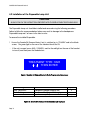
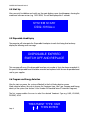
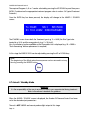
After successful installation and switch on, the main display screen should appear, showing the
model and software version (e.g. CS02-1010A). This will be displayed for 2 seconds.
SYSTEM START
CS02-1010Ax.x
4.5 Disposable Head Expiry
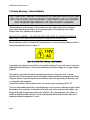
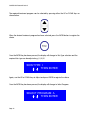
The computer will interrogate the Disposable Head prior to each shot being fired and may
display the following error message.
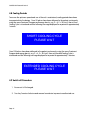
DISPOSABLE EXPIRED
SWITCH OFF AND REPLACE
This message will occur if the disposable head pre-set number of shots has been exceeded. At
this point the disposable head should be removed and replaced with the new disposable head
sent by your supplier.
4.6 Program and Energy Selection
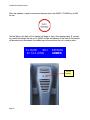
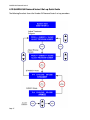
After the start-up screen, the system will default to the first Mode selection screen.
Mode selection allows the user to choose the Treatment type, Skin Type, Program and Energy
density of the system (See Section 5.6 for Quadra Q4 Diamond Series II Treatment Programs).
The first screen enables the user to select the desired Treatment Type e.g. HAIR, VASULAR,
PIGMENT, ACNE.
Page 21
TREATMENT TYPE: HAIR
THEN ENTER