1
Contents
1 Notes. ........................................................................................................................................... 1
2 Random accessories ............................................................................................................... 1
3 Hardware specifications ......................................................................................................... 1
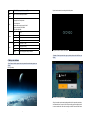
4 Startup and shutdown ............................................................................................................. 2
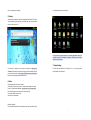
5 Desktop ....................................................................................................................................... 4
6 Button .......................................................................................................................................... 4
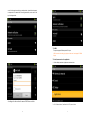
7 System Settings ........................................................................................................................ 5
7.1 Date and time settings: ........................................................................................................ 6
7.2 Screen brightness ................................................................................................................. 8
7.3 Standby screen ...................................................................................................................... 8
7.4 WIFI Wireless Connection ................................................................................................... 9
7.5 HDMI: ...................................................................................................................................... 11
7.6 Install,remove and run the application .......................................................................... 11
8 Touch Calibration.................................................................................................................... 14
9 Network ..................................................................................................................................... 15
10 Music........................................................................................................................................ 16
11 Video ........................................................................................................................................ 17
12 Picture ..................................................................................................................................... 18
13 Wallpaper ................................................................................................................................ 19
14 Photo........................................................................................................................................ 21
15 Market ...................................................................................................................................... 22
16 E-mail client ........................................................................................................................... 27
17 External devices.................................................................................................................... 31
17.1 USB connection ................................................................................................................. 31
17.2 OTG use ............................................................................................................................... 32
17.3 Keyboard Mouse................................................................................................................ 32
18 Firmware Upgrade by Tool ................................................................................................. 32
18.1 Android PC upgrade client upgrades the use of specialized tools ...................... 32
18.2 Update the software by memory card .......................................................................... 36
1 Notes
* This product is a high precision electronic products , do not disassemble.
* Avoid strong beat, the collision of the product.
* Avoid using this product the following conditions: high and low temperature, moisture,
dust, magnetic fields strong and long-term exposure to sunlight.
* Please use a wet cotton cloth wrung gently wipe the product shell, do not use other
chemical cleaning solution. This product should not be dripping or splashing water, so
should not be placed near the product category, such as glass filled with a liquid items.
* Too long, use the headphone volume is too large may cause permanent hearing
damage.
* Do not cross the road, driving motor vehicle or bicycle use headphones to avoid
traffic accidents.
* Please only use permitted batteries, chargers and accessories, use any other type
of products would violate the warranty regulations and may be dangerous.
* Please follow the relevant local environmental regulations to deal with obsolete
machines and accessories.
* This product is in the course of any questions, please contact your local dealer or
directly with the company's customer service center.
* For those because the product is damaged, repair or other causes of memory loss
wipe coating, the Company assumes no responsibility, please follow the user manual
for standard operation, and timely backups.
2 Random accessories
Tablet PC
DC charger
Earphone
Instruction manual
USB cable
OTG cable
3 Hardware specifications
MID hardware parameters
Processor
Memory
Storage
Wireless
1
Box chips A10 High-performance cortex a8 processors
Frequency 1.2GHz Support for hardware OpenGL 2.0 3D graphics
512MB DDR3 RAM
4GB NAND FLASH
Support Micro SD card to expand memory up to 32GB
IEEE802.11b/g wireless network
1