1
RADview-PC/TDM User’s Manual
FCD–E1/T1/M Edit Configuration Operations
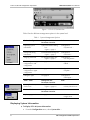
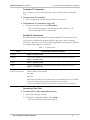
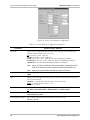
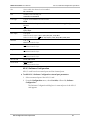
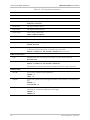
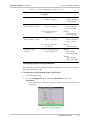
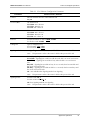
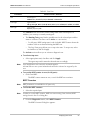
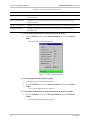
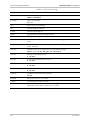
Table 15. T1 Port Software Configuration Parameters (Cont.)
OOS Signal
State of the signaling bits when the link is in out-of-service (OOS) state
Forced Idle – Signaling bits A and B are idle when the link is in out-of-service state.
In addition, if the line type is ESF, signaling bits C and D are also idle
Forced Busy - Signaling bits A and B are busy when the link is in out-of-service
state. In addition, if the line type is ESF, signaling bits C and D are also busy
Busy Idle - Signaling bits A and B are busy for 2.5 seconds, then become idle until
the out-of-service state ends. In addition, if the line type is ESF, signaling bits C and
D are idle for 2.5 seconds before switching to busy state
Idle Busy - Signaling bits A and B are idle for 2.5 seconds, then become busy until
the out-of-service state ends. In addition, if the line type is ESF, signaling bits C and
D are busy for 2.5 seconds before switching to idle state
OOS (hex)
00..FF
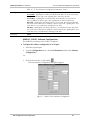
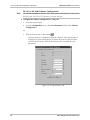
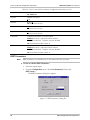
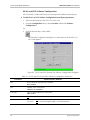
MAIN E1, SUB E1 Software Configuration
The MAIN E1 port always exists. SUB E1 is optional.
³
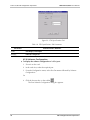
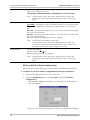
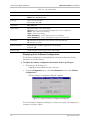
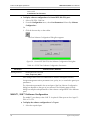
To display the software configuration of an E1 port:
1. Select the required port.
2. From the Configuration menu, select Port Parameters followed by Software
Configuration...
Or
3. Click the shortcut key on the toolbar
.
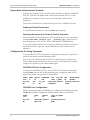
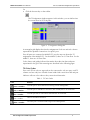
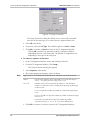
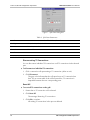
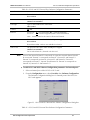
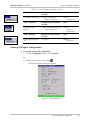
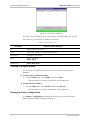
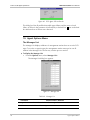
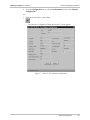
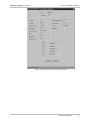
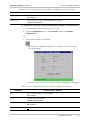
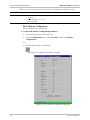
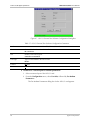
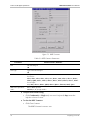
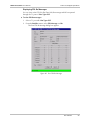
The Port Software Configuration Dialog Box appears.
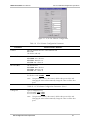
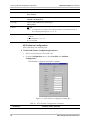
Figure 17. MAIN E1 Port Software Configuration
Edit Configuration Port Operations
25