1
iPod touch
User Guide
Contents
5
5
5
6
11
12
13
Chapter 1:  Getting Started
14
14
16
19
20
22
26
27
28
28
Chapter 2:  Basics
29
29
31
36
38
39
Chapter 3:  Music and Video
40
40
40
42
43
43
43
43
Chapter 4:  Photos
2
What You Need
Registering iPod touch
Syncing with iTunes
Mail, Contacts, and Calendar Accounts
Installing Configuration Profiles
Disconnecting iPod touch from Your Computer
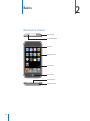
iPod touch at a Glance
Home Screen
Sleep/Wake Button
Touchscreen
Onscreen Keyboard
Connecting to the Internet
Charging the Battery
Cleaning iPod touch
Restarting and Resetting iPod touch
Getting Music, Video, and More
Music and Other Audio
Videos
Setting a Sleep Timer
Changing the Browse Buttons
Syncing Photos with Your Computer
Viewing Photos
Slideshows
Wallpaper
Saving Images from an Email Message or Webpage
Emailing a Photo
Sending a Photo to a MobileMe Gallery
44
Assigning a Photo to a Contact
45
45
49
54
55
55
Chapter 5:  iTunes Stores
56
56
61
65
70
73
74
80
81
83
86
86
Chapter 6:  More Applications
iTunes Wi-Fi Music Store
App Store
Syncing Purchased Content
Verifying Purchases
Updating Your Account
Safari
Calendar
Mail
YouTube
Stocks
Maps
Weather
Clock
Calculator
Notes
Contacts
88
88
89
89
90
90
95
96
97
97
100
Chapter 7:  Settings
102
102
103
105
106
107
108
110
110
Appendix A:  Troubleshooting
Wi-Fi
VPN
Fetch New Data
Brightness
General
Music
Video
Photos
Mail, Contacts, Calendars
Safari
General
iTunes and Syncing
Safari, Mail, and Contacts
Sound, Music, and Video
iTunes Stores
Backing Up iPod touch
Updating and Restoring iPod touch Software
iPod touch Accessibility Features
Contents
3
112 Appendix B:  Other Resources
112 Safety, Software, and Service Information
113 iPod touch-Optimized User Guide
114
4
Index
Contents
Getting Started
·
1
WARNING: To avoid injury, read all operating instructions in this guide
and safety information in the Important Product Information Guide at
www.apple.com/support/manuals/ipodtouch before using iPod touch.
What You Need
To use iPod touch, you need:
ÂÂ A Mac or a PC with a USB 2.0 port and one of the following operating systems:
ÂÂ Mac OS X version 10.4.10 or later
ÂÂ Windows XP Home or Professional with Service Pack 2 or later
ÂÂ Windows Vista Home Premium, Business, Enterprise, or Ultimate edition
ÂÂ Display resolution on your computer set to 1024 x 768 or higher
ÂÂ iTunes 7.7 or later, available at www.itunes.com/download
ÂÂ An iTunes Store account (for purchases from the iTunes Wi-Fi Music Store or
App Store)
ÂÂ An Internet connection for your computer (broadband recommended)
Registering iPod touch
Before you can use any of the iPod touch features, you must use iTunes to set up
iPod touch. You can also register iPod touch and create an iTunes Store account
(available in most countries) if you don’t already have one.
Register iPod touch:
1 Download and install the latest version of iTunes from www.itunes.com/download.
5
2 Connect iPod touch to a USB 2.0 port on your Mac or PC using the cable that came
with iPod touch.
3 Follow the onscreen instructions in iTunes to register iPod touch and sync iPod touch
with your contacts, calendars, and bookmarks on your computer.
Syncing with iTunes
With iPod touch, it’s easy to have instant access to your contacts, calendars, and even
your browser bookmarks. iTunes can sync all this information to iPod touch, and your
music, video, and other iTunes library content as well.
Setting Up Syncing
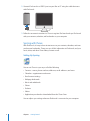
You can set iTunes to sync any or all of the following:
ÂÂ Contacts—names, phone numbers, addresses, email addresses, and more
ÂÂ Calendars—appointments and events
ÂÂ Email account settings
ÂÂ Webpage bookmarks
ÂÂ Music and audiobooks
ÂÂ Photos
ÂÂ Podcasts
ÂÂ Videos
ÂÂ Applications purchased or downloaded from the iTunes Store
You can adjust sync settings whenever iPod touch is connected to your computer.
6
Chapter 1    Getting Started
Music, audiobooks, podcasts, video content, and purchased applications are synced
from your iTunes library. If you don’t already have content in iTunes, the iTunes Store
(available in some countries) makes it easy to purchase or subscribe to content and
download it to iTunes. You can also add music to your iTunes library from your CDs. To
learn about iTunes and the iTunes Store, open iTunes and choose Help > iTunes Help.
Contacts, calendars, and webpage bookmarks are synced from applications on your
computer, as described in the following section. Contacts and calendars are synced
both ways between your computer and iPod touch. New entries or changes you make
on iPod touch are synced to your computer, and vice versa. Webpage bookmarks are
also synced both ways. Photos can be synced from an application or from a folder.
Email account settings are only synced from your computer’s email application to
iPod touch. This allows you to customize your email accounts on iPod touch without
affecting email account settings on your computer.
Note: You can also set up email accounts directly on iPod touch. See “Mail, Contacts,
and Calendar Accounts” on page 11.
Purchases made on iPod touch from the iTunes Wi-Fi Music Store or the App Store
are synced back to your iTunes library. You can also purchase or download music
and applications directly from the iTunes Store on your computer, then sync them to
iPod touch.
If you like, you can set iPod touch to sync with only a portion of what’s on your
computer. For example, you might want to sync only a group of contacts from your
address book, or only unwatched video podcasts.
Important: You can connect and sync with only one iPod touch at a time. Disconnect
one before connecting another. You should be logged in to your own computer user
account before connecting iPod touch. On a PC, if you sync more than one iPod touch
or iPod to the same computer user account, you must use the same sync settings for
each.
Set up iTunes syncing:
1 Connect iPod touch to your computer, and open iTunes (if it doesn’t open
automatically).
2 In iTunes, select iPod touch in the sidebar.
3 Configure the sync settings in each of the settings panes.
See the following section for descriptions of the panes.
Note: If you set up iPod touch to sync contacts, calendars, or bookmarks with
MobileMe or Microsoft Exchange, syncing for those items is turned off in iTunes. See
“Setting Up Accounts” on page 11.
4 Click Apply in the lower-right corner of the screen.
Chapter 1    Getting Started
7
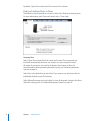
By default, ”Open iTunes when this iPod is connected” is selected.
iPod touch Settings Panes in iTunes
The following sections provide an overview of each of the iPod touch settings panes.
For more information, open iTunes and choose Help > iTunes Help.
Summary Pane
Select ”Open iTunes when this iPod is connected” to have iTunes open and sync
iPod touch automatically whenever you connect it to your computer. Deselect
this option if you want to sync only by clicking the Sync button in iTunes. For
more information about preventing automatic syncing, see “Preventing Automatic
Syncing” on page 10.
Select “Sync only checked songs and videos” if you want to sync only items that are
individually checked in your iTunes library.
Select “Manually manage music and videos” to turn off automatic syncing in the Music
and Video settings panes. See “Manually Managing Content” on page 30.
8
Chapter 1    Getting Started
Info Pane
The Info pane lets you configure the sync settings for your contacts, calendars, email
accounts, and web browser.
ÂÂ Contacts
You can sync contacts with applications such as Mac OS X Address Book, Microsoft
Entourage, Yahoo! Address Book, and Google Address Book on a Mac, or with Yahoo!
Address Book, Google Address Book, Windows Address Book (Outlook Express),
Vista Contacts, or Microsoft Outlook 2003 or 2007 on a PC. (On a Mac, you can sync
contacts with multiple applications. On a PC, you can sync contacts with only one
application at a time.)
If you sync with Yahoo! Address Book, you only need to click Configure to enter your
new login information when you change your Yahoo! ID or password after you’ve
set up syncing.
ÂÂ Calendars
You can sync calendars from applications such as iCal and Microsoft Entourage on
a Mac, or from Microsoft Outlook 2003 or 2007 on a PC. (On a Mac, you can sync
calendars with multiple applications. On a PC, you can sync calendars with only one
application at a time.)
ÂÂ Mail Accounts
You can sync email account settings from Mail on a Mac, and from Microsoft
Outlook 2003 or 2007 or Outlook Express on a PC. Account settings are only
transferred from your computer to iPod touch. Changes you make to an email
account on iPod touch don’t affect the account on your computer.
Note: The password for your Yahoo! email account isn’t saved on your computer,
so it can’t be synced and must be entered on iPod touch. In Settings, choose “Mail,
Contacts, Calendars,” tap your Yahoo! account, and enter the password.
ÂÂ Web Browser
You can sync bookmarks from Safari on a Mac, or from Safari or Microsoft Internet
Explorer on a PC.
ÂÂ Advanced
These options let you replace the information on iPod touch with the information
on your computer during the next sync.
Chapter 1    Getting Started
9
Music, Movies, TV Shows, and Podcasts Panes
Use these panes to specify the media you want to sync. You can sync all music, movies,
TV shows, and podcasts, or select the playlists and items you want on iPod touch.
If you want to watch rented movies on iPod touch, transfer them to iPod touch using
the Movies pane in iTunes.
If there’s not enough room on iPod touch for all the media you’ve specified, iTunes
asks if you want to create a special playlist. iTunes creates the playlist for you, and sets
it to sync with iPod touch.
Photos Pane
You can sync photos with iPhoto 4.0.3 or later, or Aperture on a Mac; or with Adobe
Photoshop Album 2.0 or later, or Adobe Photoshop Elements 3.0 or later on a PC. You
can also sync photos in any folder on your computer that contains images.
Applications Pane
Use the Applications pane to specify which App Store applications you want installed
on iPod touch. Any applications downloaded directly to iPod touch are automatically
backed up to your iTunes library when you sync. If you manually delete an application
on iPod touch, you can reinstall it from this pane as long as it was previously synced.
Preventing Automatic Syncing
You may want to prevent iPod touch from syncing automatically when you connect
iPod touch to a computer other than the one you usually sync with.
Turn off automatic syncing for iPod touch: Connect iPod touch to your computer. In
iTunes, select iPod touch in the sidebar, then click the Summary tab. Deselect “Open
iTunes when this iPod is connected.” You can always sync by clicking the Sync button.
Prevent automatic syncing for all iPod touchs: In iTunes choose iTunes > Preferences
(on a Mac) or Edit > Preferences (on a PC), click Syncing, and select “Disable automatic
syncing for all iPhones and iPods.”
If this checkbox is selected, iPod touch won’t sync automatically, even if “Open iTunes
when this iPod is connected” is selected in the Summary pane.
Prevent automatic syncing one time, without changing settings: Open iTunes. Then,
as you connect iPod touch to your computer, press and hold Command-Option (on a
Mac) or Shift-Control (on a PC) until you see iPod touch appear in the sidebar.
Sync manually: In iTunes, select iPod touch in the sidebar, then click Sync in the lowerright corner of the window. Or, if you’ve changed any sync settings, click Apply.
10
Chapter 1    Getting Started
Mail, Contacts, and Calendar Accounts
iPod touch works with MobileMe, Microsoft Exchange, and many of the most popular
email systems.
Setting Up Accounts
MobileMe and Microsoft Exchange provide not only email, but contact and calendar
information that can be synced to iPod touch automatically, over the air. MobileMe
can also sync your Safari bookmarks. You set up MobileMe, Exchange, and other email
accounts directly on iPod touch.
iPod touch uses the Exchange ActiveSync protocol to sync email, calendars, and
contacts with the following versions of Microsoft Exchange:
ÂÂ Exchange Server 2003 Service Pack 2
ÂÂ Exchange Server 2007 Service Pack 1
For many of the popular email accounts, iPod touch automatically enters most of the
settings for you.
If you don’t have already have one, you can get a free email account online at
www.yahoo.com, www.google.com, or www.aol.com. You can also try MobileMe,
free for 60 days. Go to www.me.com.
Add an account on iPod touch:
1 From iPod touch’s Home screen, tap Settings.
2 Tap “Mail, Contacts, Calendars,” then tap Add Account.
3 Tap an account type:
ÂÂ Microsoft Exchange
ÂÂ MobileMe
ÂÂ Google email
ÂÂ Yahoo! Mail
ÂÂ AOL
ÂÂ Other
4 Enter your account information and tap Save.
Your service provider or system administrator can provide the accounts settings you
need.
5 If you’re setting up a MobileMe or Exchange account, tap to enable mail, contacts,
calendars, and bookmarks (MobileMe only). Then tap Save.
Important: If you turn on contacts or calendars in a MobileMe or Exchange account,
syncing for contacts or calendars in iTunes is turned off. Any contact or calendar
information on iPod touch is replaced by the contacts and calendars from your
MobileMe or Exchange account.
Chapter 1    Getting Started
11
Push Accounts
MobileMe, Microsoft Exchange, and Yahoo! Mail are known as “push” accounts. When
new information is available, such as the arrival of an email message, the information
is automatically delivered (pushed) to your computer or to iPod touch. (In contrast,
“fetch” services require your email software to periodically check with your service
provider to see if new messages have arrived, and then request them to be delivered.)
MobileMe and Exchange also sync your contacts, calendars, and bookmarks (MobileMe
only) in the same way. For example, if you add a contact to the address book on your
computer, the new contact is automatically pushed to iPod touch as well as to any
other computer or device configured with the service.
Synced information is transferred automatically over your wireless connection; you
don’t need to connect iPod touch to your computer to sync. iPod touch can receive
pushed data over a Wi-Fi connection only when iPod touch is awake (the screen is on,
or iPod touch is connected to your computer or a power adapter).
Installing Configuration Profiles
If you’re in an enterprise environment, you may be able to set up accounts and
other items on iPod touch by installing a configuration profile. Configuration profiles
provide a way for system administrators to quickly set up your iPod touch to work
with the information systems at your company, school, or organization. For example, a
configuration profile might set up your iPod touch to access the Microsoft Exchange
servers at work, enabling iPod touch to access your Exchange email, calendars, and
contacts.
Configuration profiles can configure multiple settings on iPod touch all at once. For
example, a configuration profile can set up your Microsoft Exchange account, VPN
account, and certificates for secure access to your company’s network and information.
A configuration profile may turn on the Passcode Lock, requiring you to create and
enter a passcode for using iPod touch.
Your system administrator may distribute configuration profiles by email or by putting
them on a secure webpage.
12
Chapter 1    Getting Started
Install a configuration profile:
1 Using iPod touch, open the email message or download the configuration profile from
the website provided by your system administrator.
2 When the configuration profile opens, tap Install.
3 Enter passwords and other information as requested.
Important: You may be asked to verify that the configuration profile is trusted. If in
doubt, consult your system administrator before installing a configuration profile.
Settings provided by a configuration profile cannot be altered. If you want to change
these settings, you must first remove the configuration profile or install an updated
configuration profile.
Remove a profile: In Settings, choose General > Profile, then select the configuration
profile and tap Remove.
Removing a configuration profile deletes the settings and all other information
installed by the configuration profile from iPod touch.
Disconnecting iPod touch from Your Computer
Unless iPod touch is syncing with your computer, you can disconnect it from your
computer at any time.
When iPod touch is syncing with your computer, iPod touch shows “Sync in progress.”
If you disconnect iPod touch before it finishes syncing, some data may not get
transferred. When iPod touch finishes syncing, iTunes shows ”iPod touch sync is
complete.”
Cancel a sync: Drag the slider on iPod touch.
Chapter 1    Getting Started
13
2
Basics
iPod touch at a Glance
Wi-Fi antenna
Sleep/Wake button
Status bar
Application icons
Touch screen
Home button
Dock connector
Headphones port
14
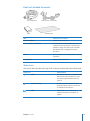
iPod touch Included Accessories
Dock Connector to USB Cable
iPo
d
Stereo headphones
Stand
Polishing cloth
Item
What you can do with it
Stereo headphones
Listen to music and videos.
Dock Connector to USB Cable
Use the cable to connect iPod touch to your
computer to sync and charge, or to the power
adapter to charge. The cable can be used with
the optional dock or plugged directly into
iPod touch.
Stand
Stand up iPod touch for viewing videos or photo
slideshows.
Polishing cloth
Wipe the iPod touch screen.
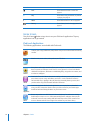
Status Icons
The icons in the status bar at the top of the screen give information about iPod touch:
Status icon
What it means
Wi-Fi
Shows that iPod touch is connected to the
Internet over a Wi-Fi network. The more
bars, the stronger the connection. See
page 26.
Network activity
Indicates network activity. Some third
party applications may also use this icon
to indicate an active process.
VPN
Shows that you are connected to a
network using VPN. See “Network” on
page 91.
Chapter 2    Basics
15
Status icon
What it means
Lock
Shows that iPod touch is locked. See
page 18.
Play
Shows that a song, audiobook, or podcast
is playing. See page 31.
Alarm
Shows that an alarm is set. See page 82.
Battery
Shows battery level or charging status. See
page 27.
Home Screen
Press the Home button at any time to see your iPod touch applications. Tap any
application icon to get started.
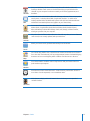
iPod touch Applications
The following applications are included with iPod touch:
Listen to your songs, audiobooks, and podcasts. Set your own volume limit for listening
comfort.
Music
Watch movies, music videos, video podcasts, and TV shows.
Videos
Photos
View photos and images transferred from your computer or saved on iPod touch. View
them in portrait or landscape mode. Zoom in on any photo for a closer look. Watch a
slideshow. Email photos, add them to a MobileMe gallery, assign them to contacts, and
use them as wallpaper.
iTunes
Search the iTunes Wi-Fi Music Store music catalog, or browse, preview, and purchase
new releases, top-ten songs and albums, and more.1 In select Starbucks locations,3
find out what song is playing in the café, then buy it instantly. Browse, preview, and
purchase other songs from featured Starbucks Collections.
Search the App Store for iPod touch applications you can purchase or download
using your Wi-Fi connection. Read or write your own reviews for your favorite apps.
Download and install the applications on your Home screen.1
App Store
Safari
16
Browse any website over Wi-Fi. Rotate iPod touch sideways for widescreen viewing.
Double-tap to zoom in or out—Safari automatically fits the webpage column to the
iPod touch screen for easy reading. Add Safari web clips to the Home screen for fast
access to favorite websites. Save images from websites to your Photo Library.
Chapter 2    Basics
Calendar
View your MobileMe, iCal, Microsoft Entourage, Microsoft Outlook, or Microsoft
Exchange calendars. Enter events on iPod touch and they get synced back to the
calendar on your computer. Set alerts to remind you of events, appointments, and
deadlines.
Mail
iPod touch works with MobileMe, Microsoft Exchange, and many of the most popular
email systems—including Yahoo! Mail, Google email, and AOL—as well as most
industry-standard POP3 and IMAP email systems. View PDFs and other attachments
within Mail. Save attached photos and graphics to your Photo Library.
Contacts
Get contact information synced from MobileMe, Mac OS X Address Book, Yahoo!
Address Book, Google Address Book, Windows Address Book (Outlook Express),
Microsoft Outlook, or Microsoft Exchange. Search, add, change, or delete contacts,
which get synced back to your computer.
Play videos from YouTube’s online collection.1 Search for any video, or browse featured,
most viewed, most recently updated, and top-rated videos.
YouTube
Watch your favorite stocks, updated automatically from the Internet.
Stocks
See a street map, satellite view, or hybrid view of locations around the world. Zoom in
for a closer look. Find and track your current approximate location. Get detailed driving
directions and see current highway traffic conditions. Find businesses in the area.2
Maps
Get current weather conditions and a six-day forecast. Add your favorite cities for a
quick weather report anytime.
Weather
View the time in cities around the world—create clocks for your favorites. Set one or
more alarms. Use the stopwatch, or set a countdown timer.
Clock
Add, subtract, multiply, and divide. Rotate iPod touch sideways to use expanded
scientific functions.
Calculator
Chapter 2    Basics
17
Jot notes on the go—reminders, grocery lists, brilliant ideas. Send them in email.
Notes
Settings
Adjust all iPod touch settings in one convenient place. Set your wallpaper, screen
brightness, and settings for network, mail, web, music, video, photos, and more. Set
auto-lock and a passcode for security. Restrict access to explicit iTunes content and
certain applications. Reset iPod touch.
Not available in all areas.
Not all Maps features and services available in all areas.
3
In the U.S. only.
1
2
Customizing the Home Screen
You can customize the layout of icons on the Home screen—including the Dock
icons along the bottom of the screen. If you want, arrange them over multiple Home
screens.
Rearrange icons:
1 Touch and hold any Home screen icon until the icons begin to wiggle.
2 Arrange the icons by dragging them.
3 Press the Home
button to save your arrangement.
You can also add links to your favorite webpages on the Home screen. See “Web
Clips” on page 60.
Create additional Home screens: While arranging icons, drag an icon to the right
edge of the screen until a new screen appears. You can flick to return to the original
screen and drag more icons to the new screen.
18
Chapter 2    Basics
You can create up to nine screens. The number of dots above the Dock shows the
number of screens you have, and indicates which screen you are viewing.
Switch to another Home screen: Flick left or right.
Reset your Home screen to the default layout: Choose Settings > General > Reset
and tap Reset Home Screen Layout.
Sleep/Wake Button
When you’re not using iPod touch, you can lock it.
When iPod touch is locked, nothing happens if you touch the screen.
By default, if you don’t touch the screen for a minute, iPod touch locks automatically.
Sleep/Wake
button
Lock iPod touch
Press the Sleep/Wake button.
Unlock iPod touch
Press the Home button or the Sleep/Wake
button, then drag the slider.
Turn iPod touch completely off
Press and hold the Sleep/Wake button for a few
seconds until the red slider appears, then drag
the slider.
Turn iPod touch on
Press and hold the Sleep/Wake button until the
Apple logo appears.
For information about setting iPod touch to require a passcode to unlock it, see
“Passcode Lock” on page 92.
Chapter 2    Basics
19
Touchscreen
The controls on the iPod touch touchscreen change dynamically depending on the
task you are performing.
Opening Applications
Open an application: Tap an icon.
Return to the Home screen: Press the Home
button below the display.
Scrolling
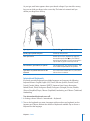
Drag up or down to scroll. On some screens such as webpages, you can also scroll side
to side.
Dragging your finger to scroll won’t choose or activate anything on the screen.
20
Chapter 2    Basics
Flick to scroll quickly.
You can wait for the scrolling to come to a stop, or tap or touch anywhere on the
screen to stop it immediately. Tapping or touching to stop scrolling won’t choose or
activate anything on the screen.
To quickly scroll to the top of a list, webpage, or email, just tap the status bar.
Lists
Some lists have an index along the right side.
Find items in an indexed list: Tap a letter to jump to items starting with that letter.
Drag your finger along the index to scroll quickly through the list.
Index
Choose an item: Tap an item in the list.
Depending on the list, tapping an item can do different things—for example, it may
open a new list, play a song, open an email, or show someone’s contact information.
Return to a previous list: Tap the back button in the upper-left corner.
Chapter 2    Basics
21
Zooming In or Out
When viewing photos, webpages, email, or maps, you can zoom in and out. Pinch your
fingers together or apart. For photos and webpages, you can double-tap (tap twice
quickly) to zoom in, then double-tap again to zoom out. For maps, double-tap to zoom
in and tap once with two fingers to zoom out.
Onscreen Keyboard
Use the onscreen keyboard to enter text, such as contact information, text messages,
or web addresses.
Typing
Depending on the application you’re using, the intelligent keyboard may automatically
suggest corrections as you type to help prevent mistyped words.
Enter text:
1 Tap a text field, such as in a note or new contact, to bring up the keyboard.
2 Tap keys on the keyboard.
Start by typing with just your index finger. As you get more proficient, you can type
more quickly using two thumbs.
22
Chapter 2    Basics
As you type, each letter appears above your thumb or finger. If you touch the wrong
key, you can slide your finger to the correct key. The letter isn’t entered until you
release your finger from the key.
Type uppercase
Tap the Shift
key before tapping a letter.
Quickly type a period and space
Double-tap the space bar.
Turn caps lock on
Enable caps lock (see “Keyboard” on page 93),
then double-tap the Shift key. The Shift key
turns blue, and all letters you type are uppercase.
Tap the Shift key again to turn caps lock off.
Show numbers, punctuation, or symbols
Tap the Number
key. Tap the Symbol
key
to see additional punctuation and symbols.
Type letters or symbols that aren’t on the
keyboard
Press and hold the related letter or symbol, then
slide to choose a variation.
International Keyboards
iPod touch provides keyboards in multiple languages, and supports the following
keyboard formats: English, English (UK), Danish, German, Spanish, Finnish, French,
French (Canada), Italian, Japanese QWERTY, Japanese Kana, Korean, Norwegian
Bokmål, Dutch, Polish, Portuguese (Brazil), Portuguese (Portugal), Russian, Swedish,
Chinese (Simplified) Pinyin, Chinese (Simplified) Handwriting, and Chinese (Traditional)
Handwriting.
Turn international keyboards on or off:
1 In Settings, choose General > International > Keyboards.
2 Turn on the keyboards you want. Languages with more than one keyboard, such as
Japanese and Chinese, indicate the number of keyboards available. Tap to choose a
keyboard for that language.
Chapter 2    Basics
23
Switch keyboards if more than one keyboard is
turned on
Tap to switch keyboards. When you tap
the symbol, the name of the newly activated
keyboard appears briefly.
Enter Japanese Kana
Use the Kana keypad to select syllables. For more
syllable options, tap the arrow key and select
another syllable or word from the window.
Enter Japanese QWERTY
Use the QWERTY keyboard to input code for
Japanese syllables. As you type, suggested
syllables appear. Tap the syllable to choose it.
Enter Korean
Use the 2-Set Korean keyboard to type Hangul
letters. To type double consonants or compound
vowels, press and hold the letter, then slide to
choose the double letter.
Enter Simplified Chinese Pinyin
Use the QWERTY keyboard to enter Pinyin for
Chinese characters. As you type, suggested
Chinese characters appear. Tap a character to
choose it, or continue entering Pinyin to see
more character options.
Enter handwritten Simplified or Traditional
Chinese
Use the touchpad to enter Chinese characters
with your finger. As you write character strokes,
iPod touch recognizes them and shows matching
characters in a list, with the closest match at the
top. When you choose a character, its related
characters appear in the list as additional choices.
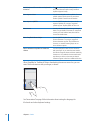
When Simplified or Traditional Chinese handwriting formats are turned on, you can
enter Chinese characters with your finger, as shown:
See “International” on page 94 for information about setting the language for
iPod touch and other keyboard settings.
24
Chapter 2    Basics
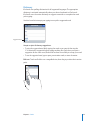
Dictionary
iPod touch has spelling dictionaries for all supported languages. The appropriate
dictionary is activated automatically when you select a keyboard on iPod touch.
iPod touch uses the active dictionary to suggest corrections or complete the word
you’re typing.
You don’t need to interrupt your typing to accept the suggested word.
Suggested word
Accept or reject dictionary suggestions:
ÂÂ To reject the suggested word, finish typing the word as you want it, then tap the
“x” to dismiss the suggestion before typing anything else. Each time you reject a
suggestion for the same word, iPod touch becomes more likely to accept your word.
ÂÂ To use the suggested word, type a space, punctuation mark, or return character.
Edit text: Touch and hold to see a magnified view, then drag to position the insertion
point.
Chapter 2    Basics
25
Connecting to the Internet
iPod touch connects to the Internet via Wi-Fi
networks. iPod touch can join AirPort
and other Wi-Fi networks at home, at work, or at Wi-Fi hotspots around the world.
When joined to a Wi-Fi network that is connected to the Internet, iPod touch connects
to the Internet automatically whenever you use Mail, Safari, YouTube, Stocks, Maps,
Weather, the App Store or iTunes Wi-Fi Music Store.
Joining a Wi-Fi Network
The Wi-Fi settings let you turn on Wi-Fi and join Wi-Fi networks.
Turn on Wi-Fi: Choose Settings > Wi-Fi and turn Wi-Fi on.
Join a Wi-Fi network: Choose Settings > Wi-Fi, wait a moment as iPod touch detects
networks in range, then select a network (fees may apply to join some Wi-Fi networks).
If necessary, enter a password and tap Join (networks that require a password appear
with a lock icon).
Once you’ve joined a Wi-Fi network manually, iPod touch automatically connects to
it whenever the network is in range. If more than one previously used network is in
range, iPod touch joins the one last used.
When iPod touch is connected to a Wi-Fi network, the Wi-Fi
icon in the status bar at
the top of the screen shows connection strength. The more bars you see, the stronger
the connection.
For information about configuring Wi-Fi settings, see “Wi-Fi” on page 88.
26
Chapter 2    Basics
Charging the Battery
iPod touch has an internal rechargeable battery.
WARNING: For important safety information about charging iPod touch, see the
Important Product Information Guide at www.apple.com/support/manuals/ipodtouch.
Charge the battery and sync iPod touch: Connect iPod touch to your computer using
the included USB cable.
Important: If iPod touch is connected to a computer that’s turned off or is in sleep or
standby mode, the iPod touch battery may drain.
An icon in the upper-right corner of the screen shows battery charging status.
Charging
Charged
If you charge the battery while syncing or using iPod touch, it may take longer to
charge. You can also charge iPod touch using the Apple USB Power Adapter, available
separately.
Important: If iPod touch is very low on power, it may display one of the following
images, indicating that iPod touch needs to charge for up to ten minutes before you
can use it. If iPod touch is extremely low on power, the display may be blank for up to
two minutes before one of the low-battery images appears.
or
Chapter 2    Basics
27
Rechargeable batteries have a limited number of charge cycles and may eventually
need to be replaced. The iPod touch battery isn’t user replaceable; it can only
be replaced by an authorized service provider. For more information, go to
www.apple.com/batteries.
Cleaning iPod touch
To clean iPod touch, unplug all cables and turn off iPod touch (press and hold the
Sleep/ Wake button, then slide the onscreen slider). Use a soft, slightly damp, lint-free
cloth. Avoid getting moisture in openings. Don’t use window cleaners, household
cleaners, aerosol sprays, solvents, alcohol, ammonia, or abrasives to clean iPod touch.
Restarting and Resetting iPod touch
If something is not working right, restarting or resetting iPod touch will likely solve the
problem.
Restart iPod touch: Press and hold the Sleep/Wake button until the red slider appears.
Slide your finger across the slider to turn off iPod touch. To turn iPod touch back on,
press and hold the Sleep/Wake until the Apple logo appears.
Reset iPod touch: Press and hold the Sleep/Wake button and the Home button at the
same time for at least ten seconds, until the Apple logo appears.
For more troubleshooting suggestions, see Appendix A, “Troubleshooting,” on
page 102.
28
Chapter 2    Basics
Music and Video
3
iPod touch syncs with iTunes on your computer to get songs, videos, and other
content you’ve collected in your iTunes library. For information about adding music
and other media to your iTunes library, open iTunes and choose Help > iTunes Help.
Getting Music, Video, and More
To get music, video, and podcasts onto iPod touch, you can set up iTunes on your
computer to sync content in your library, or you can manually manage the media you
put on iPod touch.
Syncing Content from iTunes
You can get music, video, and more onto iPod touch by syncing content from iTunes.
You can sync all of your media, or you can select specific songs, videos, and podcasts.
Set iTunes to sync iPod content:
1 Connect iPod touch to your computer.
2 In iTunes, select iPod touch in the sidebar.
3 On the Music, Movies, TV Shows, and Podcasts tabs, select the content you want
to transfer to iPod touch. For example, you could set iTunes to sync selected music
playlists and the three most recent episodes of your favorite video podcast.
4 Click Apply.
Only songs and videos encoded in formats that iPod touch supports are transferred
to iPod touch. For information about which formats iPod touch supports, see “Song,
Video, or Other Items Won’t Play” on page 106.
If there are more songs in your iTunes library than can fit on your iPod touch, iTunes
offers to create a special playlist to sync with iPod touch. iTunes fills the playlist with
selections from your library. You can add or delete songs from the playlist and sync
again.
29
If you listen to part of a podcast or audiobook, your place in the story is included if you
sync the content with iTunes. If you started listening to the story on iPod touch, you
can pick up where you left off using iTunes on your computer—or vice versa.
For more information about using iTunes to get music and other media onto your
computer, see “What You Need” on page 5.
Manually Managing Content
The manually managing feature lets you choose just the music, video, and podcasts
you want to have on iPod touch.
Set up iPod touch for manually managing content: 1 Connect iPod touch to your computer.
2 In iTunes, select iPod touch in the sidebar.
3 Click the Summary tab and select “Manually manage music and videos.”
4 Click Apply.
Add items to iPod touch: Drag a song, video, podcast, or playlist in your iTunes library
to iPod touch (in the sidebar). Shift-click or Command-click to select multiple items to
add at the same time.
iTunes syncs the content immediately. If you deselect “Manually manage music and
videos,” the content you added manually is removed from iPod touch the next time
iTunes syncs content.
Remove items from iPod touch: With iPod touch connected to your computer, select
the iPod touch icon in the iTunes sidebar. Click the disclosure triangle to the left of the
icon to show the contents. Select a content area, such as Music or Movies, then select
the items you want to delete and press the Delete key on the keyboard.
Removing an item from iPod touch doesn’t delete it from your iTunes library.
Important: If you delete an item from iTunes, it will also be deleted from iPod touch
the next time you sync.
30
Chapter 3    Music and Video
Transferring Purchased Content to Another Computer
You can transfer content on iPod touch that was purchased using iTunes on one
computer to an iTunes library on another authorized computer. The computer must be
authorized to play content from your iTunes account. To authorize the computer, open
iTunes on the computer and choose Store > Authorize Computer.
Transfer purchased content: Connect iPod touch to the other computer. iTunes asks if
you want to transfer purchased content.
Converting Videos for iPod touch
You can add videos other than those purchased from the iTunes Store to iPod touch,
such as videos you create in iMovie on a Mac or videos you download from the
Internet and then add to iTunes.
If you try to add a video from iTunes to iPod touch and a message says the video can’t
play on iPod touch, you can convert the video.
Convert a video to work with iPod touch: Select the video in your iTunes library and
choose Advanced > “Convert Selection for iPod/iPhone.” Then add the converted video
to iPod touch.
Music and Other Audio
The high-resolution Multi-Touch display makes listening to songs on iPod touch as
much a visual experience as a musical one. You can scroll through your playlists, or use
Cover Flow to browse through your album art.
WARNING: For important information about avoiding hearing loss, see the Important
Product Information Guide at www.apple.com/support/manuals/ipodtouch.
Playing Songs
Browse your collection: Tap Playlists, Artists, or Songs. Tap More to browse Albums,
Audiobooks, Compilations, Composers, Genres, or Podcasts.
Play a song: Tap the song.
Chapter 3    Music and Video
31
Controlling Song Playback
When you play a song, the Now Playing screen appears.
Back
Track List
Play/Pause
Previous/Rewind
Next/Fast-forward
Volume
Pause a song
Tap or click the mic button on the iPod touch
headset.
Resume playback
Tap or click the mic button on the iPod touch
headset.
Raise or lower the volume
Drag the volume slider or use the buttons on the
side of iPod touch.
Restart a song or a chapter in an audiobook or
podcast
Tap
Skip to the next or previous song or chapter in
an audiobook or podcast
Tap
twice to skip to the previous song. Tap
to skip to the next song, or click the mic button
on the iPod touch headset twice quickly.
Rewind or fast-forward
Touch and hold
or . The longer you hold
the control, the faster the song rewinds or fastforwards.
Return to the iPod browse lists
Tap
. Or swipe to the right over the album
cover.
Return to the Now Playing screen
Tap Now Playing.
Display a song’s lyrics
Tap the album cover when playing a song. (Lyrics
appear only if you’ve added them to the song
using the song’s Info window in iTunes.)
.
You can display playback controls at any time when you’re listening to music and
using another application—or even when iPod touch is locked—by double-clicking
the Home button.
32
Chapter 3    Music and Video
If you’re using an application, the playback controls appear on top of the application.
After using the controls, you can close them or tap Music to go to the Now Playing
screen. If iPod touch is locked, the controls appear onscreen, then disappear
automatically after you finish using them.
Additional Controls
From the Now Playing screen, tap the album cover.
The repeat and shuffle controls and the scrubber bar appear. You can see time elapsed,
time remaining, and the song number. The song’s lyrics also appear, if you’ve added
them to the song in iTunes.
Repeat
Scrubber bar
Playhead
Shuffle
Set iPod touch to repeat songs
Tap . Tap
again to set iPod touch to repeat
only the current song.
= iPod touch is set to repeat all songs in the
current album or list.
= iPod touch is set to repeat the current song
over and over.
= iPod touch isn’t set to repeat songs.
Skip to any point in a song
Drag the playhead along the scrubber bar.
Set iPod touch to shuffle songs
again to set iPod touch to play
Tap . Tap
songs in order.
= iPod touch is set to shuffle songs.
= iPod touch is set to play songs in order.
Shuffle the tracks in any playlist, album, or other Tap Shuffle at the top of the list. For example, to
list of songs
shuffle all the songs on iPod touch, choose Songs
> Shuffle.
Whether or not iPod touch is set to shuffle, if you
tap Shuffle at the top of a list of songs, iPod touch
plays the songs from that list in random order.
Chapter 3    Music and Video
33
Browsing Album Covers in Cover Flow
When you’re browsing music, you can rotate iPod touch sideways to see your iTunes
content in Cover Flow and browse your music by album artwork.
34
See content in Cover Flow
Rotate iPod touch sideways.
Browse album covers
Drag or flick left or right.
See the tracks on an album
Tap a cover or
Play any track
Tap the track. Drag up or down to scroll through
the tracks.
Return to the cover
Tap the title bar. Or tap
Play or pause the current song
Tap or . Or, if you’re using the included stereo
headset, click the mic button.
Chapter 3    Music and Video
.
again.
Viewing All Tracks on an Album
See all the tracks on the album that contains the current song: From the Now
Playing screen tap . Tap a track to play it. Tap the album cover thumbnail to return to
the Now Playing screen.
Back to Now
Playing screen
Rating bar
Album tracks
In track list view, you can assign ratings to songs. You can use ratings to create smart
playlists in iTunes that dynamically update to include, for example, your highest rated
songs.
Rate a song: Drag your thumb across the ratings bar to give the song zero to five
stars.
Making Playlists Directly on iPod touch
Make an on-the-go playlist:
1 Tap Playlists and tap On-The-Go.
2 Browse for songs using the buttons at the bottom of the screen. Tap any song or video
to add it to the playlist. Tap Add All Songs at the top of any list of songs to add all the
songs in the list.
3 When you finish, tap Done.
When you make an on-the-go playlist and then sync iPod touch to your computer, the
playlist is saved on iPod touch and in your iTunes library, then deleted from iPod touch.
The first is saved as “On-The-Go 1,” the second as “On-The-Go 2,” and so on. To put a
playlist back on iPod touch, select iPod touch in the iTunes sidebar, click the Music tab,
and set the playlist to sync.
Edit an on-the-go playlist: Tap Playlists, tap On-The-Go, tap Edit, then do one of the
following:
ÂÂ To move a song higher or lower in the list, drag
next to the song.
ÂÂ To delete a song from the playlist, tap
next to a song, then tap Delete. Deleting a
song from the on-the-go playlist doesn’t delete it from iPod touch.
ÂÂ To clear the entire playlist, tap Clear Playlist.
ÂÂ To add more songs, tap
Chapter 3    Music and Video
.
35
Videos
With iPod touch, you can view video content such as movies, music videos, and video
podcasts. If a video contains chapters, you can skip to the next or previous chapter,
or bring up a list and start playing at any chapter that you choose. If a video provides
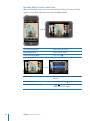
alternate language features, you can choose an audio language or display subtitles.
Playing Videos
Play a video: Tap Videos and tap the video.
Display playback controls: Tap the screen to show the controls. Tap again to hide
them.
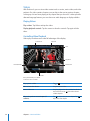
Controlling Video Playback
Videos play in widescreen to take full advantage of the display.
Scrubber bar
Playhead
Scale
Play/Pause
Restart/Rewind
Fast-forward
Volume
Run by Gnarls Barkley is available
on iTunes in select countries
36
Play or pause a video
Tap
Raise or lower the volume
Drag the volume slider.
Start a video over
Drag the playhead on the scrubber bar all the
way to the left, or tap
if the video doesn’t
contain chapters.
Skip to the previous or next chapter (if
available)
Tap
to skip to the previous chapter. Tap
skip to the next chapter.
Chapter 3    Music and Video
or .
to
Start playing at a specific chapter (if available)
Tap
, then choose a chapter from the list.
Rewind or fast-forward
Touch and hold
Skip to any point in a video
Drag the playhead along the scrubber bar.
or
.
Stop watching a video before it finishes playing Tap Done. Or press the Home
Scale a video to fill the screen or fit to the
screen
to make the video fill the screen. Tap
Tap
to make it fit the screen.You can also double-tap
the video to toggle between fitting and filling the
screen.
When you scale a video to fill the screen, the
sides or top may be cropped from view. When
you scale it to fit the screen, you may see black
bars on the sides or above and below the video.
Select an alternate audio language (if available) Tap
list.
Show or hide subtitles (if available)
button.
, then choose a language from the Audio
Tap , then choose a language, or Off, from the
Subtitles list.
Watching Rented Movies
You can rent movies from the iTunes Store and watch them on iPod touch. You use
iTunes to rent the movies and transfer them to iPod touch. (Rented movies are not
available in all regions. iTunes version 7.6 or later and QuickTime version 7.4.5 or later
are required.)
Rented movies are playable only for a limited time. The time remaining in which you
must finish watching a rented movie appears near its title. Movies are automatically
deleted when they expire. Check the iTunes Store for the expiration times before
renting a movie.
Transfer rented movies to iPod touch: Connect iPod touch to your computer. Then
select iPod touch in the iTunes sidebar, click Movies, and select the rented movies you
want to transfer. Your computer must be connected to the Internet.
View a rented movie: Choose Videos and select a movie.
Chapter 3    Music and Video
37
Watching Videos on a TV
You can connect iPod touch to your TV and watch your videos on the larger screen.
Use the Apple Component AV Cable, Apple Composite AV Cable, or other authorized
iPod touch compatible cable. You can also use these cables with the Apple Universal
Dock to connect iPod touch to your TV. (The Apple Universal Dock includes a remote,
which allows you to control playback from a distance.) Apple cables and docks are
available for purchase separately at www.apple.com/ipodstore.
Deleting Videos from iPod touch
You can delete videos from iPod touch to save space.
Delete a video: In the videos list, swipe left or right over the video, then tap Delete.
When you delete a video (other than rented movies) from iPod touch, it isn’t deleted
from your iTunes library and you can sync the video back to iPod touch later. If you
don’t want to sync the video back to iPod touch, set iTunes to not sync the video. See
“What You Need” on page 5.
Important: If you delete a rented movie from iPod touch, it is deleted permanently
and cannot be transferred back to your computer.
Setting a Sleep Timer
You can set iPod touch to stop playing music or videos after a period of time.
Set a sleep timer: From the Home screen choose Clock > Timer, then flick to set the
number of hours and minutes. Tap When Timer Ends and choose Sleep iPod, tap Set,
then tap Start to start the timer.
When the timer ends, iPod touch stops playing music or video, closes any other open
application, and then locks itself.
38
Chapter 3    Music and Video
Changing the Browse Buttons
You can replace the Playlists, Artist, Songs, or Videos browse buttons at the bottom
of the screen with ones you use more frequently. For example, if you often listen
to podcasts and don’t watch many videos, you can replace the Videos button with
Podcasts.
Change the browse buttons: Tap More and tap Edit, then drag a button to the
bottom of the screen, over the button you want to replace.
You can drag the buttons at the bottom of the screen left or right to rearrange them.
Tap Done when you finish. Tap More at any time to access the buttons you replaced.
Chapter 3    Music and Video
39
Photos
4
iPod touch lets you carry your photos with you, so you can share them with your
family, friends, and associates.
Syncing Photos with Your Computer
iTunes can sync your photos with the following applications:
ÂÂ Mac: iPhoto 4.0.3 or later, or Aperture
ÂÂ PC: Adobe Photoshop Album 2.0 or later, or Adobe Photoshop Elements 3.0 or later
See “What You Need” on page 5.
Viewing Photos
Photos synced from your computer can be viewed in Photos.
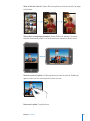
View photos: 1 In Photos:
ÂÂ Tap Photo Library to see all your photos.
ÂÂ Tap any photo album, or tap an album to see just those photos.
40
2 Tap a thumbnail to see the photo at full screen.
Show or hide the controls: Tap the full screen photo to show the controls. Tap again
to hide them.
View a photo in landscape orientation: Rotate iPod touch sideways. The photo
reorients automatically and, if it’s in landscape format, expands to fit the screen.
Zoom in on part of a photo: Double-tap where you want to zoom in. Double-tap
again to zoom out. You can also pinch to zoom in or out.
Pan around a photo: Drag the photo.
Chapter 4    Photos
41
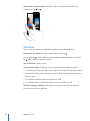
See the next or previous photo: Flick left or right. Or tap the screen to show the
controls, then tap or .
Slideshows
You can view your photos as a slideshow, complete with background music.
View photos in a slideshow: Choose a photo album, then tap .
You can also tap to start a slideshow when viewing an individual photo. If you don’t
see , tap the photo to show the controls.
Stop a slideshow: Tap the screen.
Set slideshow settings: In Settings, choose Photos and set the following options:
ÂÂ To set the length of time each slide is shown, tap Play Each Slide For and choose a time.
ÂÂ To set transition effects when moving from photo to photo, tap Transition and choose a
transition type.
ÂÂ To set whether slideshows repeat, turn Repeat on or off.
ÂÂ To set whether photos are shown in random order, turn Shuffle on or off.
Play music during a slideshow: In iPod, play a song, then choose Photos from the
Home screen and start a slideshow.
42
Chapter 4    Photos
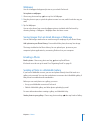
Wallpaper
You see a wallpaper background picture as you unlock iPod touch.
Set a photo as wallpaper: 1 Choose any photo and tap
, then tap Use As Wallpaper.
2 Drag the photo to pan, or pinch the photo to zoom in or out, until it looks the way you
want.
3 Tap Set Wallpaper.
You can also choose from several wallpaper pictures included with iPod touch by
choosing Settings > Wallpaper > Wallpaper from the Home screen.
Saving Images from an Email Message or Webpage
You can add images attached to an email message or webpage to your Photo Library.
Add a photo to your Photo Library: Press and hold the photo, then tap Save Image.
The image is added to the Photo Library. You can upload your pictures to your
computer’s photo application by connecting iPod touch to your computer.
Emailing a Photo
Email a photo: Choose any photo and tap
, then tap Email Photo.
iPod touch must be set up for email. See “Organizing Email” on page 69.
Sending a Photo to a MobileMe Gallery
If you have a MobileMe account, you can send photos directly from iPod touch to a
gallery you’ve created. You can also send photos to someone else’s MobileMe gallery if
that person has enabled email contributions.
Before you can send photos to a gallery, you must:
ÂÂ Set up your MobileMe account on iPod touch
ÂÂ Publish a MobileMe gallery, and allow photo uploading by email
For more information about creating a gallery, see MobileMe Help.
Send a photo to your gallery: Choose any photo and tap
Chapter 4    Photos
, then tap Send to Gallery.
43
Assigning a Photo to a Contact
You can assign a photo to a contact.
Assign a photo to a contact: 1 Choose any photo on iPod touch and tap
2 Tap Assign to Contact and choose a contact.
3 Position and size the photo until it looks the way you want.
.
Drag the photo to pan, and pinch to zoom in or out.
4 Tap Set Photo.
You can also assign a photo to a contact in Contacts by tapping Edit and then tapping
the picture icon.
44
Chapter 4    Photos
iTunes Stores
5
iTunes Wi-Fi Music Store
You can search for, browse, preview, purchase, and download songs and albums
from the iTunes Wi-Fi Music Store directly to iPod touch. Your purchased content is
automatically copied to your iTunes library the next time you sync iPod touch with
your computer.
To use the iTunes Wi-Fi Music Store, iPod touch must join a Wi-Fi network that
is connected to the Internet. For information about joining a Wi-Fi network, see
“Connecting to the Internet” on page 26.
You’ll also need an iTunes Store account to purchase songs over Wi-Fi (the iTunes
Wi-Fi Music Store is available in some countries only). If you don’t already have an
iTunes Store account, open iTunes on your computer and choose Store > Account
to set one up.
Note: You cannot access the iTunes Wi-Fi Music Store over a cellular data network. If
you attempt to access the iTunes Wi-Fi Music Store without joining a Wi-Fi network, an
error message appears.
Finding Songs and Albums
Browse the featured selections to see new releases and iTunes Wi-Fi Music Store
recommendations. Browse Top Tens to see the most popular songs and albums in each
of several categories. If you’re looking for a specific song, album, or artist, use Search.
45
Browse featured songs and albums: Tap Featured and select a category at the top of
the screen.
Browse top ten songs and albums: Tap Top Tens, then choose a category and tap Top
Songs or Top Albums.
46
Chapter 5    iTunes Stores
Search for songs and albums: Tap Search, tap the search field and enter one or more
words, then tap Search.
See the songs on an album: Tap the album.
See the album a song is on: Double-tap the song.
Browsing Starbucks Selections
If you join a Starbucks Wi-Fi network in select Starbucks locations (available in the U.S.
only), the Starbucks icon appears at the bottom of the screen next to Featured. Tap
the Starbucks icon to find out what song is playing in the café and browse featured
Starbucks Collections.
For a list of select Starbucks locations, go to www.apple.com/itunes/starbucks.
Chapter 5    iTunes Stores
47
Find out what song is playing: Tap Starbucks. The currently playing song appears
at the top of the screen. Tap the song to see the album the song is on and the other
songs on the album.
View Recently Played and other Starbucks playlists: Tap Starbucks, then choose
Recently Played or one of the Starbucks playlists.
Purchasing Songs and Albums
When you find a song or album you like in the iTunes Wi-Fi Music Store, you can
purchase and download it to iPod touch. You can preview a song before you purchase
it to make sure it’s a song you want. In select Starbucks locations (available in the U.S.
only), you can also preview and purchase the currently playing and other songs from
featured Starbucks Collections.
Preview a song: Tap the song.
Purchase and download a song or album:
1 Tap the price, then tap Buy Now.
If you were signed in to your iTunes Store account in iTunes the last time you synced
iPod touch, you don’t have to enter your account ID. Otherwise, you are prompted to
enter your account ID.
2 Enter your password and tap OK.
Your purchase is charged to your iTunes Store account. For additional purchases made
within the next fifteen minutes, you don’t have to enter your password again.
An alert appears if you’ve previously purchased one or more songs from an album.
Tap Buy if you want to purchase the entire album including the songs you’ve already
purchased, or tap Cancel if you want to purchase the remaining songs individually.
Some albums include bonus content, which is downloaded to your iTunes library on
your computer. Not all bonus content is downloaded directly to iPod touch.
48
Chapter 5    iTunes Stores
See the status of downloading songs and albums: Tap Downloads.
To pause a download, tap .
If you need to turn off iPod touch or leave the area of your Wi-Fi connection, it’s
okay to interrupt the download. iPod touch starts the download again the next time
iPod touch joins a Wi-Fi network with an Internet connection. Or if you open iTunes on
your computer, iTunes completes the download to your iTunes library.
Purchased songs are added to a Purchased playlist on iPod touch. If you delete the
Purchased playlist, iTunes creates a new one when you buy an item from the iTunes
Wi-Fi Music Store.
App Store
You can search for, browse, review, purchase, and download applications from the
App Store directly to iPod touch. You can also install applications you’ve purchased
or downloaded through iTunes on your computer when you sync with iPod touch.
Applications you download and install from the App Store on iPod touch are backed
up to your iTunes library the next time you sync iPod touch with your computer.
To use the App Store, iPod touch must be connected to the Internet. You’ll also need
an iTunes Store account (available in many countries) to download applications. If you
don’t already have an iTunes Store account, open iTunes on your computer and choose
Store > Account to set one up.
Browsing and Searching
Browse the featured selections to see new releases and App Store recommendations.
Browse Top 25 to see the most popular applications. If you’re looking for a specific
application, use Search.
Chapter 5    iTunes Stores
49
Browse featured applications: Tap Featured and select a featured category at the top
of the screen.
Browse by category: Tap Categories and select a category to see a list of applications.
50
Chapter 5    iTunes Stores
Browse the top 25 applications: Tap Top 25, then scroll through the list of
applications.
Search for applications: Tap Search, tap the search field and enter one or more words,
then tap Search.
Chapter 5    iTunes Stores
51
Info Screen
Tap any application in a list to see more information, such as the application’s price,
reviews, and other information.
If you’ve already installed the application, “Installed” appears in place of the price on
the Info screen.
Send a link to an application via email: From the Info screen, tap Tell a Friend.
Read reviews: From the Info screen, tap Reviews.
Downloading Applications
When you find an application you want in the App Store, you can purchase and
download it to iPod touch. If the application is free, you can download it without
charge after providing your iTunes account information.
Once you download an application, it is immediately installed on iPod touch.
Purchase and download an application:
1 Tap the price (or tap Free), then tap Buy Now.
If you were signed in to your iTunes Store account in iTunes the last time you synced
iPod touch, you don’t have to enter your account ID. Otherwise, you are prompted to
enter your account ID.
2 Enter your password and tap OK.
Downloads for purchase are charged to your iTunes Store account. For additional
downloads made within the next fifteen minutes, you don’t have to enter your
password again.
52
Chapter 5    iTunes Stores
See the status of downloading applications: After you begin downloading an
application, its icon appears on your Home screen and shows the status of the
download and installation.
If you need to turn off iPod touch or leave the area of your network connection, it’s
okay to interrupt the download. iPod touch starts the download again the next time
iPod touch joins a network with an Internet connection.
Deleting App Store Applications
You can delete applications you’ve installed from the App Store. If you delete an
application, data associated with the application will no longer be available to
iPod touch, even if you reinstall the application.
You can reinstall any application and any associated data from your iTunes library
as long as you backed up the application by syncing to your computer. If you try to
delete an application that hasn’t been backed up to your computer, an alert appears.
Delete an App Store application:
1 Touch and hold any application icon on the Home screen until the icons start to
wiggle.
2 Tap the “x” in the corner of the application you want to delete.
3 Tap Delete, then press the Home
button to save your arrangement.
To overwrite the data associated with an application, use “Erase All Content and
Settings” in iPod touch settings. See “Resetting iPod touch” on page 94.
Writing Reviews or Reporting Problems
You can write and submit your own application reviews or report an application
problem directly on iPod touch.
Write a review:
1 From the Info screen, tap Reviews.
2 From the Review screen, tap
3 Select the number of stars (1–5) for your rating of the application, title for the review,
and optional review comments. If you’ve written reviews before, the nickname field is
already filled in. Otherwise, you are asked to create a reviewer nickname.
4 Tap Send.
, then “Write a Review.”
You must be signed into your iTunes Store account in order to submit reviews.
Report a problem: From the Review screen, tap , then tap “Report a Problem.” Select
a problem from the list, or type optional comments, then tap Report.
Chapter 5    iTunes Stores
53
Updating Applications
Whenever you access the App Store, it checks for updates to applications you’ve
installed. By default, the App Store also automatically checks for updates every week.
The App Store icon shows the total number of application updates available.
If an update is available and you access the App Store, the Updates screen appears
immediately. Application updates are free and are downloaded and automatically
installed when you choose to update them. Application upgrades are new releases
that can be purchased or downloaded through the App Store on iPod touch or the
iTunes Store on your computer.
Update an application:
1 At the bottom of the screen, tap Updates.
2 Tap an application to see more information about the update.
3 Tap Update.
Update all applications: At the bottom of the screen, tap Updates, then tap Update
All.
If you try to update an application purchased from another iTunes Store account, you
are prompted for that account’s ID and password in order to download the update.
Syncing Purchased Content
iTunes automatically syncs songs, albums, and applications you’ve purchased on
iPod touch to your iTunes library when you connect iPod touch to your computer. This
lets you listen to the purchases on your computer and provides a backup if you delete
applications or purchased content from iPod touch.
Songs are synced to the “Purchased on <name of your iPod touch>” playlist. iTunes
creates the playlist if it doesn’t exist. iTunes also copies your purchases to the
Purchased playlist that iTunes uses for purchases you make on your computer, if that
playlist exists and is set to sync with iPod touch.
Applications are synced to the Applications list in your iTunes library. iTunes creates
the list if it doesn’t exist.
54
Chapter 5    iTunes Stores
Verifying Purchases
You can use iTunes to verify that all the music, videos, applications, and other items
you bought from the iTunes Wi-Fi Music Store or App Store are in your iTunes library.
You might want to do this if a download was interrupted.
Verify your purchases:
1 Make sure your computer is connected to the Internet.
2 In iTunes, choose Store > Check for Purchases.
3 Enter your iTunes Store account ID and password, then click Check.
Purchases not yet on your computer are downloaded.
The Purchased playlist displays all your purchases. However, because you can add or
remove items in this list, it might not be accurate. To see all your purchases, make sure
you’re signed in to your account, choose Store > View My Account, and click Purchase
History.
Updating Your Account
iPod touch gets your iTunes Store account information from iTunes. You can view and
change your iTunes Store account information using iTunes on your computer.
View and change your iTunes Store account information: In iTunes, choose Store >
View My Account.
You must be signed in to your iTunes Store account. If “View My Account” doesn’t
appear in the Store menu, choose Store > Sign in.
Purchase music or applications from another iTunes Store account: Sign in to that
account when you connect to the iTunes Wi-Fi Music Store or when you purchase or
download an application from the App Store.
Chapter 5    iTunes Stores
55
More Applications
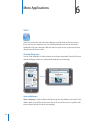
6
Safari
Safari lets you surf the web and view webpages on iPod touch in the same way as
if you were on your computer. You can create bookmarks on iPod touch and sync
bookmarks with your computer. Add web clips for quick access to your favorite sites
directly from the Home screen.
Viewing Webpages
You can view webpages in either portrait or landscape orientation. Rotate iPod touch
and the webpage rotates too, automatically adjusting to fit the page.
Opening Webpages
Open a webpage: Tap the address field, then type the web address and tap Go. If the
address field is not visible, tap the status bar at the top of the screen to quickly scroll
to the address field at the top of the webpage.
56
As you type, web addresses that start with those letters appear. These are bookmarked
or recent pages you’ve opened. Tap an address to go to that page. Keep typing if you
want to enter a web address that’s not in the list.
Erase the text in the address field: Tap the address field, then tap
.
Zooming and Scrolling
Zoom in or out: Double-tap a column on a webpage to expand the column. Doubletap again to zoom out.
You can also pinch to zoom in or out manually.
Scroll around a webpage
Drag up, down, or sideways. When scrolling,
you can touch and drag anywhere on the page
without activating any links.
Scroll within a frame on a webpage
Use two fingers to scroll within a frame on a
webpage. Use one finger to scroll the entire
webpage.
Scroll quickly to the top of a webpage
Tap the status bar at the top of the iPod touch
screen.
Navigating Webpages
Links on webpages typically take you to another place on the web.
Follow a link on a webpage: Tap the link.
Links on iPod touch can also display a location in Maps or create a preaddressed Mail
message. To return to Safari after a link opens another application, press the Home
button and tap Safari.
See a link’s destination address
Touch and hold the link. The address pops up
next to your finger. You can touch and hold an
image to see if it has a link.
Stop a webpage from loading
Tap
Reload a webpage
Tap
Chapter 6    More Applications
.
.
57
Return to the previous or next page
Tap
or
at the bottom of the screen.
Return to a recently viewed page
and tap History. To clear the history list,
Tap
tap Clear.
Send a webpage address via email
Tap
Save an image or photo to your Photo Library
Press and hold the image, then tap Save Image.
and tap “Mail Link to this Page.”
Opening Multiple Pages
You can have up to eight pages open at a time. Some links automatically open a new
page instead of replacing the current one.
The number inside the pages icon at the bottom of the screen shows how many
pages are open. If there’s no number inside, just one page is open. For example:
= one page is open
= three pages are open
Open a new page: Tap
Go to another page: Tap
Close a page: Tap
58
and tap New Page.
and flick left or right. Tap the page you want to view.
and tap
Chapter 6    More Applications
. You can’t close a page if it’s the only one open.
Entering Text and Filling Out Forms
Some webpages have text fields and forms to fill out.
Bring up the keyboard
Tap inside a text field.
Move to another text field
Tap another text field, or tap the Next or Previous
button.
Submit a form
Once you finish filling out a form, tap Go or
Search. Most pages also have a link you can tap
to submit the form.
Close the keyboard without submitting the
form
Tap Done.
Searching the Web
By default, Safari searches using Google. You can search using Yahoo!, instead.
Search the web:
1 Tap to display the search field.
2 Type a word or phrase that describes what you’re looking for, then tap Google.
3 Tap a link in the list of search results to open a webpage.
Set Safari to search using Yahoo!: From the Home screen choose Settings > Safari >
Search Engine, then choose Yahoo!.
Bookmarks
You can bookmark webpages you want to return to later.
Bookmark a webpage: Open the page and tap . Then tap Add Bookmark.
When you save a bookmark you can edit its title. By default, bookmarks are saved at
the top level of Bookmarks. Tap Bookmarks to choose another folder.
If you use Safari on a Mac, or Safari or Microsoft Internet Explorer on a PC, you can sync
bookmarks with the web browser on your computer.
Sync bookmarks with your computer:
1 Connect iPod touch to your computer.
2 In iTunes, select iPod touch in the sidebar.
3 Click the Info tab, select “Sync … bookmarks” under Web Browser, then click Apply.
See “Syncing with iTunes” on page 6.
Chapter 6    More Applications
59
Sync bookmarks with MobileMe: In iPod touch’s Settings, select Bookmarks in your
MobileMe account. See “Setting Up Accounts” on page 11.
Open a bookmarked webpage: Tap
see the bookmarks inside.
, then choose a bookmark or tap a folder to
Edit a bookmark or bookmark folder: Tap , choose the folder that has the
bookmark or folder you want to edit, then tap Edit. Then do one of the following:
ÂÂ To make a new folder, tap New Folder.
ÂÂ To delete a bookmark or folder, tap
, then tap Delete.
ÂÂ To reposition a bookmark or folder, drag
.
ÂÂ To edit the name or address, or to put it in a different folder, tap the bookmark or folder.
When you’re finished, tap Done.
Web Clips
Add web clips to the Home screen for fast access to your favorite webpages. Web clips
appear as icons on the Home screen, and you can arrange your web clips along with
the other icons. See “iPod touch Applications” on page 16.
Add a web clip: Open the webpage and tap . Then tap “Add to Home Screen.”
When you open a web clip, Safari automatically zooms and scrolls to the area of the
webpage that was displayed when you saved the web clip. The displayed area is also
used to create the icon for the web clip on your Home screen, unless the webpage
comes with its own custom icon.
When you add a web clip, you can edit its name. If the name is too long (more than
about 10 characters), it may appear abbreviated on the Home screen.
Web clips are not bookmarks, and aren’t synced by MobileMe or iTunes.
Delete a web clip:
1 Touch and hold any icon on the Home screen until the icons start to wiggle.
2 Tap the “x” in the corner of the web clip you want to delete.
3 Tap Delete, then press the Home
60
Chapter 6    More Applications
button to save your arrangement.
Calendar
Calendar lets you view your events in a continuous list, by day, or by month. Sync
iPod touch with the calendars on your computer. Make, edit, or cancel appointments
on iPod touch, and have them synced back to your computer. If you have a Microsoft
Exchange account, you can receive and respond to meeting invitations.
Syncing Calendars
You can sync Calendar in either of the following ways:
ÂÂ In iTunes, use the iPod touch preference panes to sync with iCal or Microsoft
Entourage on a Mac, or Microsoft Outlook 2003 or 2007 on a PC when you connect
iPod touch to your computer. See “Syncing with iTunes” on page 6.
ÂÂ In iPod touch’s Settings, select Calendar in your MobileMe or Microsoft Exchange
accounts to sync your calendar information over the air. See “Setting Up
Accounts” on page 11.
Adding Calendar Events to iPod touch
You can also enter and edit calendar events directly on iPod touch.
Add an event: Tap
and enter event information, then tap Done.
You can enter any of the following:
ÂÂ Title
ÂÂ Location
ÂÂ Starting and ending times (or turn on All-day if it’s an all-day event)
ÂÂ Repeat times—none, or every day, week, two weeks, month, or year
ÂÂ Alert time—from five minutes to two days before the event
When you set an alert, the option to set a second alert appears. When an alert goes
off, iPod touch displays a message. You can also set iPod touch to play a sound (see
below).
Important: If you’re traveling, iPod touch may not alert you at the correct local time.
To manually set the correct time, see “Date and Time” on page 93.
ÂÂ Notes
Chapter 6    More Applications
61
To select which calendar to add the event to, tap Calendar. Read-only calendars don’t
appear in the list.
Edit an event
Tap the event, then tap Edit.
Delete an event
Tap the event, tap Edit, then scroll down and tap
Delete Event.
Responding to Meeting Invitations
If you have a Microsoft Exchange account set up on iPod touch with Calendars
enabled, you can receive and respond to meeting invitations from people in your
organization. When you receive an invitation, the meeting appears in your calendar
with a dotted line around it. The
icon in the lower-right corner of the screen
indicates the total number of new invitations you have, as does the Calendar icon on
the Home screen.
Number of
meeting invitations
62
Chapter 6    More Applications
Respond to an invitation in Calendar:
1 Tap a meeting invitation in the calendar, or tap
an invitation.
to display the Event screen and tap
ÂÂ Tap “Invitation from” to get contact information for the meeting organizer. Tap the
email address to send a message to the organizer.
ÂÂ Tap Attendees to see the other people invited to the meeting. Tap a name to see
an attendee’s contact information. Tap the email address to send a message to the
attendee.
ÂÂ Tap Alert to set iPod touch to sound an alert before the meeting.
ÂÂ Tap Add Comments to add comments in the email response to the meeting
organizer. You comments will also appear in your Info screen for the meeting.
Notes are made by the meeting organizer.
2 Tap Accept, Maybe, or Decline.
When you accept, tentatively accept, or decline the invitation, a response email that
includes any comments you added is sent to the organizer.
If you accept or tentatively accept the meeting, you can change your response later.
Tap Add Comments if you want to change your comments.
Exchange meeting invitations are also sent in an email message, which lets you open
the meeting’s Info screen from Mail.
Open a meeting invitation in an email message: Tap the invitation.
Chapter 6    More Applications
63
Alerts
Set calendar alerts: In Settings, choose General > Sound Effects and select whether
you want sound effects to play over the internal speaker, through the headphones, or
both. If Sound Effects is off, iPod touch displays a message when an event is about to
occur but makes no sound.
Sounds alerts for invitations: In Settings, choose “Mail, Contacts, Calendar.” Under
Calendars, tap New Invitation Alert to turn it on.
Viewing Your Calendar
You can view your calendar events in a list, by day, or by month. The events for all of
your synced calendars appear in the same calendar on iPod touch.
Switch views: Tap List, Day, or Month.
ÂÂ List view: All your appointments and events appear in a scrollable list.
ÂÂ Day view: Scroll up or down to see the events in a day. Tap
or
to see the
previous or next day’s events.
ÂÂ Month view: Tap a day to see its events. Tap
or
to see the previous or next
month.
Add an event
Days with dots have
scheduled events
Events for selected day
Respond to calendar
invitation
Go to today
Switch views
See the details of an event: Tap the event.
Set iPod touch to adjust event times for a selected time zone: 1 In Settings, choose General > Date & Time.
2 Turn Time Zone Support on.
3 Tap Time Zone and search for a major city in the time zone you want.
64
Chapter 6    More Applications
When Time Zone Support is on, Calendar displays event dates and times in the time
zone of the city you selected. When Time Zone Support is off, Calendar displays events
in the time zone of your current location as determined by the network time.
Mail
Mail works with MobileMe, Microsoft Exchange, and many of the most popular email
systems—including Yahoo! Mail, Google email, and AOL—as well as other industrystandard POP3 and IMAP email systems. You can send and receive embedded photos
and graphics, and view PDFs and other attachments.
Setting Up Email Accounts
You can set up email accounts on iPod touch in either of the following ways:
ÂÂ In iTunes, use the iPod touch preference panes to sync email accounts settings from
your computer. See “Syncing with iTunes” on page 6.
ÂÂ Set up an account directly on iPod touch. See “Setting Up Accounts” on page 11.
Sending Email
You can send an email message to anyone who has an email address.
Compose and send a message:
1 Tap .
2 Type a name or email address in the To field, or tap
contacts.
to add a name from your
As you type an email address, matching email addresses from your contacts list appear
below. Tap an address to add it. To add more names, tap Return or .
Note: If you’re composing a message from your Microsoft Exchange account and
have access to your enterprise Global Address List (GAL), matching addresses from the
contacts on iPod touch will appear first, then matching GAL addresses will appear.
3 Tap Cc/Bcc/From if you want to copy or blind copy the message to others, or change
the account you send the message from. If you have more than one email account,
you can tap the From field to change the account you’re sending from.
4 Enter a subject, then your message.
You can tap Return to move from one field to another.
5 Tap Send.
Chapter 6    More Applications
65
Send a photo in a message
In Photos, choose a photo, tap
, then tap Email
Photo.
The photo is sent using your default email
account (see “Mail” on page 98 in the Settings
chapter).
Save a draft of a message to complete later
Tap Cancel, then tap Save. The message is saved
in the Drafts mailbox.
Reply to a message
Tap . Tap Reply to reply only to the sender
or tap Reply All to reply to the sender and all
recipients. Type your return message, then tap
Send.
Files or images attached to the initial message
aren’t sent back.
Forward a message
Open a message and tap , then tap Forward.
Add one or more email addresses, type your
message, then tap Send.
When you forward a message, you can include
the files or images attached to the original
message.
Send a message to someone in an address field
Open the message and tap a name or email
address, then tap Email.
Checking and Reading Email
The Mail icon shows the total number of unread messages in all your inboxes. You may
have other unread messages in other mailboxes.
Number of unread
emails in your inboxes
On each account screen, you can see the number of unread messages in each mailbox.
Tap to see all your
email accounts
Number of unread
messages
66
Chapter 6    More Applications
Tap a mailbox to see its messages. Unread messages have a blue dot
next to them.
Unread messages
Read a message: Tap a mailbox, then tap a message. Within a message, tap
see the next or previous message.
or
to
Zoom in on part of a message
Double-tap an area of the message to zoom in.
Double-tap again to zoom out.
Resize any column of text to fit the screen
Double-tap the text.
Resize a message manually
Pinch to zoom in or out.
Follow a link
Tap the link.
Text links are typically underlined and blue.
Many images are also links. A link can take you
to a webpage, open a map, or open a new
preaddressed email message.
Web and map links open Safari or Maps on
iPod touch. To return to your email, press the
Home button and tap Mail.
See a link’s destination address
Touch and hold the link. The address pops up
next to your finger.
iPod touch displays most picture attachments (JPEG, GIF, and TIFF) inline with the text
in email messages. iPod touch can play many audio attachments (such as MP3, AAC,
WAV, and AIFF). You can download and view files (such as PDF, webpage, text, Pages,
Keynote, Numbers, and Microsoft Word, Excel, and PowerPoint documents) attached to
messages you receive.
Chapter 6    More Applications
67
Open an attached file: Tap the attachment. It downloads to iPod touch and then
opens.
Tap attachment
to download
You can view attachments in portrait or landscape orientation. If the format of an
attached file isn’t supported by iPod touch, you can see the name of the file but you
can’t open it. iPod touch supports the following document types:
.doc
Microsoft Word
.docx
Microsoft Word (XML)
.htm
webpage
.html
webpage
.key
Keynote
.numbers
Numbers
.pages
Pages
.pdf
Preview, Adobe Acrobat
.ppt
Microsoft PowerPoint
.pptx
Microsoft PowerPoint (XML)
.txt
text
.vcf
contact information
.xls
Microsoft Excel
.xlsx
Microsoft Excel (XML)
Save a photo attachment to your Photo Library: Press and hold the image, then tap
“Save Image.”
68
Chapter 6    More Applications
Check for new messages
Choose a mailbox or tap
at any time.
See all the recipients of a message
Tap Details.
Tap a name or email address to see the recipient’s
contact information. Then tap an email address,
or text message to contact the person. Tap Hide
to hide the recipients.
Add an email recipient to your contacts list
Tap the message and, if necessary, tap Details
to see the recipients. Then tap a name or email
address and tap Create New Contact or “Add to
Existing Contact.”
Mark a message as unread
Open the message and tap “Mark as Unread.”
A blue dot
appears next to the message in the
mailbox list until you open it again.
Open a meeting invitation: Tap the invitation.
You can get contact information for the organizer and other attendees, set an alert,
add notes to the event, and add comments that are included in your response emailed
to the organizer. You can accept, tentatively accept, or decline the invitation. See
“Responding to Meeting Invitations” on page 62.
Turn “Push” on or off: In Settings, choose Fetch New Data, then tap Push. See “Fetch
New Data” on page 89.
Organizing Email
You can delete messages one at a time, or select a group to delete all at once. You can
also move messages from one mailbox or folder to another.
Delete a message: Open the message and tap . Or tap Edit, then tap
message.
next to the
You can also delete a message directly from the mailbox message list by swiping left
or right over the message title, then tapping Delete.
To show the Delete button, swipe
left or right over the message.
Chapter 6    More Applications
69
Delete multiple messages: When viewing a list of messages, tap Edit, select the
messages you want to delete, then tap Delete.
Move a message to another mailbox or folder: When viewing a message, tap
choose a mailbox or folder.
, then
Move multiple messages: When viewing a list of messages, tap Edit, select the
messages you want to move, then tap Move and select a mailbox or folder.
YouTube
YouTube features short videos submitted by people from around the world. (Not
available in all languages, and may not be available in all locations.)
Finding and Viewing Videos
You can browse YouTube or search for videos you want to watch.
Browse videos: Tap Featured, Most Viewed, or Bookmarks. Or tap More to browse by
Most Recent, Top Rated, or History.
ÂÂ Featured: Videos reviewed and featured by YouTube staff.
ÂÂ Most Viewed: Videos most seen by YouTube viewers. Tap All for all-time most viewed
videos, or Today or This Week for most-viewed videos of the day or week.
ÂÂ Bookmarks: Videos you’ve bookmarked.
ÂÂ Most Recent: Videos most recently submitted to YouTube.
70
Chapter 6    More Applications
ÂÂ Top Rated: Videos most highly rated by YouTube viewers. To rate videos, go to www.
youtube.com.
ÂÂ History: Videos you’ve viewed most recently.
Search for a video: 1 Tap Search, then tap the YouTube search field.
2 Type a word or phrase that describes what you’re looking for, then tap Search. YouTube
shows results based on video titles, descriptions, tags, and user names.
Play a video: Tap the video.
The video begins to download to iPod touch and a progress bar appears. When
enough of the video has downloaded, it begins to play. You can also tap to start the
video.
Controlling Video Playback
When a video starts playing, the controls disappear so they don’t obscure the video.
Show or hide video controls: Tap the screen.
Playhead
Download progress
Scrubber bar
Scale
Play/Pause
Next/Fast-forward
Previous/rewind
Email
Bookmark
Volume
Play or pause a video
Tap
or .
Raise or lower the volume
Drag the volume slider. Or use the volume
buttons on the side of iPod touch.
Start a video over
Tap
Skip to the next or previous video
twice to skip to the previous video. Tap
Tap
to skip to the next video.
Rewind or fast-forward
Touch and hold
Skip to any point in a video
Drag the playhead along the scrubber bar.
.
or
.
Stop watching a video before it finishes playing Tap Done. Or press the Home
Chapter 6    More Applications
button.
71
Toggle between scaling a video to fill the screen Double-tap the video. You can also tap
or fit to the screen
make the video fill the screen, or tap
it fit the screen.
to
to make
Bookmark a video
Tap
next to a video and tap Bookmark. Or
start playing a video and tap
. Tap Bookmarks
to see your bookmarked videos.
Email a link to the video
Tap
next to a video and tap Share. Or start
playing a video and tap
.
See details about a video and browse related
videos
Play the whole video, tap Done while a video is
playing, or tap
next to any video in a list.
iPod touch shows the video’s rating, description,
date added, and other information. You also see a
list of related videos that you can tap to view.
Changing the Browse Buttons
You can replace the Featured, Most Viewed, Bookmarks, and Search buttons at the
bottom of the screen with ones you use more frequently. For example, if you watch
top rated videos often but don’t watch many featured videos, you could replace the
Featured button with Top Rated.
Change the browse buttons: Tap More and tap Edit, then drag a button to the
bottom of the screen, over the button you want to replace.
You can drag the buttons at the bottom of the screen left or right to rearrange them.
When you finish, tap Done.
When you’re browsing for videos, tap More to access the browse buttons that aren’t
visible.
72
Chapter 6    More Applications
Add Your Own Videos to YouTube
For information about adding your own videos to YouTube, go to www.youtube.com
and tap Help.
Stocks
Stocks lets you see the latest available quotes for your selected stocks.
Viewing Stock Quotes
Quotes are updated every time you open Stocks while connected to the Internet.
Quotes may be delayed by up to 20 minutes.
Add a stock, index, or fund to the stock reader: 1 Tap , then tap .
2 Enter a symbol, company name, index, or fund name, then tap Search.
3 Choose an item in the search list.
Show a stock’s progress over a longer or shorter time period: Tap a stock symbol,
then tap 1d, 1w, 1m, 3m, 6m, 1y, or 2y. The chart adjusts to show progress over one day,
one week, one, three, or six months, or one or two years.
Delete a stock: Tap
and tap
Reorder stocks: Tap
. Then drag
next to a stock, then tap Delete.
next to a stock to a new place in the list.
Display monetary or percentage change: Tap the number showing the change. Tap it
again to switch back. Or tap and tap % or Numbers.
Getting More Information
See information about a stock at Yahoo.com: Select the stock and tap
.
You can see news, information, websites related to the stock, and more.
Chapter 6    More Applications
73
Maps
Maps provides street maps, satellite photos, and hybrid views of locations in many of
the world’s countries. You can get detailed driving directions and, in some areas, traffic
information. Also in some areas, you can find and track your current (approximate)
location, and use your current location to get driving directions to or from another
place.1
WARNING: For important information about driving and navigating safely, see the
Important Product Information Guide at www.apple.com/support/manuals/ipodtouch.
Finding and Viewing Locations
Find a location and see a map:
1 Tap the search field to bring up the keyboard.
2 Type an address, intersection, area, landmark, bookmark, contact, or zip code.
3 Tap Search.
A pin marks the location. Tap the pin to see the name or description of the location.
Tap
to get information about
the location, get directions, or add
the location to your bookmarks or
contacts list
Find your current location and turn tracking mode on: Tap
.
iPod touch uses Location Services to determine your current (approximate) location.
Location Services uses available information from local Wi-Fi networks (if you have WiFi turned on). The more accurate the information, the more precisely your location is
indicated. This feature is not available in all areas.
1 Maps, directions, and location information depend on data collected and services provided by third parties. These
data services are subject to change and may not be available in all geographic areas, resulting in maps, directions,
or location information that may be unavailable, inaccurate, or incomplete. For more information, see www.apple.
com/ipodtouch. In order to provide your location, data is collected in a form that doesn’t personally identify you.
If you don’t want such data collected, don’t use the feature. Not using this feature won’t impact the functionality
of your iPod touch.
74
Chapter 6    More Applications
If Location Services is turned off, you’ll be prompted to turn it on. You can’t find and
track your current location if Location Services is turned off. See “Location Services” on
page 91.
A circle is used to show your approximate location. As you move around, iPod touch
updates your location, adjusting the map so that the location indicator remains in
the center of the screen. If you tap again or drag the map, iPod touch continues to
update your location but stops centering it, so the location information may move off
the screen.
Note: To conserve battery life, turn Locations Services off when you’re not using it. In
Settings, choose General > Location Services.
Use the dropped pin: Tap
, then tap Drop Pin.
A pin drops down on the map, which you can then drag to any location you choose.
Chapter 6    More Applications
75
Quickly move the pin to the area currently displayed: Tap
, then tap Replace Pin.
Zoom in to a part of a map
Pinch the map with two fingers. Or double-tap
the part you want to zoom in on. Double-tap
again to zoom in even closer.
Zoom out
Pinch the map. Or tap the map with two fingers.
Tap with two fingers again to zoom out further.
Pan or scroll to another part of the map
Drag up, down, left, or right.
See a satellite or hybrid view: Tap , then tap Satellite or Hybrid to see just a satellite
view or a combined street map and satellite view.
Tap Map to return to map view.
76
See the location of someone’s address in your
contacts list
Tap
in the search field, then tap Contacts
and choose a contact.
To locate an address in this way, the contact must
include at least one address. If the contact has
more than one address, you must choose the one
you want to locate. You can also find the location
of an address by tapping the address directly in
Contacts.
Add a location to your contacts list
Find a location, tap the pin that points to it, tap
next to the name or description, then tap
Create New Contact or “Add to Existing Contact.”
Chapter 6    More Applications
Bookmarking Locations
You can bookmark locations that you want to find again later.
Bookmark a location: Find a location, tap the pin that points to it, tap
name or description, then tap “Add to Bookmarks.”
See a bookmarked location or recently viewed location: Tap
then tap Bookmarks or Recents.
next to the
in the search field,
Getting Directions
You can get step-by step driving directions for a destination.
Get directions:
1 Tap Directions.
2 Enter starting and ending locations in the Start and End fields. By default, iPod touch
starts with your current approximate location (when available). Tap
in either field
and choose a location in Bookmarks (including your current approximate location and
the dropped pin, when available), Recents, or Contacts.
For example, if a friend’s address is in your contacts list, you can tap Contacts and tap
your friend’s name instead of having to type the address.
To reverse the directions, tap
.
3 Tap Route, then do one of the following:
ÂÂ To view directions one step at a time, tap Start, then tap
trip. Tap
to see the next leg of the
to go back.
ÂÂ To view all the directions in a list, tap
, then tap List. Tap any item in the list to see a
map showing that leg of the trip.
Chapter 6    More Applications
77
The approximate driving time appears at the top of the screen. If traffic data is
available, the driving time is adjusted accordingly.
You can also get directions by finding a location on the map, tapping the pin that
points to it, tapping , then tapping Directions To Here or Directions From Here.
Switch start and end points, for reverse directions: Tap
If you don’t see
.
, tap List, then tap Edit.
See recently viewed directions: Tap
in the search field, then tap Recents.
Showing Traffic Conditions
When available, you can show highway traffic conditions on the map.
Show or hide traffic conditions: Tap
, then tap Show Traffic or Hide Traffic.
Highways are color-coded according to the flow of traffic:
Green = more than 50 miles per hour
Yellow = 25–50 miles per hour
Red = less than 25 miles per hour
Gray = No data currently available
If you don’t see color-coded highways, you may need to zoom out to a level where you
can see major roads, or traffic conditions may not be available for that area.
78
Chapter 6    More Applications
Finding and Contacting Businesses
Find businesses in an area: 1 Find a location—for example, a city and state or country, or a street address—or scroll
to a location on a map.
2 Type the kind of business in the text field and tap Search.
Pins appear for matching locations. For example, if you locate your city and then type
“movies” and tap Search, pins mark movie theatres in your city.
Tap the pin that marks a business to see its name or description.
Find businesses without finding the location first: Type things like:
ÂÂ restaurants san francisco ca
ÂÂ apple inc new york
Contact a business or get directions: Tap the pin that marks a business, then tap
next to the name.
Tap
to show
contact info
Visit website
Get directions
From there, you can do the following:
ÂÂ Tap an email address to send email to, or a web address to visit.
ÂÂ For directions, tap Directions To Here or Directions From Here.
ÂÂ To add the business to your contacts list, scroll down and tap Create New Contact or
“Add to Existing Contact.”
See a list of the businesses found in the search: From the Map screen, tap List.
Tap a business to see its location. Or tap
Chapter 6    More Applications
next to a business to see its information.
79
Weather
Use Weather to get the current temperature and six-day forecast for one or more cities
around the world.
Viewing Weather Summaries
Tap Weather from the Home screen to see the current weather for the selected city.
Current conditions
Current temperature
Today’s high and low
Six-day forecast
Add and delete cities
Number of cities stored
If the weather board is light blue, it’s daytime in that city—between 6:00 a.m. and 6:00
p.m. If the board is dark purple, it’s nighttime—between 6:00 p.m. and 6:00 a.m.
Add a city: 1 Tap , then tap .
2 Enter a city name or zip code, then tap Search.
3 Choose a city in the search list.
Switch to another city: Flick left or right. The number of dots below the weather
board shows how many cities are stored.
Reorder cities: Tap
, then drag
Delete a city: Tap
and tap
next to a city to a new place in the list.
next to a city, then tap Delete.
Display temperature in Fahrenheit or Celsius: Tap
80
Chapter 6    More Applications
, then tap °F or °C.
Getting More Weather Information
You can see a more detailed weather report, news and websites related to the city, and
more.
See information about a city at Yahoo.com: Tap
.
Clock
Clock lets you see the time in different places, set an alarm, use a stopwatch, and set a
timer.
World Clocks
You can add clocks to show the time in other major cities and time zones around the
world.
View clocks: Tap World Clock.
If the clock face is white, it’s daytime in that city. If the clock face is black, it’s nighttime.
If you have more than four clocks, flick to scroll through them.
Add a clock: 1 Tap World Clock.
2 Tap , then type the name of a city.
Cities matching what you’ve typed appear below.
3 Tap a city to add a clock for that city.
If you don’t see the city you’re looking for, try a major city in the same time zone.
Delete a clock: Tap World Clock and tap Edit. Then tap
Delete.
next to a clock and tap
Rearrange clocks: Tap World Clock and tap Edit. Then drag
place in the list.
Chapter 6    More Applications
next to a clock to a new
81
Alarms
You can set multiple alarms. Set each alarm to repeat on days you specify, or to sound
only once.
Set an alarm: 1 Tap Alarm and tap .
2 Adjust any of the following settings:
ÂÂ To set the alarm to repeat on certain days, tap Repeat and choose the days.
ÂÂ To choose the ringtone that sounds when the alarm goes off, tap Sound.
ÂÂ To set whether the alarm gives you the option to hit snooze, turn Snooze on or off. If
Snooze is on and you tap Snooze when the alarm sounds, the alarm stops and then
sounds again in ten minutes.
ÂÂ To give the alarm a description, tap Label. iPod touch displays the label when the
alarm sounds.
If at least one alarm is set and turned on,
top of the screen.
appears in the iPod touch status bar at the
Turn an alarm on or off: Tap Alarm and turn any alarm on or off. If an alarm is turned
off, it won’t sound again unless you turn it back on.
If an alarm is set to sound only once, it turns off automatically after it sounds. You can
turn it on again to reenable it.
Change settings for an alarm: Tap Alarm and tap Edit, then tap
you want to change.
Delete an alarm: Tap Alarm and tap Edit, then tap
Delete.
next to the alarm
next to the alarm and tap
Stopwatch
Use the stopwatch to time an event: 1 Tap Stopwatch.
2 Tap Start to start the stopwatch.
ÂÂ To record lap times, tap Lap after each lap.
ÂÂ To pause the stopwatch, tap Stop. Tap Start to resume.
ÂÂ To reset the stopwatch, tap Reset when the stopwatch is pause.
If you start the stopwatch and go to another iPod touch application, the stopwatch
continues running in the background.
82
Chapter 6    More Applications
Timer
Set the timer: Tap Timer, then flick to set the number of hours and minutes. Tap Start
to start the timer.
Choose the sound: Tap When Timer Ends.
Set a sleep timer: Set the timer, then tap When Timer Ends and choose Sleep iPod.
When you set a sleep timer, iPod touch stops playing music or video when the timer
ends.
If you start the timer and go to another iPod touch application, the timer continues
running in the background.
Calculator
Using the Calculator
Tap numbers and functions in Calculator just as you would with a standard calculator.
When you tap the add, subtract, multiply, or divide button, a white ring appears
around the button to let you know the operation to be carried out. Rotate iPod touch
to get an expanded scientific calculator.
Standard Memory Functions
ÂÂ C: Tap to clear the displayed number.
ÂÂ MC: Tap to clear the memory.
ÂÂ M+: Tap to add the displayed number to the number in memory. If no number is in
memory, tap to store the displayed number in memory.
ÂÂ M-: Tap to subtract the displayed number from the number in memory.
ÂÂ MR: Tap to replace the displayed number with the number in memory.If the button
has a white ring around it, there is a number stored in memory.
The stored number remains in memory when you switch between the standard and
scientific calculators.
Chapter 6    More Applications
83
Scientific Calculator Keys
Rotate iPod touch to landscape orientation to display the scientific calculator.
2nd
Changes the trigonometric buttons (sin, cos, tan, sinh, cosh, and tanh) to their inverse
functions (sin-1, cos-1, tan-1, sinh-1, cosh-1, and tanh-1). It also changes ln to log2, and
ex to 2x. Click 2nd again to return the buttons to their original functions.
(
Opens a parenthetical expression. Expressions can be nested.
)
Closes a parenthetical expression.
%
Calculates percentages, adds markups, and subtracts discounts. To calculate a
percentage, use it with the multiplication (x) key. For example, to calculate 8% of 500,
enter
500 x 8 % =
which returns 40.
To add a markup or subtract a discount, use it with the plus (+) or minus (–) key. For
example, to compute the total cost of a $500 item with an 8% sales tax, enter
500 + 8 % =
which returns 540.
1/x
Returns the reciprocal of a value in decimal format.
x
Squares a value.
x
Cubes a value.
yx
Click between values to raise the first value to the power of the second value. For
example, to compute 34, enter
3 yx 4 =
which returns 81.
x!
Calculates the factorial of a value.
√
Calculates the square root of a value.
x
√y
Click between values to calculate the x root of y. For example to compute 4√81, enter
81 x√y 4 =
which returns 3.
log
Returns the log base 10 of a value.
2
3
84
Chapter 6    More Applications
sin
Calculates the sine of a value.
sin-1
Calculates the arc sine of a value. (Available when the 2nd button is clicked.)
cos
Calculates the cosine of a value.
cos
Calculates the arc cosine of a value. (Available when the 2nd button is clicked.)
-1
tan
Calculates the tangent of a value.
tan
Calculates the arc tangent of a value. (Available when the 2nd button is clicked.)
ln
Calculates the natural log of a value.
log2
Calculates the log base 2. (Available when the 2nd button is clicked.)
sinh
Calculates the hyperbolic sine of a value.
sinh
Calculates the inverse hyperbolic sine of a value. (Available when the 2nd button is
clicked.)
-1
-1
cosh
Calculates the hyperbolic cosine of a value.
cosh
Calculates the inverse hyperbolic cosine of a value. (Available when the 2nd button is
clicked.)
tanh
Calculates the hyperbolic tangent of a value.
tanh-1
Calculates the inverse hyperbolic tangent of a value. (Available when the 2nd button is
clicked.)
ex
Click after entering a value to raise the constant “e” (2.718281828459045...) to the power
of that value.
2x
Calculates 2 to the power of the displayed value. For example, 10 2x = 1024. (Available
when the 2nd button is clicked.)
Rad
Changes mode to express trigonometric functions in radians.
Deg
Changes mode to express trigonometric functions in degrees.
π
Enters the value of π (3.141592653589793...).
EE
An operator that multiplies the currently displayed value by 10 to the power of the next
value you enter.
Rand
Returns a random number between 0 and 1.
-1
Chapter 6    More Applications
85
Notes
Writing and Reading Notes
Notes are listed by date added, with the most recent note at the top. You can see the
first few words of each note in the list.
Add a note: Tap , then type your note and tap Done.
Read a note: Tap the note. Tap
or
to see the next or previous note.
Edit a note: Tap anywhere on the note to bring up the keyboard.
Delete a note: Tap the note, then tap .
Emailing Notes
Email a note: Tap the note, then tap
.
To email a note, iPod touch must be set up for email. See “Organizing Email” on
page 69.
Contacts
Importing and Syncing Contacts
You can add contacts to iPod touch in the following ways:
ÂÂ In iTunes, sync contacts with applications on your computer (see “” on page 6)
ÂÂ Set up MobileMe or Microsoft Exchange accounts on iPod touch, with Calendars
enabled (see “Setting Up Accounts” on page 11)
ÂÂ Install a profile that sets up an Exchange account, with Calendars enabled (see
“Installing Configuration Profiles” on page 12)
ÂÂ Enter contacts directly on iPod touch
ÂÂ Import contacts from a SIM
86
Chapter 6    More Applications
Searching Contacts
You can search the contacts synced to iPod touch by name, address, or other
information included with the contacts. If you have a Microsoft Exchange account set
up on iPod touch, you may also be able to search your enterprise Global Address List
(GAL) for contacts in the organization.
When you enter search information, contacts with matching info appear immediately
as you start to type.
Search contacts: In Contacts, tap the search field at the top of any list of contacts and
enter a name, address, or other information.
Search a GAL: Tap Groups, tap Directories at the bottom of the list, then enter a name,
address, or other information.
You can’t edit GAL contacts or save them to iPod touch.
Managing Contacts on iPod touch
Add a contact on iPod touch: Tap Contacts and tap .
Delete a contact
In Contacts, choose a contact, than tap Edit. Scroll
down and tap Delete Contact.
Add a contact from the keypad
Tap Keypad, enter a number, then tap
. Tap
Create New Contact and enter information, or tap
“Add to Existing Contact” and choose a contact.
Edit contact information
In Contacts, choose a contact, then tap Edit. To
add an item, tap
. To delete an item, tap
.
Enter a pause in a number
, then tap Pause. Pauses appear as
Tap
commas when the number is saved.
Assign a photo to a contact:
1 Tap Contacts and choose a contact.
2 Tap Edit and tap Add Photo, or tap the existing photo.
3 Tap Choose Photo and choose a photo.
4 Drag and scale the photo as desired.
5 Tap Set Photo.
Chapter 6    More Applications
87
Settings
7
Settings allows you to customize iPod touch applications, set the date and time,
configure your network connection, and enter other preferences for iPod touch.
Wi-Fi
Wi-Fi settings determine whether iPod touch uses local Wi-Fi networks to connect to
the Internet.
Turn Wi-Fi on or off: Choose Wi-Fi and turn Wi-Fi on or off.
Join a Wi-Fi network: Choose Wi-Fi, wait a moment as iPod touch detects networks
in range, then select a network. If necessary, enter a password and tap Join. (Networks
that require a password appear with a lock icon.)
Once you’ve joined a Wi-Fi network manually, iPod touch automatically joins it
whenever the network is in range. If more than one previously used network is in
range, iPod touch joins the one last used.
When iPod touch is joined to a Wi-Fi network, the Wi-Fi icon in the status bar at
the top of the screen shows signal strength. The more bars you see, the stronger the
signal.
Set iPod touch to ask if you want to join a new network: Choose Wi-Fi and turn “Ask
to Join Networks” on or off.
When you are trying to access the Internet, by using Safari or Mail for example, and
you are not in range of a Wi-Fi network you have previously used, this option tells
iPod touch to look for another network. iPod touch displays a list of all available Wi-Fi
networks that you can choose from. (Networks that require a password appear with
a lock icon.) If “Ask to Join New Networks” is turned off, you must manually join a
network to connect to the Internet when a previously used network isn’t available.
88
Forget a network, so iPod touch doesn’t join it automatically: Choose Wi-Fi and tap
next to a network you’ve joined before. Then tap “Forget this Network.”
Join a closed Wi-Fi network: To join a Wi-Fi network that isn’t shown in the list of
scanned networks, choose Wi-Fi > Other and enter the network name. If the network
requires a password, tap Security, tap the type of security the network uses, and enter
the password.
You must already know the network name, password, and security type to connect to
a closed network.
Some Wi-Fi networks may require you to enter or adjust additional settings, such as a
client ID or static IP address. Ask the network administrator which settings to use.
Adjust settings to connect to a Wi-Fi network: Choose Wi-Fi, then tap
network.
next to a
VPN
This setting appears when you have VPN configured on iPod touch, allowing you to
turn VPN on or off. See “Network” on page 91.
Fetch New Data
This setting lets you turn Push on or off for MobileMe, Microsoft Exchange, Yahoo!
Mail, and any other “push” accounts you have configured on iPod touch. Push accounts
automatically deliver new information to your computer or iPod touch when new
information appears on the server. You might want to turn Push off to suspend
delivery of email and other information, or to conserve battery life.
When Push is off or for accounts that do not support push, data can still be “fetched”—
that is, iPod touch can check with the server and see if new information is available.
Use the Fetch New Data setting to determine how often data is requested. For optimal
battery life, don’t fetch too frequently.
Turn Push on: Tap Fetch New Data, then tap to turn Push on.
Set the interval to fetch data: Tap Fetch New Data, then tap how often you want to
fetch data for all accounts.
To conserve battery life, fetch less frequently.
For information on adjusting advanced account settings, see “Accounts” on page 97.
Chapter 7    Settings
89
Brightness
Screen brightness affects battery life. Dim the screen to extend the time before you
need to recharge iPod touch, or use Auto-Brightness.
Adjust the screen brightness: Choose Brightness and drag the slider.
Set whether iPod touch adjusts screen brightness automatically: Choose Brightness
and turn Auto-Brightness on or off. If Auto-Brightness is on, iPod touch adjusts the
screen brightness for current light conditions using the built-in ambient light sensor.
General
The General settings include date and time, security, network, and other settings that
affect more than one application. This is also where you can find information about
your iPod touch, and reset iPod touch to its original state.
About
Choose General > About to get information about iPod touch, including:
ÂÂ Number of songs, videos, and photos
ÂÂ Total storage capacity
ÂÂ Space available
ÂÂ Software version
ÂÂ Serial and model numbers
ÂÂ Wi-Fi addresses
ÂÂ Legal information
Wallpaper
You see a wallpaper background picture when you unlock iPod touch. You can
select one of the images that came with iPod touch, or use a photo you’ve synced to
iPod touch from your computer.
Set wallpaper: Choose Wallpaper and choose a picture.
Sound Effects
iPod touch can play sound effects when you:
ÂÂ Have an appointment that you’ve set up to alert you
ÂÂ Lock or unlock iPod touch
ÂÂ Type using the keyboard
Turn sound effects on or off: Choose General > Sound Effects and select whether you
want sound effects to play over the internal speaker, through the headphones, or both.
Select Off to turn sound effects off.
90
Chapter 7    Settings
Network
Use the Network settings to configure a VPN (virtual private network) connection, or
access Wi-Fi settings.
Add a new VPN configuration: Choose General > Network > VPN > Add VPN
Configuration.
VPNs used within organizations allow you to communicate private information
securely over a non-private network. You may need to configure VPN, for example, to
access your work email on iPod touch.
iPod touch can connect to VPNs that use the L2TP, PPTP, or Cisco IPSec protocols. VPN
works over both Wi-Fi and cellular data network connections.
Ask your network administrator which settings to use. In most cases, if you’ve set up
VPN on your computer, you can use the same VPN settings for iPod touch.
Once you’ve entered VPN settings, a VPN switch appears at the top level of the
Settings menu that you can use to turn VPN on or off.
Change a VPN configuration: Choose General > Network > VPN and tap the
configuration you want to update.
Turn VPN on or off: Tap Settings and turn VPN on or off.
Delete a VPN configuration: Choose General > Network > VPN, tap the blue arrow
to the right of the configuration name, and tap Delete VPN at the bottom of the
configuration screen.
Use Wi-Fi: See “Wi-Fi” on page 88.
Location Services
Location Services allows applications such as Maps to gather and use data indicating
your location. Location Services does not correlate the data it collects with your
personally identifiable information. Your approximate location is determined using
available information from local Wi-Fi networks (if you have Wi-Fi turned on).
You can turn Location Services off if you don’t want to use this feature. If you turn
Location Services off, you’ll be prompted to turn it back on again the next time an
application tries to use this feature.
Turn Location Services on or off: Choose General > Location Services and turn
location services on or off.
Note: To conserve battery life, turn Locations Services off when you’re not using it.
Chapter 7    Settings
91
Auto-Lock
Locking iPod touch turns off the display to save your battery and to prevent
unintended operation of iPod touch.
Set the amount of time before iPod touch locks: Choose General > Auto-Lock and
choose a time.
Passcode Lock
By default, iPod touch doesn’t require you to enter a passcode to unlock it.
Set a passcode: Choose General > Passcode Lock and enter a 4-digit passcode,
then enter the passcode again to verify it. iPod touch then requires you to enter the
passcode to unlock it.
Turn passcode lock off: Choose General > Passcode Lock and tap Turn Passcode Off,
then enter your passcode.
Change the passcode: Choose General > Passcode Lock and tap Change Passcode,
enter your current passcode, then enter and reenter your new passcode.
If you forget your passcode, you must restore the iPod touch software. See “Updating
and Restoring iPod touch Software” on page 110.
Set how long before your passcode is required: Choose General > Passcode Lock
> Require Passcode, then select how long iPod touch can be idle before you need to
enter a passcode to unlock it.
Show SMS Preview when iPod touch is locked: Choose General > Passcode Lock and
tap to turn SMS preview on.
Restrictions
You can set restrictions for iPod content for the use of some applications on
iPod touch. For example, parents can restrict explicit music from being seen on
playlists, or turn off YouTube access entirely.
Explicit music or video content purchased from the iTunes Store will be hidden. Explicit
content is marked as such by content providers (such as record labels) when sold
through the iTunes Store.
Safari is disabled and its icon is removed from the Home screen. You cannot browse the
web or access web clips.
YouTube is disabled and its icon is removed from the Home screen.
92
Chapter 7    Settings
The iTunes Wi-Fi Music Store is disabled and its icon is removed from the Home screen.
You cannot preview, purchase, or download content.
The App Store is disabled and its icon is removed from the Home screen. You cannot
install applications while iPod touch is syncing with iTunes.
Set restrictions:
1 Choose General > Restrictions, then tap Enable Restrictions.
2 Enter a four-digit passcode.
3 Reenter the passcode.
4 Set the restrictions you want by tapping individual controls on or off. By default, all
controls are on (not restricted). Tap an item to turn it off and restrict its use.
Turn off all restrictions: Choose General > Restrictions, then enter the passcode. Tap
Disable Restrictions, then reenter the passcode.
If you forget your passcode, you must restore your iPod touch software from iTunes.
See “Updating and Restoring iPod touch Software” on page 110.
Date and Time
These settings apply to the time shown in the status bar at the top of the screen, and
in world clocks and calendars.
Set whether iPod touch shows 24-hour time or 12-hour time: Choose General > Date
& Time and turn 24-Hour Time on or off.
Set the date and time: Choose General > Date & Time. Tap Time Zone and enter the
name of a major city in your time zone. Tap the “Date & Time” return button, then tap
“Set Date & Time” and enter the date and time.
Keyboard
Turn Auto-Capitalization on or off: Choose General > Keyboard and turn AutoCapitalization on or off.
By default, iPod touch automatically capitalizes words after you type sentence-ending
punctuation or a return character.
Set whether caps lock is enabled: Choose General > Keyboard and turn Enable Caps
Lock on or off.
Chapter 7    Settings
93
If caps lock is enabled and you double-tap the Shift key on the keyboard, all letters
you type are uppercase. The Shift key turns blue when caps lock is on.
Turn the ”.” shortcut on or off: Choose General > Keyboard and turn ”.” Shortcut on or
off.
The ”.” shortcut lets you double-tap the space bar to enter a period followed by a space
when you’re typing. It is on by default.
Turn international keyboards on or off: Choose General > Keyboards > International
Keyboards and turn on the keyboards you want.
If more than one keyboard is turned on, tap to switch keyboards when you’re
typing. When you tap the symbol, the name of the newly active keyboard appears
briefly.
See “International Keyboards” on page 23.
International
Use the International settings to set the language for iPod touch, turn keyboards for
different languages on or off, and set the date, time, and telephone number formats for
your region.
Set the language for iPod touch: Choose General > International > Language, choose
the language you want to use, and tap Done.
Turn international keyboards on or off: Choose General > International > Keyboards,
and turn on the keyboards you want.
If more than one keyboard is turned on, tap to switch keyboards when you’re
typing. When you tap the symbol, the name of the newly active keyboard appears
briefly. See “International Keyboards” on page 23.
Set date, time, and telephone number formats: Choose General > International >
Region Format, and choose your region.
Resetting iPod touch
Reset all settings: Choose General > Reset and tap Reset All Settings.
All your preferences and settings are reset. Information, such as your contacts and
calendars, and media, such as your songs and videos, are not deleted.
Erase all content and settings: Connect iPod touch to your computer or a power
adapter. Choose General > Reset and tap “Erase All Content and Settings.”
94
Chapter 7    Settings
This feature resets all settings to their defaults and permanently removes all your
information and media on your iPod touch by overwriting the data stored on
iPod touch.
Important: You can’t use iPod touch while data is being overwritten. This can take one
to four hours or more, depending on the storage capacity of your iPod touch.
Reset the keyboard dictionary: Choose General > Reset and tap Reset Keyboard
Dictionary.
You add words to the keyboard dictionary by rejecting words iPod touch suggests
as you type. Tap a word to reject the correction and add the word to the keyboard
dictionary. Resetting the keyboard dictionary erases all words you’ve added.
Reset network settings: Choose General > Reset and tap Reset Network Settings.
When you reset network settings, your list of previously used networks and your VPN
settings are removed. Wi-Fi is turned off and then back on, disconnecting you from any
network you’re on. The Wi-Fi and “Ask to Join Networks” settings are left turned on.
Reset the Home screen layout: Choose General > Reset and tap Reset Home Screen
Layout.
Reset the location warnings: Choose General > Reset and tap Reset Location
Warnings.
Locations warnings are the requests made by applications (such as Camera and Maps)
to use Location Services with those applications. iPod touch stops presenting the
warning for an application the second time you tap OK. Tap Reset Location Warnings
to resume the warnings.
Music
The Music settings apply to songs, podcasts, and audiobooks.
Set iTunes to play songs at the same sound level: In iTunes, choose iTunes >
Preferences if you’re using a Mac, or Edit > Preferences if you’re using a PC, then click
Playback and select Sound Check.
Set iPod touch to use the iTunes volume settings (Sound Check): Choose Music and
turn Sound Check on.
You can set audiobooks to play faster than normal so you can hear them more quickly,
or slower so you can hear them more clearly.
Set audiobook play speed: Choose Music > Audiobook Speed, then choose Slower,
Normal, or Faster.
Chapter 7    Settings
95
Use the equalizer to change the sound on iPod touch to suit a particular sound or
style: Choose Music > EQ and choose a setting.
Set a volume limit for music and videos: Choose Music > Volume Limit and drag the
slider to adjust the maximum volume.
Tap Lock Volume Limit to assign a code to prevent the setting from being changed.
WARNING: For important information about avoiding hearing loss, see the Important
Product Information Guide at www.apple.com/support/manuals/ipodtouch.
Video
Video settings apply to video content, including rented movies. You can set where to
resume playing videos that you previously started, turn closed captioning on or off,
and set up iPod touch to play videos on your TV.
Set where to resume playing: Choose Video > Start Playing, then select whether
you want videos that you previously started watching to resume playing from the
beginning or where you left off.
Turn closed captioning on or off: Choose Video and turn Closed Captioning on or off.
TV Out
Use these settings to set up how iPod touch plays videos on your TV. For more
information about using iPod touch to play videos on your TV, see “Watching Videos
on a TV” on page 38.
Turn widescreen on or off: Choose Video and turn Widescreen on or off.
Set TV signal to NTSC or PAL: Choose Video > TV Signal and select NTSC or PAL.
NTSC and PAL are TV broadcast standards. NTSC displays 480i and PAL displays 576i.
Your TV might use either of these, depending on where it was sold. If you’re not sure
which to use, check the documentation that came with your TV.
96
Chapter 7    Settings
Photos
Use Photos settings to specify how slideshows display your photos.
Set the length of time each slide is shown: Choose Photos > Play Each Slide For and
select the length of time.
Set a transition effect: Choose Photos > Transition and select a transition effect.
Set whether to repeat slideshows: Choose Photos and turn Repeat on or off.
Set photos to appear randomly or in order: Choose Photos and turn Shuffle on or off.
Mail, Contacts, Calendars
Use Mail, Contacts, Calendars settings to set up and customize accounts for iPod touch:
ÂÂ Microsoft Exchange
ÂÂ MobileMe
ÂÂ Google email
ÂÂ Yahoo! Mail
ÂÂ AOL
ÂÂ Other POP and IMAP mail systems
Accounts
The Accounts section lets you set up accounts on iPod touch. The specific settings
that appear depend on the type of account you’re setting up. Your service provider or
system administrator should be able to provide the information you need to enter.
For more information on adding accounts, see “Setting Up Accounts” on page 11.
Change an account’s settings: Choose “Mail, Contacts, Calendars,” choose an account,
then make the changes you want.
Changes you make to an account’s settings are not synced to your computer, so you
can configure your accounts to work with iPod touch without affecting the account
settings on your computer.
Stop using an account: Choose “Mail, Contacts, Calendars,” choose an account, then
turn Account off.
If an account is off, iPod touch doesn’t display the account and doesn’t send or check
email from or sync other information with that account, until you turn it back on.
Chapter 7    Settings
97
Adjust advanced settings: Choose “Mail, Contacts, Calendars,” choose an account,
then do one of the following:
ÂÂ To set whether drafts, sent messages, and deleted messages are stored on iPod touch or
remotely on your email server (IMAP accounts only), tap Advanced and choose Drafts
Mailbox, Sent Mailbox, or Deleted Mailbox.
If you store messages on iPod touch, you can see them even when iPod touch isn’t
connected to the Internet.
ÂÂ To set how long before messages are removed permanently from Mail on iPod touch, tap
Advanced and tap Remove, then choose a time: Never, or after one day, one week, or
one month.
ÂÂ To adjust email server settings, tap Host Name, User Name, or Password under
Incoming Mail Server or Outgoing Mail Server. Ask your network administrator or
Internet service provider for the correct settings.
ÂÂ To adjust SSL and password settings, tap Advanced. Ask your network administrator or
Internet service provider for the correct settings.
Delete an account from iPod touch: Choose “Mail, Contacts, Calendars,” choose an
account, then scroll down and tap Delete Account.
Deleting an account means you can no longer access the account with your
iPod touch. All email and the contacts, calendar, and bookmark information synced
with the account are removed from iPod touch. However, deleting an account doesn’t
remove the account or information associated with the account from your computer.
Mail
The Mail settings, except where noted, apply to all accounts you have set up on
iPod touch.
Set the number of messages shown on iPod touch: Choose “Mail, Contacts,
Calendars” > Show, then choose a setting.
For Microsoft Exchange accounts, choose how many days of mail you want to
download. For all other accounts, choose to see the most recent 25, 50, 75,100, or 200
messages. To download additional messages when you’re in Mail, scroll to the bottom
of your inbox and tap “Download … more.”
Set how many lines of each message are previewed in the message list: Choose
“Mail, Contacts, Calendars” > Preview, then choose a setting.
You can choose to see up to five lines of each message. That way, you can scan a list of
messages in a mailbox and get an idea of what each message is about.
Set a minimum font size for messages: Choose “Mail, Contacts, Calendars” > Minimum
Font Size, then choose Small, Medium, Large, Extra Large, or Giant.
98
Chapter 7    Settings
Set whether iPod touch shows To and Cc labels in message lists: Choose “Mail,
Contacts, Calendars,” then turn Show To/Cc Label on or off.
If Show To/Cc Label is on, To or Cc next to each message in a list indicates whether
the message was sent directly to you or you received a copy.
Set whether iPod touch confirms that you want to delete a message: Choose “Mail,
Contacts, Calendars” and turn Ask Before Deleting on or off.
If Ask Before Deleting is on, to delete a message you must tap , then confirm by
tapping Delete.
Set whether iPod touch sends you a copy of every message you send: Choose Mail,
then turn Always Bcc Myself on or off.
Set the default email account: Choose “Mail, Contacts, Calendars” > Default Account,
then choose an account.
This setting determines which of your accounts a message is sent from when you
create a message from another iPod touch application, such as sending a photo from
Photos or tapping the email address of a business in Maps. To send the message from
a different account, tap the From field in the message and choose another account.
Add a signature to your messages: Choose Mail > Signature, then type a signature.
You can set iPod touch to add a signature—your favorite quote, or your name, title,
and phone number, for example—to the bottom of every message you send.
Contacts
Set how contacts are sorted: Choose “Mail Contacts, Calendars,” then under Contacts
tap Sort Order and do one of the following:
ÂÂ To sort alphabetically by first name, tap First, Last.
ÂÂ To sort alphabetically by last name, tap Last, First.
Set how contacts are displayed: Choose “Mail Contacts, Calendars,” then under
Contacts tap Display Order and do one of the following:
ÂÂ To show first name first, tap First, Last.
ÂÂ To show last name first, tap Last, First.
Calendar
Set alerts to sound when your receive meeting invitation: Choose “Mail, Contacts,
Calendars,” and under Calendar tap “New Invitation Alerts” to turn it on.
Set how far back in the past to show your calendar events on iPod touch: Choose
“Mail, Contacts, Calendars” > Sync, then choose a period of time.
Chapter 7    Settings
99
Turn on Calendar time zone support: Choose “Mail, Contacts, Calendars” > Time Zone
Support, then turn Time Zone Support on. Select a time zone for calendars by tapping
Time Zone and entering the name of a major city.
When Time Zone Support is on, Calendar displays event dates and times in the time
zone of the city you selected. When Time Zone Support is off, Calendar displays events
in the time zone of your current location as determined by the network time.
Important: If you’re traveling, iPod touch may not display events or sound alerts at the
correct local time. To manually set the correct time, see “Date and Time” on page 93.
Safari
Safari settings let you select your Internet search engine, set security options, and for
developers, turn on debugging.
General
You can use Google or Yahoo! to perform Internet searches.
Select a search engine: Choose Safari > Search Engine and select the search engine
you want to use.
Security
By default, Safari is set to show features of the web, such as some movies, animation,
and web applications. You may wish to turn off some of these features to help protect
iPod touch from possible security risks on the Internet.
Change security settings: Choose Safari, then do one of the following:
ÂÂ To enable or disable JavaScript, turn JavaScript on or off.
JavaScript lets web programmers control elements of the page—for example, a
page that uses JavaScript might display the current date and time or cause a linked
page to appear in a new pop-up page.
ÂÂ To enable or disable plug-ins, turn Plug-ins on or off. Plug-ins allow Safari to play some
types of audio and video files and to display Microsoft Word files and Microsoft
Excel documents.
ÂÂ To block or allow pop-ups, turn Block Pop-ups on or off. Blocking pop-ups stops only
pop-ups that appear when you close a page or open a page by typing its address. It
doesn’t block pop-ups that open when you click a link.
100
Chapter 7    Settings
ÂÂ To set whether Safari accepts cookies, tap Accept Cookies and choose Never, “From
visited,” or Always.
A cookie is a piece of information that a website puts on iPod touch so the website
can remember you when you visit again. That way, webpages can be customized for
you based on information you may have provided.
Some pages won’t work correctly unless iPod touch is set to accept cookies.
ÂÂ To clear the history of webpages you’ve visited, tap Clear History.
ÂÂ To clear all cookies from Safari, tap Clear Cookies.
ÂÂ To clear the browser cache, tap Clear Cache.
The browser cache stores the content of pages so the pages open faster the next
time you visit them. If a page you open isn’t showing new content, clearing the
cache may help.
Developer
The Debug Console can help you resolve webpage errors. If turned on, the console
appears automatically when a webpage error occurs.
Turn the debug console on or off: Choose Safari > Developer, and turn Debug
Console on or off.
Chapter 7    Settings
101
A
General
Low-Battery Image Appears
iPod touch is low on power and needs to charge for up to ten minutes before you
can use it. For information about charging iPod touch, see “Charging the Battery” on
page 27.
or
iPod touch Doesn’t Respond
ÂÂ iPod touch may be low on power. Connect iPod touch to your computer or to its
power adapter to charge. See “Charging the Battery” on page 27.
ÂÂ Press and hold the Home
button below the screen for at least six seconds, until
the application you were using quits.
ÂÂ If that doesn’t work, turn iPod touch off and turn it on again. Press and hold the
Sleep/Wake button on top of iPod touch for a few seconds until a red slider appears,
and then drag the slider. Then press and hold the Sleep/Wake button until the
Apple logo appears.
ÂÂ If that doesn’t work, reset iPod touch. Press and hold both the Sleep/Wake button
and the Home
102
button for at least ten seconds, until the Apple logo appears.
Appendix
Troubleshooting
iPod touch Still Doesn’t Respond After Reset
ÂÂ Reset iPod touch settings. From the Home screen choose Settings > General > Reset
> Reset All Settings. All your preferences are reset, but no data or media is deleted.
ÂÂ If that doesn’t work, erase all content on iPod touch. See “Resetting iPod touch” on
page 94.
ÂÂ If that doesn’t work, restore the iPod touch software. See “Updating and Restoring
iPod touch Software” on page 110.
“This accessory is not supported by iPod touch” Appears
The accessory you attached may not work with iPod touch. Make sure the dock
connector is free of debris.
Connect-to-iTunes Screen Appears
iPod touch needs to be registered with iTunes. Connect iPod touch to your computer
and open iTunes if it doesn’t open automatically.
iTunes and Syncing
iPod touch Doesn’t Appear in iTunes or You Can’t Sync
ÂÂ The iPod touch battery might need to be recharged. For information about charging
iPod touch, see “Charging the Battery” on page 27.
ÂÂ Disconnect other USB devices from your computer and connect iPod touch to a
different USB 2.0 port on your computer (not on your keyboard).
ÂÂ Restart your computer and reconnect iPod touch to your computer.
ÂÂ Download and install (or reinstall) the latest version of iTunes from
www.apple.com/itunes.
Appendix A    Troubleshooting
103
Syncing Doesn’t Work
ÂÂ The iPod touch battery might need to be recharged. For information about charging
iPod touch, see “Charging the Battery” on page 27.
ÂÂ Disconnect other USB devices from your computer and connect iPod touch to a
different USB 2.0 port on your computer (not on your keyboard).
ÂÂ Restart your computer and reconnect iPod touch to your computer.
ÂÂ Download and install (or reinstall) the latest version of iTunes from
www.apple.com/itunes.
Contacts, Calendars, or Bookmarks Don’t Sync
ÂÂ Download and install (or reinstall) the latest version of iTunes from
www.apple.com/itunes.
ÂÂ If you’ve set up a MobileMe or Microsoft Exchange account on iPod touch, iTunes
won’t sync the contacts, calendars, or bookmarks you set to sync in the iPod touch
Info preference pane. You must disable any items in MobileMe or Exchange that
you want to sync through iTunes. In Settings, tap “Mail, Contacts, Calendars,” tap the
MobileMe or Exchange account, and deselect any items you want to sync through
iTunes. If you have both MobileMe and Exchange accounts, you must deselect those
items in both accounts.
Note: When you deselect Contacts or Calendars in your MobileMe or Exchange
account, the contact or calendar information is no longer accessible via iPod touch.
You Don’t Want to Sync Info on iPod touch to Your Computer
Replace contacts, calendars, mail accounts, or bookmarks on iPod touch with
information from your computer.
Replace iPod touch information: 1 Open iTunes.
2 As you connect iPod touch to your computer, press and hold Command-Option (if
you’re using a Mac) or Shift-Control (if you’re using a PC) until you see iPod touch in
the iTunes sidebar. This prevents iPod touch from syncing automatically.
3 Select iPod touch in the iTunes sidebar and click the Info tab.
4 Under “Replace information on this iPod touch,” select Contacts, Calendars, Mail
Accounts, or Bookmarks. You can select more than one, if you like.
5 Click Apply.
Information of the selected type is erased from iPod touch and replaced with what’s
on your computer. The next time you sync, iPod touch syncs normally, adding
information you’ve entered on iPod touch to your computer, and vice versa.
104
Appendix A    Troubleshooting
Yahoo! or Google Address Book Doesn’t Sync
iTunes may not be able to connect with Yahoo! or Google. Make sure you are
connected to the Internet, and that you’ve entered the correct ID and password
in iTunes. Connect iPod touch to your computer, click the Info tab in iTunes, click
Configure in the Contacts section, then enter your current ID and password.
Yahoo! Address Book Still Has Contacts Deleted From iPod touch
Yahoo! Address Book doesn’t allow contacts containing a Messenger ID to be deleted
through syncing. To delete a contact containing a Messenger ID, log in to your Yahoo!
account online and delete the contact using Yahoo! Address Book.
Safari, Mail, and Contacts
Email Attachment Won’t Open
The file type may not be supported. iPod touch supports the following email
attachment file formats:
.doc
Microsoft Word
.docx
Microsoft Word (XML)
.htm
webpage
.html
webpage
.key
Keynote
.numbers
Numbers
.pages
Pages
.pdf
Preview, Adobe Acrobat
.ppt
Microsoft PowerPoint
.pptx
Microsoft PowerPoint (XML)
.txt
text
.vcf
contact information
.xls
Microsoft Excel
.xlsx
Microsoft Excel (XML)
Appendix A    Troubleshooting
105
Email Can’t Be Delivered (Port 25 Timed Out)
You may need to change the port setting on an outgoing mail server for one of your
email accounts. For information, go to www.apple.com/support/ipodtouch and search
for “I can receive email on iPod touch but can’t send it.”
GAL Contacts Don’t Appear
Check your Microsoft Exchange settings to make sure you’re on the right server. In
Settings, tap “Mail, Contacts, Calendars” and choose an account to display its settings. “
If you’re trying to search for GAL contacts in Contacts, tap Groups and tap Directories
at the bottom of the list.
Sound, Music, and Video
No Sound
ÂÂ Unplug and reconnect the headset. Make sure the connector is pushed in all the
way.
ÂÂ Make sure the volume isn’t turned down all the way.
ÂÂ Music on iPod touch might be paused. From the Home screen tap Music, tap Now
Playing, then tap .
ÂÂ Check to see if a volume limit is set. From the Home screen choose Settings > iPod
> Volume Limit. For more information, see “Music” on page 95.
ÂÂ Make sure you are using the latest version of iTunes (go to www.apple.com/itunes).
ÂÂ If you are using the optional dock’s line out port, make sure your external speakers
or stereo are turned on and working properly.
Song, Video, or Other Items Won’t Play
The song may have been encoded in a format that iPod touch doesn’t support. The
following audio file formats are supported by iPod touch. These include formats for
audiobooks and podcasting:
ÂÂ AAC (M4A, M4B, M4P, up to 320 Kbps)
ÂÂ Apple Lossless (a high-quality compressed format)
ÂÂ MP3 (up to 320 Kbps)
ÂÂ MP3 Variable Bit Rate (VBR)
ÂÂ WAV
ÂÂ AA (audible.com spoken word, formats 2, 3, and 4)
ÂÂ AAX (audible.com spoken word, AudibleEnhanced format)
ÂÂ AIFF
106
Appendix A    Troubleshooting
The following video file formats are supported by iPod touch:
ÂÂ H.264 (Baseline Profile Level 3.0)
ÂÂ MPEG-4 (Simple Profile)
A song encoded using Apple Lossless format has full CD-quality sound, but takes up
only about half as much space as a song encoded using AIFF or WAV format. The same
song encoded in AAC or MP3 format takes up even less space. When you import music
from a CD using iTunes, it is converted to AAC format by default.
Using iTunes for Windows, you can convert nonprotected WMA files to AAC or MP3
format. This can be useful if you have a library of music encoded in WMA format.
iPod touch doesn’t support WMA, MPEG Layer 1, MPEG Layer 2 audio files, or audible.
com format 1.
If you have a song or video in your iTunes library that isn’t supported by iPod touch,
you may be able to convert it to a format iPod touch supports. See iTunes Help for
more information.
iTunes Stores
iTunes Wi-Fi Music Store Isn’t Available
To use the iTunes Wi-Fi Music Store, iPod touch must join a Wi-Fi network that is
connected to the Internet. For information. see “Joining a Wi-Fi Network” on page 26.
The iTunes Wi-Fi Music Store is not available in all countries.
Can’t Purchase Music or Applications
To purchase songs from the iTunes Wi-Fi Music Store (only available in some countries)
or applications from the App Store, you must have an iTunes Store account. Open
iTunes on your computer and choose Store > Create Account.
Appendix A    Troubleshooting
107
Backing Up iPod touch
iTunes creates backups of settings, downloaded applications, and other information
on iPod touch. You can use a backup to restore these items to your iPod touch after a
software restore or to transfer the information to another iPod touch.
Backing up iPod touch or restoring from a backup is not the same as syncing content
and other items (such as music, podcasts, ringtones, photos, videos, and applications
that you download via iTunes) with your iTunes library. Backups include settings,
downloaded applications, and other information that resides on iPod touch. You can
restore these items from a backup using iTunes, but you may also have to sync your
iTunes library content again.
Creating Backups
Backups can be created in the following ways:
ÂÂ Once iPod touch has been configured to sync with a particular computer, iTunes
automatically makes a backup of iPod touch on that computer when you sync.
iTunes won’t automatically back up an iPod touch that is not configured to sync
with that computer. If you have configured iPod touch to automatically sync with
iTunes on a specific computer, iTunes will back up iPod touch every time you
connect it to that computer. Automatic syncing is turned on by default. iTunes only
makes one backup each time you connect, even if you sync multiple times before
disconnecting.
ÂÂ If you choose to update the software on iPod touch, iTunes will back up iPod touch
automatically, even if it is not configured to sync with iTunes on that computer.
ÂÂ If you choose to restore the software on iPod touch, iTunes asks if you want to back
up iPod touch before restoring.
108
Appendix A    Troubleshooting
Restoring from a Backup
You can restore the settings, downloaded applications, and other information from a
backup, or use this feature to transfer these items to another iPod touch.
Restore iPod touch from a backup: 1 Connect iPod touch to the computer you normally sync with.
2 In iTunes, select iPod touch in the sidebar and click the Summary tab.
3 Click Restore to reinstall the iPod touch software, restore its default settings, and delete
data stored on iPod touch. In iTunes 7.7, you can also restore from a backup without
deleting data stored on iPod touch.
Note: Deleted data is no longer accessible via the iPod touch user interface, but is
not permanently erased from your iPod touch until it is overwritten by new data.
For information about permanently erasing all content and settings, see “Resetting
iPod touch” on page 94.
When prompted, select the option to restore your settings, downloaded applications,
and other information from a backup, and select the backup you want to use. Multiple
backups are listed by device in chronological order, with the most recent backup for a
device listed first.
Removing a Backup
You can remove a backup of iPod touch from the list of backups in iTunes version 7.5
or later. You may want to do this, for example, if a backup was created on someone
else’s computer.
Remove a backup:
1 In iTunes, open iTunes Preferences.
ÂÂ Windows: Choose Edit > Preferences.
ÂÂ Mac: Choose iTunes > Preferences.
2 Click Syncing (iPod touch does not need to be connected).
3 Select the backup you want to remove and click Remove Backup.
4 Confirm you wish to remove the selected backup by clicking Remove Backup.
5 Click OK to close the iTunes Preferences Window.
For more information about backups, including the settings and information stored in
a backup, see support.apple.com/kb/HT1766.
Appendix A    Troubleshooting
109
Updating and Restoring iPod touch Software
You can use iTunes to update or reinstall iPod touch software, restore default settings,
and delete all data on iPod touch.
ÂÂ If you update, the iPod touch software is updated but your downloaded applications,
settings, and songs are not affected.
ÂÂ If you restore, the latest version of iPod touch software is reinstalled, default settings
are restored, and data stored on iPod touch is deleted, including downloaded
applications, songs, videos, contacts, photos, calendar information, and any other
data. In iTunes 7.7, you can also restore from a backup without deleting data stored
on iPod touch.
Note: Deleted data is no longer accessible via the iPod touch user interface, but is
not permanently erased from your iPod touch until it is overwritten by new data.
For information about permanently erasing all content and settings, see “Resetting
iPod touch” on page 94.
Update or restore iPod touch: 1 Make sure you have an Internet connection and have installed the latest version of
iTunes from www.apple.com/itunes.
2 Connect iPod touch to your computer.
3 Select iPod touch in the iTunes sidebar and click the Summary tab.
4 Click “Check for Update.” iTunes tells you if there’s a newer version of the iPod touch
software available.
5 Click Update to install the latest version of the software. Or click Restore to restore.
Follow the onscreen instructions to complete the restore process.
For more information about updating and restoring iPod touch software, see
support.apple.com/kb/HT1414.
iPod touch Accessibility Features
The following features may make it easier for you to use iPod touch if you have a
disability.
Closed Captioning
When available, you can turn on closed captioning for videos. See “Video” on page 96.
110
Appendix A    Troubleshooting
Minimum Font Size for Mail Messages
Set a minimum font size for Mail message text to Large, Extra Large, or Giant to
increase readability. See “Mail” on page 98.
Zooming
Double-tap or pinch webpages, photos, and maps to zoom in. See “Zooming In or
Out” on page 22.
Universal Access in Mac OS X
Take advantage of the Universal Access features in Mac OS X when you use iTunes to
sync information and content from your iTunes library to iPod touch. In the Finder,
choose Help > Mac Help, then search for “universal access.”
For more information about iPod touch and Mac OS X accessibility features, go to
www.apple.com/accessibility.
Appendix A    Troubleshooting
111
Safety, Software, and Service Information
The following table describes where to get more iPod touch-related safety, software,
and service information.
112
To learn about
Do this
Using iPod touch safely
See the Important Product Information Guide at
www.apple.com/support/manuals/ipodtouch for
the latest safety and regulatory information.
iPod touch service and support, tips, forums,
and Apple software downloads
Go to www.apple.com/support/ipodtouch.
The latest information about iPod touch
Go to www.apple.com/ipodtouch.
Using iTunes
Open iTunes and choose Help > iTunes Help.For
an online iTunes tutorial (available in some areas
only), go to www.apple.com/support/itunes.
MobileMe
Go to www.me.com.
Using iPhoto on Mac OS X
Open iPhoto and choose Help > iPhoto Help.
Using Address Book on Mac OS X
Open Address Book and choose Help > Address
Book Help.
Using iCal on Mac OS X
Open iCal and choose Help > iCal Help.
Microsoft Outlook, Windows Address Book,
Adobe Photoshop Album, and Adobe
Photoshop Elements
See the documentation that came with those
applications.
Obtaining warranty service
First follow the advice in this guide and online
resources. Then go to www.apple.com/support
or see the Important Product Information Guide at
www.apple.com/support/manuals/ipodtouch.
Using iPod touch in an enterprise environment
Go to www.apple.com/iphone/enterprise.
Appendix
B
Other Resources
iPod touch-Optimized User Guide
The iPod touch User Guide, optimized for viewing on iPod touch, is available at:
help.apple.com/ipodtouch
Appendix B    Other Resources
113
12-hour time 93
24-hour time 93
A
accessibility features 110
accounts 11, 97
“push” 12, 89
adjusting brightness 90
Adobe Photoshop 40
Adobe Photoshop Album 10
Adobe Photoshop Elements 10
alarms
deleting 82
setting 82
status icon 16
turning on or off 82
album covers 34
album tracks 35
alerts
calendar 64
alternate audio language 37
applications, iPod touch 16
App Store
about 49
browsing 49
deleting applications 53
store account 55
syncing 6
syncing purchased content 54
updating applications 54
verifying purchases 55
attachments
email 68
audio, alternate language 37
audiobooks
play speed 95
syncing 6
audio file formats, supported 107
Auto-Brightness 90
auto-lock, setting time for 92
AV cables 38
114
Index
Index
B
battery
charging 27
low on power 27, 102
replacing 28
status icon 16
bookmarking
map locations 77
webpages 59
YouTube videos 72
bookmarks, syncing 9, 59, 60
brightness
adjusting 90
setting to adjust automatically 90
browser cache, clearing 101
browsing
album covers 34
YouTube videos 70
browsing iTunes Wi-Fi Music Store 45
browsing the App Store 49
businesses, finding 79
buttons, changing 39
C
cable, Dock Connector to USB 6, 15
cache, clearing browser 101
Calculator 83
scientific 84
Calendar
about 61
views 64
See also events
calendars, syncing 6, 9, 61
caps lock, enabling 93
Cc 99
charging battery 27
cleaning iPod touch 15, 28
Clock 81
clocks, adding 81
closed captioning, turning on or off 96
cloth, cleaning 15
Component AV cable 38
Composite AV cable 38
computer requirements 5
Configuration profiles 12
connecting to Internet 26
contacts
adding and editing 87
adding from Maps 76
assigning photo to 44
GAL (Global Address List) 65, 87, 106
seeing location of 76
setting how displayed 99
setting how sorted 99
syncing 6, 9, 86
Yahoo! Address Book 9
controls, using 20
converting unprotected WMA files 107
converting videos 31
cookies 101
Cover Flow 34
current approximate location 77
cursor. See insertion point
D
date and time, setting 93
date format 94
Debug Console 101
deleting
alarms 82
all content and settings 94
applications from the App Store 53
clocks 81
contacts 87
email account 98
email messages 69
notes 86
playlists 35
songs from a playlist 35
videos 38
developer settings 101
directions, getting 77
disconnecting iPod touch from computer 13
display freezes 103
Dock Connector to USB cable 6, 15
downloading applications 52
downloading songs from iTunes Wi-Fi Music
Store 49
E
editing text 25
email accounts
syncing 6
enterprise, using iPod touch 112
equalizer 96
events, calendar 61
Index
F
Fetch New Data 89
file formats, supported 68, 105, 106, 107
formats
date, time, and telephone number 94
G
GAL (Global Address List) 65, 87, 106
getting help 112
getting started 5
Google
Address Book 105
searching the web 59
Google search engine 100
H
help, getting 112
Home screen 16, 20
adding web clips 60
customizing 18
hybrid view 76
I
iCal 9, 112
icons
applications 16
status 15
See also buttons
insertion point, positioning 25
Installing
applications from the App Store 53
configuration profiles 12
international keyboards 23, 94
Internet, connecting to 26
iPhoto 10, 112
iPod
changing browse buttons 39
converting videos for iPod touch 31
deleting videos 38
on-the-go playlists 35
repeating or shuffling songs 33
sleep timer 38
iTunes
getting help 112
iPod touch doesn’t appear in 104
iTunes Store account 5, 55
iTunes Wi-Fi Music Store
about 45
browsing 45
purchasing songs and albums 48
store account 55
syncing purchased content 54
verifying purchases 55
115
K
keyboards
international 23, 94
keyboard, typing on 22
L
links
in email 67
on webpages 57
location. See Maps
Location Services 91
locking iPod touch 16, 19
lyrics, displaying 32
M
Mac system requirements 5
Mail
account setup 97
attachments 68, 105
Cc 99
checking for new messages 69
deleting email account 98
deleting messages 69
links 67
marking messages as unread 69
organizing email 70
password settings 98
problems opening an attachment 105
reading messages 67
replying to messages 66
resizing text column 67
seeing recipients 69
sending messages 65
sending photos 66
sending webpage addresses 58
sending YouTube video links 72
settings 97, 98
signatures 99
storing email on iPod touch or server 98
syncing email account settings 6
Yahoo! email account 12
zooming in a message 67
Maps
adding location to a contact 76
bookmarking location 77
current approximate location 74, 75, 77
dropped pin 75
finding businesses 79
finding location 74
getting directions 77
hybrid view 76
satellite view 76
seeing location of a contact 76
traffic conditions 78
zooming 76
116
Index
mic button 32, 34, 106
Microsoft Entourage 9
Microsoft Excel 100
Microsoft Exchange 11, 17, 65, 86
push accounts 12
setting up account 11
syncing 11, 61, 104
Microsoft Internet Explorer 9, 59
Microsoft Outlook 9
Microsoft Word 100
MobileMe 11, 17, 86
getting help 112
push accounts 12
sending photos to gallery 43
setting up account 11
syncing 11, 60, 61, 104
model number 90
movies, rented 10, 37
music
lyrics 32
managing manually 8
previewing 48
purchasing 48
settings 95
syncing 6, 10
N
navigating. See panning, scrolling
Network activity
status icon 15
Notes 86
NTSC 96
O
on-the-go playlists 35
orientation, changing 56
Outlook. See Microsoft Outlook
Outlook Express. See Windows Address Book
overview, iPod touch applications 16
P
PAL 96
panning
maps 76
webpages 57
passcode 92
PC system requirements 5
photo albums 42
Photos
assigning photos to contacts 44
emailing photos 43
playing music during slideshow 42
sending photos in email 66
settings 42, 97
syncing 40
using photos as wallpaper 43
viewing slideshows 42
zooming photos 41
photos, syncing 6, 10
playlists, making 35
play speed, audiobooks 95
plug-ins 100
podcasts
syncing 6, 10
pop-ups 100
power, low 27
previewing music 48
problems. See troubleshooting
purchased content, syncing 54
purchasing applications 49
purchasing music 45, 48
Push accounts 12, 89
R
reading email 67
rechargeable batteries 28
rented movies 10, 37
repeating 33
replacing battery 28
replying to messages 66
requirements for using iPod touch 5
resizing webpage columns 57
restarting 28
restore settings and information 109
restoring iPod touch software 110
Restrictions 92
ringtones
syncing 6
S
Safari
bookmarking webpages 59
clearing cache 101
cookies 101
Debug Console 101
developer settings 101
Home screen web clips 60
navigating 58
opening webpages 56, 58
plug-ins 100
pop-ups 100
reloading webpages 57
resizing columns to fit screen 57
saving images to your Photo Library 58
searching the web 59
security 100
sending webpage addresses in email 58
settings 100
stopping webpages from loading 57
syncing bookmarks 9
typing in text fields 59
Index
zooming webpages 57
satellite view 76
screen 90
setting to adjust automatically 90
using 20
scrolling
about 20
maps 76
webpages 57
search engine 100
searching
App Store 49
iTunes Wi-Fi Music Store 45
searching the web 59
searching YouTube videos 71
security
setting passcode for iPod touch 92
web 100
sending
email 65
photos from Photos 43
serial number, finding 90
service and support information 112
settings
accounts 97
alarms 82
alerts 64
auto-lock 92
brightness 90
Calendar 64
date and time 64, 93
developer 101
email server 98
Fetch New Data 89
international 94
keyboard 93
language 94
location services 91
Mail 97
Mail, Contacts, Calendars 97
music 95
passcode lock 92
Photos 42, 97
resetting 94
restrictions 92
Safari 59, 100
screen brightness 90
security 100
slideshow 42
sound 64
sound effects 90
temperature 80
TV out 96
video 96
VPN 91
wallpaper 43, 90
117
shuffling songs 33
signatures, email 99
sleep timer 38
slideshows 42
slideshow settings 97
software
getting help 112
updating and restoring 110
version 90
sound
no sound 106
setting limit 96
Sound Check 95
sounds
calendar alert 64
SSL 98
Starbucks, browsing and purchasing music 47
status icons 15
stock information, Yahoo! 73
Stocks, adding and deleting quotes 73
stopwatch, using 82
storage capacity 90
subtitles 37
surfing the web 56
syncing
calendars 61
Google Address Book 105
iTunes library contents 6
Microsoft Exchange 11, 61, 104
MobileMe 11, 61, 104
photos 40
preventing 10, 104
“Sync in progress” message 13
webpage bookmarks 59, 60
Yahoo! Address Book 105
syncing purchased songs 54
system requirements 5
T
telephone number format 94
Text
typing 22
typing in webpages 59
time format 94
timer
setting 83
sleep 83
time, setting 93
time zone 93
time zone support 64, 100
touchscreen, using 20
traffic conditions, checking 78
transferring purchased content 54
transfer settings and information 108, 109
transition effects, setting 97
troubleshooting
118
Index
backing up 108
can’t open an attachment 105
can’t purchase music or applications 107
display freezes 102
GAL contacts don’t appear 106
iPod touch doesn’t appear in iTunes 103
iPod touch doesn’t respond 102
iPod touch doesn’t turn on 102
no sound 106
preventing syncing 104
problems playing songs or other content 106
restarting 28
software update and restore 110
turning iPod touch on or off 19
TV out settings 96
TV signal settings 96
typing
keyboard 22
in webpage text fields 59
U
unlocking iPod touch 19
unread messages, marking 69
unsupported audio file formats 107
updating iPod touch software 110
USB
cable 6, 15
port 6
V
videos
alternate audio language 37
converting for iPod touch 31
deleting 38
subtitles 37
syncing 10
watching on a TV 38
See also Music, YouTube
video settings 96
virtual private network. See VPN
volume
setting limit 96
VPN
configuring 91
turning on or off 91
W
waking iPod touch 19
wallpaper
choosing 90
settings 43
using photo as 43
warranty service 112
watching videos on a TV 38
Weather
adding cities 80
deleting cities 80
temperature settings 80
viewing 80
weather information, Yahoo! 81
web. See Safari
Web clips, adding to Home screen 60
webpages
bookmarking 59
syncing 9
Wi-Fi
forgetting a network 89
joining networks 26, 88
status icon 15
turning on or off 88
Windows Address Book 9
Windows XP 5
WMA files, converting 107
World Clock 81
Y
Yahoo!
Address Book 9, 105
search engine 100
searching using 59
search using 59
stock information 73
weather information 81
YouTube
bookmarking videos 72
browsing videos 70
emailing links 72
playing videos 71
searching for videos 71
Z
zooming
email messages 67
maps 76
photos 41
webpages 57
Index
119
KK© 2008 Apple Inc. All rights reserved.
Apple, the Apple logo, AirPort, Cover Flow, FireWire, iCal,
iPhoto, iPod, iTunes, Keynote, Mac, Macintosh, Mac OS,
Numbers, Pages, and Safari are trademarks of Apple Inc.,
registered in the U.S. and other countries.
Finder, iPhone, Multi-Touch, and Shuffle are trademarks
of Apple Inc.
iTunes Store is a service mark of Apple Inc., registered in
the U.S. and other countries.
MobileMe is a service mark of Apple Inc.
The Bluetooth® word mark and logos are registered
trademarks owned by Bluetooth SIG, Inc. and any use of
such marks by Apple Inc. is under license.
Adobe and Photoshop are trademarks or registered
trademarks of Adobe Systems Incorporated in the U.S.
and/or other countries.
Other company and product names mentioned herein
may be trademarks of their respective companies.
Mention of third-party products is for informational
purposes only and constitutes neither an endorsement
nor a recommendation. Apple assumes no responsibility
with regard to the performance or use of these
products. All understandings, agreements, or warranties,
if any, take place directly between the vendors and the
prospective users. Every effort has been made to ensure
that the information in this manual is accurate. Apple is
not responsible for printing or clerical errors.
Apparatus Claims of U.S. Patent Nos. 4,631,603, 4,577,216,
4,819,098 and 4,907,093 licensed for limited viewing
uses only.
019-1261/2008-07