1
ONESOURCE TAX PROVISION
A HISTORY OF LISTENING TO CUSTOMERS AND DELIVERING SOLUTIONS.
At Thomson Reuters, customers come first. We listen. We learn. We adapt our products to address our clients’
changing needs. Here’s a glimpse of how ONESOURCE Tax Provision (formerly TaxStream) has evolved — as a
direct result of customer feedback — into the secure and sophisticated application that it is today.
HIGHLIGHTS OF ONESOURCE TAX PROVISION 8.2
Solution
Problem Addresses
Excel Add-In
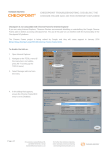
Moving data from Excel spreadsheets to ONESOURCE Tax Provision is
now easier and efficient. Users can use this new 'Excel Add-in' data
management tool to import data into ONESOURCE Tax Provision directly
from Microsoft Excel.
Users would like the ability to open/save/print reports from
ONESOURCE Tax Provision directly instead of having to first save the
report to a local computer. This new 'print preview' feature will allow
users to easily preview and print reports allowing for higher efficiency and
time savings.
Print Preview in Reporting Framework
TAX & ACCOUNTING
ONESOURCE TAX PROVISION
877.829.5969 | onesource.thomsonreuters.com/tax-provision
FUNCTION HISTORY: ACTIVE WORKPAPERS MODULE
Version Solution
Problem Addressed
8.0
AWP can pull Payable values
Being able to break down the Beginning and Ending Payable
balances by jurisdiction on a Unit/SubConsol/Consol basis help
the reconciliation to the Trial Balance accounts and
understanding of the balances
8.0
AWP can pull & push values for Book Tax
Basis Temps & After Tax Temps
Book/Tax Basis Temps were not available values in AWP
8.0
Adjustment dropdown includes Code: Name
Adjustment dropdowns in the mapping bar contain only codes
which requires the user to know all the codes in the system to
easily map Active Cells
8.0
Active Cells are now highlighted different
colors based on their action
3 different actions (GET, SET and SYN) can be performed in
AWP, but there is no easy way to see which Active Cells are for
each action without clicking in them
7.0
AWP can pull 24 State calculated values
State secondary tax calculations start with calculated amounts,
Calculated values added for Federal only in 6.1
7.0
AWPs can now be used with Interim data sets
AWP functionality can assist in the Interim calculations
6.1
AWP can pull 26 Federal calculated values
Secondary tax calculations need to be done which starts with
calculated amounts
6.1
Batch running of AWP
Tiered calculations or multiple AWP required the user to
remember the order and open the AWP to refresh
6.1
Ability to move amounts data set to data set
via AWP
Amounts in data sets may be needed in another data set
6.1
Additional Excel functionality added to AWP
AWP in 6.0 had most of the Excel functionality removed that
clients expected
6.1
User interface in AWP to copy mappings
across cells
Multiple cells can have substantially similar mapping in AWP. If
the base data can be copied, then only the unique area would
need to be modified
6.1
Modified (by and date) columns added to
AWP management screen
Tracking who and when AWPs were last modified is critical to
users
6.0
Active Workpapers
Data stored in the database was pulled out of OTP into Excel,
additional data was added, calculations were done and the data
was manually added back into OTP (Allows offline calculations
to be done in OTP)
TAX & ACCOUNTING
2
ONESOURCE TAX PROVISION
877.829.5969 | onesource.thomsonreuters.com/tax-provision
FUNCTION HISTORY: DOCUMENTATION
Version Solution
Problem Addressed
8.0
Integration with ONESOURCE FileRoom
Supporting documentation needs to be attached and related to
a period in time to support the amounts. Some documents
support a single number while others apply to a group of units
or an entire data set
6.0
User Manual embedded in Help tab
User manuals change with each version, are large files and had
to be downloaded every time there was an upgrade
5.0.56
Attachment ability added for Intercompany
Transactions
Manage attachment was not available for Intercompany
Transactions so documents could not be attached
5.0.56
Ability to Rollover with attachments
Attachments in a data set that need to be in the next period's
data set had to be re-attached
5.0.56
Manage attachments button has been added
to the payable section in the Provision tab
Manage attachment was not available for Payable entries so
documents could not be attached
FUNCTION HISTORY: GLOBALIZATION
Version Solution
Problem Addressed
8.1
Integration with ONESOURCE Corporate Tax
- U.K.
Electronically send & receive data from ONESOURCE Corporate
Tax - U.K.
8.0
Changes to reports, text and data entry
screens which are U.S. centric
Some areas of the system, reports and wording are U.S. specific
and do not apply to other countries
7.0
Multi language support
Global user base that wants to see other languages other than
English
TAX & ACCOUNTING
3
ONESOURCE TAX PROVISION
877.829.5969 | onesource.thomsonreuters.com/tax-provision
FUNCTION HISTORY: CALCULATIONS
Version Solution
Problem Addressed
8.1
State Include/Exclude Percentages
on State by State Basis
Include/Exclude Fed Perms & Temps on a state by state basis - instead of
defaulting to 100% or 0% for all states. Users can also enter a custom %
on each code for each states reflecting the proper state treatment of the
Federal item (e.g. include 100% for NY and 80% for CA, 0% WA etc.).
8.0
Interim Year To Date option for
advancing time periods
The actual PTBI builds during the year and the forecasted rate calculation
is modified over time. The YTD amounts must be considered at the most
current rates to ensure the proper tax accrual is being booked.
8.0
Contra Asset concept added to Tax
Basis mappings
The book/tax differences for equity did not change their sign to cancel out
the total on the Tax Basis Balance Sheet report
7.0
RTP posting can now be done for
multiple units based on subcon or
consolidated
Multiple units are typically done at one time and users had to trigger it 1
unit at a time
6.1
Valuation Allowance Automation
data set param VA_CALCTYPE
added new type 4
Valuation Allowance scenarios that have pre-rate and post-rate
considerations do not work with the data set param VA_CALCTYPE type 2
6.1
Payable reclass posting added for
States
State liability computed by one unit can not be moved to another unit
even if that is how it is booked in the payable
6.1
Flow through Module
Units that have data that should be migrated to another unit based on a %
or amount basis had to be done manually
6.0
Return to Provision True up Posting
via new Data set Relations
Comparing two data sets to post the RTP true-up was done by exporting
the unit breakout comparison report, running a macro and importing the
result to a third data set
6.0
Payable Reclass posting for Federal
Federal liability computed by one unit can not be moved to another unit
even if that is how it is booked in the payable
6.0
Tax Adjustments have Type (Equity
or P/L) associated with them
Tax Adjustments could only impact the P&L and not the Equity. Equity
items had to be grossed up and entered as Perms with E type
6.0
Ability to enter a CTA adjustment
No way to enter a number that only impacted Reporting Currency reports
for CTA rounding
6.0
Options to treat CTA as having an
impact on Equity or P/L
For IFRS, CTA is included in the P/L where for GAAP, CTA is included in
the Equity
6.0
Added the ability to enter ending
balance and calculate activity for
Amortized amounts
Deferreds can be the reversal of an ending balance in the trial balance.
Instead of entering Activity to derive Ending Deferred allow Ending to be
entered and derive Activity
5.0.58
Estimated Payment link to payable
Data kept in the Provision data set for the Payable related to estimated
payments made & overpayments received needs to be considered in the
Estimated Payment data set
5.0.58
Alternate approach to Alternative
Minimum Tax (AMTs)
IRS Form 6251 has specific instructions on how to compute the AMT
liability that the existing functionality did not comply with
5.0.57
Added Interim Tab functionality
FIN 18 requires a forecasted rate to be calculated and applied to PTBI &
discretes added
5.0.56
Added APIC Pool functionality
FAS 123(r) introduced the concept of tracking the additional paid in capital
(APIC) period over period
TAX & ACCOUNTING
4
ONESOURCE TAX PROVISION
877.829.5969 | onesource.thomsonreuters.com/tax-provision
FUNCTION HISTORY: COMPLIANCE
Version Solution
Problem Addressed
6.1
CorpTax Export Period Type Override
available for each mapping line
CorpTax requires certain data to import into their software
6.1
Ability to enter factors for CorpTax
Export mappings
CorpTax requires certain data to import into their software
5.0.58
Export to InSource improvements
Data created for the Provision can be exported to populate InSource
return
5.0.57
InSource Autolink Integration
Integration with InSource was only available with file transfers not
electronic transfer
5.0.56
Added Export to various Return
Software Packages (in their native
formats)
Tax Return Compliance software (CorpTax, Vertex etc) can re-use the
provision data to start the return
FUNCTION HISTORY: PRINTING
Version Solution
6.1
5.0.56
Problem Addressed
Batch Export to Excel functionality
Batch printing only generates PDF files not XLS files
Ability to define how wide reports are
allowed to print
Reports were automatically set to shrink to fit in one page which could
make wide reports very small
TAX & ACCOUNTING
5
ONESOURCE TAX PROVISION
877.829.5969 | onesource.thomsonreuters.com/tax-provision
FUNCTION HISTORY: IMPORT/EXPORT
Version Solution
Problem Addressed
8.2
Excel Add-In has the ability to
import data into ONESOURCE Tax
Provision
Moving data from Excel spreadsheets to ONESOURCE Tax Provision is
now easier and efficient. Users can use this new 'Excel Add-in' data
management tool to import data into ONESOURCE Tax Provision directly
from Microsoft Excel.
8.0
Ability to populate Ending Balances
for Book/Tax Basis Temporary
Differences
When deferred tax assets/liabilities are accrued based on the reversal of
book balance sheet accounts the ability to associate the ending trial
balance with that temporary difference and how it should impact tax
expense (Activity, Deferred Only, Balance Sheet Only) can automate &
strengthen the relationship of that data.
6.1
Alternate option for importing
custom subconsolidations (CSCs)
To include a unit into multiple CSC in the import file the unit had to be
listed on multiple rows
6.1
Bridge functionality available in
Actual section of Interim tab
Only way to populate trial balance data in Interim was to import and could
not use bridge mapping for tax sensitive accounts
6.0
Ability to export multiple data sets
at once
Archiving data requires that multiple data sets are exported
6.0
Ability to export a single unit of a
data set
Users working on a single unit will only want that unit's data to export
6.0
Ability to export select
subconsolidations
Users working on a subset of units will only want those units' data to
export
5.0.58
Import State Rates
A data set may have multiple units with all the same states activated.
Each state record for a specific state needs to have the same tax rates.
5.0.58
Ability to export results of TS
Database Analyzer to Excel
Results of queries run in the TS Database Analyzer could not beexported
to Excel
5.0.57
New format on Import Logs to
emphasize where attention is
required
Import log has rows with errors mixed with rows with no errors so entire
log must be reviewed to find issues
5.0.57
Bridged in data can be exported to
Excel
Bridged Archives log could not be Exported to Excel
5.0.57
Filtered Audit Trail Reports can be
exported to Excel
Audit trail could only be brought into Excel by copying all and pasting in
Excel
5.0.57
TS Database Analyzer results can
be exported to Excel
TS DB Analyzer results could only be brought into Excel by copying all and
pasting into Excel
5.0.57
Passwords can be imported in plain
text rather than only encrypted
Plain text passwords have to be hashed before they are imported. The
ability added in 5.0.57 was removed in 6.0.
5.0.57
Ability to import custom
subconsolidations (CSCs) by Unit
When units are included in a CSC the import required the unit to be on 2
rows - once for the CSC#_X & again on the CSC#_ row
5.0.56
Liability transactions can now be
exported from the liability tab
Liability Tab entries could not be exported to Excel
5.0.56
Intercompany Transactions export
on a data set basis
Inter-company Transactions exported all data sets information instead of
only the current data set
TAX & ACCOUNTING
6
ONESOURCE TAX PROVISION
877.829.5969 | onesource.thomsonreuters.com/tax-provision
FUNCTION HISTORY: REPORTING (1 OF 3)
Version Solution
Problem Addressed
8.1
Footnotes-Text Box on Reports
The user can enter text to describe the amounts in the report
complimenting the numbers and detailing the reporting information being
captured. This field on the report can either be included or excluded when
the report is saved as either the Excel or PDF format
8.1
Effective Tax Rate Data set
Comparison
Generates a side by side comparison of two data set for the Effective Tax
Rate by underlying unit and for the total
8.1
Tax Account Report
Comprehensive Total Provision Tax Account report defined by Federal,
Foreign & State subtotals for Balance Sheet (Deferred Balances &
Payable) and Income Statement (Current, Deferred & Equity Expense)
items
8.1
Export Reports to Excel & PDF
Producing reports in formats that are consistent, easily sharable, distributable
format & reviewable is important to users. Flexibility to choose to either Export to
Excel or to a PDF file allows user to create a file format that can be modified
(Excel) or a more static format (PDF) depending on what the ultimate usage is.
Excel files are formatted so that amounts are treated as number (no need to
reformat from text to number) to allow data to immediately be analyzed. Export
to Excel preserves the hierarchy of any detail rows and uses the Excel 'group'
functionality to allow it to be expanded and collapsed as needed. PDF file can be
created in either Portrait or Landscape and the shrink to size is determined. The
PDF will also include a Date/Time stamp and Page Number in the footer
8.1
Plug in Report Writer
Enhancements
Custom client reports become more valuable if they can access Query,
Stored Procedures & Data set Comparison capabilities. It may allow some
Custom clients to be able to return to the Core build from their custom
build
8.0
New view on Payable Report: “YearBucket Breakout with Rollups”
The Payable accounts typically have data and balances that need to
tracked by their specific years. Being able to see the open balance by year
assists the user to understanding the balances
8.0
New Deferred Book/Tax Detail
Report
The components entered for the Book and Tax Temporary Differences are
only shown as a net amount on reports
8.0
Ability to configure number of
decimals (from 1-4) which display
for the Effective Tax Rate on the
ETR Report
In some countries the Statutory Tax Rate goes out to 3 or 4 decimals and
the rounded presentation looks odd
7.0
Reports grouped in logical folders
Reports that addressed similar areas were displayed in a long list so they
were hard to find
7.0
Added Effective Tax Rate Proof
Report
Non-US reporting requirements
7.0
Added Tax Expense on Income
Statement Report
Non-US reporting requirements
7.0
Loading message appears as
reports are building
Large reports can take a while to load so the user was not sure if the
system was working or had timed out
7.0
Reports now display after Double
Click or Run Report is chosen
Users would click on the wrong report and have to wait for it to load
TAX & ACCOUNTING
7
ONESOURCE TAX PROVISION
877.829.5969 | onesource.thomsonreuters.com/tax-provision
FUNCTION HISTORY: REPORTING (2 OF 3)
Version Solution
Problem Addressed
6.1
Configurable Journal Entry Module
Clients may need to post JE for very granular amounts that are computed
in OTP
6.1
Added State Summary Deferred
Balances Report with State by State
breakout
No state report showed the deferred balances for all states in a unit,
subconsolidation or consolidation
6.1
FERC view of Deferred Balances
report for regulated energy
companies
Energy companies need to view deferred balances in a specific format
6.1
Payable Rollforward Report
available at Filing Group level
No report was available at filing group level
6.1
Payable Detail Report available at
Filing Group level
No report was available at filing group level
6.1
Added NOLs Expiration Report
No report showed the NOL balances by expiration which is often an AFS
Footnote item
6.1
Added Prior Year Breakout View on
Foreign/Domestic Summary Report
Tax Expense amounts for prior year accruals are shown with current year
accruals
6.1
Effective Tax Rate Report available
at Filing Group level
No report was available at filing group level
6.1
Use Blended Rate view on Effective
Tax Rate Report available at
Consolidated & SubConsolidated
level
Reconciling the Effective Tax Rate to the Unit rates (vs. the Group rate)
could only be done at the unit level
6.1
Added Forecast True Up Report
When the Unit by Unit basis was chosen the system computed a true-up
adjustment, but the calculation was never shown
6.0
Added Pre-Tax Post Apportionment
View on State Specific Deferred
Balances Report
Pre-Tax view did not show the Pre-Tax Post Apportionment deferred items
6.0
Added Equity Offset Report
The equity account offset for amounts entered as Balance Sheet Only for
deferreds was not shown in any reports
6.0
Plug in Reports
Reports that come with the software need to be modified to meet clients
needs
Added State Forecast Rate Report
There was no report which isolates the interim State Forecast Rate
calculation
5.0.58
TAX & ACCOUNTING
8
ONESOURCE TAX PROVISION
877.829.5969 | onesource.thomsonreuters.com/tax-provision
FUNCTION HISTORY: REPORTING (3 OF 3)
Version Solution
Problem Addressed
5.0.57
Added Forecast Rate Report
Support for the calculation of the forecasted rate is needed
5.0.57
Added Interim Provision Report
Support for the interim calculation to apply forecasted rate to PTBI +
impact of discrete items
5.0.57
Added State Breakdown view of
Effective Tax Rate Report
State & Local Taxes amounts in the ETR did not show the breakdown by
components
5.0.57
Added Change in Rate expanded
balance sheet view on Deferred
Balances Report
Change in rate combined Tax Rate & Foreign Exchange Rate changes into
one number & no report showed the breakout of the two amounts
5.0.57
Added Current/Non-Current
subtotal view on Temp Diff
Summary Report
Sub-total by assets/liabilities on current/non-current basis is often
disclosed in AFS
5.0.57
Added Net Deferred
Assets/Liabilities Report
FAS 109 paragraph 42 requires deferred balances to be netted by the
country they originate in; Temp Diff Summary report only nets based on
Total Asset & Liability
5.0.57
State Provision Summary Stored
Procedure Report now has breakout
functionality
Views to see "breakout (by Unit, State)" & breakout (subconsolidation by
State) were not available
5.0.57
Added State Tax Prov Rpt Breakout
Report
Provision by Unit with State by State breakout is needed to explain the
total State tax computed.
5.0.57
Journal Entry style sheets can be
uploaded as Global Attachments for
use by all users
JE style sheets need to be added to each user's instance so any changes
needed in the file required it to be re-added to each user's instance
5.0.56
Tax Provision Stored Procedure
Report now has breakout
functionality
Unit breakout could only be displayed by Exporting to Excel not on screen
5.0.56
Ability to filter by Current/Non
Current items on deferred balances
report
Deferred balance report combined the current & non current items
5.0.56
Added capability of hiding State
details in the Detailed view of the
Tax Provision report
Detail view lists each state & if there are multiple states it can make the
report long
5.0.56
Added bucket specific views to the
existing payable reports
Each payable line has to have a bucket assigned to it, but that bucket
assignment was not used in reporting
5.0.56
Added Deferred Balance Stored
Procedures Report
Breakout views (on the consolidated and sub-consolidated level reports)
will display on screen vs. requiring to export to Excel
TAX & ACCOUNTING
9
ONESOURCE TAX PROVISION
877.829.5969 | onesource.thomsonreuters.com/tax-provision
FUNCTION HISTORY: USABILITY (1 OF 4)
Version Solution
Problem Addressed
8.2
Print Preview in Reporting
Framework
Users would like the ability to open/save/print reports from ONESOURCE
Tax Provision directly instead of having to first save the report to a local
computer. This new 'print preview' feature will allow users to easily preview
and print reports allowing for higher efficiency and time savings.
8.1
Reporting User Interface: Freeze
Panes, Expand/Contract Sections,
Show/Hide Hierarchy Levels,
Highlight Row/Columns, Set All
Views, Standardization of Font &
Headers
Data is often reviewed on the screen in Reports. By adding usability
features like Freeze Panes, Expand/Contract, Show/Hide and setting all
views allows this to be done in an easier fashion and more effectively.
8.1
Audit Trail Expansion for Data
Source History
Data Source History is a more effective way to understand the Audit trail.
Addition Number Components have been added as well as the ability to
choose many or all in the search. Data Source History was added for
Category Components with the same capabilities.
8.1
Audit Trail Expansion for Data
Source History
Data Source History is a more effective way to understand the Audit trail.
Addition Number Components have been added as well as the ability to
choose many or all in the search. Data Source History was added for
Category Components with the same capabilities.
8.1
Archive Data set Functionality
“Over time an instance can accumulate many data sets. Archiving Data
sets will remove the clutter from drop-downs to streamline. Data set can
be Un-Archived at any time. Fewer data sets leads to optimal performance
so it is recommended to Archive data sets that do not need to be
accessed.”
8.1
Reporting User Interface: Freeze
Panes, Expand/Contract Sections,
Show/Hide Hierarchy Levels,
Highlight Row/Columns, Set All
Views, Standardization of Font &
Headers
Data is often reviewed on the screen in Reports. By adding usability
features like Freeze Panes, Expand/Contract, Show/Hide and setting all
views allows this to be done in an easier fashion and more effectively.
8.0
New Payable Posting to NC_ Tax
Adjustments
NC_ Tax Adjustments are a place where users are accommodating for
many different impacts to the current provision and often relate to many
open years. Because it is a mix of items the user may need to assign a year
or a specific bucket for each one to ensure it is represented in the right
area for the Payable reconciliation.
8.0
Expanded time period options for
Interim data sets
Users taking the FIN 18/APB 23 approach may continue using it beyond
the interim period to have comparable data for the entire year. The data
can be tracked my month, quarter or some number of periods.
8.0
Additional parameters added to
Manage Configurations
Some parameter names and values are still required to be known and
entered to configure features and functionality
8.0
Default C/NC Designation for
Temporary Differences at Admin
level
For many Deferred Tax Assets/Liabilities the C/NC designation is based
on an Accounting Election not determined by Tax. Being able to set a
default based on the code and locking the C/NC dropdown for Read/Write
users to ensure correct designation is used for all Temporary Differences to
avoid rework at Headquarters.
TAX & ACCOUNTING
10
ONESOURCE TAX PROVISION
877.829.5969 | onesource.thomsonreuters.com/tax-provision
FUNCTION HISTORY: USABILITY (2 OF 4)
Version Solution
Problem Addressed
8.0
Ability to Lock Beginning Balances
and Rates
Beginning balances and rates are typically the result of rolled over ending
balances that have been reported. Read/Write users having access to
change beginning balances or rates can cause the beginning to disagree
with the prior ending.
8.0
Data Dimensions Phase 1
Capturing and displaying the true source of data, history of the data and
allowing additional characteristics to be captured on the data entry line
assists users on being able to re-use and categorize data based on the
various dimensions. While the simple dimension of tag is often adequate,
when complex data is being tracked by multiple users the system needed
a better way to capture and display it.
8.0
Data Source History
The current Numbers Audit Trail is not user friendly - it is hard to locate
the data the user is looking for
8.0
State Types
There are many types of States users may put in the system (States, Trade
Tax, Provinces, etc) and there is no easy way to distinguish between them
8.0
NOLs & ATTDs added to Tax Basis
mapping dropdown
Not all types of Temporary Differences were available to be mapped in the
Tax Basis mappings
8.0
Option to clear status when copying
data sets
Commit/reviewed statuses are brought over when a data set is copy when
the user is typically looking to start with clean statuses
7.0
Revamped User Interface
Outdated look, non optimal use of screen space, clients getting "lost"/not
knowing where to go
7.0
Unit & Data set Icons for Active &
Read only
Ability to quickly identify which Data set & Units have data or are read only
in a list
7.0
Control Center dropdowns for only
appropriate for area being worked in
Previously all dropdowns displayed even when they did nothing for the
particular section a user was working in (e.g. sub-consolidation while
entering data)
7.0
Excel-like data entry grids which
support in-line editing, multiple
item deletion, filtering, sorting,
group by, and copy and paste to
Excel
Outdated look, users want it to look and feel more like Excel
7.0
Full list of data sets available in the
Control Center which now has sort
and filter ability
When there were many data sets they displayed in a long list so they were
hard to find
7.0
Manage Configurations for easy to
use system parameters
Parameter names and values were complex, users weren't always aware a
new param was available
7.0
Information about the session/setup displays on bottom
User needed to hunt to find information about the schema, user name,
user access, version for Support
TAX & ACCOUNTING
11
ONESOURCE TAX PROVISION
877.829.5969 | onesource.thomsonreuters.com/tax-provision
FUNCTION HISTORY: USABILITY (3 OF 4)
Version Solution
6.1
6.1
6.1
6.1
6.1
6.1
6.1
6.1
6.1
6.1
6.1
6.1
6.0
6.0
6.0
6.0
6.0
Ability to Copy Security Access for
users when rolling over and copying
data sets
Ability to change the client name
which displays in window header
and in report headers
Added Copy from Admin buttons to
refresh data set level Country Rates,
Currency Rates & State Rates
Ability to save Global Attachments
directly to your hard drive
Tax Basis Mapping available at Data
set level
Update Global Attachment option
NOL Rollforward configuration at
the data set level
Usernames can now be case
insensitive.
Ability to designate which Trial
Balance SubLines should display for
use with Configurable JE Module
Added Single line Temporary
Difference data entry
Deferred Rollforward configuration
at the data set level
Adjusted Balances Column on
Deferred Balances Report can now
be configured at the data set level
Ability to Restrict Read/Write users
from specific Tax Adjustments and
specific Tags
Tax Adjustments have Source (Tag)
associated with them
Can set the default view of the Tax
Provision, Effective Tax Rate and
Deferred Balances Reports for the
instance
Balance sheet only field added for
Amortized Temporary Differences
Mass Update State Rates
TAX & ACCOUNTING
Problem Addressed
When a new data set was created based on an existing data set the user
would have to reassign permissions to users even if they were identical to
the original data set
Client names stored in the license file can change over time & Firms
licensing the software want to put the company name not the Firms name
Mass Rates could not be updated with data stored in Admin once the line
had been added. Only way to update was to delete and re-add
When a style sheet or other file that applies to multiple users, it needs to
be added to each user's instance
Tax Basis mappings can change over time and can be different on the
quarters vs. the full year
Updating Global Attachment was only achieved by deleting and re-adding
Rollforward can change over time and can be different on the quarters vs.
the full year
Clients have the password policy that doesn't require the passwords to be
case sensitive
Config JE drop-down for GL Account will show all sub-lines and should
only be the tax accounts
Data entry in Temp dictates how the amounts appear on reports. Controls
to guide the user to enter it. Beginning balances should be locked. Some
tags/types should be locked or only available to Admin users
Rollforward can change over time and can be different on the quarters vs.
the full year
Adjusted column placement can change over time and can be different on
the quarters vs. the full year
Need for better user permissions, some tax adjustments should only be
populated by Admin users
Only one entry for a Tax Adjustment code was possible
Standard default views of the reports were not configurable
Missing functionality for Balance Sheet Only field in Amortized Temp Diffs
A data set may have multiple units with all the same states activated.
Each state record for a specific state needs to have the same tax rates.
12
ONESOURCE TAX PROVISION
877.829.5969 | onesource.thomsonreuters.com/tax-provision
FUNCTION HISTORY: USABILITY (4 OF 4)
Version Solution
Problem Addressed
6.0
Mass Update Country Rates
A data set may have multiple units with all the same Countries
designated. Each unit for a specific Country needs to have the same tax
rates.
6.0
Mass Update Currency Rates
A data set may have multiple units with the same Currencies designated.
Each unit for a specific Currency needs to have the same foreign exchange
rates.
6.0
Data set rollover option added
which allows for temporary
differences to be scrunched
together
Separate types of Deferred events tracked with tags, but going forward the
balances should be combined into one balance for the code.
5.0.58
User Restrictions for Batch Printing
Need for better user permissions so users could not batch print data that
they did not have permission to access
5.0.58
Ability to limit the levels of data
which can be bridged into OTP
Need for better user permissions so users could not bridge data that they
did not have permission to populate
5.0.58
User Restrictions for Importing
Need for better user permissions so users could not import data that they
did not have permission to populate
5.0.57
Number of Deferred Rollforward
columns allowed increased from 15
to 26
Management of deferreds may need to show each tag letter in a separate
column
5.0.57
Adjusted Balances Column on
Deferred Balances Report is now
user defined
Choosing either 3rd or 6th column for the adjustment column didn't meet
all client's needs
5.0.57
User defined rollups for Trial
Balance Report
Trial balance accounts may need to be rolled up for multiple reasons on
the Income Statement & Balance Sheet reports
5.0.57
User defined rollups for Tax Basis
Balance Sheet Report
Trial balance accounts in the Tax Basis Balance Sheet may need to be
rolled up for multiple reasons on reports
5.0.57
Added Data set Combine
functionality
Combining data sets could only be done by manually combining exports
5.0.57
Payable autoposting dates can be
changed for fiscal year clients
Payable autopost was on calendar year was 12/31 for Full Year, 6/30 for 6
months, etc. even if year end was a different month
5.0.57
Payable data entry restriction can be Payable entries could only be for the time frame of the data set so Full
removed
Year 2010 data set could only have entries from 1/1/2010 to 12/31/2010
5.0.57
Choice of Payable autoposting
bucket can be configured
5.0.57
Deferred Provision Only field on Unit Deferred Only Adjustment was an option used before Temporary
Details screen can be configured
Differences had either the Deferred Only or Balance Sheet Only
functionality to plug the deferred tax expense without impacting the
deferred balances
5.0.57
Ability to limit State dropdown in
Control Center to only display
custom states
TAX & ACCOUNTING
Payable autopost was only able to post with the LIAB bucket
All pre-defined states appeared in the state control center dropdown even
if the company isn't in those states
13