1
ideas make future
Overview
The USB-CAN adapter is a device for an easy dynamic debugging of CAN applications and for the
transparent diagnostic of a CAN bus. The adapter is controlled by USB bus from USB-CAN
application or your own application created by modification of CAN-Start application in Delphi
development environment.
The hardware construction of the USB-CAN adapter – TRIPLE drivers is established at the FTDI
FT245RL chip, Atmel T89C51CC01 microprocessor and PCA80C251 (High speed - ISO11898),
PCA80C252 (Low speed - ISO11519) and AU5790 (One wire - J2411) into one adapter. Integrated
microprocessor with cache memory reduce of the operating system load when receiving messages
from CAN bus and at the same time providing precision transmitting eight parallel messages.
Main Features
•
•
•
•
•
•
•
•
•
•
•
•
•
•
•
•
•
•
•
•
High speed, Low speed and One wire CAN drivers into one adapter
Fully compliant with CAN 2.0A and CAN 2.0B
15 Independent Message Centres
10kbps to 1Mbps Transfer Rate, support users speed setting
Dynamic data receiving and showing of CAN messages (using processor cache memory 256B)
Real and average time of receiving messages displayed in resolution 1ms
The immediate, delayed, periodical or auto transmission 8 messages at the same time (1ms to 65,5s)
Display of received messages - Number, Period, Load and Errors of CAN bus
Replay function for replaying recorded data
Receiving messages without ACK bit (Listening Mode)
The extended searching in a received message list
Messages transmission and reception from REMOTE FRAME
The automatic insert of received messages description
CANopen protocol support
User setting saving
Multiple adapters connection to single PC
Power supply and initialization LED signalization (Red / Green)
Standard layout CANNON connector
Power supply from USB bus
Over voltage protection
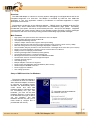
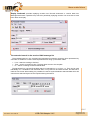
Setup of USB bus driver for Windows
The working USB-CAN adapter is
a conditional of driver for USB bus.
After USB-CAN adapter connection
to computer, the operating system
Windows will automatically detect
a new device and start Add
Hardware Wizard. If Windows does
not successfully find your new
hardware, you must use the Add
Hardware Wizard in Control Panel
to tell Windows what type of device
you are installing. The Add
Hardware Wizard may ask you to
insert media (a compact disc is
provided with the device).
1/15
Document: 1001-0002-05
USB-CAN Adapter V4.5
www.imfsoft.com
[email protected]