1
ideas make future
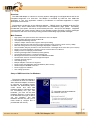
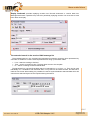
According to the Guide choose Install hardware that I manually select from a list (Advanced) and click
Next. In the next step choose Search plug in media such as disc or CD-ROM. Insert the installation
CD provided with the USB-CAN adapter in CD ROM unit and press Next.
In the following window you might see information about possible driver incompatibility with
windows system. In this case press Next or Continue again.
The setup will be now realized and the driver will be registered in the Windows system. If you look
into Control panel -> System -> Hardware -> Hardware administrator you will see the name of just
installed driver, FTDI FTU2XX Device, after clicking USB Bus controller.
Warning: USB-CAN adapter must be connected to the computer.
Removal
If you want to remove the adapter controller, uninstall USB-CAN adapter from the computer and
uninstall the controller in Control panel, Add or remove program named FTDI FTD2XX USB Drivers.
2/15
Document: 1001-0002-05
USB-CAN Adapter V4.5
www.imfsoft.com
[email protected]