1
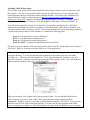
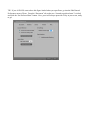
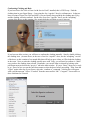
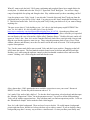
To delete the unwanted figure, simply hit the delete key on your keyboard. A dialog will ask if you’re
sure you want to delete it. Hit “yes.” Deleting a complex figure from a scene may take a few moments.
Loading a new figure
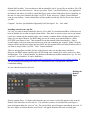
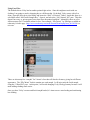
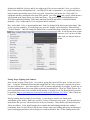
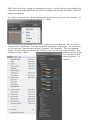
To load a figure, you must use the Poser Library. Depending on your version of Poser, the library may
look like as series of pictures, or a file explorer. In Poser Pro 2010, the library is actually run in a
separate application (Adobe AIR), but it closely resembles the Poser 8 Interface.
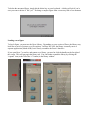
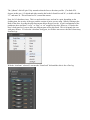
If you open Poser 7 or earlier, and cannot see a library, you need to click the handle on the far right of
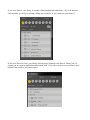
the screen. This will pop open the library tab. You can further expand the library by clicking the
“expand” icon (to the left of the “x” button) in the library window.