Transcript
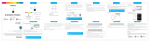
IN THE BOX
LOCATION OF CONTROLS
MAIN SPEAKER
1
2
3
1. Micro USB DC 5V charging port
2. AUX IN jack
3. Mini USB connecting port
4. ON/OFF switch
Bluetooth Speakers
CHARGING THE SPEAKER
1. Connect the small end of the Micro USB Charging Cable to the
Micro USB DC 5V charging port on the back of the Main speaker.
2. Connect the other end of the Micro USB Charging Cable to the
USB port on your computer or other device made for USB
charging.
3. The LED light is RED when charging. It will shut off when the
speaker is fully charged.
4. Make sure you charge the Main speaker for at least 8 hours before
using the speakers for the first time.
4
BLUE TOOTH SPEAKERS
PB T626X2 | USER MAN UAL
Questions?
Need some help?
This manual will help you
enjoy your new product
Micro USB Charging Cable
B LU E T O O T H S P E A K ER S
PBT626X2 | USER MANUAL
If you still have questions,
call our help line:
or visit us at:
1-877-768-8481
Click on “Product Support”
www.southerntelecom.com
User Manual
Micro USB
Charging Port
SUB SPEAKER
5. Mini USB connecting port
Computer
Mini USB Connecting Cable
5
Bluetooth: Enabled
Paired Devices:
*Empty *
Searching for devices
1 found
Stop
6. When the Bluetooth enabled device finds the speaker, select
“PBT626X2”from the list of found devices.
7. If required, enter the password 0000. Select OK or Yes to pair the
two units.
8. After a successful registration, a beep will be heard.
NOTE: If you would like to connect the speakers to another device,
you must unpair the speakers from the currently paired device first.
On your device’s Bluetooth settings, select “PBT626X2”, then select
“unpair”. When the speakers have been unpaired, they automatically
go into pairing mode again.
The screenshots above are typical of many Bluetooth enabled devices in
the market today, and are used to assist in the explanation of the
pairing process. Your Bluetooth enabled device’s interface and
interaction with the Bluetooth Speakers may slightly differ from the
illustrations above.
Micro USB
Charging Cable
Powering ON/OFF
• Slide the power switch on the back of the main speaker to the ON or
OFF position.
• Check that your Bluetooth features are turned ON. If you have
already paired the speaker with a Bluetooth enabled device, it will
automatically connect.
• If you are using the speakers for the first time, go to the “PAIRING
THE SPEAKERS” section of this User Manual, and pair the speakers
to your desired Bluetooth device.
1. Slide the power switch on the back of the main speaker to the ON
position.
2. Connect the two speakers with the Micro USB connecting cable.
3. A tone will be heard, indicating that the speaker is in pairing mode.
4. Keep the speaker and Bluetooth enabled device within 3 feet of
each other during the pairing process.
5. Set your Bluetooth enabled device to search for Bluetooth devices.
Connecting the speakers
1. Plug one end of the Mini USB connecting cable into the Mini USB
connecting port on the Main speaker.
2. Plug the other end of the Mini USB connecting cable into the Mini
USB connecting port on the Sub speaker.
On an iPhone
• Go to SETTINGS > BLUETOOTH (Make sure Bluetooth is turned ON)
USING AS WIRED SPEAKERS
To enjoy wireless music on your Bluetooth Speakers, make sure you
are connected to a Bluetooth enabled device. Once connected press
PLAY on your Bluetooth device. When playback has begun, control
the music with your connected device (that has the AVRCP
Bluetooth profile).
1. Turn the Main speaker ON.
2. Connect one end of the included 3.5mm auxiliary cable to the AUX
IN jack on the speaker and the other end to an external device’s
headphone jack (smartphone, tablet, or MP3 player).
3. Open a media player on your device and click on PLAY to start
playing your music.
4. Use the controls on your connected device to control music playback
and volume.
Connecting the audio cable will override Bluetooth
mode. When the cable is disconnected, the
speaker will automatically reconnect to the last
paired device.
SUB SPEAKER
PAIRING THE SPEAKERS (cont’d)
On a Blackberry
• Go to SETTINGS/OPTIONS > BLUETOOTH
• Enable BLUETOOTH
3G
Bluetooth
Bluetooth:
On
Discoverable:
Yes
Paired Devices
Add New Device
PBT626X2
If there are no paired devices in range when the speaker is
turned on, it will go into pairing mode automatically. If a paired
device is in range, the speaker will connect to it automatically.
12:12 PM
On an Android Phone
• Go to SETTINGS > BLUETOOTH > MENU > Search for devices
(Make sure Bluetooth is turned ON)
Bluetooth
12:12 PM
Bluetooth settings
Bluetooth
Bluetooth
ON
Device name
Devices
PBT626X2
PBT626X2
MAIN SPEAKER
PLAYING MUSIC
NOTE: To enable the dancing water feature, you must turn up the
volume of your connected device.
PAIRING THE SPEAKERS
Main Speaker
There is no need to charge the Sub speaker as it
will be powered by the Main speaker once they
are connected with the Mini USB connecting
cable.
3.5mm Auxiliary Cable
PAIRING THE SPEAKERS (cont’d)
On other Cell Phones/Devices
• Review the instruction manual that came with your phone/device.
USING THE SPEAKERS
Visible
Paired
Make device visible
Search for devices
Now discoverable
Bluetooth devices
Scanning
MINI USB
CONNECTING CABLE
TROUBLESHOOTING
I can pair the Bluetooth Speakers with my Bluetooth
device, but I cannot hear any music.
1. Make sure your Bluetooth device supports A2DP profile.
2. Turn up the volume on your Bluetooth device.
3. You may have to unpair the speaker, then re-pair to your device.
My Bluetooth device is not able to pair with the
Bluetooth Speakers.
1. Make sure the Main Bluetooth Speaker is turned ON before
beginning the pairing process.
2. Keep your Bluetooth Speakers and Bluetooth enabled device
within 3 feet of each other during the pairing process.
3. The speaker will emit a tone to indicate that it is in pairing mode.
4. Check that YOUR device’s Bluetooth feature is turned ON.
5. Try repeating the pairing process, see “Pairing the speaker.”
6. Make sure that the Main speaker is fully charged.
TROUBLESHOOTING (cont’d)
I cannot get the Bluetooth Speakers into pairing mode.
1. Make sure the Main Bluetooth Speaker is turned ON before
beginning the pairing process.
2. The speaker will emit a tone indicating that it is in pairing mode.
WARRANTY
This product as supplied and distributed new by AIT, Inc. (“AIT”) to the original consumer purchaser
is warranted by AIT against defects in material and workmanship for a period of one year from your
date of purchase (“Warranty”).
In the unlikely event that this product is defective, or does not perform properly, you may within one year
from your original date of purchase return it to the authorized service center for repair or exchange.
TO OBTAIN WARRANTY SERVICE:
• Call the Customer Support number located below, or go to our website portal to receive an SRQ
number.
• Provide proof of the date of purchase within the package (Dated bill of sale).
• Prepay all shipping costs to the authorized service center, and remember to insure your return.
• Include a return shipping address (no P.O. Boxes), a telephone contact number, and the defective
unit within the package.
• Describe the defect or reason you are returning the product.
Your product will be repaired or replaced, at our option, for the same or similar model of equal value
if examination by the service center determines this product is defective. Products received damaged
as a result of shipping, will require you to file a claim with the carrier.
The shipping address of the authorized service center is:
AIT, Inc.
ATTN: Customer Service (2nd Floor)
14-C 53rd Street
Brooklyn, NY 11232
IN NO EVENT WILL AIT, ITS MANUFACTURERS, DISTRIBUTORS OR PLR IP HOLDINGS, LLC BE
LIABLE FOR ANY INCIDENTAL, DIRECT, INDIRECT, SPECIAL, PUNITIVE OR CONSEQUENTIAL DAMAGES
(SUCH AS, BUT NOT LIMITED TO, DAMAGES FOR LOSS OF PROFITS, BUSINESS, SAVINGS, DATA OR
RECORDS) RELATED TO THIS PRODUCT. EXCEPT AS STATED HEREIN, NO OTHER WARRANTIES
SHALL APPLY.
Questions?
Need some help?
This manual will help you
enjoy your new product
If you still have questions,
call our help line:
or visit us at:
1-877-768-8481
Click on “Product Support”
www.southerntelecom.com
PLR IP Holdings, LLC, its licensees and affiliates, fully support all electronic waste initiatives. As responsible
stewards of the environment, and to avoid violating established laws, you should properly dispose of this product
in compliance with all applicable regulations, directives or other governances in the area where you reside. Please
check with local authorities or the retailer where you purchased this product to determine a location where you can
appropriately dispose of the product.
• Consult the dealer or an experienced radio/TV technician for help.
• Connect the equipment into an outlet on a circuit different from that to which the receiver is connected.
• Increase the separation between the equipment and receiver.
• Reorient or relocate the receiving antenna.
Note: This equipment has been tested and found to comply with the limits for a Class B digital device, pursuant to part 15 of the FCC
Rules. These limits are designed to provide reasonable protection against harmful interference in a residential installation. This
equipment generates, uses and can radiate radio frequency energy and, if not installed and used in accordance with the instructions,
may cause harmful interference to radio communications. However, there is no guarantee that interference will not occur in a
particular installation. If this equipment does cause harmful interference to radio or television reception, which can be determined by
turning the equipment off and on, the user is encouraged to try to correct the interference by one or more of the following measures:
Caution: Any changes or modifications not expressly approved could void the user's authority to operate the equipment.
![[PMP75] User Manual [FINAL] 20121212](http://vs1.manualzilla.com/store/data/005950946_1-9749e714ad96604218308e863819f9e2-150x150.png)
![[SNC201] User Guide [FINAL] 20100322](http://vs1.manualzilla.com/store/data/005791176_1-4af6210b4cf53bb5c7154a3e5e1071a5-150x150.png)