1
Viewing Settings:
4.
Next, set how the image will be viewed on the screen. This can be done
using two dimensional viewing or three dimensional viewing options.
How to actually set the viewing options will be covered in section B.6.
Display Settings:
5.
It is important to initialize drawing settings and clear the previous settings.
Otherwise the image will not appear as intended. A few things to consider
are:
a. glEnable (GL_DEPTH_TEST) – When viewing an drawing in
three dimensions, this tests whether the object being drawn has
anything else in front of it. If so, only the portions visible are
drawn.
b. glClear (GL_COLOR_BUFFER_BIT) – Clears the window to
the set clear color.
c. glClear (GL_DEPTH_BUFFER_BIT) – Clears the previous
depth buffer. This is important when working in three
dimensions, otherwise OpenGL gets confused on the depth to
draw objects.
Drawing:
6.
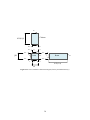
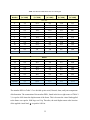
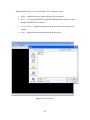
Set the color of the object to be drawn using glColor3f (red as single,
green as single, blue as single). Each blank is filled in with a number
between 0 and 1, based on the amount of each color to include, see Fig.
B.3 on how to choose color.
160