1
FriendlyARM English User Manual
Rev.01 (20090909)
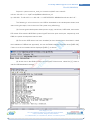
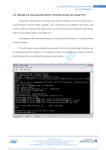
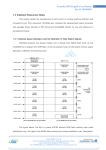
(1) Connect good development board power supply, serial lines, USB cable, and set the
DIP switch S2 to start the NOR flash system HyperTerminal to open serial port, respectively, and
DNW, the power development board to start.
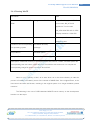
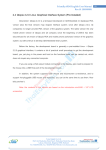
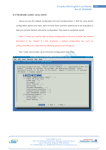
(2) Ensure the USB driver has been installed (as has already been described in detail
the installation of USB-driven approach), this can be DNW's title bar to see the show [USB: OK],
if there is no driver installed will be displayed [USB: x], as shown:
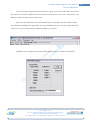
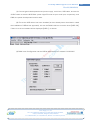
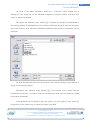
(3) DNW menu Configuration set the USB to download to run address 0x30000000
Venus Supply Co., Ltd.
196/1, Soi Thedsaban-Nimit-Nau 8, Thedsaban-Nimit-Nau Road,
Ladyao, Chatuchak, Bangkok, 10900, Thailand
Tel. +(66)2954-2408 , Fax. +(66)2953-8443, Website: www.thaieasyelec.com
224