1
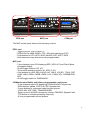
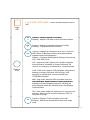
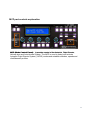
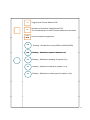
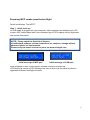
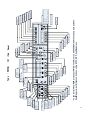
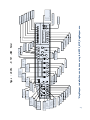
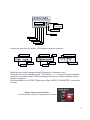
Selection buttons : Buttons are used to carry out a pre-defined
f
function
ti that
th t has
h been
b
assigned
i
d tto it b
by th
the currentt menu
GEAR
UP
GEAR
OFF
GEAR
DN
FLAP
UP
FLAP
DN
A.BRK
RTO
A.BRK
DEC
A.BRK
INC
8 User programmable control buttons according to the aircraft. Above
definitions are the example when it’s used with Level-D 767-300ER.
COM
NAV
ADF
DME
TRN
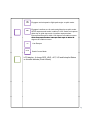
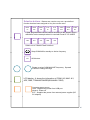
Select one of 5 Radio Panel functions.
Swap COM/NAV’s standby to Active frequency
AUX
AUX button.
Rotate to select COM/NAV/ADF frequency,
frequency Squawk
Pushes to change the digit
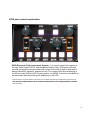
LCD display : It shows the information of COM1 &2, NAV1 & 2,
ADF, DME, TRNANSPONDER(SQUAWK CODE)
Converts power source
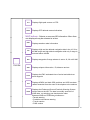
USB : Supplied the power from USB port
Neutral : Power off
EXT : Supplied the power from external power supplier (DC
5V adaptor)
16