1
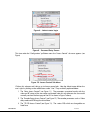
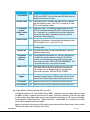
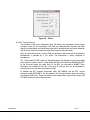
Pressing the UP or DOWN arrow toggles the display between these plans. The “TX”
portion of the display flashes as a change takes place (up or down arrows are pressed) but
does not take place until the ENTR key is pressed. Once a pre-defined channel plan is
selected the channels can then be selected from the TX RF FREQ display or by selecting a
different configuration group (under the TX HD Enc Setup display). A more detailed
description of the channel plans is explained in section 7.3.6.2.1.1, the software overview.
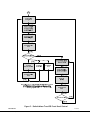
The next display is presented with the press of the CTRL key.
5.4.2.2.2 ‘TX Delay Mode’ Display
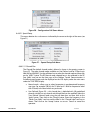
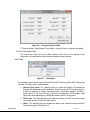
The M2T-C transmitter encoder is associated with two different delay modes (keep in mind
that the type of decoder used can also add delays):
Normal – this mode gives the best picture but the delay is longer than the ultra-low mode.
Ultra-Low – this mode is the default which can only be used with Cobham Tactical
Communication & Surveillance M2D HD decoder and offers the fastest <44 mS system
latency.
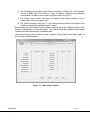
Pressing the UP or DOWN arrow toggles the display between these two modes. The “TX”
portion of the display flashes indicating a change is in process but does not take effect until
the ENTR key is pressed.
The next display is presented with the press of the CTRL key.
5.4.2.2.3 ‘TX
RF’ Display
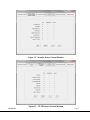
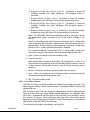
This display allows the user to turn OFF the RF or if the RF is OFF already then to turn it back
ON. One of four options can be selected by using the UP or DOWN arrows. The options are:
•
RF OFF w/o saving to EEPROM. The RF is turned OFF, but on the next
power cycle the transmitter RF mode is determined by the previous
saved state.
•
RF OFF w/saving to EEPROM. The RF is turned OFF and on the next
power cycle of transmitter the RF remains OFF.
•
RF ON w/o saving to EEPROM. The RF is turned ON and the next
power cycle of the transmitter RF mode is determined by the
previous saved state.
•
RF ON w/saving to EEPROM. The RF is turned ON and on the next
power cycle of transmitter the RF remains ON.
The next display is presented with the press of the CTRL key.
5.4.2.2.4 ‘Tx LCD Backlight’ Display
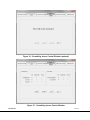
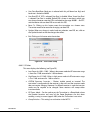
The TX LCD Backlight display shows the current status of the backlight, on or auto. Pressing
the UP or DOWN arrow toggles the display between ON or AUTO. Change does not take
place until the ENTR key is pressed. Pressing any key on the keypad activates the LCD
backlight automatically for approximately 20 seconds if the backlight is set for AUTO. The
backlight also lights immediately upon power up serving as a power indicator.
The next display is presented with the press of the CTRL key.
100-M0084X3
GMS INC. doing business as Cobham Tactical Communications and Surveillance
20 of 55
www.cobham.com/tcs