1
Part 2 - Installation
8
Uninstall
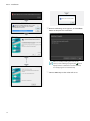
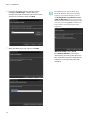
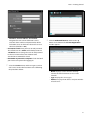
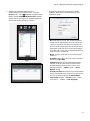
When the following screen appears, click the Close
button to complete the installation.
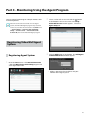
1 Stop running the services and Agent program first.
•• The IDIS Solution Suite software might not
uninstall correctly if you uninstall it while the
services or Agent program is running.
•• If an Agent system is registered on the service,
remove the Agent system before uninstalling
the IDIS Solution Suite software. If the Agent
system is not removed from the service and
all data is deleted while the IDIS Solution Suite
software is uninstalled, it is required that you
unregister the Agent system in the Agent
program. Refer to 4.2 Setting up Video Wall
Agent Setup (p. 22) for details.
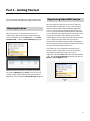
After successfully installing the services, the
services, Service Manager program (the
icon is
displayed in the notification area of the task bar)
and Setup program run automatically.
The IDIS Solution Suite software should be
uninstalled following the procedures below. If you
delete the installation folder manually, the IDIS
Solution Suite software cannot be uninstalled or
reinstalled.
E
1x
오늘
달력
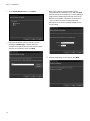
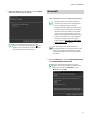
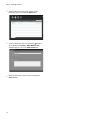
2 Go to the Start Menu, and click IDIS Solution Suite.
49 64
Click
Uninstall IDIS Solution Suite.
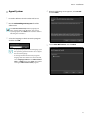
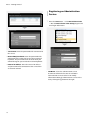
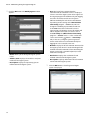
You can uninstall the software by using the
software CD. Insert the software CD in the video
wall server and run the Setup.exe file. Select
Remove and click Next.
15