1
Windows of Position Table
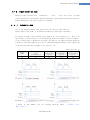
2-2.Main Window of Position Table
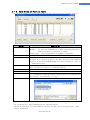
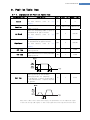
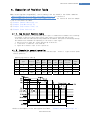
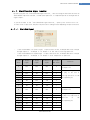
The following window describes windows and buttons which execute the position table function.
Button
Normal/Single Step
Description
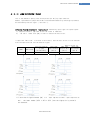
The user can select modes to execute the position table.
Normal : All position commands are in order executed according to
conditions saved in the position table.
Single Step : Only single position command is executed.
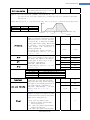
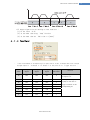
Run/Stop/Next
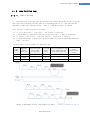
To run/stop items at the defined position table
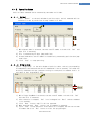
Teaching
Teaching is executed by either using external input signal or user
program. By clicking this button, the user can easily use teaching
function at the user program window. For more information, refer to
‘Teaching Function’.
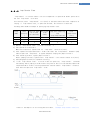
To display the position value measured by the teaching function. For
more information, refer to ‘Teaching Function’.
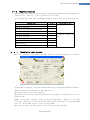
To save current position table data in ROM drive.
To open position table data saved in ROM drive
To save current position table data to an external file
(It is saved to a folder defined by the user with a file name defined
by the user. The extension is *.txt.)
To read position table data saved in external file
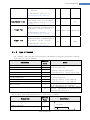
Refresh
Save to ROM
Load from ROM
Save to file
Load File
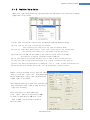
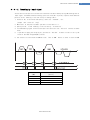
* Up to 64 position table commands can be input and saved.
* By using each position table command, the user can edit the file such as edit, copy,
paste, and delete.
www.fastech.co.kr
4