1
•P
DS-60 must be located within 150-feet of the C-Splash 2
fixtures and each PDS-60 supports up to two C-Splash 2 fixtures.
• Consult an Electrical Inspector to approve all wiring plans.
Installing C-Splash 2 Fixtures
This fixture shall be installed by a qualified professional in accordance with NEC and relevant local codes for Class 2 power
sources.
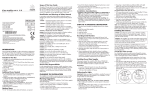
Figure 6 shows C-Splash 2 fixtures connected to PDS-150e and
PDS-60. (See Figure 4 for details on proper grounding for
PDS-150e.)
C-Splash 2 with PDS-150e
caution:
N
24V
DATA
COM
24V
DATA
COM
24V
DATA
COM
FUSE
24V
DATA
COM
FUSE
24V
DATA
COM
FUSE
DIAGNOSTIC
INDICATOR
LIGHTS
PDS-150e
Power/Data supply
ETHERNET
Power/Data Cable
18AWG/.823mm2 CSA,
4-conductor, stranded copper.
From PDS-150e Power/Data Supply,
maximum accumulated length of cable
run for all fixtures must not exceed
400 feet (122 m).
60-foot (18.3 m)
power/data cable
included with fixture.
Power/Data Cable
18AWG/.823mm2 CSA,
4-conductor, stranded copper.
Maximum single run distance
from PDS-60 to fixture:
150 ft (46 m).
DMX
OUT
DMX/ETHERNET
IN
Earth Ground
100-240VAC
AUX IN
Maximum: Six C-Splash 2 fixtures per PDS-150e power/data supply.
(One per terminal)
C-Splash 2 with PDS-60 24V (DMX Control)
Pivot Bolt
Maximum: Two C-Splash 2 fixtures per PDS-60 power/data supply.
3/16" Hex Key
Tighten fixture after
swiveling into position.
5/16" Hex Key
Loosen to rotate
fixture on the base.
Tighten after positioning.
1/8" Hex Key
Lock fixture into position.
Yoke
C-Splash 2 with PDS-60 24V (Ethernet Control)
Base Bolt
Base
DMX IN
(CAT5/RJ45)
DMX IN
DMX OUT
Ethernet IN
ETHERNET
DMX IN
DMX OUT
ROTATING THE FIXTURE
ETHERNET
Earth Ground
COM
BLACK
DATA
WHITE
24V
RED
PDS-60 (DMX/Ethernet)
GND
100-240VAC
TO EARTH
GROUND
Power/Data Cable
PDS-60 (DMX/Ethernet)
18AWG/.823mm2 CSA,
3-conductor, stranded copper
DMX OUT
Maximum cable run from
60W Power/Data Supply
DMX IN
to Lights: 150 feet (46 m)
(CAT5/RJ45)
60-foot (18.3 m)
power/data cable
included with fixture.
DMX
Controller
24V for Accessory
Controller (as required)
Power/Data Cable
18AWG/.823mm2 CSA,
3-conductor, stranded copper
Maximum cable run from
60W Power/Data Supply
to Lights: 150 feet (46 m)
Light
System
Engine
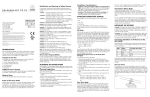
1. If, after installation, it becomes necessary to rotate the fixture, use
a 5/16” hex key to loosen the base bolt. (See Figure 7.)
2.Vertically rotate the yoke then tighten the base bolt.
note:
The fixture allows 360˚ vertical and horizontal rotation.
Do not over tighten set screws.
caution: Do not allow cable to become pinched in housing.
caution:
IMPORTANT INFORMATION
* PC used for show
authoring and
show control.
60-foot (18.3 m)
power/data cable
included with fixture.
DMX OUT
ETHERNET
L
DMX IN
DMX OUT
Ethernet IN
+24V
GND
Using wire nuts, connect the green ground wire
from each C-Splash 2 to the earth ground on PDS-60.
(See Fig. 5.)
To C-Splash 2
Fig. 5
Ethernet
Switch
PC*
ETHERNET
Fig. 7
Color Kinetics
Controller
(CAT5/RJ45)
100-240VAC
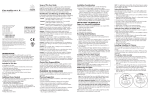
Aiming C-Splash 2 is simple with the aim-and-lock feature.
1. After installing and energizing the light, horizontally pivot the fixture in the yoke to the desired position.
2. Using a 3/16” hex key tighten the pivot bolts to hold the fixture
in position. (See Fig. 7.)
3. Using a 1/8” hex key tighten the locking set screws to lock the
fixture in place. (See Fig. 7.)
PDS-60
DMX IN
RING
TERMINAL
AIMING THE FIXTURE
+24V
GND
100-240VAC
C-Splash 2 with PDS-60 (Preprogrammed)
+24V
GND
RING
TERMINAL
To C-Splash 2
CAT 5/RJ45
Data Cable
DMX IN DMX DMX OUT
LOOP REPEATER
OUT
Color Kinetics
Controller
Making Electrical
Connections
Fig. 4
24V
DATA
COM
60-foot (18.3 m) power/data cable
included with fixture.
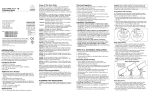
• T he maximum submersion depth is 15 Fig. 2
feet (5 meters).
• Install C-Splash 2 horizontally, verti3/8" CAP SCREW,
SILICONE BRONZE
cally, or inverted.
3/8" FLAT WASHER,
SILICONE BRONZE
Mounting C-Splash 2
1. Using the provided C-Splash 2
template or the C-Splash 2 base, mark
the installation locations.
2. Attach fixture to mounting surface, with three 3/8”-16 silicon
bronze cap screws and washers, using the method best suited for
the mounting surface. (See Fig. 2.)
Ensure that power supply is off before wiring or connecting fixtures to PDS-150e. Failure to do so can result in serious
injuries or death.
Connect the C-Splash 2 ground wire to the power/
data supply chassis. Failure to connect the ground wire can
result in property damage and void the warranty.
Maximum single run distance from
PDS-150e: 150 ft (46 m).
• Install C-Splash 2 in fresh or salt water.
Install C-Splash 2 fixture before wiring it to the power/
data supply to minimize risk of electric shock.
warning:
caution:
Fig. 6
Things to remember:
• Install C-Splash 2 fully submerged, partially submerged, or in dry
location.
Fig. 3
BLACK
COM
After installing the power/data supWHITE
DATA
ply and C-Splash 2 fixtures, you are
RED
24V
ready to make the electrical connecGND
tions.
TO EARTH
1. Pull the cable from the fixtures to
GROUND
the power/data supply.
2. Pull the cable through knock-outs in the side of the power/data
supply.
3. Wire the red, white, and black wires of each fixture to a provided connector, then snap connectors into the connector terminals
located in the power/data supply. Ensure that the wire colors correspond to the 3-pin terminal block notations. (See Fig 3.)
4. For PDS-150e: Using wire nuts, connect the green ground wire
from each C-Splash 2 to the earth ground on PDS-150e. Secure
the ring terminal to the chassis. (See Fig. 4.)
Connecting Power
Follow the instructions in PDS-150e or PDS-60 Installation Guide to
connect power from a 100 to 240 VAC power source.
Strobe Warning
There is some anecdotal evidence that strobe lighting may induce epileptic symptoms
in certain susceptible individuals, although no associated product warnings have been
issued by United States government according to the Food and Drug Administration.
1
If strobe lights are used, some international regulatory agencies recommend
keeping flicker rates at or below four flashes per second (as less of the flicker-sensitive
population will then be at risk of an attack). This flicker rate applies only to the overall
output of any group of lights in direct view. However, when more than one strobe light
is used, the flashes should be synchronized. End users should also consider issuing a
warning, alerting audience or viewers to the presence of strobe lighting.
For PDS-60 24V:
Earth Ground
100-240VAC
PDS-60 (DMX/Ethernet)
DMX/ETHERNET
IN
PDS-60 (DMX/Ethernet)
DMX
OUT
Earth
Ground
1G
uide to Health, Safety and Welfare at Pop Concerts and Similar Events,
HMSO Publications (UK)