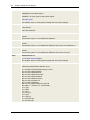
1
Automation Engine
309
L
l
l
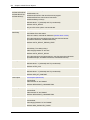
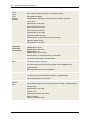
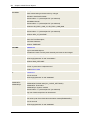
Login
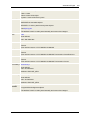
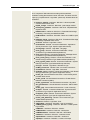
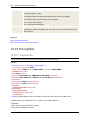
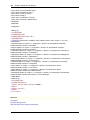
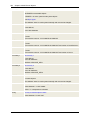
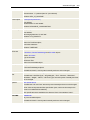
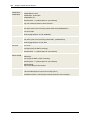
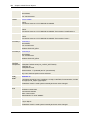
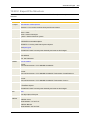
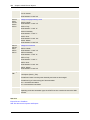
Login data for target systems. A particular UC4 object type.
logical date
The logical date is used as a comparison date for checking Calendar conditions.
M
l
l
Message Window
UserInterface window that displays warnings, information and error messages.
Monitor
Graphical view of a task's execution.
N
l
l
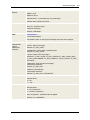
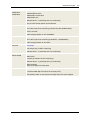
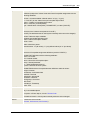
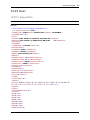
nonstop process
Part of the UC4 Automation Engine. Assumes processing if the computer with the active Server
processes fails.
Notification
Sends messages to individual Users and UserGroups of the UC4 system. A particular UC4 object
type.
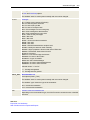
O
l
l
l
l
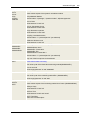
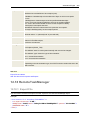
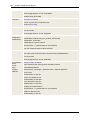
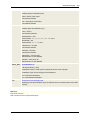
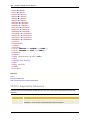
object
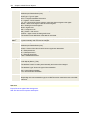
UC4-controlled activities and processes are structured in the form of objects (see also 'Task').
object class
There are four classes of objects: executable, active, passive and system objects.
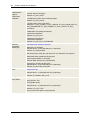
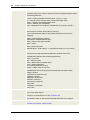
object type
An individual object is provided for the individual activities: User, UserGroup, Notification, Cockpit,
CodeTable, Documentation, Event, Agent, FileTransfer, Group, Include, Job, Workflow, Calendar,
Login, Client, RemoteTaskManager, Schedule, Script, Server, Sync, Variable and TimeZone.
object variables
Placeholder for values that are stored in an object's "Values" tab.
P
l
l
l
l
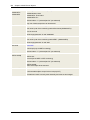
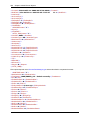
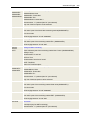
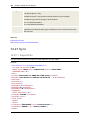
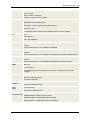
parent
There are different ways of activating objects. The originator of an activation is referred to as the
superordinate task (parent). (See also 'Child', 'Children')
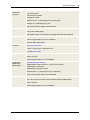
partially qualified FileTransfer
FileTransfers that use wildcard characters in order to transfer several files.
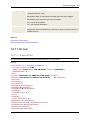
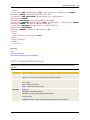
Period Container
Controls the execution of periodical tasks
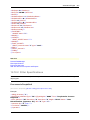
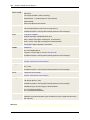
perspective
Separate functional area of the Enterprise Control Center's (ECC) web interface. The perspectives