1
i-CAT FLX User Manual
Reprocessing an Exam
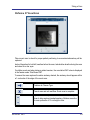
The Reprocess Exam list contains acquired scans for which there is raw data available on the
scanner controller. Raw data is maintained on the scanner controller for a short period of time.
The exam data is deleted from the scanner controller only when the data has been moved
successfully.
It may be necessary to reprocess an exam if there is a problem with reconstruction of a scan
that was acquired successfully. Exams are reprocessed using the same settings with which
they were acquired. The list is ordered with the most recent scan at the top of the list.
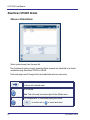
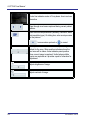
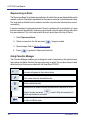
1. Select Reprocess Exam.
2. Select an exam from the list and press
. Image is created.
3. Review image. Refer to Review Exam Images.
4. Press
to go back to Reprocess Exam list.
Using Favorites Manager
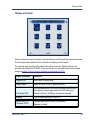
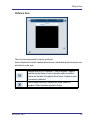
The Favorites Manager enables you to change the order of protocols on the protocol menu,
and rename and delete favorites that were previously created. You can also choose to add
default protocols that were provided with the SmartScan STUDIO.
Moves a selected favorite up or down in the list. This is the order the
protocols will appear in the protocol menu.
Enter a new name for selected favorite.
Delete selected favorite.
Displays a list of default favorites provided with SmartScan STUDIO.
Select a favorite and press
default was deleted or renamed.
to add it. May be necessary if a
Go back to Utilities menu.
8-4
032-0329-EN Rev E