1
Table Of Contents
Myriad Manager............................................................................................................4
Introduction ...............................................................................................................4
Running Myriad Manager For The First Time .........................................................4
The Users Tab ...............................................................................................................6
System Administrator: Your Fir st User Account ......................................................6
Group Level Access ...................................................................................................6
Setting Up The System Administration Group ..........................................................7
Group Name & (Mult)iple Users Option ..................................................................7
Default Rights For User Groups ...............................................................................8
Create/Delete/Modify User Accounts ...................................................................8
Edit Cart information and audio............................................................................8
Access mail functions ...........................................................................................8
Create/Delete/Modify information stored in AutoTrack Databases .....................8
Auto-Schedule/Import programme logs into Q-NXT ...........................................8
Perform System Administration functions............................................................8
Creating More User Groups .....................................................................................9
Adding Your First User ...........................................................................................10
Caution! Adding a User will affect the entire Myriad family!............................10
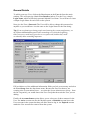
General Details....................................................................................................11
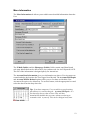
More Information ................................................................................................12
Access Rights ......................................................................................................13
Preferences ..........................................................................................................14
Audio Wall ..........................................................................................................14
Notes ...................................................................................................................14
Saving The Users Details ....................................................................................14
Adding More Users .................................................................................................15
Finding A User A ccount To View Or Edit Details ..................................................15
Listing The Users On The System ...........................................................................16
Viewing, Sorting & Printing Users Details.........................................................16
Deleting A User Account ....................................................................................16
User History: Big Brother Is Watching ..................................................................17
The User Menu ........................................................................................................18
Auto Expire Users ...............................................................................................18
Change My Password..........................................................................................18
The Audio Wall Tab....................................................................................................19
Introduction .............................................................................................................19
Running Reports about the Audio Wall ...................................................................20
Cart Range...........................................................................................................20
Compression Options ..........................................................................................21
Cart Length Options............................................................................................21
More Options ......................................................................................................22
Report Results .....................................................................................................23
The Report Tool Bar ...........................................................................................24
Play Cart..........................................................................................................25
Edit Cart ..........................................................................................................25
Print Report .....................................................................................................25
Block Copy......................................................................................................25
Block Move.....................................................................................................27
Mass Colour Change .......................................................................................27
2