1
tecla(5)
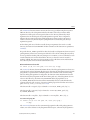
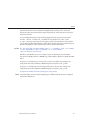
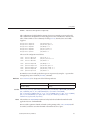
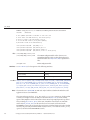
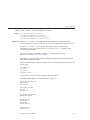
ls ~/tecla/
cd ~/tecla
ls -l getline.c
emacs ~/tecla/getline.c
If you next typed:
ls
and then hit M-p, then rather than returning the previously typed emacs line, which doesn't
start with "ls", tecla would recall the "ls -l getline.c" line. Pressing M-p again would recall the "ls
~/tecla/" line.
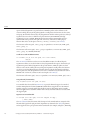
Note that if the string that you are searching for, contains any of the special characters, *, ?, or
'[', then it is interpretted as a pattern to be matched. Thus, cotinuing with the above example,
after typing in the list of commands shown, if you then typed:
*tecla*
and hit M-p, then the "emacs ~/tecla/getline.c" line would be recalled first, since it contains the
word tecla somewhere in the line, Similarly, hitting M-p again, would recall the "ls ~/tecla/"
line, and hitting it once more would recall the "ls ~/tecla/" line. The pattern syntax is the same
as that described for file name expansion, in the ef_expand_file(3TECLA).
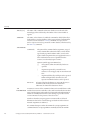
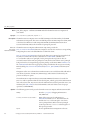
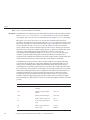
History Files Authors of programs that use the tecla library have the option of saving historical
command-lines in a file before exiting, and subsequently reading them back in from this file
when the program is next started. There is no standard name for this file, since it makes sense
for each application to use its own history file, so that commands from different applications
don't get mixed up.
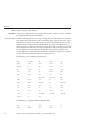
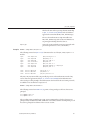
International Character Since libtecla version 1.4.0, tecla has been 8-bit clean. This means that all 8-bit characters
Sets that are printable in the user's current locale are now displayed verbatim and included in the
returned input line. Assuming that the calling program correctly contains a call like the
following,
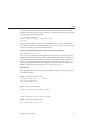
setlocale(LC_CTYPE, "");
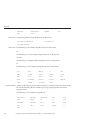
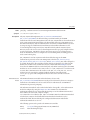
then the current locale is determined by the first of the environment variables LC_CTYPE,
LC_ALL, and LANG, that is found to contain a valid locale name. If none of these variables are
defined, or the program neglects to call setlocale, then the default C locale is used, which is
US 7-bit ASCII. On most unix-like platforms, you can get a list of valid locales by typing the
command:
locale -a
at the shell prompt.
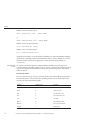
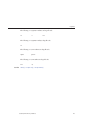
Meta Keys and Locales
Standards, Environments, and Macros
431