1
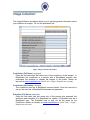
My View Name (required)
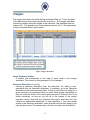
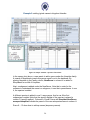
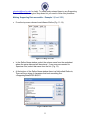
Column B in the top-half of this worksheet has a drop-down with existing views
in Morphbank. Select the desired view from Column B and do not alter
columns C – J (on the top half of the worksheet).
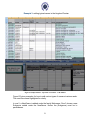
If views needed are not there, create new views on the bottom half of
the workbook using columns C – J (as described next).
Specimen Part (required)
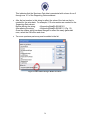
Enter/choose from the drop-down list the name of the specimen part
presented by the view (i.e. what specimen part is featured in the image). If the
specimen part is not in the drop-down list you can add it through the
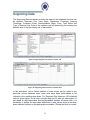
Supporting Data worksheet by adding a new entry to the Specimen Part
column there.
View Angle (required)
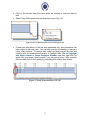
Enter/choose from the drop-down list a description of the view angle that
corresponds to the view. View Angle is from the viewpoint of the camera with
respect to the object being imaged. You can add new values to the drop-down
list by adding a new entry to the View Angle column in the Supporting Data
worksheet.
Imaging Technique (required)
Enter/choose from the drop-down list the imaging technique used for this view.
If the imaging technique used is not in the list you can add the value by adding
a new entry to the Imaging Technique column in the Supporting Data
worksheet.
Preparation Technique (required)
Enter/choose from the drop-down list the imaging preparation technique used
for the view. This field captures data about the preparation done to the
specimen (if any) in order capture the image(s). If the image preparation
technique used is not in the list you can add the value by adding a new entry
to the Imaging Preparation Technique column in the Supporting Data
worksheet.
Developmental Stage (required) (dw=lifeStage)
Enter/choose from the drop-down list the developmental stage of the
specimen presented in the view. The stage you select should be the same as
the stage entered in the Specimen worksheet for the specimens in the images
to which you plan to apply this view. Example: If you enter “adult” as the
developmental stage for the view, you cannot apply this view to an image of a
“larva”, if you need to apply a similar view to a larva, you need to create a new
view entry.
15