1
External Links:
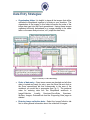
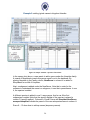
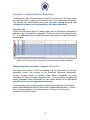
The External links worksheet is optional and populated last. Use this option to
link the deposited images to any external link like other databases, NCBI
accession numbers, location maps etc. Links may be associated with any
Morphbank table, so they can appear in the SpecimenRecord, ImageRecord,
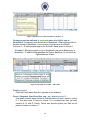
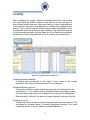
LocationRecord or ViewRecord tables. This worksheet has 6 columns.
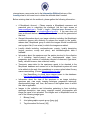
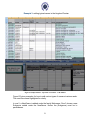
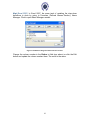
Figure 8 External Links
Object Type (required only if this sheet is used)
Choose from the drop-down list the Object Type for which you want to create
a link. The choices are: Specimen, View, Image and Locality. Note well: if
the same institution and/or project link is to be added to all the Specimens
and Images, this is done easily with the first worksheet, Image Collection.
This External Links worksheet allows unique links to specific objects.
Type Description for External Link (required only if this sheet is used)
Choose from the drop-down list the Type Description for External Link. The
choices in this column will change to match the Object type selected. For
example: If an Object Type of Specimen, View or Locality is selected, the
Type Description choices will contain the description field from that
associated worksheet (Specimen-will contain the description field from the
Specimen Worksheet, View-will contain the description field from the View
Worksheet etc.) .If an Object Type of Image is selected, the Type Description
choice will be the image_file name.