1
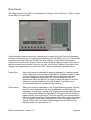
The audio outputs of the RM IV are automatically connected to the input of your host
software's mixer. The number and configuration of the RM IV's audio outputs can be set
on the instrument's Rear Panel (see below for an explanation of the RM IV's Rear Panel)
to any combination of mono and stereo outputs that the user desires.
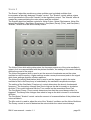
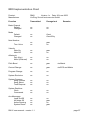
Finally, the RM IV's Rear Panel allows you to set various global parameters including
Power Pan, Pad Velocity, Dial Mode, Note Names, Choke Mode as well as each Drum
Pad's Polyphony, MIDI Channel, Root Note and Trigger Note.
Hopefully, this chapter has given you a brief overview of how the RM IV works. More
detailed information can be found in the following chapters.
Controls
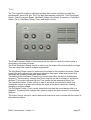
Users have the option of controlling all RM IV dials in either a circular or a linear manner
depending on the Dial Mode setting on the RM IV's Rear Panel (see the "Rear Panel"
section of this manual for more information).
Holding down the ALT key while clicking on a control changes the selected control's value
a minimum step upwards (when clicking in the upper half of the control) or a minimum step
downwards (when clicking in the lower half of the control).
Holding down the CTRL key while clicking on a control sets the control to its default value
(e.g. for Volume controls it sets the control's value to -3 dB).
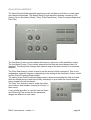
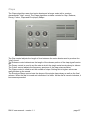
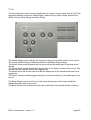
When controls are changed, the value of the control is displayed in the corresponding
Drum Pad's Display control. After a short period of time the Display controls revert to
showing the title of the respective Drum Pad. This applies to all RM IV controls except
those found in the Audio Generator Modules.
All controls can be automated and controlled using external MIDI messages. To use
external devices you need to use the RM IV's ECS which is described in detail later in this
manual.
PC users who have a mouse with a wheel can use the mouse-wheel to change RM IV
parameter values provided that the host software supports this (an example of a VST host
program that supports the use of mouse-wheels is Cubase SX).
RM IV user manual : version 1.1
page 14