1
7.3
The Interface Generator (itf )
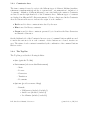
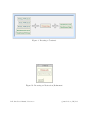
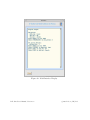
The Interface tool is invoked from the Generators Environment and takes as input a source
interface description file, with file extension ‘.itf’.
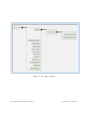
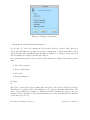
An option to introduce an ‘Interface of Implemented Machine’ is available under the Tool
Bar Introduce.
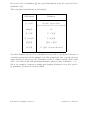
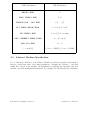
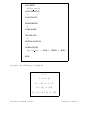
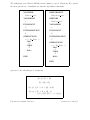
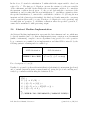
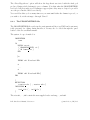
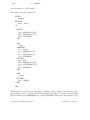
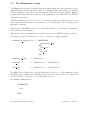
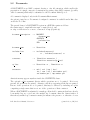
The general form of an interface description is given in a BNF-like syntax as follows:
the syntax exp1 | exp2 indicates exp1 or exp2 (choice),
<< exp >> indicates zero or more occurrences of exp (repetition) and
[| exp |] indicates optionality.
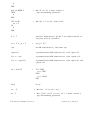
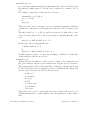
interface description ::=
Interface!Generator
interface name | interface name(params)
[|
IMPORTS
imp construct << , imp construct >>
|]
OPERATIONS
operation list
END
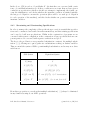
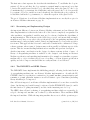
interface name
::=
Identifier
imp construct
::=
Identifier ( param << , param >> )
param
::=
Identifier |
operation list
::=
Identifier << , Identifier >>
Bnumber
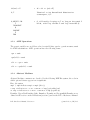
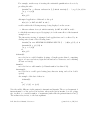
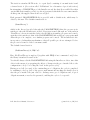
The interface name must be that of a MACHINE for which an appropriate analysed implementation exists (see below). The OPERATIONS clause identifies those operations which
the user wants to appear in the interface (i.e. be ‘in-scope’ for testing) and should be valid
operations of the referenced specification; an error will be reported otherwise.
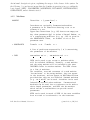
If the MACHINE is parameterised, the parameters must be set in the Interface!Generator;
an error will be reported otherwise.
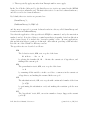
Since the interface is the top level of a development, all machines which are SEEN but not
IMPORTED at a lower level need to be imported at this interface level. If such a machine
is parameterised, actual parameters must, of course, be supplied at import, and so the
optional IMPORTS clause provides the point at which such parameters may be set.
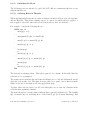
The introduction of an ‘Interface of Implemented Machine’ option described above autoB-Toolkit User’s Manual, Version 3.2
c
1996
B-Core (UK) Ltd.