1
To open a .rif file
To use a wizard to do this see “Open File:” on page 19, otherwise:
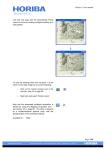
1 From the File menu, choose Open or drag the file into the IDEAS window.
2 Select the .rif file that you want in the Select File To Load window.
Tip: while browsing for the file to open you can limit the type of file shown in the
window to .rif files.
In the next window you will:
•
Choose a compensation matrix
•
Choose a template
•
Name the output files
•
Choose the number of events to process
30 Getting Started with the IDEAS Application