1
International English
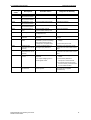
Parameter
Number
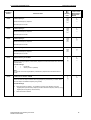
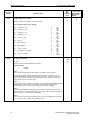
P0702
5. SYSTEM PARAMETERS
Min
Max
[Default]
Units
Parameter Name
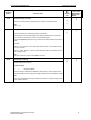
Function of digital input 2
Selects function on digital input 2.
♦P0003 User
Access Level
♦P0004 Setting
♦Changeable
♦Status
0
99
[12]
-
2
7
0
99
[9]
-
2
7
0 Digital input disabled
1 ON Right
2 ON Left" (ON + Reverse)
3 OFF2 – coast to standstill
4 OFF3 – Quick ramp down (P1135 defines OFF3 ramp-down time)
9 Fault acknowledge
10 JOG right
11 JOG left
12 Reverse
13 Increase frequency (Main/additional setpoint=Keypad (P1000))
14 Decrease frequency (Main or additional setpoint = Keypad)
15 Fixed frequency 2 (see P1002)
16 Fixed frequency 2 + ON (see P1002)
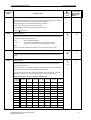
17 Fixed frequencies 1 to 7 (Binary Coded) (see P1002)
25 DC brake enable (see P1230 to P1233)
29 External trip
33 Disable additional setpoint (defined in P1000)
99 Enable BICO parameterization – for expert use only.
Can only be reset via P0700 or P3900 = 1, 2 or factory setting P0970 = 1.
P0703
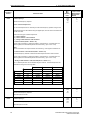
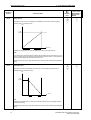
Function of digital input 3
Selects function on digital input 3.
0 Digital input disabled
1 ON Right
2 ON Left" (ON + Reverse)
3 OFF2 – coast to standstill
4 OFF3 – Quick ramp down (P1135 defines OFF3 ramp-down time)
9 Fault acknowledge
10 JOG right
11 JOG left
12 Reverse
13 Increase frequency (Main/additional setpoint=Keypad (P1000))
14 Decrease frequency (Main or additional setpoint = Keypad)
15 Fixed frequency 3 (see P1003)
16 Fixed frequency 3 + ON (see P1003)
17 Fixed frequencies 1 to 7 (Binary Coded) (see P1003)
25 DC brake enable (see P1230 to P1233)
29 External trip
33 Disable additional setpoint (defined in P1000)
99 Enable BICO parameterization – for expert use only
Can only be reset via P0700 or P3900 = 1, 2 or factory setting P0970 = 1.
58
MICROMASTER 420 Operating Instructions
6SE6400-5AA00-0BP0